Fix SFTTrainer TypeError: Unexpected Keyword Argument 'tokenizer'
Error message
TypeError in SFTTrainer Initialization: Unexpected Keyword Argument 'tokenizer'
This error occurs when initializing SFTTrainer from the trl library with the tokenizer argument, which was renamed to processing_class in trl version 0.12.0. The exact error message is:
TypeError: SFTTrainer.__init__() got an unexpected keyword argument 'tokenizer'
This is a breaking change introduced in the 0.12.0 release of trl. The most common cause is using an older code pattern with a newer version of the library.
What Causes This Error
According to the accepted answer on Stack Overflow (source 2), the error has one primary cause:
-
API change in trl 0.12.0: The
tokenizerparameter was renamed toprocessing_class. This is documented in the trl release notes for version 0.12.0. If you are using trl >= 0.12.0 and your code passestokenizer=tokenizerto SFTTrainer, you will get this TypeError because the old parameter name no longer exists. -
Version mismatch: If you are running in an environment where trl was automatically updated (e.g., Google Colab, which is mentioned in the question from source 1), you may have unknowingly upgraded to a version that removed the old parameter. The user in source 1 was running their script in Google Colab, which often has pre-installed packages that get updated over time.
-
Incorrect parameter passing: The user in source 1 also tried passing
tokenizerinsidetraining_arguments(which is an SFTConfig object), but that did not work. The SFTConfig class does not accept atokenizerparameter; it has its own set of arguments likedataset_text_fieldandmax_seq_length. The tokenizer must be passed directly to SFTTrainer, but with the new name.
How to Fix It
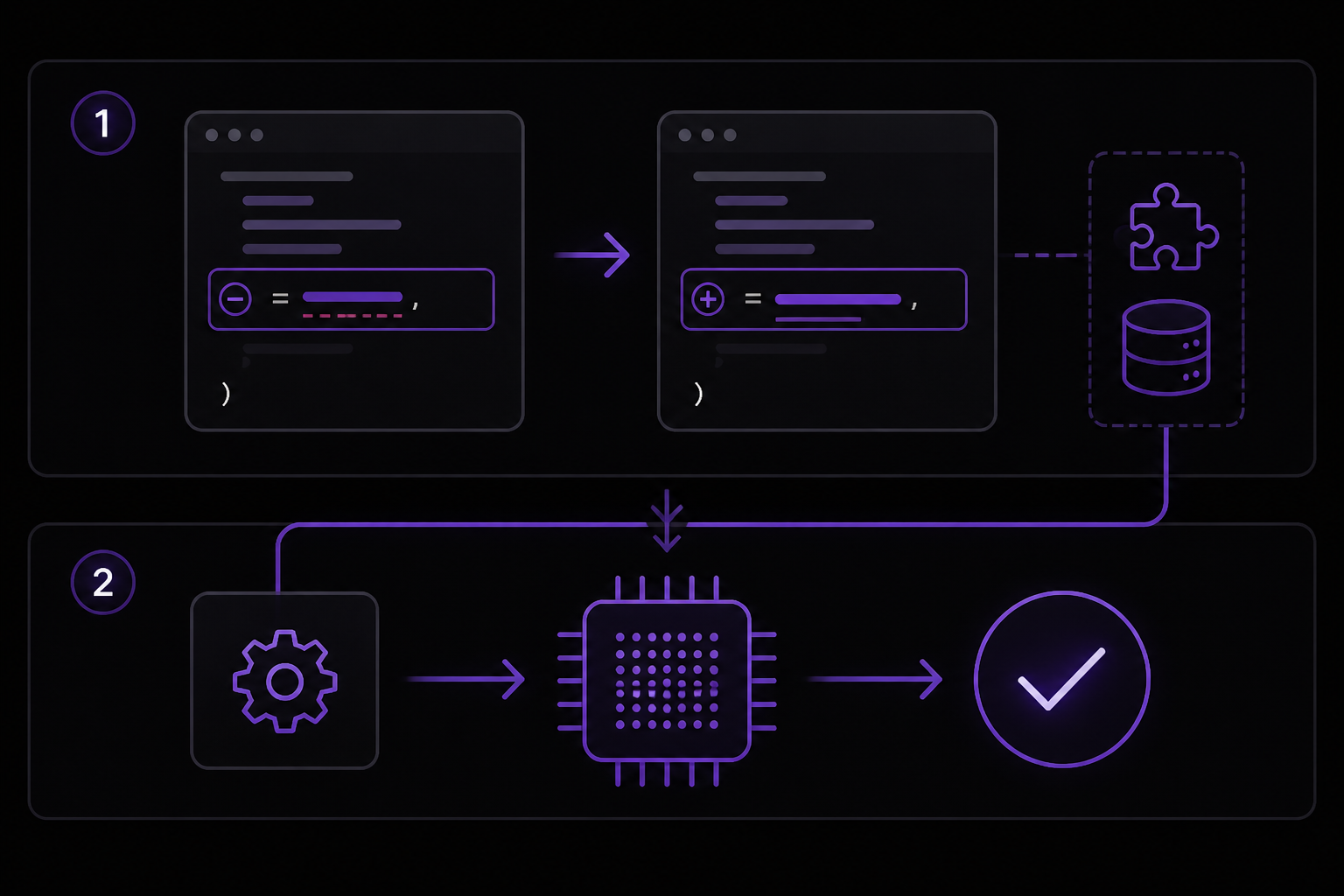
Solution 1: Replace tokenizer with processing_class (Recommended)
This is the fix provided in the accepted answer by nemo on Stack Overflow (source 2). In trl 0.12.0 and later, the tokenizer argument was renamed to processing_class. You should change your SFTTrainer initialization to use the new parameter name.
Step 1: Update your SFTTrainer call
Change this:
trainer = SFTTrainer(
    model=model,
    train_dataset=data,
    peft_config=peft_config,
    args=training_arguments,
    tokenizer=tokenizer,  # This causes the error
)
To this:
trainer = SFTTrainer(
    model=model,
    train_dataset=data,
    peft_config=peft_config,
    args=training_arguments,
    processing_class=tokenizer,  # Fixed: use processing_class instead of tokenizer
)
Step 2: Verify the fix
After making this change, the TypeError should no longer occur. The processing_class parameter accepts the same tokenizer object you were passing before. In the user's code from source 1, the tokenizer was loaded with:
tokenizer = AutoTokenizer.from_pretrained("TheBloke/Mistral-7B-Instruct-v0.1-GPTQ")
tokenizer.pad_token = tokenizer.eos_token
This tokenizer object can be passed directly to processing_class. The SFTTrainer will use it for tokenizing the dataset during training.
Step 3: Ensure other parameters are correct
The user in source 1 also had packing=False and max_seq_length=512 in their SFTConfig. These are still valid parameters in trl 0.12.0. The dataset_text_field="text" parameter tells SFTTrainer which column in the dataset contains the text to tokenize. Make sure your dataset has a column with that name (the user created it with a lambda function that combined instruction, input, and output into a single "text" field).
Solution 2: Downgrade trl to a version that supports tokenizer
If you cannot or do not want to change your code, you can downgrade trl to a version before 0.12.0. This is a community-reported workaround (source 1 implies the user was unaware of the version change, and source 2 confirms the API change).
Step 1: Check your current trl version
Run this command in your environment:
pip show trl
Look for the Version line. If it is 0.12.0 or higher, you are affected.
Step 2: Downgrade to a compatible version
Install a version that still supports the tokenizer parameter. For example:
pip install trl==0.11.0
Note: The exact version that last supported tokenizer may vary. Check the trl release notes on GitHub to find the version where the change was introduced. According to source 2, the change was made in 0.12.0, so versions 0.11.x and earlier should work.
Step 3: Restart your kernel or runtime
After downgrading, restart your Python kernel (in a notebook) or your script. The error should no longer appear because the old parameter name is recognized again.
Caveat: Downgrading may cause other issues if you rely on features added in 0.12.0. This is a temporary workaround, not a long-term solution.
Solution 3: Use SFTConfig correctly (if you were trying to pass tokenizer there)
The user in source 1 mentioned trying to pass tokenizer inside training_arguments. This is not a valid approach. The SFTConfig class does not accept a tokenizer parameter. Instead, SFTConfig has parameters like dataset_text_field, max_seq_length, and packing that control how the dataset is processed. The tokenizer must be passed to SFTTrainer directly via processing_class (Solution 1) or via the old tokenizer parameter (if you downgrade).
If you were attempting to pass the tokenizer through SFTConfig, remove that attempt and use Solution 1 instead.
If Nothing Works
If neither solution resolves the error, consider the following escalation paths based on the sources:
-
Check your trl version again: Run
pip show trland confirm the version. If you are on a very old version (e.g., 0.9.x), thetokenizerparameter might not exist yet either. In that case, upgrade to a version that supports it (0.11.x) or useprocessing_class(0.12.x+). -
Consult the official trl documentation: The user in source 1 checked the documentation but could not find the
tokenizerparameter. This is because the documentation for 0.12.0+ has been updated to reflect the newprocessing_classparameter. Look forprocessing_classin the SFTTrainer API reference. -
Open an issue on the trl GitHub repository: If you believe there is a bug or if the documentation is unclear, file an issue at https://github.com/huggingface/trl. Include your trl version, Python version, and a minimal reproducible example.
-
Community forums: Post on Stack Overflow with the
trltag, or ask on the Hugging Face forums. Provide the exact error message and your trl version. -
Workaround: If you cannot fix the parameter name and cannot downgrade, you can manually tokenize your dataset before passing it to SFTTrainer. Remove the
dataset_text_fieldandprocessing_classarguments, and pass a pre-tokenized dataset. However, this is more complex and not recommended unless necessary.
How to Prevent It
To avoid this error in the future, follow these practices derived from the sources:
- Pin your trl version: In your requirements.txt or environment setup, specify an exact version of trl to prevent unexpected breaking changes. For example:
trl==0.11.0
Or if you want the latest features but are aware of the API change:
trl>=0.12.0
-
Read release notes before upgrading: When updating trl, check the release notes on GitHub (https://github.com/huggingface/trl/releases) for breaking changes. The rename from
tokenizertoprocessing_classwas documented in the 0.12.0 release notes. -
Use the latest documentation: When writing new code, always refer to the documentation for the version of trl you are using. If you are on 0.12.0+, use
processing_class. If you are on an older version, usetokenizer. -
Test in a controlled environment: If you are using Google Colab or a similar service where packages are updated automatically, consider creating a virtual environment or using a Docker container with pinned dependencies to ensure reproducibility.
-
Check for deprecation warnings: Before the parameter was removed, trl may have emitted deprecation warnings when using
tokenizer. Pay attention to warnings in your console or logs, as they often indicate upcoming breaking changes.
The #1 AI Newsletter
The most important ai updates, guides, and fixes — one weekly email.
No spam, unsubscribe anytime. Privacy policy
Sources & References
This page was researched from 2 independent sources, combined and verified for completeness.
- 1.
- 2.Answer by nemo (score 27, accepted)Stack Overflow · primary source
Related Error Solutions
Keep exploring
Latest AI answers
Skip the manual work
Ready-made AI workflows and automation templates — import and run instead of building from scratch.