Fix Poor Retrieval in On-Prem OCR + RAG Pipelines: Causes & Solutions
Original question: Why does my on-prem OCR + RAG pipeline design lead to poor retrieval performance?
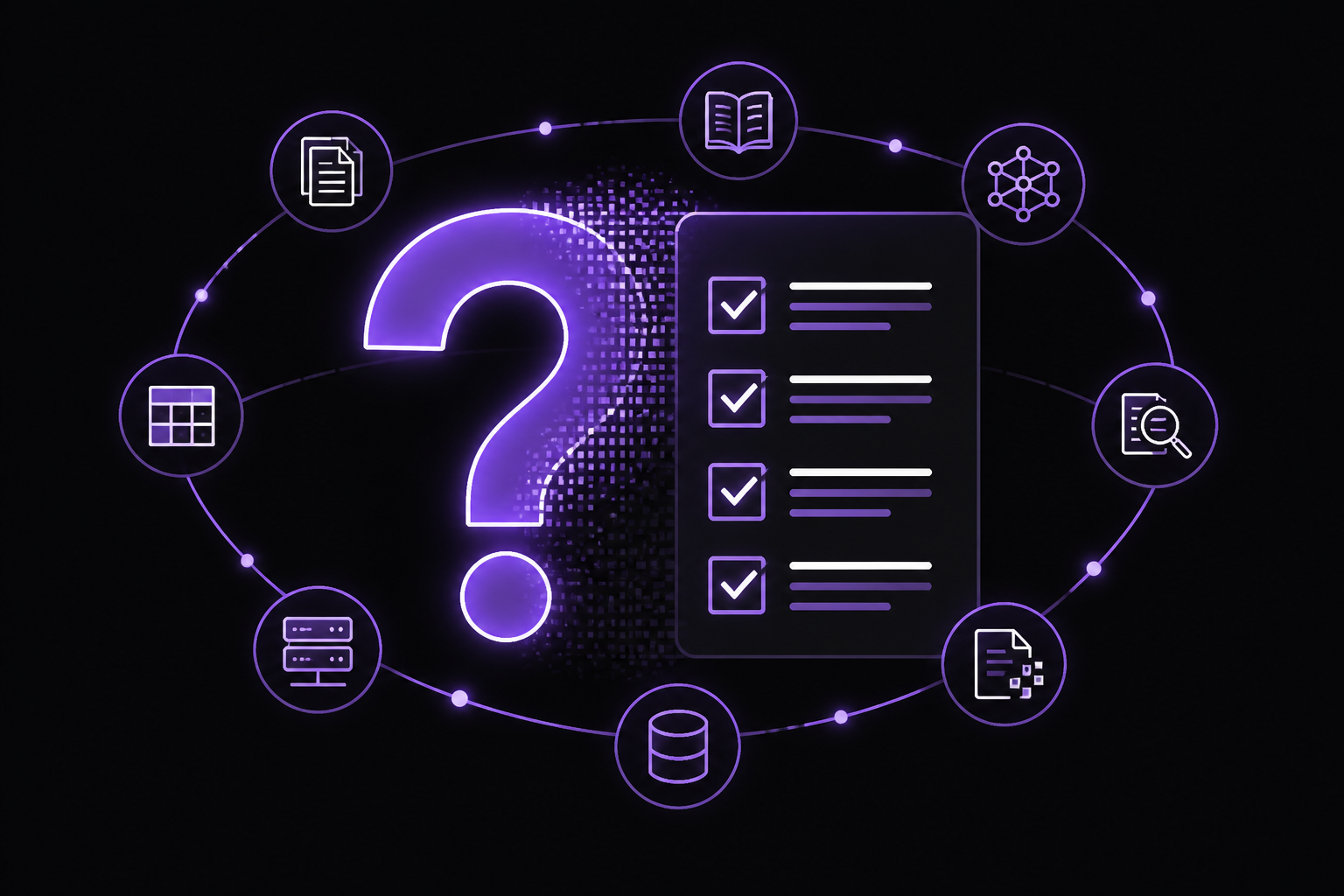
Poor retrieval performance in an on-prem OCR + RAG pipeline is almost always caused by noisy OCR output, naive chunking strategies, and relying on embeddings-only search. The fix is a multi-stage pipeline: clean OCR text, use structure-based chunking, implement hybrid retrieval (embedding + keyword), and add a reranking step. Offline processing of OCR and embeddings eliminates latency issues.
The Full Answer
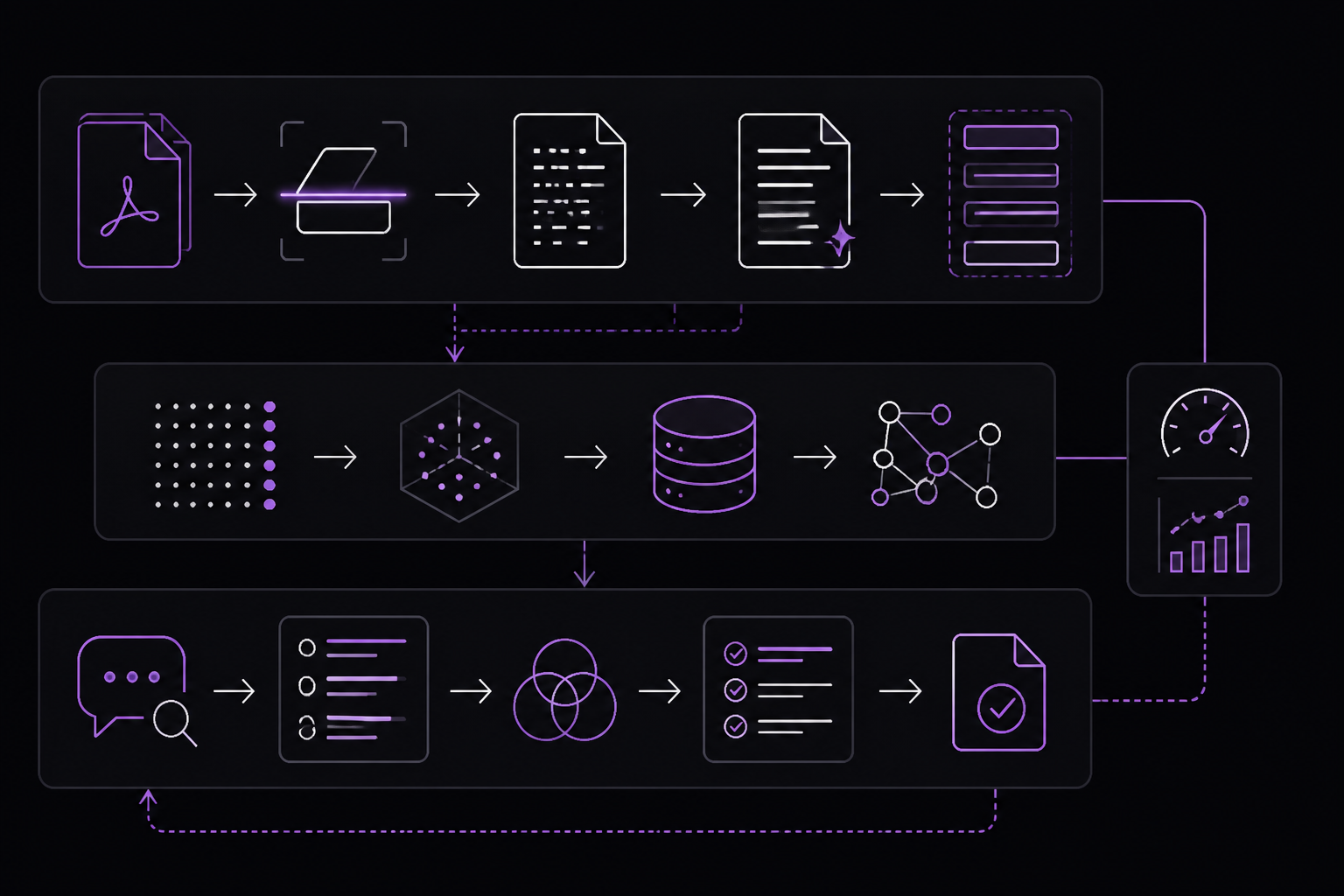
Building an on-prem document processing system with OCR, embeddings, and RAG is a common architecture for handling scanned PDFs. The user reports three specific problems: noisy OCR text degrading embedding quality, inconsistent retrieval results across similar queries, and performance degradation as the document set grows. These are not isolated failures; they are symptoms of a pipeline design that lacks preprocessing, intelligent chunking, and hybrid retrieval.
Why Noisy OCR Text Hurts Embedding Quality
OCR engines are not perfect. Scanned PDFs often contain broken words, weird spacing, misaligned tables, and characters that get garbled. When this noisy text is fed directly into an embedding model, the resulting vectors encode the noise, not the semantic meaning. According to the accepted answer on Stack Overflow by Whisperer_Loud, cleaning the OCR output helped a lot. This is because embedding models are sensitive to input quality: a word like "accoun t" (with a space) will be embedded differently than "account", and a table that OCR renders as a jumble of numbers and symbols will produce a vector that does not represent the actual data.
Cleaning OCR output typically involves:
- Removing extra whitespace and line breaks that break words.
- Fixing common OCR errors (e.g., "rn" becoming "m", "0" becoming "O").
- Reconstructing tables by detecting column positions and aligning values.
- Using a spell-checker or a language model to correct garbled words.
The accepted answer does not provide a specific code snippet for cleaning, but a practical approach is to use a library like pytesseract with post-processing regex, or a tool like tesserocr with built-in page segmentation modes. For example:
import re
import pytesseract
from PIL import Image

def clean_ocr_text(image_path):
    text = pytesseract.image_to_string(Image.open(image_path))
    # Remove extra whitespace and line breaks within words
    text = re.sub(r'(?<=[a-zA-Z]) (?=[a-zA-Z])', '', text)
    # Normalize spacing
    text = re.sub(r'\s+', ' ', text)
    return text.strip()
This is a basic example; real-world cleaning may require more sophisticated rules or a trained model.
The Chunking Problem: Fixed Size vs. Structure-Based
Chunking is the process of splitting documents into smaller pieces for embedding and retrieval. The user reports that splitting by fixed size did not work well. The accepted answer confirms this and recommends switching to more structure-based chunks, such as sections or paragraphs. Fixed-size chunking (e.g., 512 tokens per chunk) often cuts sentences in half, separates tables from their captions, and mixes unrelated content into a single chunk. This produces embeddings that are semantically incoherent, leading to inconsistent retrieval.
Structure-based chunking uses document layout to define boundaries. For scanned PDFs, this means:
- Detecting headings and subheadings (e.g., by font size, boldness, or position).
- Keeping paragraphs intact.
- Treating tables as single chunks.
- Preserving list items together.
A practical implementation might use a library like unstructured or pdfplumber to extract layout information. For example:
import pdfplumber

def extract_structured_chunks(pdf_path):
    chunks = []
    with pdfplumber.open(pdf_path) as pdf:
        for page in pdf.pages:
            text = page.extract_text()
            # Simple paragraph splitting (assumes double newline)
            paragraphs = text.split('\n\n')
            for para in paragraphs:
                if para.strip():
                    chunks.append(para.strip())
    return chunks
This is a simplified version. In practice, you would also extract metadata like page number, section title, and document name, and attach it to each chunk. The accepted answer explicitly mentions that keeping some metadata also helped. Metadata allows the retrieval system to provide context (e.g., "this answer came from page 5 of the Q3 report") and can be used for filtering or boosting certain results.
Hybrid Retrieval: Embeddings + Keyword Search + Reranking
The third major issue is retrieval quality. The user reports that embeddings-only search started to fall apart as the dataset grew. This is a known limitation of pure dense retrieval: embedding models can struggle with rare terms, acronyms, or exact matches that keyword search handles easily. The accepted answer recommends adding keyword search and a reranking step.
Hybrid retrieval combines two approaches:
- Dense retrieval (embeddings): Converts the query and chunks into vectors and finds the nearest neighbors by cosine similarity. This captures semantic similarity.
- Sparse retrieval (keyword): Uses TF-IDF or BM25 to find chunks that contain the exact query terms. This handles rare words and acronyms.
The results from both methods are merged, often by taking a weighted sum of scores or by using a reciprocal rank fusion (RRF) algorithm. Then a reranker (a cross-encoder model) re-scores the top candidates from the hybrid step. The reranker looks at the query and chunk together, producing a more accurate relevance score.
A typical implementation using the sentence-transformers and rank_bm25 libraries might look like this:
from sentence_transformers import SentenceTransformer, CrossEncoder
from rank_bm25 import BM25Okapi
import numpy as np

# Initialize models
embedder = SentenceTransformer('all-MiniLM-L6-v2')
reranker = CrossEncoder('cross-encoder/ms-marco-MiniLM-L-6-v2')

# Assume chunks are already cleaned and stored in a list
chunks = [...]  # list of strings

# Build dense index
chunk_embeddings = embedder.encode(chunks)

# Build sparse index (BM25)
tokenized_chunks = [chunk.split() for chunk in chunks]
bm25 = BM25Okapi(tokenized_chunks)

def hybrid_search(query, top_k=20):
    # Dense search
    query_embedding = embedder.encode([query])
    dense_scores = np.dot(chunk_embeddings, query_embedding.T).flatten()
    dense_indices = np.argsort(dense_scores)[-top_k:][::-1]

    # Sparse search
    tokenized_query = query.split()
    sparse_scores = bm25.get_scores(tokenized_query)
    sparse_indices = np.argsort(sparse_scores)[-top_k:][::-1]

    # Combine scores (simple weighted sum)
    combined_scores = np.zeros(len(chunks))
    combined_scores[dense_indices] += dense_scores[dense_indices] * 0.5
    combined_scores[sparse_indices] += sparse_scores[sparse_indices] * 0.5

    # Get top candidates for reranking
    top_indices = np.argsort(combined_scores)[-top_k:][::-1]
    candidate_chunks = [chunks[i] for i in top_indices]

    # Rerank
    rerank_scores = reranker.predict([(query, chunk) for chunk in candidate_chunks])
    reranked_indices = np.argsort(rerank_scores)[::-1]

    return [candidate_chunks[i] for i in reranked_indices]
This code is illustrative. The accepted answer does not provide a specific implementation, but the approach is standard in production RAG systems. The key point is that hybrid retrieval plus reranking significantly improves retrieval consistency, especially as the document set grows.
Latency: Offline Processing Is the Key
The user also mentions latency issues. The accepted answer states that the biggest win for latency was moving OCR and embedding processing to offline instead of doing it at query time. This means:
- When a new document is added to the system, it is immediately OCRed, cleaned, chunked, and embedded. The embeddings are stored in a vector database (e.g., FAISS, Chroma, or a relational database with pgvector).
- At query time, only the retrieval and generation steps run. The heavy computation (OCR, embedding) is done once per document, not once per query.
This is standard practice in production systems. The accepted answer notes that this is how many on-prem tools like Doc2Me AI and ABBYY are built, so it is a pipeline design issue, not a model issue.
The Recommended Pipeline
The accepted answer summarizes the solution as:
OCR → cleanup → better chunking → hybrid retrieval → rerank
This pipeline addresses all three problems:
- Noisy OCR: Cleanup step removes artifacts before embedding.
- Inconsistent retrieval: Structure-based chunking creates coherent chunks; hybrid retrieval + reranking improves match quality.
- Performance degradation: Offline processing keeps query-time computation minimal; hybrid retrieval scales better than pure embedding search.
Common Pitfalls
Based on the sources, here are the most common mistakes and how to avoid them:
- Skipping OCR cleanup entirely: The accepted answer emphasizes that cleaning OCR output helped a lot. Many developers assume the OCR engine produces clean text, but scanned PDFs with tables, small fonts, or poor image quality will produce garbage. Always inspect a sample of OCR output before embedding.
- Using fixed-size chunking without considering document structure: The accepted answer explicitly states that fixed-size chunking did not work well. If you must use fixed-size chunks, at least use overlapping chunks to avoid cutting off context. But structure-based chunking is strongly preferred.
- Relying solely on embeddings for retrieval: The accepted answer reports that embeddings-only search fell apart as the dataset grew. This is a community-reported finding, not official documentation, but it aligns with known limitations of dense retrieval. Always add a keyword search component.
- Not including metadata: The accepted answer mentions that keeping metadata helped. Without metadata, the retrieval system cannot provide context (e.g., which document or page a chunk came from), and you lose the ability to filter or boost results.
- Processing OCR and embeddings at query time: This is the primary cause of latency. The accepted answer states that moving these steps offline was the biggest win for latency. If you are doing OCR on every query, you are doing it wrong.
- Ignoring the reranking step: The accepted answer includes reranking in the recommended pipeline. Without reranking, the hybrid search results may still contain irrelevant chunks that happen to have high embedding similarity or keyword overlap. A cross-encoder reranker provides a more accurate final ranking.
Related Questions
How do I clean OCR output for embedding?
Cleaning OCR output involves removing extra whitespace, fixing broken words, and reconstructing tables. Use a library like pytesseract with post-processing regex, or a tool like tesserocr with page segmentation modes. For advanced cleaning, consider using a spell-checker or a small language model trained on OCR errors. The goal is to produce text that looks like it was typed by a human, not scanned by a machine.
What chunking strategy works best for scanned PDFs?
Structure-based chunking that respects document layout (headings, paragraphs, tables) works best. Use libraries like unstructured or pdfplumber to extract layout information. If you must use fixed-size chunks, use overlapping chunks (e.g., 512 tokens with 128 token overlap) to preserve context. Always attach metadata like page number and section title to each chunk.
How do I implement hybrid retrieval with embeddings and BM25?
Use a library like sentence-transformers for embeddings and rank_bm25 for keyword search. Combine scores using a weighted sum or reciprocal rank fusion. Then use a cross-encoder reranker (e.g., cross-encoder/ms-marco-MiniLM-L-6-v2) to re-score the top candidates. This approach improves retrieval consistency, especially for rare terms and large datasets.
Should I process OCR and embeddings offline or at query time?
Always process OCR and embeddings offline. When a document is added to the system, run OCR, clean the text, chunk it, and generate embeddings immediately. Store the embeddings in a vector database. At query time, only run retrieval and generation. This eliminates the latency of OCR and embedding computation from the query path.
The #1 AI Newsletter
The most important ai updates, guides, and fixes — one weekly email.
No spam, unsubscribe anytime. Privacy policy
Sources & References
This page was researched from 2 independent sources, combined and verified for completeness.
- 1.
- 2.Answer by Whisperer_Loud (score 5, accepted)Stack Overflow · primary source
Related Answers
Keep exploring
Latest error solutions
Skip the manual work
Ready-made AI workflows and automation templates — import and run instead of building from scratch.