Fix Pinned Memory Errors with GGUF Models in ComfyUI
Error message
Pinned memory causes error with GGUF model
Diagnosis
When using GGUF models (such as Wan 2.2 or Qwen image models) in ComfyUI, you may encounter a torch.AcceleratorError with the message "CUDA error: invalid argument" or "CUDA error: out of memory" during model unloading or between samplers. The error occurs specifically when pinned memory is enabled and is most common at higher video resolutions or with larger models. The exact error message from the debug logs reads:
torch.AcceleratorError: CUDA error: invalid argument
Search for 'cudaErrorInvalidValue' in https://docs.nvidia.com/cuda/cuda-runtime-api/group__CUDART__TYPES.html for more information.
Or alternatively:
!!! Exception during processing !!! CUDA error: out of memory
Search for `cudaErrorMemoryAllocation' in https://docs.nvidia.com/cuda/cuda-runtime-api/group__CUDART__TYPES.html for more information.
Both errors stem from the same root cause: pinned memory allocation conflicts when ComfyUI tries to move model tensors between devices during the patching/unpatching process used by the ComfyUI-GGUF custom node.
What Causes This Error
1. Pinned Memory Enabled (Most Common)
The primary cause, confirmed by both the issue reporter and community member EkstraTuta, is that pinned memory is enabled in ComfyUI. Pinned memory (also called page-locked memory) is a CUDA feature that allows faster data transfers between the CPU and GPU by preventing the operating system from paging memory to disk. However, when GGUF models are loaded via the ComfyUI-GGUF custom node, the pinned memory allocation can conflict with the model's tensor movement operations, especially during the unpatch_model or load calls in nodes.py and ops.py. The stack trace shows the error originates in ComfyUI-GGUF\ops.py, line 58, in the to method, where a tensor transfer fails.
2. High Resolution or Large Model Size
The issue reporter notes that the bug "seems to only happen with a relatively high video resolution." Higher resolutions require more VRAM and more tensor transfers, which exacerbates the pinned memory conflict. Similarly, larger GGUF quantizations (e.g., Q8) consume more memory, making the error more likely.
3. Model Unloading Between Samplers
The error occurs specifically when ComfyUI attempts to unload the model between two samplers in a workflow. The stack trace shows the failure happening in model_management.py during model_load -> model_use_more_vram -> partially_load -> unpatch_model. The GGUF node's unpatch_model method (in nodes.py, line 77) calls super().unpatch_model(), which eventually triggers a model.to(device_to) call that fails due to pinned memory.
4. Recent ComfyUI Update
EkstraTuta reports that the issue appeared "after the update" and that it caused a CUDA out-of-memory error "unlike ever before" with the same model. This suggests a change in ComfyUI's memory management or pinned memory handling in a recent version.
How to Fix It
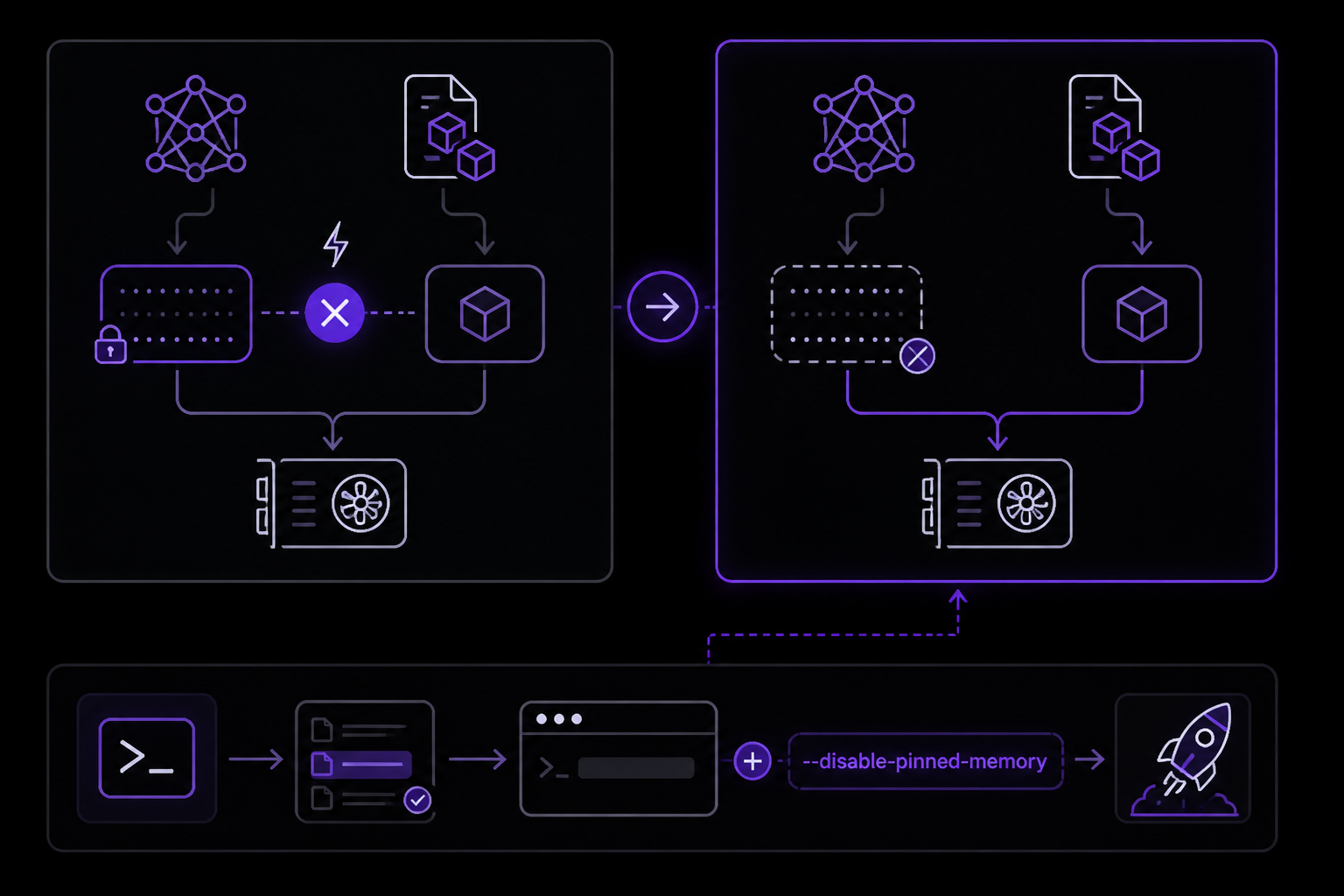
Solution 1: Disable Pinned Memory (Most Effective)
This is the fix confirmed by multiple users and recommended by the community. Start ComfyUI with the --disable-pinned-memory flag. This flag tells ComfyUI to avoid using page-locked memory for CUDA tensors, which eliminates the conflict with GGUF model operations.
Steps:
-
Locate your ComfyUI startup script or command. This is typically a batch file (Windows), shell script (Linux/macOS), or a launcher like Stability Matrix.
-
Add the flag to the command. For example, if you normally run:
python main.py
Change it to:
python main.py --disable-pinned-memory
If you use Stability Matrix, edit the package settings or command-line arguments to include --disable-pinned-memory.
- Restart ComfyUI and run your workflow again.
What to expect: The error should no longer appear. EkstraTuta reports that after adding this flag, the CUDA out-of-memory error with a Qwen Q8 GGUF model was fixed. The trade-off is a potential minor performance decrease in data transfers, but for most users this is negligible compared to the stability gain.
Solution 2: Reduce Resolution or Model Size
If you cannot or prefer not to disable pinned memory, try lowering the video resolution or using a smaller GGUF quantization (e.g., Q4 instead of Q8). The issue reporter notes the bug is more likely at higher resolutions. Reducing the resolution reduces the number of tensor transfers and the VRAM pressure, which may avoid the pinned memory conflict.
Steps:
- In your workflow, reduce the width and height of the latent image or video input.
- If using a GGUF model, try a lower quantization (e.g., Q4_K_M instead of Q8_0).
- Re-run the workflow.
What to expect: The error may stop occurring, but this is a workaround, not a fix. You may lose output quality or resolution.
Solution 3: Update or Reinstall ComfyUI-GGUF Node
The issue may be caused by a bug in the ComfyUI-GGUF custom node itself. The error originates in ops.py and nodes.py of that node. Check for updates to the node via ComfyUI Manager or by reinstalling it from the repository.
Steps:
- Open ComfyUI Manager (if installed) and check for updates to ComfyUI-GGUF.
- If no update is available, remove the node from
custom_nodes/ComfyUI-GGUFand reinstall it from the official repository: https://github.com/ComfyUI-GGUF/ComfyUI-GGUF - Restart ComfyUI.
What to expect: If the node maintainer has patched the pinned memory issue, the error will be resolved. As of the sources, no official fix has been released, so this is a hopeful measure.
Solution 4: Use CUDA_LAUNCH_BLOCKING=1 for Debugging
Both error messages suggest setting CUDA_LAUNCH_BLOCKING=1 to get more accurate stack traces. While this does not fix the error, it can help identify the exact operation that fails, which may be useful for reporting the bug.
Steps:
- Set the environment variable before starting ComfyUI:
set CUDA_LAUNCH_BLOCKING=1
python main.py
Or on Linux/macOS:
CUDA_LAUNCH_BLOCKING=1 python main.py
- Re-run the workflow and note the more precise error location.
What to expect: The error will still occur, but the stack trace will point to the exact line in the GGUF node code, which can be shared with developers.
If Nothing Works
If none of the above solutions resolve the error, consider the following escalation paths:
-
Report the issue on the ComfyUI GitHub repository: The original issue is at https://github.com/Comfy-Org/ComfyUI/issues/10662. Add your debug logs, workflow (if possible), and system details (GPU, VRAM, ComfyUI version, GGUF node version).
-
Report to the ComfyUI-GGUF node maintainer: Since the error originates in the custom node, the maintainer may need to fix the
ops.pyornodes.pycode to handle pinned memory correctly. -
Check the Reddit thread: EkstraTuta references a Reddit discussion at https://www.reddit.com/r/comfyui/comments/1opqlxv/new_update/ where other users may have additional workarounds.
-
Temporary workaround: Use a non-GGUF version of the model (e.g., full FP16 or safetensors) if available, as the pinned memory issue appears specific to GGUF quantizations.
How to Prevent It
-
Always start ComfyUI with
--disable-pinned-memorywhen using GGUF models, especially for high-resolution video generation or when using multiple samplers in a workflow. This is the most reliable prevention method. -
Monitor VRAM usage: If you see "loaded partially" messages with high offloaded memory (e.g., "7658.84 MB offloaded" as in the logs), consider reducing model size or resolution to stay within your GPU's VRAM.
-
Keep ComfyUI and custom nodes updated: Regularly check for updates to ComfyUI and the ComfyUI-GGUF node, as future releases may include a proper fix for pinned memory compatibility.
-
Avoid workflows that unload models between samplers: If possible, restructure your workflow to use a single sampler or keep the model loaded throughout. The error is triggered during model unloading, so minimizing unload operations can help.
The #1 Stable diffusion Newsletter
The most important stable diffusion updates, guides, and fixes — one weekly email.
No spam, unsubscribe anytime. Privacy policy
Sources & References
This page was researched from 2 independent sources, combined and verified for completeness.
- 1.Pinned memory causes error with GGUF modelGitHub issue
- 2.Solution comment by EkstraTuta (3 reactions)GitHub issue
Related Error Solutions
Keep exploring Stable Diffusion
Stable Diffusion resources
Latest AI answers
Skip the manual work
Ready-made AI workflows and automation templates — import and run instead of building from scratch.