Fix TypeError: forward_orig() got an unexpected keyword argument 'attn_mask' in ComfyUI
Error message
TypeError: forward_orig() got an unexpected keyword argument 'attn_mask'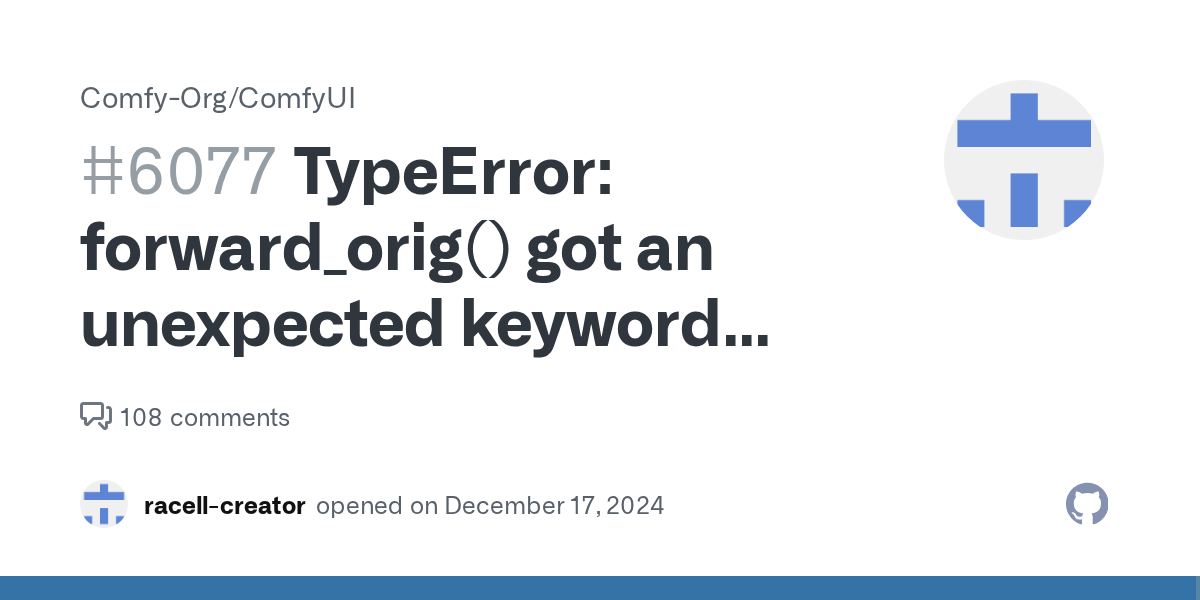
This error occurs when a custom node or workflow passes an attn_mask keyword argument to the forward_orig() method of a Flux model in ComfyUI, but that method does not accept such an argument. The most common cause is a version mismatch between ComfyUI and custom nodes that were written for an older API, particularly after the v0.3.6 and v0.3.7 releases introduced changes to the Flux model's forward signature.
The exact error message is:
TypeError: forward_orig() got an unexpected keyword argument 'attn_mask'
This error appears in the ComfyUI error report with an exception type of TypeError and is typically triggered during the sampling phase, often when using a SamplerCustomAdvanced node (Node ID 13 in the reported case). The stack trace shows the call originates from comfy/ldm/flux/model.py line 204, where forward_orig is called with attn_mask=kwargs.get("attention_mask", None).
What Causes This Error
1. ComfyUI Version v0.3.6 or v0.3.7 (Most Common)
According to the GitHub issue discussion, the error is directly linked to ComfyUI versions v0.3.6 and v0.3.7. The user who reported the issue was running ComfyUI v0.3.7-40-g0b25f47, and the solution comment by dileepajay (with 6 reactions) explicitly states: "The problem seems to be with v0.3.6 and v0.3.7." These versions introduced a change in the Flux model's forward_orig() method that removed the attn_mask parameter, but some custom nodes or workflows still pass it.
2. Incompatible Custom Nodes
The stack trace reveals that the error propagates through several custom nodes before reaching the Flux model. Specifically, the trace includes:
ComfyUI_smZNodes\smZNodes.pyline 100 inKSAMPLER_sampleComfyUI_smZNodes\smZNodes.pyline 175 insampling_function
This indicates that the smZNodes custom node is intercepting the sampling process and passing additional arguments that include attn_mask. The error occurs because the Flux model's forward_orig() method in the newer ComfyUI versions no longer accepts this argument.
3. Workflow Using Flux Redux + PuLID Face Swap
The issue was reproduced using a specific workflow: "FLUX Redux + Pulid Image to Image Face Swap.json." This workflow combines Flux Redux (a variant of the Flux model) with PuLID (a face ID preservation method). The PuLID custom nodes may be passing an attention_mask through the model options, which then gets converted to attn_mask in the Flux model's forward method.
4. PyTorch Version Compatibility
The system information shows PyTorch 2.5.1+cu124 is being used. While this is not directly identified as a cause, version mismatches between PyTorch and ComfyUI can sometimes contribute to unexpected keyword argument errors.
How to Fix It
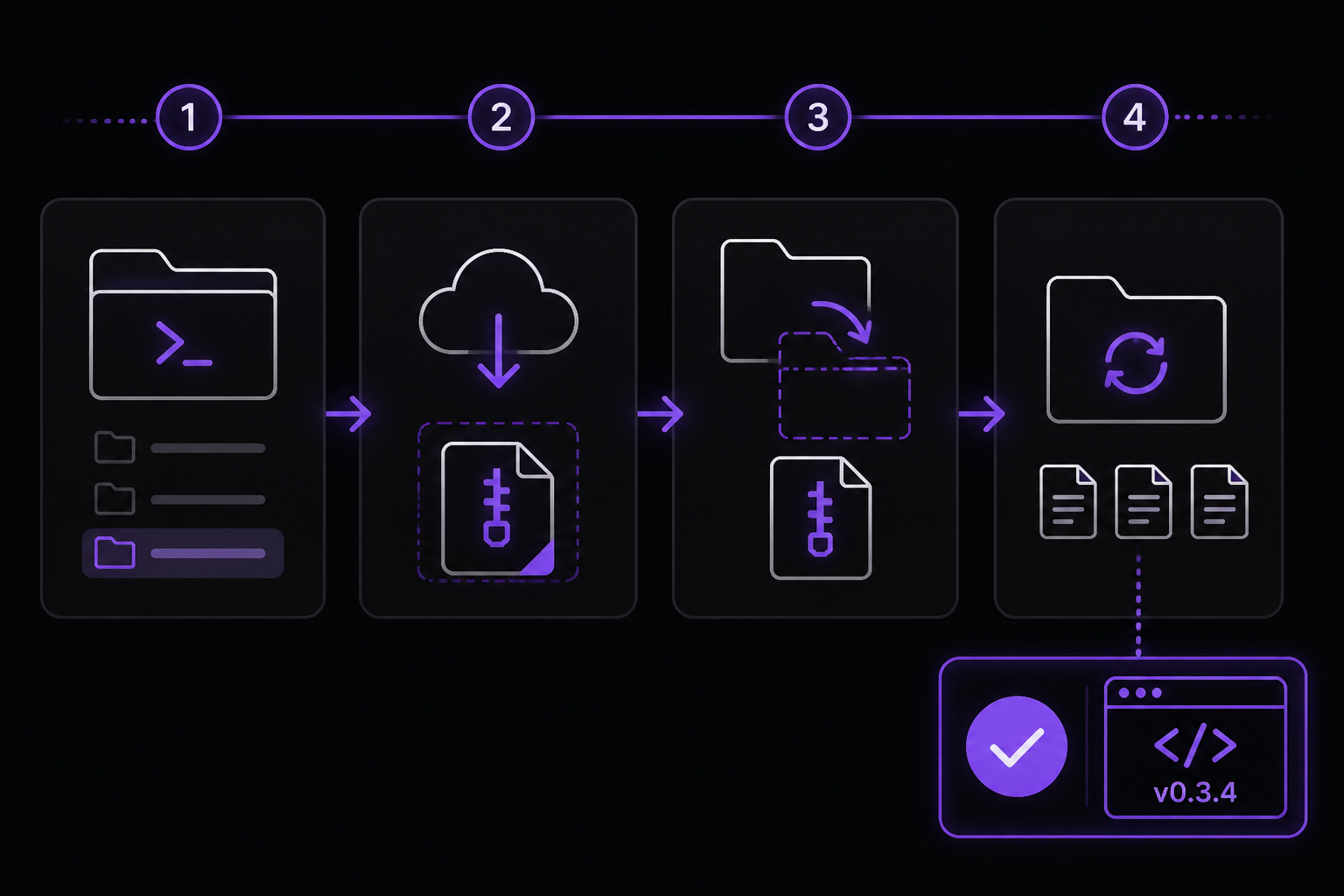
Solution 1: Downgrade ComfyUI to v0.3.4 (Community-Reported Fix)
This is the most straightforward fix, reported by the community member dileepajay in the GitHub issue. It involves reverting ComfyUI to version v0.3.4, which still supports the attn_mask argument.
Steps:
-
Navigate to your ComfyUI workspace directory. This is typically the folder where ComfyUI is installed. If you're using a manager like Stability Matrix, the path might be something like
F:\StabilityMatrix\Data\Packages\ComfyUIon Windows or/workspace/on Linux.cd /workspace/ -
Download the v0.3.4 release archive:
wget https://github.com/comfyanonymous/ComfyUI/archive/refs/tags/v0.3.4.zipOn Windows, you can download the ZIP file manually from the GitHub releases page and extract it to a temporary location.
-
Unzip the downloaded archive:
unzip v0.3.4.zipThis creates a folder named
ComfyUI-0.3.4. -
Replace your current ComfyUI files with the older version. The
--forceflag ensures existing files are overwritten without prompting:cp -r ComfyUI-0.3.4/* ComfyUI/ --forceOn Windows, you can use File Explorer to copy the contents of the
ComfyUI-0.3.4folder into your existing ComfyUI folder, overwriting all files when prompted. -
Restart your ComfyUI server. If you're running it as a systemd service on Linux:
systemctl restart comfyuiIf you're running it manually, stop the process (Ctrl+C in the terminal) and start it again with your usual command, for example:
python main.py --preview-method auto
What to expect: After downgrading, the forward_orig() method in the Flux model should accept the attn_mask argument again, and your workflow should run without the error.
Important caveat: This is a temporary fix. The community member notes: "This is just a temporary fix to keep things working while the team sorts out the issue in the next update." You may miss out on new features or bug fixes introduced in v0.3.5, v0.3.6, and v0.3.7.
Solution 2: Update Custom Nodes (If Available)
Before downgrading, check if the custom nodes involved in the error have been updated to be compatible with ComfyUI v0.3.6/v0.3.7. The error involves ComfyUI_smZNodes, which may have a newer version that no longer passes attn_mask.
Steps:
- Open ComfyUI Manager (if installed) by clicking the "Manager" button in the ComfyUI interface.
- Go to the "Install Custom Nodes" tab.
- Search for "smZNodes" and check if an update is available.
- If an update exists, click "Install" or "Update" to get the latest version.
- Restart ComfyUI and test your workflow.
If you don't have ComfyUI Manager, you can manually update the custom node by navigating to its folder (e.g., custom_nodes/ComfyUI_smZNodes) and running:
git pull
Or, if it was installed from a ZIP, download the latest release from the node's GitHub repository and replace the folder.
What to expect: If the custom node developer has released a fix, the updated node will not pass attn_mask to the Flux model, and the error will be resolved without downgrading ComfyUI.
Solution 3: Modify the Workflow to Remove attention_mask
If you cannot downgrade or update custom nodes, you can modify the workflow JSON to stop passing the attention_mask that causes the error. This requires editing the workflow file manually.
Steps:
-
Open the workflow JSON file (e.g., "FLUX Redux + Pulid Image to Image Face Swap.json") in a text editor.
-
Search for
"attention_mask"in the file. It may appear in the inputs of a node or in the model options. -
Remove or comment out the lines that set
attention_mask. For example, if you find something like:"attention_mask": { "link": 123, "type": "MASK" }Delete that entire block or set it to
null. -
Save the file and reload it in ComfyUI.
-
Run the workflow again.
What to expect: Removing the attention_mask may affect the behavior of PuLID or other face-swapping features, but it should prevent the TypeError from occurring. The generated images may have slightly different quality or face preservation characteristics.
Solution 4: Use a Different Sampler Node
The error occurs specifically with the SamplerCustomAdvanced node (Node ID 13). Try replacing it with a different sampler node, such as:
KSampler(the standard sampler)SamplerCustom(if available)Efficient Sampler(from Efficiency Nodes)
Steps:
- In your workflow, right-click on the
SamplerCustomAdvancednode and select "Replace Node." - Search for "KSampler" and select it.
- Reconnect the inputs (model, positive/negative conditioning, latent image, etc.) to the new sampler node.
- Adjust the sampler settings (steps, CFG, sampler name, scheduler) to match your desired output.
- Run the workflow.
What to expect: Different sampler nodes may use different internal code paths that do not pass attn_mask to the Flux model. This can bypass the error entirely, though the sampling behavior may differ slightly.
Solution 5: Reinstall ComfyUI from Scratch
If none of the above solutions work, a clean installation of ComfyUI may resolve underlying file corruption or partial update issues.
Steps:
-
Back up your custom nodes, models, and workflows. Copy the
custom_nodes,models, andoutputfolders to a safe location. -
Delete the entire ComfyUI folder.
-
Clone the latest stable version from the official repository:
git clone https://github.com/comfyanonymous/ComfyUI.git -
Install dependencies:
cd ComfyUI pip install -r requirements.txt -
Restore your custom nodes, models, and workflows from the backup.
-
Start ComfyUI and test the workflow.
What to expect: A clean installation ensures you have a fresh, uncorrupted version of ComfyUI. If the error persists after this, it is almost certainly a compatibility issue with the custom nodes or workflow itself.
If Nothing Works
If you have tried all the above solutions and the error still occurs, consider the following escalation paths:
Report the Issue on GitHub
The original issue is tracked at https://github.com/Comfy-Org/ComfyUI/issues/6077. You can add a comment with your specific workflow, custom node versions, and ComfyUI version. Include the full error report and system information, as shown in the source material. The ComfyUI development team monitors these issues and may provide an official fix in a future release.
Check for Updates Regularly
The community member who provided the downgrade fix advises: "Keep an eye out for new releases!" The ComfyUI team may release v0.3.8 or later that resolves the attn_mask incompatibility. You can watch the GitHub repository or join the ComfyUI Discord server for announcements.
Use an Alternative Face Swap Workflow
If the error is specific to the "FLUX Redux + PuLID Face Swap" workflow, consider using a different face swap approach that does not rely on PuLID with Flux. Alternatives include:
- ReActor Node: A popular face swap node that works with SD1.5 and SDXL models.
- IP-Adapter Face ID: Uses IP-Adapter with face ID embeddings.
- InstantID: Another face ID preservation method that may be compatible with newer ComfyUI versions.
Disable Problematic Custom Nodes
Temporarily disable the ComfyUI_smZNodes custom node by renaming its folder (e.g., add _disabled to the folder name) and restarting ComfyUI. If the error disappears, you have identified the culprit. You can then either wait for an update or use an alternative node that provides similar functionality.
How to Prevent It
Pin ComfyUI to a Stable Version
If you rely on workflows that use custom nodes with specific API expectations, consider pinning your ComfyUI installation to a version that is known to work. For example, if v0.3.4 works for your setup, avoid updating to v0.3.6 or v0.3.7 until you have confirmed compatibility with your custom nodes.
Test Updates in a Separate Environment
Before updating ComfyUI in your production environment, create a separate test installation. Copy your custom nodes and workflows to the test environment, apply the update, and run your critical workflows. This allows you to catch errors like this without disrupting your main setup.
Keep Custom Nodes Updated
Regularly check for updates to your custom nodes, especially after a ComfyUI update. Node developers often release compatibility patches shortly after a new ComfyUI version. Using ComfyUI Manager can automate this process.
Review Workflow JSON for Deprecated Parameters
If you create or download workflows that use Flux models, inspect the JSON file for any references to attention_mask or attn_mask. These parameters may be deprecated in newer model versions. Removing them proactively can prevent errors.
Use Official Nodes When Possible
Whenever feasible, use the built-in nodes provided by ComfyUI rather than custom nodes. Official nodes are more likely to be maintained and compatible with the latest ComfyUI version. For example, use the standard KSampler instead of SamplerCustomAdvanced if you don't need its advanced features.
Summary
The TypeError: forward_orig() got an unexpected keyword argument 'attn_mask' error in ComfyUI is caused by a version mismatch between ComfyUI v0.3.6/v0.3.7 and custom nodes or workflows that pass an attn_mask argument to the Flux model's forward_orig() method. The most reliable fix is to downgrade to ComfyUI v0.3.4, as reported by the community. Alternative solutions include updating custom nodes, modifying the workflow to remove the attention_mask, using a different sampler node, or performing a clean reinstall. To prevent this error in the future, pin your ComfyUI version, test updates in a separate environment, and keep custom nodes up to date.
The #1 Stable diffusion Newsletter
The most important stable diffusion updates, guides, and fixes — one weekly email.
No spam, unsubscribe anytime. Privacy policy
Sources & References
This page was researched from 2 independent sources, combined and verified for completeness.
- 1.
- 2.Solution comment by dileepajay (6 reactions)GitHub issue
Related Error Solutions
Keep exploring Stable Diffusion
Stable Diffusion resources
Latest AI answers
Skip the manual work
Ready-made AI workflows and automation templates — import and run instead of building from scratch.