MCP Python SDK: How to Authorize a Client with Bearer Header over SSE
Original question: MCP Python SDK. How to authorise a client with Bearer header with SSE?
To authorize a client with a Bearer header when using the MCP Python SDK over SSE, you must intercept the HTTP request before it reaches the MCP server and extract the token from the Authorization header. The simplest approach is to add a FastAPI middleware that reads the header and stores the token in a thread-safe context, then call a validation function inside each tool. A cleaner, thread-safe solution uses the FastMCP middleware system, which avoids global variables and is the recommended approach for production use.
The Full Answer
Understanding the Problem
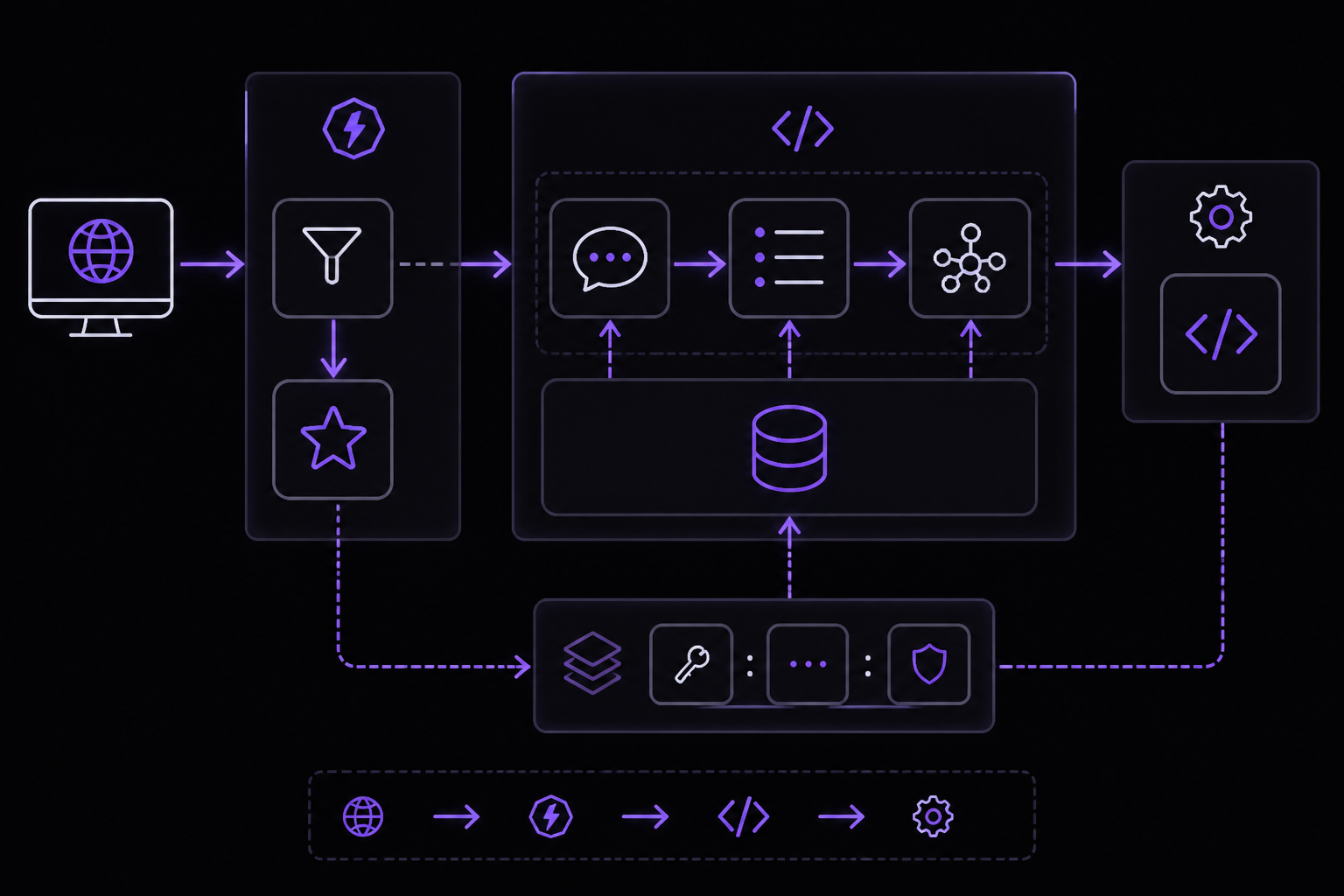
The MCP Python SDK (modelcontextprotocol/python-sdk) provides the FastMCP class for building MCP servers. When you mount an MCP server onto a FastAPI application using app.mount("/", mcp.sse_app()), the MCP server handles all requests at that mount point. The issue is that the MCP server's tool functions do not have direct access to the incoming HTTP request object. They are called by the MCP protocol layer after the request has been parsed, so you cannot simply add a Request parameter to your tool function and read headers from it.
This is a common challenge for anyone building a remote MCP server (as opposed to a local stdio server) that needs authentication. The SSE transport is deprecated according to the official documentation, but it is still widely used, and the same principles apply to HTTP transport as well.
Solution 1: FastAPI Middleware with Global Variable (Simple, Not Thread-Safe)
This solution was originally posted by Roman Gelembjuk on Stack Overflow. It is the quickest way to get authentication working, but it has a significant caveat: it uses a global variable to store the token, which is not thread-safe. If multiple requests arrive concurrently, the token from one request can overwrite the token from another, leading to incorrect authentication.
Here is the code:
from mcp.server.fastmcp import FastMCP
from fastapi import FastAPI, Request
import subprocess
import shlex

# Global variable to keep a token for a request
auth_token = ""

app = FastAPI()
mcp = FastMCP("Server to manage a Linux instance")

@app.middleware("http")
async def auth_middleware(request: Request, call_next):
    auth_header = request.headers.get("Authorization")
    if auth_header:
        # extract token from the header and keep it in the global variable
        global auth_token
        auth_token = auth_header.split(" ")[1]

    response = await call_next(request)

    return response

def require_auth():
    """
    Check access and raise an error if the token is not valid.
    """

    if auth_token != "expected-token":
        raise ValueError("Invalid token")
    return None

def run_cli(command: str, cwd: str = None) -> str:
    """
    Execute a CLI command using subprocess."""

    if cwd == "":
        cwd = None

    command_list = shlex.split(command)

    run_result = subprocess.run(
        command_list,
        cwd=cwd,
        capture_output=True,
        text=True,
        check=False,
    )
    success = run_result.returncode == 0
    return f"STDOUT: {run_result.stdout}\n\nSTDERR: {run_result.stderr}\nRETURNCODE: {run_result.returncode}\nSUCCESS: {success}"

@mcp.tool()
def cli_command(command: str, work_dir: str | None = "") -> str:
    """
    Execute command line cli command on the Linux server.

    Arguments:
    command - command to execute.
    work_dir - workdir will be changed to this path before executing the command.
    """
    require_auth() # we have to add this inside each tool method
    return run_cli(command, work_dir)

app.mount("/", mcp.sse_app())
How it works:
- The
auth_middlewareFastAPI middleware runs on every HTTP request before it reaches the MCP server. It reads theAuthorizationheader from the request. - If the header is present, it extracts the token (the part after "Bearer ") and stores it in the global variable
auth_token. - Each tool function calls
require_auth()at the start. This function checks if the stored token matches the expected value. If not, it raises aValueError, which the MCP server converts into an error response. - The tool then proceeds with its actual logic.
When to use this:
This approach is suitable for:
- Prototyping and proof-of-concept work
- Single-user or low-concurrency scenarios where you are certain only one request will be processed at a time
- Learning the authentication flow before moving to a more robust solution
Caveats (community-reported):
- The global variable is not thread-safe. If two requests arrive simultaneously, the token from the second request overwrites the first before the first request's tool function reads it. This means the first request might be authenticated with the second request's token, or the second request might fail because the first request's token is still in the variable.
- The token is stored in memory and persists across requests. If a request does not include an
Authorizationheader, the previous request's token remains in the variable, potentially allowing unauthorized access. - The author of this solution (Roman Gelembjuk) explicitly states: "The solution i originally posted here is not great. It is not thread safe." He recommends the second solution instead.
Solution 2: FastMCP Middleware with Thread-Local Storage (Thread-Safe, Recommended)
This is the improved solution described in Roman Gelembjuk's blog post. It uses the FastMCP middleware system, which is designed to handle request context in a thread-safe manner. This is the recommended approach for production deployments.
The core idea is to use a middleware that runs within the FastMCP server's request processing pipeline, not at the FastAPI level. This middleware can access the request headers and store the token in a thread-local or context variable that is isolated per request.
Here is the code (adapted from the blog post):
from mcp.server.fastmcp import FastMCP
from fastapi import FastAPI, Request
import subprocess
import shlex
from contextvars import ContextVar
from starlette.middleware.base import BaseHTTPMiddleware

# Thread-safe context variable to hold the token for the current request
auth_token_var: ContextVar[str] = ContextVar("auth_token", default="")

app = FastAPI()
mcp = FastMCP("Server to manage a Linux instance")

class AuthMiddleware(BaseHTTPMiddleware):
    async def dispatch(self, request: Request, call_next):
        auth_header = request.headers.get("Authorization")
        if auth_header:
            token = auth_header.split(" ")[1]
            auth_token_var.set(token)
        else:
            auth_token_var.set("")
        response = await call_next(request)
        return response

app.add_middleware(AuthMiddleware)

def require_auth():
    """
    Check access and raise an error if the token is not valid.
    """
    token = auth_token_var.get()
    if token != "expected-token":
        raise ValueError("Invalid token")
    return None

def run_cli(command: str, cwd: str = None) -> str:
    """
    Execute a CLI command using subprocess."""
    if cwd == "":
        cwd = None
    command_list = shlex.split(command)
    run_result = subprocess.run(
        command_list,
        cwd=cwd,
        capture_output=True,
        text=True,
        check=False,
    )
    success = run_result.returncode == 0
    return f"STDOUT: {run_result.stdout}\n\nSTDERR: {run_result.stderr}\nRETURNCODE: {run_result.returncode}\nSUCCESS: {success}"

@mcp.tool()
def cli_command(command: str, work_dir: str | None = "") -> str:
    """
    Execute command line cli command on the Linux server.

    Arguments:
    command - command to execute.
    work_dir - workdir will be changed to this path before executing the command.
    """
    require_auth()
    return run_cli(command, work_dir)

app.mount("/", mcp.sse_app())
How it works:
- A
ContextVarfrom Python'scontextvarsmodule is used to store the token.ContextVaris thread-safe and automatically scopes the value to the current asynchronous context (or thread). This means each request gets its own isolated copy of the token. - The
AuthMiddlewareclass extendsBaseHTTPMiddlewarefrom Starlette (which FastAPI is built on). Thedispatchmethod runs on every request. It reads theAuthorizationheader and sets the token in theContextVar. If no header is present, it sets an empty string. - The middleware is added to the FastAPI app with
app.add_middleware(AuthMiddleware). This ensures it runs before the MCP server's handler. - The
require_auth()function retrieves the token from theContextVarand compares it to the expected value. If it does not match, it raises aValueError. - Each tool function calls
require_auth()at the start.
Why this is better:
- Thread-safe:
ContextVarensures that each request (or async task) has its own token value. Concurrent requests do not interfere with each other. - No global state: The token is scoped to the request context and is automatically cleaned up when the request finishes.
- Works with async and sync code:
ContextVarworks in both synchronous and asynchronous contexts. - Follows FastAPI/Starlette best practices for middleware.
When to use this:
This is the recommended solution for:
- Production deployments with multiple concurrent users
- Any scenario where request isolation is important
- When you want a clean, maintainable codebase
Solution 3: Using the headersHelper Configuration (Claude Code Specific)
If you are using Claude Code as the MCP client, you can configure authentication at the client side using the headersHelper field in the MCP server configuration. This is documented in the official Anthropic documentation for Claude Code.
When adding a remote HTTP or SSE server with claude mcp add, you can pass headers directly:
# For HTTP transport
claude mcp add --transport http secure-api https://api.example.com/mcp \
    --header "Authorization: Bearer your-token"

# For SSE transport (deprecated)
claude mcp add --transport sse private-api https://api.company.com/sse \
    --header "X-API-Key: your-key-here"
For more complex scenarios where the token needs to be generated dynamically (e.g., from an environment variable or a token refresh flow), you can use the headersHelper field in the JSON configuration. This is a function that runs at connect time and returns the headers.
Example JSON configuration for a WebSocket server (the same pattern applies to HTTP and SSE):
{
  "mcpServers": {
    "secure-api": {
      "type": "http",
      "url": "https://api.example.com/mcp",
      "headersHelper": "process.env.MY_TOKEN ? { 'Authorization': 'Bearer ' + process.env.MY_TOKEN } : {}"
    }
  }
}
This approach is useful when the token is not static and must be fetched or computed at connection time. The headersHelper is a string that is evaluated as JavaScript code in the Claude Code process context.
Important caveat from the documentation:
- The
headersHelperfield supports path placeholders like${CLAUDE_PLUGIN_ROOT}for plugin-provided servers. Before v2.1.195,headersHelperpassed the placeholder through as a literal string instead of substituting it. - For WebSocket servers, authentication is header-only, so you must pass a static token in
headersor generate one withheadersHelper.
This solution is client-side configuration. It does not change how your server validates the token. You still need to implement the server-side validation using one of the middleware approaches above.
How to Test Your Authenticated MCP Server
Once you have implemented server-side authentication, you can test it with a simple HTTP client like curl:
# Test without token (should fail)
curl -X POST https://your-server.com/mcp \
  -H "Content-Type: application/json" \
  -d '{"jsonrpc": "2.0", "id": 1, "method": "tools/list", "params": {}}'

# Test with valid token (should succeed)
curl -X POST https://your-server.com/mcp \
  -H "Authorization: Bearer expected-token" \
  -H "Content-Type: application/json" \
  -d '{"jsonrpc": "2.0", "id": 1, "method": "tools/list", "params": {}}'

# Test with invalid token (should fail)
curl -X POST https://your-server.com/mcp \
  -H "Authorization: Bearer wrong-token" \
  -H "Content-Type: application/json" \
  -d '{"jsonrpc": "2.0", "id": 1, "method": "tools/list", "params": {}}'
When the token is invalid, the server should return an error response with a ValueError message. When the token is valid, it should return the list of available tools.
Integrating with Claude Code
To connect your authenticated MCP server to Claude Code, use the claude mcp add command with the appropriate headers:
claude mcp add --transport http my-server https://your-server.com/mcp \
  --header "Authorization: Bearer your-token"
If you are using SSE transport (deprecated):
claude mcp add --transport sse my-server https://your-server.com/sse \
  --header "Authorization: Bearer your-token"
Claude Code will include this header in every request to your MCP server. Your server's middleware will extract the token and validate it before allowing any tool calls.
Common Pitfalls
1. Thread Safety with Global Variables (Community-Reported)
The original solution using a global variable is not thread-safe. As Roman Gelembjuk noted, this approach can lead to token confusion under concurrent requests. Always use a thread-safe mechanism like ContextVar or threading.local() for production code.
2. Middleware Execution Order
FastAPI middleware runs in the order it is added. If you have multiple middlewares, ensure your authentication middleware runs before any other middleware that might need the token. Use app.add_middleware() in the correct order, or use @app.middleware("http") decorators in the sequence you want.
3. Token Extraction Logic
The code auth_header.split(" ")[1] assumes the header is in the format "Bearer <token>". If the client sends the token in a different format (e.g., "Token <token>" or just "<token>"), this will fail. Consider making the extraction logic more robust:
def extract_token(auth_header: str) -> str:
    if auth_header.startswith("Bearer "):
        return auth_header[7:]
    elif auth_header.startswith("Token "):
        return auth_header[6:]
    else:
        return auth_header
4. Missing Authorization Header
If a request does not include an Authorization header, the middleware should handle it gracefully. In the thread-safe solution, we set an empty string as the default. The require_auth() function will then reject the request because an empty string does not match the expected token. This is correct behavior.
5. Token Validation Logic
In the examples above, the token is compared to a hardcoded string "expected-token". In a real application, you would validate the token against a database, an external authentication service, or a JWT decoder. The require_auth() function is where you would integrate your authentication logic.
6. Error Handling
The require_auth() function raises a ValueError. This is caught by the MCP server and returned as an error response to the client. However, you might want to raise a more specific exception or return a custom error message. You can create a custom exception class:
class AuthenticationError(Exception):
    def __init__(self, message: str = "Authentication failed"):
        self.message = message
        super().__init__(self.message)

def require_auth():
    token = auth_token_var.get()
    if not token:
        raise AuthenticationError("Missing authorization token")
    if token != "expected-token":
        raise AuthenticationError("Invalid token")
7. SSE Transport Deprecation
The official Anthropic documentation states: "The SSE (Server-Sent Events) transport is deprecated. Use HTTP servers instead, where available." If you are starting a new project, use the HTTP transport (streamable-http) instead of SSE. The authentication approach is the same for both transports.
8. Configuration Errors in Claude Code
When configuring MCP servers in JSON (.mcp.json or ~/.claude.json), the type field must be set correctly. The documentation warns: "A JSON entry that has a url but no type is a configuration error, because Claude Code reads an entry with no type as a stdio server." For HTTP servers, use "type": "http" or "type": "streamable-http". For SSE, use "type": "sse".
9. Token Expiry and Refresh
If your tokens expire, you need a mechanism to refresh them. The headersHelper approach in Claude Code can help if you can compute the new token from environment variables or a script. On the server side, you should validate the token on every request and return an appropriate error if it has expired. The client (Claude Code) will then need to reconnect with a new token.
10. Logging and Debugging
When debugging authentication issues, add logging to your middleware and require_auth() function:
import logging
logger = logging.getLogger(__name__)

@app.middleware("http")
async def auth_middleware(request: Request, call_next):
    auth_header = request.headers.get("Authorization")
    logger.debug(f"Authorization header: {auth_header}")
    if auth_header:
        global auth_token
        auth_token = auth_header.split(" ")[1]
        logger.debug(f"Extracted token: {auth_token[:10]}...")
    response = await call_next(request)
    return response
Related Questions
How do I use JWT tokens instead of a static Bearer token?
Replace the simple string comparison in require_auth() with JWT validation logic. Install a JWT library like PyJWT or python-jose. In the middleware, extract the token from the Authorization header. In require_auth(), decode and verify the JWT using your secret key or public key. Check the token's expiration (exp claim) and any other claims you need (e.g., sub for user identity, scope for permissions). If the token is invalid or expired, raise an error. This gives you stateless authentication without needing a database lookup on every request.
Can I use OAuth 2.0 with an MCP server?
Yes, but it requires additional infrastructure. The MCP server itself does not implement OAuth flows; you need to handle the OAuth handshake separately. One approach is to use a reverse proxy (like Nginx or a FastAPI middleware) that handles the OAuth token exchange and then passes the validated token to your MCP server. Another approach is to use the headersHelper in Claude Code to run a script that obtains an OAuth token and includes it in the request headers. The official documentation mentions that Claude Code supports OAuth 2.0 authentication for remote servers via the /mcp panel.
How do I add authentication to an HTTP transport MCP server instead of SSE?
The approach is identical. The HTTP transport (also called streamable-http) uses the same HTTP request/response cycle. You mount the MCP server on a FastAPI app with app.mount("/", mcp.sse_app()) regardless of whether you call it SSE or HTTP. The middleware intercepts all requests to that mount point. The only difference is in the client configuration: for HTTP transport, use "type": "http" in the JSON config or --transport http in the CLI command. The authentication middleware code remains exactly the same.
What if my MCP server is not using FastAPI?
If you are using the lower-level MCP SDK classes directly (not FastMCP), you have more control over the HTTP handling. You can create your own FastAPI or Starlette application, define routes that wrap the MCP protocol handling, and add authentication middleware to those routes. The FastMCP class is a convenience wrapper that handles the SSE/HTTP transport setup. If you need full control, you can implement the MCP protocol over raw HTTP using the mcp.server.Server class and handle authentication in your custom request handler. The official MCP Python SDK repository on GitHub has examples of this approach.
The #1 Claude Newsletter
The most important claude updates, guides, and fixes — one weekly email.
No spam, unsubscribe anytime. Privacy policy
Sources & References
This page was researched from 3 independent sources, combined and verified for completeness.
- 1.Anthropic Documentation — McpOfficial documentation · primary source
- 2.
- 3.Answer by Roman Gelembjuk (score 4, accepted)Stack Overflow
Related Answers
Keep exploring Claude
Claude resources
Latest error solutions
Skip the manual work
Ready-made AI workflows and automation templates — import and run instead of building from scratch.