Telegram Automation Workflows
1,646 ready-made Telegram workflows for n8n, Make, Zapier, Activepieces, and Pipedream. Bots, alerts, and AI assistants delivered straight to Telegram chats and channels.
Automate Telegram Bot for Article Summarization and Image Generation
Deploy a smart Telegram bot that automatically summarizes articles and generates images based on user commands, enhancing productivity and content management.
n8n$14.99Create a Telegram AI Chatbot Using InfraNodus Knowledge Graphs
This workflow sets up a Telegram chatbot that leverages InfraNodus GraphRAG knowledge graphs to provide expert-level responses without complex vector store setups.
n8n$14.99Personal Google Calendar & Reminder Bot on Telegram using Gemini & Whisper
The **CA - ele Assistant** workflow is an intelligent Telegram bot designed to help you manage your Google Calendar effortlessly through natural language and voice commands. ## Why Use CA - ele Assistant? - **Hands-free calendar management:** Manage your events via text or voice with zero manual calendar app usage. - **Smart reminders:** Receive tailored, friendly reminders well in advance, helping you stay prepared. - **Multifunctional AI assistant:** Create, view, update, or delete events simply by chatting naturally. - **Seamless integration:** Combines Google Calendar, Telegram, OpenAI transcription, and Google Gemini model for powerful capabilities. - **Context-aware messaging:** Personalized message tone, emoji use, and prep tips depending on event type and urgency. ## Who Is This For? - **Busy professionals:** Who want to manage their schedule quickly without opening multiple apps. - **Remote teams:** Needing easy calendar coordination and friendly reminders via Telegram. - **People who prefer voice commands:** Allows scheduling and querying via Indonesian voice messages. - **Anyone overwhelmed by calendar clutter:** Automates reminders and event organization effortlessly. ## What Problem Does It Solve? Manually juggling your calendar events—creating entries, checking your schedule, or remembering appointments—is time-consuming and error-prone. Traditional calendar apps require multiple interactions and can flood you with generic notifications that lack context or personality. Voice commands or natural chat to manage calendars are rarely supported natively. **CA - ele Assistant** solves these issues by offering a chat-based, AI-powered interface that understands your natural language or voice, automates calendar operations, and sends smart reminders tailored to your event and preferences. This reduces the cognitive load, minimizes missed appointments, and makes calendar management seamless. ## How This Workflow Works **Step 1:** Incoming Telegram messages or voice messages trigger the workflow via Telegram Trigger node. **Step 2:** Voice messages are automatically downloaded and transcribed into text using OpenAI. **Step 3:** A Switch node routes text and voice commands for unified processing. **Step 4:** The Google Gemini AI model processes natural language commands for calendar actions. **Step 5:** A Langchain AI agent (Calendar Manage!) handles operations such as event creation, update, deletion, and fetching events using Google Calendar API tools. It uses session memory to keep contextual chat flow. **Step 6:** A scheduled trigger every 15 minutes retrieves upcoming calendar events (within 45-60 mins), filters duplicates, and an AI Reminder Message Agent crafts personalized reminder messages. **Step 7:** Reminder messages are sent automatically to the users' Telegram chat, with typing indicators for a humanized feel. **Step 8:** All data flows and interactions are combined, ensuring a seamless conversational experience with real-time calendar sync. ## Setup Instructions 1. **Import** the provided JSON workflow into your n8n instance. 2. **Set up credentials:** - Telegram API Bot credentials via BotFather. - Google Calendar OAuth2 credentials. - OpenAI API key (for voice transcription). - Google Palm API credentials (for Gemini AI). 3. **Customize:** Adjust chat IDs, timezone preferences, and reminder timing (default 45-60 minutes before events). 4. **Update:** Replace placeholder chat IDs with your Telegram chat ID. 5. **Test:** Send test commands or voice messages through your Telegram bot to verify event creation, updates, and reminder delivery. ## Pre-Requirements 1. **Telegram Bot**: Create a bot via [@BotFather](https://t.me/botfather). 2. **Google Calendar**: Set up OAuth2 credentials. 3. **OpenAI API**: For voice message transcription. 4. **Google Gemini**: For AI language model. ### Useful Resources - [n8n Documentation](https://docs.n8n.io) - [Telegram Bot API](https://core.telegram.org/bots/api) - [Google Calendar API](https://developers.google.com/calendar) - [OpenAI API Docs](https://platform.openai.com/docs) ## Customize It Further - Add support for additional languages in voice transcription or chat responses. - Integrate weather or traffic APIs for more enhanced reminder tips. - Enable multi-user support with dynamic chat ID handling for group chats. - Enhance personality or tone configurations for more formal or casual responses. ## Nodes Used - **Telegram Trigger** - **Telegram** (Send Typing Indicator, Send Message, Download Voice) - **OpenAI** (Audio transcription) - **Langchain Google Gemini Model** - **Langchain AI Agents** (Reminder Message Agent, Calendar Manage! agent) - **Google Calendar** node (Get Upcoming Events) - **Google Calendar Tools** (Create, Update, Delete, Get events) - **Remove Duplicates** node
n8n$14.99Manage AI Assistant Usage with Google Sheets and Telegram
This workflow limits AI assistant interactions via Telegram, using Google Sheets to track and reset message counts, ensuring cost control and preventing abuse.
n8n$14.99Check Suspicious Links via Telegram with GP-4 Analysis of VirusTotal & urlscan.io Results
# **Workflow Purpose** The workflow is designed to scan submitted URLs using urlscan.io and Virustotal, combine the results into a single structured summary, and send the report via Telegram. I built this workflow for people who primarily work from their phones and receive a constant stream of emails throughout the day. If a user gets an email asking them to sign a document, review a report, or take any action where the link looks suspicious, they can simply open the Telegram bot and quickly check whether the URL is safe before clicking it. ## Key Components **1. Input / Trigger** - Accepts URLs that need to be checked. - Initiates requests to Virustotal and urlscan.io. **2. Virustotal Scan** - Always returns results if the URL is reachable. - Provides reputation, malicious/clean flags, and scan metadata. **3. urlscan.io Scan** - Returns details on how the URL behaves when loaded (domains, requests, resources, etc.). - Sometimes fails due to blocks or restrictions. **4. Error Handling with Code Node** - Checks whether urlscan.io responded successfully. - Ensures the workflow always produces a summary, even if urlscan.io fails. **5. Summary Generation** - If both scans succeed — summarize combined findings from Virustotal + urlscan.io. - If urlscan.io fails — state clearly in the summary "urlscan.io scan was blocked/failed. Relying on Virustotal results." - Ensures the user still gets a complete security report. **6. Telegram Output** - The final formatted summary is delivered to a Telegram chat via the bot. - Chat ID issue was fixed after the Code Node restructuring. ### Outcome - The workflow now guarantees a consistent, user-friendly summary regardless of urlscan.io failures. - It leverages Virustotal as the fallback source of truth. - The Telegram bot provides real-time alerts with clear indications of scan success/failure. #### Prerequisites **Telegram** - In Telegram, start a chat with @BotFather. - Send /newbot, pick a name and a unique username. - Copy the HTTP API token BotFather returns (store securely). - Start a DM with your bot and send any message. - Call getUpdates and read the chat.id **urlscan.io** - Create/log into your urlscan.io account. - Go to Settings & API — New API key and generate a key. - (Recommended) In Settings & API, set Default Scan Visibility to Unlisted to avoid exposing PII in public scans. - Save the key securely (env var or n8n Credentials). - Rate limits note: urlscan.io enforces per-minute/hour/day quotas; exceeding them returns HTTP 429. You can view your personal quotas on their dashboard/quotas endpoint. **Virustotal** - Sign up / sign in to Virustotal Community. - Open My API key (Profile menu) and copy your Public API key. - Store it securely (env var or n8n Credentials). - For a more reliable connection with Virustotal and improved scanning results, enable the Header section in the node settings. Add a header parameter with a clear name (e.g., x-apikey), and then paste your API key into the Value field. - Rate limits (Public API): 4 requests/minute, 500/day; not for commercial workflows. Consider Premium if you'll exceed this. ##### How to Customize the Workflow This workflow is designed to be highly customizable, allowing users to adapt it to their specific needs and use cases. For example, additional malicious website scanners can be integrated through HTTP Request nodes. To make this work, the user simply needs to update the Merge node so that all information flows correctly through the workflow. In addition, users can connect either Gmail or Outlook nodes to automatically test URLs, binary attachments, and other types of information received via email—helping them evaluate data before opening it. Users can also customize how they receive reports. For instance, results can be sent through Telegram (as in the default setup), Slack, Microsoft Teams, or even saved to Google Drive or a Google Sheet for recordkeeping and audit purposes. For consulting and support, or if you have questions, please feel free to connect with me on [Linkedin](www.linkedin.com/in/michael-gullo-46b3b7274) or [via email](michael.gullo@outlook.com).
n8n$9.99Automated Lead Generation from Telegram to Database with AI and Apollo
This workflow automates the process of generating leads from voice or text inputs received via Telegram, using AI to extract search parameters and Apollo.io for data scraping, before storing verified leads in a database.
n8n$14.99Automate Stock Market Insights and Telegram Publishing
This workflow generates stock market insights using technical analysis and AI, then publishes them on Telegram for moderation and final posting.
n8n$14.99Automate Trend-Based Video Ads with Seedance AI and Telegram
This workflow automates the creation of short-form video ads by leveraging trending topics. It uses Telegram to trigger the process, Perplexity AI for trend research, and Seedance API via Wavespeed to generate the final video, providing a seamless experience for marketers and content creators.
n8n$14.99Automate Task Management from Telegram Messages with AI and Notion
This workflow converts voice or text messages from Telegram into structured tasks in Notion using AI for intent detection and task generation. It facilitates task creation, updates, and analysis, enhancing productivity and organization.
n8n$24.99Automate AI Prompt Refinement with Google Sheets and Telegram
This workflow transforms basic AI prompts into detailed, structured prompts using Google Sheets and Telegram for notifications. It enhances prompt clarity and structure, saving time on manual prompt engineering.
n8n$14.99Create a Multilingual Conversational AI Chatbot with Google Gemini and Telegram
This workflow sets up a flexible and scalable chatbot using Google Gemini for text and image generation, integrated with Telegram for messaging. It supports multilingual conversations, primarily in Spanish, and can handle various content formats including text, images, and potentially audio and video.
n8n$14.99Create a Multi-Modal Telegram Support Bot with GPT-4 and Supabase RAG
This n8n workflow transforms your Telegram bot into an intelligent, multi-modal AI assistant. It processes text, documents, images, and audio messages using OpenAI models and responds with context-aware answers. The integration with Supabase enables a Retrieval-Augmented Generation (RAG) experience by storing document embeddings and retrieving relevant information.
n8n$24.99Automate Instagram Reel Creation from Telegram Ideas Using GPT-4
Instantly transform your Telegram messages into engaging Instagram Reel scripts with GPT-4. This workflow automates the creation of viral-ready Reels, complete with hooks, scripts, captions, and visual concepts.
n8n$9.99Angie, Personal AI Assistant with Telegram Voice and Text
**How it works:** This project creates a personal AI assistant named Angie that operates through Telegram. Angie can summarize daily emails, look up calendar entries, remind users of upcoming tasks, and retrieve contact information. The assistant can interact with users via both voice and text inputs. **Step-by-step:** Telegram Trigger: The workflow starts with a Telegram trigger that listens for incoming message events. The system determines if the incoming message is voice or text. If voice, the voice file is retrieved and transcribed to text using OpenAI's API Speech to Text. AI Assistant: The Telegram request is passed to the AI assistant (Angie). Tools Integration: The AI assistant is equipped with several tools: - Get Email: Uses Gmail API to fetch recent emails, filtering by date. - Get Calendar: Retrieves calendar entries for specified dates. - Get Tasks: Connects to a Baserow (open-source Airtable alternative) database to fetch to-do list items. - Get Contacts: Also uses Baserow to retrieve contact information. Response Generation: The AI formulates a response based on the gathered information and sends it back to the user on Telegram.
n8n$9.99Automate Telegram Responses with ChatGPT Integration
Enhance your Telegram channel by automating responses with a ChatGPT-powered bot. This workflow ensures instant, intelligent replies to user queries, improving engagement and satisfaction.
Make$3.99AI Agent Chatbot + LONG TERM Memory + Note Storage + Telegram
This workflow template creates an AI agent chatbot with long-term memory and note storage using Google Docs and Telegram integration. ## Google Docs Integration - [n8n Google Docs Node Setup](https://docs.n8n.io/integrations/builtin/app-nodes/n8n-nodes-base.googledocs/) - [Google Credentials](https://docs.n8n.io/integrations/builtin/credentials/google/) ## Telegram Integration - [Telegram Setup](https://n8n.io/workflows/2751-telegram-messaging-agent-for-text-audio-images/) ## Core Features **AI Agent Integration** - Implements a sophisticated AI agent with memory management capabilities - Uses GPT-4-mini and DeepSeek models for intelligent conversation handling - Maintains context awareness through session management **Memory System** - Long-term memory storage using Google Docs - Separate note storage system for specific information - Window buffer memory for maintaining conversation context - Intelligent memory retrieval and storage mechanisms **Communication Interface** - Telegram integration for message handling - Real-time message processing and response generation ## Technical Components **Memory Architecture** - Dual storage system separating memories from notes - Automated memory retrieval before each interaction - Structured memory saving with timestamps **AI Models** - Primary GPT-4-mini model for general interactions - DeepSeek-V3 Chat for specialized processing - Custom agent system with tool integration **Storage Integration** - Google Docs integration for persistent storage - Separate document management for memories and notes - Automated document updates and retrievals
n8n$14.99Automate Instagram Video Downloads via Telegram Bot
This workflow allows you to download Instagram videos or Reels by sending a link to a Telegram Bot. It processes the link through a third-party API to fetch the highest quality video and sends it back to your Telegram chat.
n8n$9.99Automate Legal Q&A with AI and Document Retrieval via Telegram
This workflow automates legal question and answer sessions by leveraging AI to retrieve information from a pre-indexed legal document library. It integrates OpenAI, Pinecone, and Telegram to provide instant, accurate legal assistance.
n8n$9.99Multi-Tool Personal Assistant with Telegram, Grok-4, Gmail, Calendar & Memory
## Summary Chat with your AI agent in Telegram. It remembers important facts about you in Airtable, can transcribe your voice messages, search the web, read and manage Google Calendar, fetch Gmail, and query Notion. Responses are grounded in your recent memories and tool outputs, then sent back to Telegram. ## What this workflow does - Listens to your Telegram messages (text or voice) - Maintains short-term chat memory per user and long-term memory in Airtable - Decides when to save new facts about you (auto “Save Memory” without telling you) - Uses tools on demand: - Web search via SerpAPI - Google Calendar: list/create/update/delete events - Gmail: list and read messages - Notion: fetch database info - Transcribes Telegram voice notes with OpenAI and feeds them to the agent - Combines live tool results + recent memories and replies in Telegram ## Apps and credentials - Telegram Bot API: personal_bot - xAI Grok: Grok-4 model for chat - OpenAI: speech-to-text (transcribe audio) - Airtable: store long-term memories - Google Calendar: calendar actions - Gmail: email actions - Notion: knowledge and reading lists - SerpAPI: web search ## Typical use cases - Personal assistant that remembers preferences, decisions, and tasks - Create/update meetings by chatting, and get upcoming events - Ask “what did I say I'm reading?” or “what's our plan from last week?” - Voice-first capture: send a voice note → get a transcribed, actionable reply - Fetch recent emails or look up info on the web without leaving Telegram - Query a Notion database (e.g., “show me the Neurocracy entries”) ## How it works (node-by-node) - Telegram Trigger - Receives messages from your Telegram chat (text and optional voice). - Text vs. Voice Router - Routes based on message contents: - Text path → goes directly to the Agent (AI). - Voice path → downloads the file and transcribes before AI. - Always also fetches recent Airtable memories for context. - Get a file (Telegram) - Downloads the voice file (voice.file_id) when present. - Transcribe a recording (OpenAI) - Converts audio to text so the agent can use it like a normal message. - Get memories (Airtable) - Searches your “Agent Memories” base/table, filtered by user, sorted by Created. - Aggregate (Aggregate) - Bundles recent memory records into a single array “Memories” with text + timestamp. - Merge (Merge) - Combines current input (text or transcript) with the memory bundle before the agent. - Simple Memory (Agent memory window) - Short-term session memory keyed by Telegram chat ID; keeps the recent 30 turns. - Tools wired into the agent - SerpAPI - Google Calendar tools: - Get many events in Google Calendar - Create an event in Google Calendar - Update an event in Google Calendar - Delete an event in Google Calendar - Gmail tools: - Get many messages in Gmail - Get a message in Gmail - Notion tool: - Get a database in Notion - Airtable tool: - Save Memory (stores distilled facts about the user) - Agent - System prompt defines role, tone, and rules: - Be a friendly assistant. - On each message, decide if it contains user info worth saving. - If yes, call “Save Memory” to persist a short summary in Airtable. - Don't announce memory saves—just continue helping. - Use tools when needed (web, calendar, Gmail, Notion). - Think with the provided memory context block. - Uses xAI Grok Chat Model for reasoning and tool-calling. - Can call Save Memory, Calendar, Gmail, Notion, and SerpAPI tools as needed. - Save Memory (Airtable) - Persists Memory and User fields to “Agent Memories” base; auto timestamp by Airtable. - Send a text message (Telegram) - Sends the agent's final answer back to the same Telegram chat ID. ## Node map | Node | Type | Purpose | |---|---|---| | Telegram Trigger | Trigger | Receive text/voice from Telegram | | Text vs. Voice Router | Flow control | Route text vs. voice; also trigger memories fetch | | Get a file | Telegram | Download voice audio | | Transcribe a recording | OpenAI | Speech-to-text for voice notes | | Get memories | Airtable | Load recent user memories | | Aggregate | Aggregate | Pack memory records into “Memories” array | | Merge | Merge | Combine input and memories before agent call | | Simple Memory | Agent memory | Short-term chat memory per chat ID | | xAI Grok Chat Model | LLM | Core reasoning model for the Agent | | Search Web with SerpAPI | Tool | Web search | | Google Calendar tools | Tool | List/create/update/delete events | | Gmail tools | Tool | Search and read email | | Notion tool | Tool | Query a Notion database | | Save Memory | Airtable Tool | Persist distilled user facts | | AI Agent | Agent | Orchestrates tools + memory, produces the answer | | Send a text message | Telegram | Reply to the user in Telegram | ## Before you start - Create a
n8n$14.99Document Q&A Chatbot with Gemini AI and Supabase Vector Search for Telegram
This template creates a Telegram AI Assistant that answers questions based on your documents, powered by Google Gemini and Supabase. Key features include **Intelligent HTML Post-processing** for **rich formatting in Telegram** and **Adaptive Message Chunking** to handle long text responses. ## Watch the Bot in Action [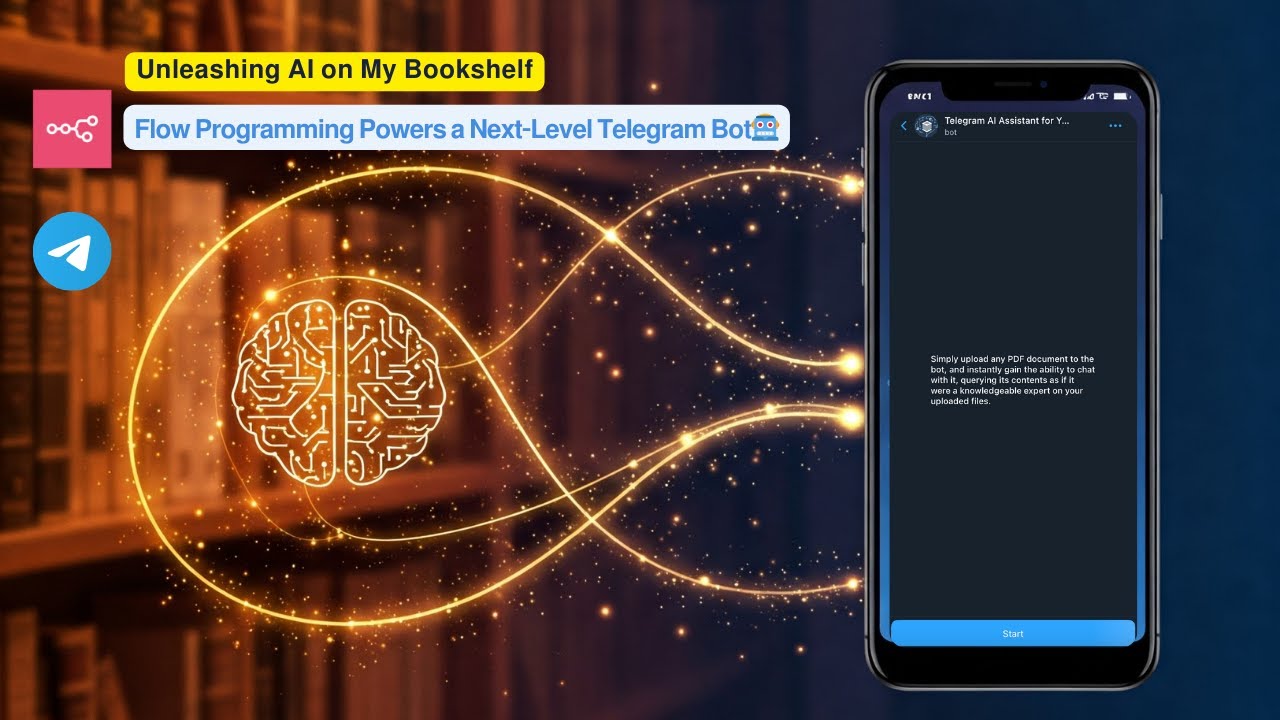](https://www.youtube.com/watch?v=r_KGyJApy5M) **Click the image above to watch a live demo on YouTube.** This video provides a live demonstration of the bot's core features and how it interacts. See a quick walkthrough of its capabilities and user flow. **How it works:** * User uploads a PDF document to a Telegram bot. * The workflow processes the PDF, creates embeddings using Google Gemini, and stores these embeddings in a **Supabase vector table**. * Users then ask questions to the bot. * The workflow performs a **vector search in Supabase** to find relevant document chunks based on the user's query. * Google Gemini uses the retrieved relevant chunks to generate an intelligent answer. * The bot sends the formatted answer back to the user on Telegram, utilizing **HTML markup** for enhanced presentation. **Set up steps:** Setup should take approximately 15-20 minutes. 1. Import the workflow into your n8n instance. 2. Configure credentials for Telegram, Google Gemini, and Supabase. 3. Set up your Supabase vector table using the provided SQL script. 4. Activate the workflow. Detailed setup instructions, including how to get API keys and configure nodes, are available in the sticky notes within the workflow itself.
n8n$14.99Build a Local Privacy-First AI Assistant with Telegram, Ollama, and Whisper
Create a privacy-focused AI assistant that operates entirely offline, using Telegram for interaction, Ollama for language processing, and Whisper for speech-to-text conversion.
n8n$14.99Automate Crypto News Sentiment Analysis and Telegram Alerts with GPT-4
This workflow aggregates and analyzes crypto news for specified tokens, using GPT-4 to generate sentiment summaries and deliver them via Telegram. It streamlines market sentiment analysis for informed trading decisions.
n8n$14.99Streamline Content Requests from Telegram to Notion with AI Assistance
Automate the process of handling content requests by integrating Telegram with Notion using Gemini AI. This workflow allows team members to submit content ideas via Telegram, which are then processed by AI and recorded in Notion.
n8n$14.99Automate Personal Finance Queries in Notion via Telegram and WhatsApp
Effortlessly query your personal finance data stored in Notion using Telegram and WhatsApp. This workflow allows you to receive instant financial summaries directly on your phone.
n8n$9.99
More integrations
Need a custom Telegram workflow?
Our automation experts build tailored Telegram integrations for your exact stack.
Request a Custom Workflow