Supabase Automation Workflows
154 ready-made Supabase workflows for n8n, Make, Zapier, Activepieces, and Pipedream. Supabase-backed automations: auth events, database triggers, storage.
Master Webhook Integration and Security with Supabase in n8n
This workflow serves as a comprehensive guide to using webhooks in n8n, demonstrating HTTP methods, authentication strategies, and Supabase integration for data management.
n8n$14.99Build an AI Documentation Expert Bot Using RAG, Gemini, and Supabase
Create an AI chatbot that specializes in the official n8n documentation using a Retrieval-Augmented Generation (RAG) pipeline. This workflow scrapes, processes, and stores documentation in a Supabase vector store, allowing the AI to provide accurate, context-based answers.
n8n$24.99Automate Lead Generation and Enrichment Using Google My Business and Supabase
This workflow automates the process of discovering, enriching, and preparing business leads based on location and niche using Google My Business via Outscraper and Supabase for data management. It runs continuously to ensure a steady stream of high-quality leads.
n8n$13.57Automate AI-Powered Knowledge Base with RAG and Supabase
Transform your company documents into an AI-driven assistant using Retrieval-Augmented Generation (RAG) with Supabase vector search, automatically updated via Google Drive.
n8n$19.99Enhance AI Responses with Advanced Multi-Query RAG Using Supabase and GPT-5
This workflow leverages Supabase and GPT-5 to create a sophisticated Retrieval-Augmented Generation (RAG) system. It breaks down complex queries into sub-queries, filters irrelevant data, and synthesizes comprehensive answers, enhancing the AI's ability to handle intricate questions.
n8n$14.99Build a WhatsApp AI Chatbot with Supabase, OpenAI, and Gemini 2.5 Flash
Create a WhatsApp-based AI chatbot using document retrieval with Supabase, OpenAI embeddings for semantic search, and Gemini 2.5 Flash for generating responses.
n8n$14.99AI-Powered Zendesk Support Responses with RAG, OpenAI, and Supabase Knowledge Base
How it works This workflow automates first responses to new Zendesk tickets with the help of AI and your internal knowledge base. - Webhook trigger fires whenever a new ticket is created in Zendesk. - Ticket details (subject, description, requester info) are extracted. - Knowledge base retrieval - the workflow searches a Supabase vector store (with OpenAI embeddings) for the most relevant KB articles. - AI assistant (RAG agent) drafts a professional reply using the retrieved KB and conversation memory stored in Postgres. **Decision logic:** - If no relevant KB info is found (or if it's a sensitive query like KYC, refunds, or account deletion), the workflow sends a fallback response and tags the ticket for human review. - Otherwise, it posts the AI-generated reply and tags the ticket with ai_reply. Logging & context memory ensure future ticket updates are aware of past interactions. --- **Set up steps** This workflow takes about 15-30 minutes to set up. 1. Connect credentials for Zendesk, OpenAI, Supabase, and Postgres. 2. Prepare your knowledge base: store support content in Supabase (documents table) and embed it using the provided Embeddings node. 3. Set up Postgres memory table (zendesk_ticket_histories) to store conversation history. 4. Update your Zendesk domain in the HTTP Request nodes (<YOUR_ZENDESK_DOMAIN>). 5. Deploy the webhook URL in Zendesk triggers so new tickets flow into n8n. 6. Test by creating a sample ticket and verifying: - AI replies appear in Zendesk - Correct tags (ai_reply or human_requested) are applied - Logs are written to Postgres
n8n$9.99Create a Multi-Modal Telegram Support Bot with GPT-4 and Supabase RAG
This n8n workflow transforms your Telegram bot into an intelligent, multi-modal AI assistant. It processes text, documents, images, and audio messages using OpenAI models and responds with context-aware answers. The integration with Supabase enables a Retrieval-Augmented Generation (RAG) experience by storing document embeddings and retrieving relevant information.
n8n$24.99Automate Restaurant Orders and Delivery via WhatsApp with AI and Supabase
This workflow automates restaurant order management and delivery through WhatsApp, leveraging AI for customer interaction and Supabase for data storage. It processes multimedia messages, verifies payments, and sends order details to staff, enhancing efficiency and customer service.
n8n$24.99AI-Powered RAG Document Processing & Chatbot with Google Drive, Supabase, OpenAI
## **Who is this for?** This workflow is perfect for: * Businesses and teams who need an automated solution to organize, analyze, and retrieve insights from their internal documents. * Researchers who want to quickly analyze and query large collections of research papers, reports, or datasets. * Customer support teams looking to streamline access to product documentation and support resources. * Legal and compliance professionals needing to reference and query legal documents with confidence. * AI enthusiasts and developers wanting to implement Retrieval-Augmented Generation (RAG) systems without starting from scratch. ## **What problem is this workflow solving?** Manually organizing, processing, and searching through documents can be time-consuming, error-prone, and inefficient. This workflow solves that by: * **Automating document processing** from Google Drive, supporting multiple formats like PDFs, CSVs, and Google Docs. * **Extracting, chunking, and enhancing document text**, preserving context and improving AI comprehension. * **Storing vector embeddings** in a secure, scalable Supabase vector database, enabling semantic search and retrieval. * **Providing an interactive AI chat interface** that allows users to ask natural language questions and get precise, document-based answers. This means teams can quickly access relevant insights from their document repositories, boosting productivity and ensuring accurate information retrieval. ## **Key Features** * **End-to-End Document Processing**: From Google Drive upload detection to vector embedding and storage. * **Semantic Search & Retrieval**: Users can ask complex, natural-language questions and receive contextually relevant answers. * **AI-Powered Summaries & Metadata**: Automatically generates document titles and summaries using Google Gemini AI. * **Smart Chunking & Contextual Enhancement**: Breaks documents into smart chunks with overlap, preserving context and table integrity. * **Secure & Scalable Vector Database**: Stores and retrieves embeddings in a Supabase vector store for fast, reliable searches. * **Conversational AI Interface**: Uses OpenAI to power natural, accurate, and cost-effective AI chat interactions. ## **How does this workflow work?** * Monitors Google Drive for new files. * Extracts text from PDFs and CSVs (or Google Docs auto-converted). * Splits text into context-preserving chunks. * Enhances chunk quality and stores embeddings in Supabase. * Enables natural language search and AI-powered chat interactions with the stored documents. ## **Typical Use Cases** * Corporate Knowledge Base * Research Paper Analysis * Customer Support Document Query * Legal Document Review and Analysis * Internal Team Documentation Search ## **Why You'll Love It** This workflow lets you build a scalable, searchable, and AI-powered document system without needing to write complex code or manage multiple systems. With this, you can: * Stay organized with automated document processing. * Deliver faster, more accurate answers to user queries. * Reduce manual work and improve productivity. * Gain a competitive edge with cutting-edge AI search capabilities. ## **Setup Requirements** * An n8n instance with Google Drive, Supabase, OpenAI, and Gemini credentials configured. * Access to a Supabase vector store for storing document embeddings. * Configurable chunk size, overlap, and processing limits (default: 1000 characters per chunk, 20 chunks max). **Contact me for consulting and support:** **billychartanto@gmail.com**
n8n$24.99Document Q&A Chatbot with Gemini AI and Supabase Vector Search for Telegram
This template creates a Telegram AI Assistant that answers questions based on your documents, powered by Google Gemini and Supabase. Key features include **Intelligent HTML Post-processing** for **rich formatting in Telegram** and **Adaptive Message Chunking** to handle long text responses. ## Watch the Bot in Action [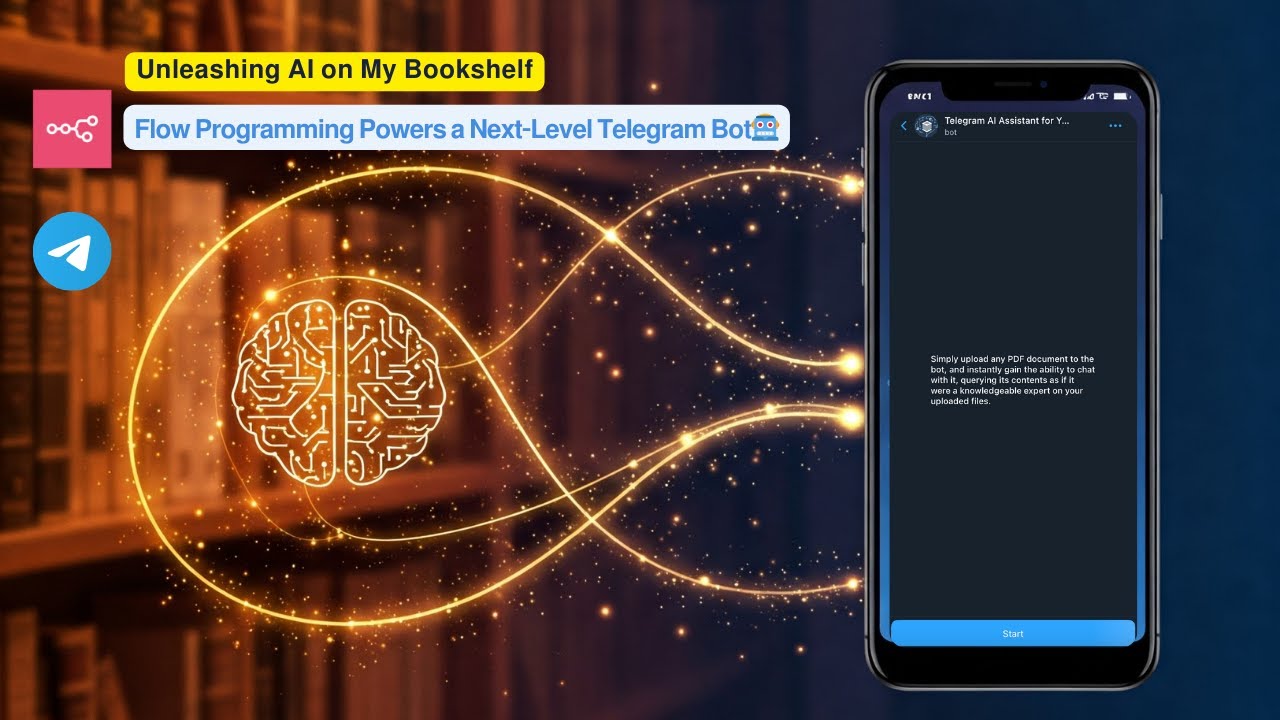](https://www.youtube.com/watch?v=r_KGyJApy5M) **Click the image above to watch a live demo on YouTube.** This video provides a live demonstration of the bot's core features and how it interacts. See a quick walkthrough of its capabilities and user flow. **How it works:** * User uploads a PDF document to a Telegram bot. * The workflow processes the PDF, creates embeddings using Google Gemini, and stores these embeddings in a **Supabase vector table**. * Users then ask questions to the bot. * The workflow performs a **vector search in Supabase** to find relevant document chunks based on the user's query. * Google Gemini uses the retrieved relevant chunks to generate an intelligent answer. * The bot sends the formatted answer back to the user on Telegram, utilizing **HTML markup** for enhanced presentation. **Set up steps:** Setup should take approximately 15-20 minutes. 1. Import the workflow into your n8n instance. 2. Configure credentials for Telegram, Google Gemini, and Supabase. 3. Set up your Supabase vector table using the provided SQL script. 4. Activate the workflow. Detailed setup instructions, including how to get API keys and configure nodes, are available in the sticky notes within the workflow itself.
n8n$14.99Automate AI-Powered Document Queries with Supabase and n8n
Streamline the process of querying large document repositories stored in Supabase using an AI-powered chatbot. This workflow automates file processing and enables efficient information retrieval.
n8n$19.99Automate E-commerce Customer Support with AI and Supabase
This workflow automates e-commerce customer support using AI to handle queries, provide product recommendations, and manage support tickets efficiently.
n8n$14.99RAG Chatbot with Supabase + TogetherAI + OpenRouter
## RUN the FIRST WORKFLOW ONLY ONCE (as it will convert your content into Embedding format and save it in DB and is ready for the RAG Chat) ## Telegram Trigger * **Type:** `telegramTrigger` * **Purpose:** Waits for new Telegram messages to trigger the workflow. * **Note:** Currently disabled. --- ## Content for the Training * **Type:** `googleDocs` * **Purpose:** Fetches document content from Google Docs using its URL. * **Details:** Uses Service Account authentication. --- ## Splitting into Chunks * **Type:** `code` * **Purpose:** Splits the fetched document text into smaller chunks (1000 chars each) for processing. * **Logic:** Loops over text and slices it. --- ## Embedding Uploaded Document * **Type:** `httpRequest` * **Purpose:** Calls Together AI embedding API to get vector embeddings for each text chunk. * **Details:** Sends JSON with model name and chunk as input. --- ## Save the embedding in DB * **Type:** `supabase` * **Purpose:** Saves each text chunk and its embedding vector into the Supabase `embed` table. ## SECOND WORKFLOW EXPLANATION: ## When chat message received * **Type:** `chatTrigger` * **Purpose:** Starts the workflow when a user sends a chat message. * **Details:** Sends an initial greeting message to the user. --- ## Embed User Message * **Type:** `httpRequest` * **Purpose:** Generates embedding for the user's input message. * **Details:** Calls Together AI embeddings API. --- ## Search Embeddings * **Type:** `httpRequest` * **Purpose:** Searches Supabase DB for the top 5 most similar text chunks based on the generated embedding. * **Details:** Calls Supabase RPC function `matchembeddings1`. --- ## Aggregate * **Type:** `aggregate` * **Purpose:** Combines all retrieved text chunks into a single aggregated context for the LLM. --- ## Basic LLM Chain * **Type:** `chainLlm` * **Purpose:** Passes the user's question + aggregated context to the LLM to generate a detailed answer. * **Details:** Contains prompt instructing the LLM to answer only based on context. --- ## OpenRouter Chat Model * **Type:** `lmChatOpenRouter` * **Purpose:** Provides the actual AI language model that processes the prompt. * **Details:** Uses `qwen/qwen3-8b:free` model via OpenRouter and you can use any of your choice.
n8n$9.99Enhance AI Agents with Supabase and RAG for Multi-Tenant Applications
This workflow integrates Supabase with Retrieval-Augmented Generation (RAG) to create stateful AI agents capable of dynamic CRUD operations and multi-tenant data management. Ideal for applications in customer support, task management, and knowledge repositories.
n8n$14.99Automate Document-Based Chat with Ollama, Supabase, and Google Drive
This workflow enables seamless interaction with internal documents using a chat interface powered by Ollama. It leverages Supabase for vector storage and Google Drive for document ingestion, facilitating real-time updates and context-aware responses.
n8n$14.99Automate AI-Powered Document Management with Supabase and Google Drive
Streamline your document management by integrating Supabase storage with Google Drive and leveraging AI to interact with your files. This workflow automates file handling, parsing, and querying, enhancing efficiency and reducing manual effort.
n8n$24.99AI Sales Agent: WhatsApp, FB, IG, OpenAI, Airtable, Supabase Auto-Booking
**This workflow automates multi-channel AI-driven sales engagement for lead qualification, service information delivery, and consultation booking. It integrates WhatsApp, Facebook Messenger, Instagram DM, and an n8n chat interface with a backend CRM (Airtable), a knowledge base (Supabase), and conversational AI (OpenAI), all orchestrated by n8n.** # Tools & Services Used Messaging Platforms: WhatsApp, Facebook Messenger, Instagram DM, n8n Built-in Chat AI Core & Processing: OpenAI (GPT-4 for main agent logic, Whisper for audio transcription) CRM & Data Management: Airtable (for initial WhatsApp lead lookup, lead form submissions, and as the backend for the crmAgent sub-workflow operations) Knowledge Base: Supabase (Vector Store for technical_and_sales_knowledge tool) Chat Memory: PostgreSQL (for the main AI Agents conversation history) Orchestration & Automation: n8n (Self-hosted, utilizing Langchain community nodes) Calendar Service: Integrated via the calendarAgent sub-workflow CRM Service: Integrated via the crmAgent sub-workflow (interacting with Airtable) # Workflow Overview ## This automation performs the following steps: Trigger: A new interaction is initiated through one of the following channels: - A new message is received via the WhatsApp trigger. - A new message is received via the Facebook trigger (Webhook). - A new message is received via the Instagram trigger (Webhook). - A new message is received via the n8n Chat trigger. - Alternatively, a new lead is submitted via the Airtable Form Submitted Webhook. Channel-Specific Ingestion & Pre-processing: ## For WhatsApp: The system attempts to find an existing lead in Airtable using the sender's phone number. Incoming messages are routed by the Handle Message Types switch: - Text messages are passed to the Edit Fields - chat1 node to prepare input for the AI Agent, including any found lead information. - Audio messages are processed: the WhatsApp Business Cloud node gets the media URL, the HTTP Request node downloads the audio, OpenAI transcribes it to text, and Edit Fields - chat2 prepares this transcribed text and lead information for the AI Agent. - Unsupported message types trigger the Reply to User1 node to send a notification that the message type cannot be processed. ## For Facebook Messenger: The system responds to webhook verification (Respond to Webhook - facebook get) and acknowledges new messages (Respond to Webhook - facebook post). The If is not echo - facebook node filters out messages sent by the page. The Sales Agent Demo - typing_on node sends a typing indicator. The Edit Fields - facebook node prepares the message text, sender ID, and Facebook-specific context for the AI Agent. ## For Instagram DM: The system responds to webhook verification (Respond to Webhook - instagram get) and acknowledges new messages (Respond to Webhook - instagram post). The If is not echo - instagram node filters out messages sent by the business account. The Edit Fields - instagram node prepares the message text, sender ID, and Instagram-specific context for the AI Agent. ## For n8n Chat: The Edit Fields - chat node prepares the user's input and session information for the AI Agent. ## Input Aggregation for AI Agent: Processed data from all active messaging channels (WhatsApp text/audio, Facebook, Instagram, n8n Chat) is funneled through the No Operation, do nothing node to the main AI Agent. ## AI Sales Conversation & Tool Utilization: The AI Agent (using OpenAI Chat Model - GPT-4, and Postgres Chat Memory) engages the user according to its system prompt, aiming to qualify them for Paint Protection Film (PPF), Ceramic Coating, or Window Tint. The AI Agent uses the technical_and_sales_knowledge tool (which queries the Demo Supabase vector store via Embeddings OpenAI and OpenAI Chat Model1) to provide service details and answer questions. The AI Agent uses the crmAgent tool (a sub-workflow) to log contact details (Name, Email, service interest) and update opportunity statuses in Airtable. The AI Agent uses the calendarAgent tool (a sub-workflow) to book consultation appointments once preferred dates/times are provided. This occurs after contact details are logged in the CRM. ## Response Delivery: The AI Agent's final textual response is passed to the Switch node. The Switch node routes the response to the appropriate node for delivery on the original channel: - Reply to User for WhatsApp. - Facebook Graph API - Sales Agent Demo for Facebook Messenger. - Instagram Graph API - smb.sales.agent.demo for Instagram DM. - Output - chat for the n8n Chat interface. ## Airtable Form Submission Processing (Separate Branch): When the Airtable Form Submitted webhook receives data, the Airtable node fetches the full record. The Create Contact node creates a new contact in the Airtable Contacts table. The Edit Fields - form node prepares data for a notification. The WhatsApp Business Cloud2 node sends a templated WhatsApp message to the
n8n$24.99Automate AI-Personalized Cold Email Campaigns with Supabase, Smartlead, and Google Gemini
This workflow automates the creation and execution of AI-personalized cold email campaigns. It fetches leads, generates personalized email content using AI, sends emails via Smartlead, and logs campaign activity in Google Sheets.
n8n$14.99Automate Note-Taking and Email Delivery with LINE, Supabase, and Gmail
Capture and manage text and voice notes from LINE, store them in Supabase, and receive daily email summaries via Gmail.
n8n$14.99Answer Questions from Documents with RAG Using Supabase, OpenAI, & Cohere Reranker
This workflow contains community nodes that are only compatible with the self-hosted version of n8n. This comprehensive RAG workflow enables your AI agents to answer user questions with contextual knowledge pulled from your own documents, using metadata-rich embeddings stored in Supabase. **Key Features:** - RAG Agents powered by GP-4.5 or GP-3.5 via OpenRouter or OpenAI. - Supabase Vector Store to store and retrieve document embeddings. - Cohere Reranker to improve response relevance and quality. - Metadata Agent to enrich vectorized data before ingestion. - PDF Extraction Flow to automatically parse and upload documents with metadata. **Setup Steps:** 1. Connect your Supabase Vector Store. 2. Use OpenAI Embeddings (e.g., text-embedding-3-small). 3. Add API keys for OpenAI and/or OpenRouter. 4. Connect a reranker like Cohere. 5. Process documents with metadata before embedding. 6. Start chatting - your AI agent now returns context-rich answers from your own knowledge base! Perfect for building AI assistants that can reason, search, and answer based on internal company data, academic papers, support docs, or personal notes.
n8n$14.99Deploy a Custom AI Chatbot with Supabase and Postgres Memory
Create a versatile AI chatbot that leverages Supabase for knowledge storage and Postgres for conversation memory, suitable for various platforms like websites and Slack.
n8n$4.99Build Website Q&A Chatbot with RAG, OpenAI GPT-4 Mini, and Supabase Vector DB
## What problem does this workflow solve? Many websites lack a smart, searchable interface. Visitors often leave due to unanswered questions. This workflow transforms any website into a **Retrieval-Augmented Generation (RAG)** chatbot—automatically extracting content, creating embeddings, and enabling real-time, context-aware chat on your own site. --- ## What does this workflow do? 1. Accepts a website URL through a form trigger. 2. Fetches and cleans website content. 3. Parses content into smaller sections. 4. Generates vector embeddings using OpenAI (or your embedding model). 5. Stores embeddings and metadata in **Supabase's vector database**. 6. When a user asks a question: - Searches Supabase for relevant chunks via similarity search. - Retrieves matching content as context. - Sends context + question to OpenAI to generate an accurate answer. 7. Returns the AI-generated response to the user in the chat interface. --- ## Setup Instructions ### Website Form Trigger - Use a **Form / HTTP Trigger** to submit website URLs for indexing. ### Content Extraction & Chunking - Use HTTP nodes to fetch HTML. - Clean and parse it (e.g., remove scripts, ads). - Use a **Function node** to split into manageable text chunks. ### Embedding Generation - Call OpenAI (or Cohere) to generate embeddings for each chunk. - Insert vectors and metadata into Supabase via its **API or n8n Supabase node**. ### User Query Handling - Use a **Chat Trigger** (webhook/UI) to receive user questions. - Convert the question into an embedding. - Query Supabase with similarity search (e.g., `match_documents` RPC). - Retrieve top-matching chunks and feed them into OpenAI with the user question. - Return the reply to the user. ### AI & Database Setup - **OpenAI API key** for embedding and chat. - A **Supabase project** with: - `vector` extension enabled - Tables for document chunks and embeddings - A similarity search function like `match_documents` ## How to Embed the Chat Widget on Your Website You can add the chatbot interface to your website with a simple JavaScript snippet. ### Steps: 1. Open the When chat message received node 2. Copy Chat URL 3. Make sure, Make Chat Publicly Available toggle is enabled 4. Make sure the mode is Embedded Chat 5. Follow the instructions given on this package [here](https://www.npmjs.com/package/@n8n/chat#a-cdn-embed). --- ## How it Works 1. **Submit URL** — Form Trigger 2. **Fetch Website Content** — HTTP Request 3. **Clean & Chunk Content** — Function Node 4. **Make Embeddings** (OpenAI/Cohere) 5. **Store in Supabase** — embeddings + metadata 6. **User Chat** — Chat Trigger 7. **Search for Similar Content** — Supabase similarity match 8. **Generate Answer** — OpenAI completion w/ context 9. **Send Reply** — Chat interface returns answer --- ## Why Supabase? Supabase offers a scalable Postgres-based vector database with extensions like `pgvector`, making it easy to: - Store vector data alongside metadata - Run ANN (Approximate Nearest Neighbor) similarity searches - Integrate seamlessly with n8n and your chatbot UI --- ## Who can use this? - **Documentation websites** - **Support portals** - **Product/Landing pages** - **Internal knowledge bases** Perfect for anyone who wants a **smart, website-specific chatbot** without building an entire AI stack from scratch. --- ## Ready to Deploy? Plug in your: - OpenAI API Key - Supabase project credentials - Chat UI or webhook endpoint and launch your **AI-powered, website-specific RAG chatbot** in minutes!
n8n$14.99"Multi-AI Agent Chatbot for PostgreSQL/Supabase DB and QuickCharts + Cool Router"
# Multi-AI Agent Chatbot for Postgres/Supabase Databases and QuickChart Generation ## Who is this for? This workflow is ideal for **data analysts**, **developers**, and **business intelligence teams** who need an AI-powered chatbot to query Postgres/Supabase databases and generate dynamic charts for data visualization. ## What problem does this solve? It simplifies data exploration by combining conversational AI with database querying and chart generation. Users can interact with their database using natural language, retrieve insights, and visualize data without manual SQL queries or chart configuration. ## What this workflow does 1. **AI-Powered Chat Interface**: - Accepts natural language prompts to query databases or generate charts. - Routes user requests through a tool agent system to determine the appropriate action (query or chart). 2. **Database Querying**: - Executes SQL queries on Postgres/Supabase databases based on user input. - Retrieves schema information, table definitions, and specific data records. 3. **Dynamic Chart Generation**: - Uses QuickChart to create bar charts, line charts, or other visualizations from database records. - Outputs a shareable chart URL or JSON configuration for further customization. 4. **Memory Integration**: - Maintains chat history using Postgres memory nodes, enabling context-aware interactions. Workflow diagram showcasing AI agents, database querying, and chart generation paths. ## Setup 1. **Prerequisites**: - A Postgres-compatible database (e.g., Supabase). - API credentials for OpenAI. 2. **Configuration Steps**: - Add your database connection credentials in the Postgres nodes. - Set up OpenAI credentials for GPT-4-mini in the language model nodes. - Adjust the QuickChart schema in the QuickChart Object Schema node to fit your use case. 3. **Testing**: - Trigger the chat workflow via the "When chat message received" node. - Test with prompts like "Generate a bar chart of sales data" or "Show me all users in the database." ## How to customize this workflow - **Modify AI Prompts** - **Add Chart Types** - **Integrate Other Tools**
n8n$24.99
More integrations
Need a custom Supabase workflow?
Our automation experts build tailored Supabase integrations for your exact stack.
Request a Custom Workflow