Slack Automation Workflows
1,718 ready-made Slack workflows for n8n, Make, Zapier, Activepieces, and Pipedream. Notifications, alerts, approval flows, and chat-ops that keep your team in the loop automatically.
Automate Project Kickoff with Dropbox, OpenAI, Slack & Gmail
Streamline project initiation by automatically creating structured folders in Dropbox and sending notifications via Slack and Gmail. This workflow enhances efficiency and collaboration by leveraging n8n's automation capabilities.
n8n$14.99Kubernetes RCA and Alerting Using Gemini, Loki, Prometheus, Slack
## Summary This n8n workflow automates Kubernetes root cause analysis (RCA) and incident alerting by integrating with Loki, Prometheus, and Slack. It streamlines log collection, cluster health monitoring, and AI-driven RCA with Gemini, saving DevOps teams hours of manual troubleshooting. Designed for production-grade Kubernetes environments, this plug-and-play workflow delivers actionable insights directly to your Slack channels. ## Who's It For - DevOps Engineers automating Kubernetes monitoring and incident response. - Site Reliability Engineers (SREs) aiming to reduce mean time to resolution (MTTR). - Teams using n8n, Slack, Loki, and Prometheus for observability and automation. ## What It Does - Pulls logs from Loki, filtering for critical errors. - Monitors cluster health, checking pending, not ready, or restarting pods. - Fetches Prometheus metrics for nodes, namespaces, and services. - Generates AI-driven RCA using Google Gemini to analyze logs and metrics. - Sends formatted Slack alerts with deduplication and batching for readability. - Tracks pod lifecycle events, including crashloop states and restarts. ## How It Works - Log Collection: The workflow uses an n8n HTTP Request node to pull logs from Loki, filtering for critical errors. - Cluster Monitoring: A Kubernetes SSH node checks pod states (terminated or running). If terminated, ignore those pods for RCA. - Metrics Fetching: Prometheus metrics are retrieved via HTTP Request for nodes and services. - RCA Generation: Logs and metrics are merged into structured prompts for Google Gemini AI to produce actionable RCA insights. - Kubernetes Enrichment: RCA from Gemini goes to this node and enriches with Kubernetes documentation and provides the documentation links in RCA. - Slack Notifications: Alerts are batched, deduplicated, and sent to Slack with clear formatting. ## How to Set Up - Import the Workflow: Download the .json file and import it into your n8n instance. ### Configure Credentials: - Add your Loki, Prometheus, and Slack API credentials in the respective nodes (use n8n Credentials Manager if required). - Set up Google Gemini AI credentials for RCA generation. - Test the Workflow: Run the workflow manually to ensure logs, metrics, and alerts are processed correctly. - Schedule Execution: Use n8n's Schedule Trigger to run the workflow at desired intervals (e.g., every 5 minutes). ## Requirements - n8n K8s node installed (self-hosted only, see n8n documentation). - Access to Kubernetes clusters and API. - Loki and Prometheus set up for log and metrics collection. - Slack workspace with webhook access for notifications. - Google Gemini AI API key for RCA generation. ## How to Customize the Workflow - Adjust Filters: Modify the Loki query in the HTTP Request node to focus on specific error patterns. - Change Alert Frequency: Update the Schedule Trigger node for different intervals. - Add More Metrics: Extend the Prometheus node to include additional metrics like CPU or memory usage. - Customize Slack Alerts: Edit the Slack node to change message formatting or add more channels. - Enhance RCA: Adjust the Gemini AI prompt in the Set Fields node for more specific insights. ## Category DevOps / Monitoring & Observability / Kubernetes / AI ## Tags kubernetes, prometheus, slack, alerting, sre, ops, kube-state-metrics, Gemini, AI ## Slack Output 
n8n$24.99Automate Real-Time Flight Monitoring and Alerts with Aviation API, Slack, and SendGrid
This n8n workflow automates the monitoring of airline schedule changes by fetching real-time flight data, comparing it with stored schedules, and notifying internal teams and passengers of critical updates via Slack and SendGrid.
n8n$9.99Automated RSS Feed Monitoring with AI and Slack Notifications
This workflow automates the monitoring of RSS feeds, filters new articles using AI, and sends notifications to Slack, ensuring you receive only relevant updates without duplicates.
n8n$14.99Automate Meeting Minutes Creation from Telegram to Airtable, Slack, and Gmail
Streamline your meeting documentation process by automatically transcribing Telegram messages or voice notes into structured meeting minutes with GPT, storing them in Airtable, and notifying your team via Slack and Gmail.
n8n$14.99Generate Contextual Recommendations from Slack Using Pinecone
This advanced Retrieval-Augmented Generation (RAG) automation template for n8n enables contextual, real-time recommendations using Slack messages as input. The workflow extracts referenced documents from Google Drive, performs semantic retrieval from Pinecone, and generates next-step advice using GPT-4 - tailored specifically for executives and knowledge workers. Perfect for AI copilots, Slack-based assistants, or CEO coaching tools, this no-code RAG implementation gives you the building blocks to combine unstructured inputs with memory-augmented intelligence. **What This Template Does** - Triggers from a Slack Message or Mention Monitors a Slack channel using a bot, capturing user input in real-time. - Extracts Key Info from Message GPT-4 parses the message to identify the subject person and Google Drive link (if present). - Downloads File from Google Drive Automatically fetches and extracts PDF content using the built-in extractor. - Retrieves Metadata from Google Sheets & Pinecone Looks up user ID from Google Sheets and retrieves context from Pinecone based on embeddings and reranking. Contextual Response via GPT-4 (RAG) Combines user data and document context to generate a single, actionable next step using a tightly scoped GPT-4 prompt. - Auto-Fixes & Structures Output Ensures formatted response with recommended_action, rationale, and optional risk_note. - Sends Final Output Back to Slack Posts the recommendation directly to the channel as a reply. **Required Integrations** - Slack Bot with channels:history & app_mentions:read - Google Drive OAuth for file fetching - Google Sheets for ID mapping - Pinecone for vector document retrieval - Azure OpenAI or OpenAI GPT-4 for language processing - (Optional) Cohere for reranking results **Ideal Use Cases** - Executive coaching bots (e.g., for CEOs or founders) - Slack-based internal AI assistants - AI-powered document summarization with memory - Actionable recommendations based on real Slack conversations - Enterprise knowledge augmentation from vector DBs **Why This Template Stands Out** 1. Combines live Slack interaction, file ingestion, and Pinecone retrieval into a fully RAG-powered response system. 2. AI prompts are carefully scoped for actionable, context-aware, and time-bound responses. 3. No-code setup with modular components for scaling or adapting to new use cases (e.g., different roles or goals).
n8n$14.99YouTube Video Summaries with GPT-4, Slack Approvals & Reddit Posting
# AI-Powered YouTube Video Summary Distributor: From Channel to Community! ## Workflow Overview This sophisticated n8n automation transforms YouTube content discovery into a seamless, multi-platform intelligence sharing process. By intelligently connecting YouTube RSS, AI summarization, and content distribution platforms, the workflow: 1. **Discovers New Content**: - Monitors YouTube channels via RSS feed - Captures latest video uploads - Tracks content in real-time 2. **AI-Powered Summarization**: - Extracts video metadata - Generates concise, meaningful summaries - Leverages GPT-4 for intelligent content analysis 3. **Intelligent Distribution**: - Logs summaries in Google Sheets - Sends summaries to Slack for review - Publishes approved content to Reddit ## Detailed Setup Instructions ### 1. YouTube Data API Configuration #### Prerequisites - Google Cloud Console account - Enabled YouTube Data API v3 #### Setup Steps: 1. Go to [Google Cloud Console](https://console.cloud.google.com/) 2. Create a new project 3. Enable YouTube Data API v3 4. Create credentials (API Key) 5. Store API key securely in n8n credentials 6. Obtain channel RSS feed URL ### 2. OpenAI API Setup #### Prerequisites - OpenAI account - Active API subscription #### Configuration: 1. Visit [OpenAI Platform](https://platform.openai.com/) 2. Generate API key 3. Select GPT-4 model 4. Configure API key in n8n credentials 5. Set up billing and usage limits ### 3. Slack Integration #### Prerequisites - Slack workspace - Slack app permissions #### Setup Process: 1. Create a Slack app in your workspace 2. Configure OAuth scopes for sending messages 3. Install app to workspace 4. Obtain webhook or OAuth token 5. Configure in n8n Slack node ### 4. Reddit API Configuration #### Prerequisites - Reddit account - Reddit application created #### Steps: 1. Go to Reddit's app preferences 2. Create a new application 3. Obtain client ID and secret 4. Configure OAuth2 credentials in n8n 5. Select target subreddit ## Workflow Customization ### Channel Modification - Replace YouTube RSS feed URL in trigger node - Adjust `channel_id` parameter - Modify extraction logic if needed ### Subreddit Customization - Change `subreddit` parameter in Reddit node - Adjust title and text formatting ### AI Summarization Tuning - Modify system message in Summarizer Agent - Adjust prompt for different content types - Implement custom filtering ## Key Customization Points - Modify RSS feed URL - Change target subreddit - Adjust AI summarization prompt - Add custom filtering logic - Implement multi-channel support ## Technical Requirements - n8n v0.220.0 or higher - YouTube Data API v3 - OpenAI API access - Slack workspace - Reddit application - Stable internet connection ## Potential Use Cases - Content creator content tracking - Research and trend analysis - Social media content distribution - Automated content curation - Community engagement ## Security Considerations - Use environment variables for API keys - Implement proper OAuth2 authentication - Respect platform usage guidelines - Maintain user privacy ## Future Enhancement Roadmap - Multi-language support - Advanced content filtering - Sentiment analysis integration - Expanded platform distribution - Customizable summarization parameters ## Workflow Visualization ```plaintext [YouTube RSS Trigger] ➡️ [Extract Channel ID] ➡️ [Fetch Video Details] ➡️ [AI Summarization] ➡️ [Google Sheets Logging] ➡️ [Slack Approval] ➡️ [Reddit Publishing] ``` ## Hashtag Performance Boost #YouTubeAutomation #AIContentDistribution #WorkflowInnovation #ContentCuration #AIMarketing #DigitalMediaTech #AutomatedSummaries #CrossPlatformContent ## Connect With Me **Ready to revolutionize your content workflow?** **Email**: Yaron@nofluff.online **YouTube**: [@YaronBeen](https://www.youtube.com/@YaronBeen/videos) **LinkedIn**: [Yaron Been](https://www.linkedin.com/in/yaronbeen/) **Transform your content strategy with intelligent, automated workflows!** --- *Note: Always test and customize the workflow to fit your specific use case and comply with platform guidelines.*
n8n$9.99Streamline Quote Requests with Tally, Airtable, Slack, and Gmail Automation
Automate your quote request process by capturing form submissions, notifying your sales team, storing leads in Airtable, and sending email confirmations—all seamlessly integrated in one n8n workflow.
n8n$9.99Automate Daily Ad Spend Alerts with Google Sheets and Slack
This n8n workflow automatically monitors daily ad spend from a Google Sheet and sends a Slack alert if the spend exceeds $100. Ideal for marketing teams to track budget spikes in real-time.
n8n$9.99Automate Daily SEO Insights with Google Search Console and Slack
This workflow automates the process of identifying significant changes in SEO performance using Google Search Console data. It segments keyword traffic, calculates daily changes, and sends alerts for the most impactful movers via Slack.
n8n$14.99Automate Zendesk Ticket Analysis and Insights with InfraNodus and Slack
This workflow automates the analysis of Zendesk support tickets using InfraNodus to generate knowledge graphs and insights, which are then shared via Slack and other channels.
n8n$14.99Automate LinkedIn Post Creation from Web Pages with AI and Slack Review
Transform any web page into a LinkedIn-ready post using AI, with a streamlined review process via Slack. Ideal for efficiently sharing blog posts, case studies, or product updates.
n8n$9.99Create a Context-Aware Slack Assistant with Google Sheets, Pinecone & GPT-4
This advanced n8n automation template empowers your Slack bot to act as an intelligent assistant: when a user asks a question or requests a suggestion (by mentioning the bot), it automatically retrieves the user's historical data and previous interactions from both Google Sheets and Pinecone. Using GP-4o, the bot analyzes past updates, status reports, and context to generate a personalized, context-aware response directly in Slack. Perfect for teams seeking instant, data-driven support, this workflow transforms your Slack bot into a smart knowledge assistant that references your own organizational history to provide relevant answers and suggestions. **What This Template Does (Step-by-Step)** **Slack Bot Mention Trigger** - Listens for message or app_mention events where a user asks a question or requests a suggestion. - Captures the message body and user ID. **User Profile & Data Fetch** - Uses the Slack API to retrieve the user's profile. - Queries Google Sheets and Pinecone to collect the user's historical updates and interactions. **Contextual AI Lookup** - GP-4o reviews the user's past status reports, messages, and activity. - Synthesizes a contextually relevant answer or suggestion based on prior data. **Personalized Response Generation** - The bot replies in Slack with a tailored answer, referencing the user's previous updates and current context. **Auto-Fix & Schema Validation** - Ensures the generated response is well-structured and matches your organization's data schema. **Document Update (Optional)** - Optionally logs the new interaction or suggestion back to Pinecone for future reference. **Required Integrations** - Slack Bot with channels:history, app_mentions:read, and users.profile:read - Google Sheets OAuth2 (for lead or user status records) - Pinecone Vector Store (for storing user status documents) - Azure OpenAI or OpenAI GP-4o (for document generation and merging) - Cohere API (optional) for reranking relevance in vector search **Ideal For** - Remote teams running async daily standups - People ops tracking onboarding or churn signals - Founders building internal GP-powered tools - Managers consolidating Slack-based updates across teams - Teams wanting a Slack bot that provides personalized answers and suggestions based on past activity - Managers and team members seeking quick, AI-powered support and insights from their own work history - Organizations aiming to leverage internal data for smarter, context-aware assistance in Slack
n8n$14.99Automated AWS IAM Key Compromise Response with Slack & Cloud AI
# Automated AWS Key Compromise Remediation ## Description This n8n workflow provides a secure, enterprise-grade response system for AWS IAM access key compromises with built-in form submission and human approval mechanisms. When an AWS access key is suspected to be compromised, this workflow enables rapid containment through a secure web form interface with basic authentication, human approval via Slack, and automated damage prevention through immediate key deactivation, credential invalidation, and comprehensive security reporting. ## How This Workflow is Useful ### Secure Form-Based Response - **Authenticated Form Submission**: Secure web form with basic authentication for capturing compromise details. - **Human Approval Workflow**: Slack-based approval system for sensitive security operations. - **Rapid Key Deactivation**: Instantly disables compromised access keys after approval. - **Credential Invalidation**: Creates and applies security policies to invalidate existing temporary credentials. - **Policy Analysis**: Automatically scans and analyzes both inline and attached IAM policies for the affected user. - **AI-Powered Reporting**: Generates detailed security reports with intelligent analysis and team notifications. ### Business Value - **Reduces Mean Time to Response (MTR)**: Automates manual security procedures that typically take hours. - **Minimizes Security Exposure**: Immediate containment prevents potential data breaches and unauthorized resource access. - **Ensures Compliance**: Provides audit trails and documentation required for security compliance frameworks. - **Cost Prevention**: Prevents potential financial damage from compromised credentials being used maliciously. - **Rapid Response Capability**: Streamlines security response procedures when incidents are detected. ### Technical Benefits - **AWS Best Practices**: Implements official AWS security recommendations for key compromise response. - **Scalable Architecture**: Handles multiple access keys and complex IAM policy structures. - **Error Handling**: Robust error handling ensures workflow continues even if individual steps fail. - **Audit Trail**: Complete logging of all actions taken during the incident response. - **Integration Ready**: Easily integrates with existing security tools and notification systems. ## Use Cases ### 1. **Incident Response Automation** - Automated response to security alerts from AWS CloudTrail. - Integration with SIEM systems for immediate key compromise response. - 24/7 security monitoring and automated containment. ### 2. **Compliance and Audit** - Meeting regulatory requirements for incident response documentation. - Providing audit trails for security compliance frameworks (SOC 2, ISO 27001, PCI DSS). - Demonstrating due diligence in security incident handling. ### 3. **Multi-Account Management** - Centralized security response across multiple AWS accounts. - Consistent incident response procedures across different environments. - Standardized security automation for enterprise AWS deployments. ### 4. **Security Training and Testing** - Security team training on AWS incident response procedures. - Tabletop exercises and security drills. - Testing and validation of security response capabilities. ## Key Features ### Core Functionality - **Secure Form Interface**: Web form with basic authentication for secure data submission. - **Human Approval Gate**: Slack-based approval workflow for sensitive operations. - **Authenticated Data Processing**: Secure handling of form submissions with validation. - **Immediate Key Deactivation**: Instant disabling of compromised credentials after approval. - **Security Policy Generation**: Automatic creation and attachment of credential invalidation policies. - **Policy Analysis**: Deep analysis of user permissions and attached policies. - **AI Security Analysis**: Intelligent security report generation with risk assessment. - **Team Notifications**: Real-time Slack notifications to security teams. - **Comprehensive Logging**: Complete audit trail of all response actions. ### Technical Specifications - **Secure Form Interface**: Web form with basic authentication for secure data capture. - **Human Approval System**: Slack-based approval workflow for sensitive operations. - **AWS API Integration**: Direct integration with AWS IAM APIs. - **Authentication Layer**: Basic auth protection for form submissions. - **Error Handling**: Robust error handling with continuation on non-critical failures. - **Scalable Processing**: Handles multiple policies and complex IAM structures. - **Security Best Practices**: No hardcoded credentials, uses AWS credential management. - **Modular Design**: Easy to customize and extend for specific organizational needs. ## Prerequisites ### Required Credentials - **AWS Credentials** with IAM permissions for: ListAccessKeys, UpdateAccessKey, ListUserPolicies, ListAttachedUserPolicies, CreatePolicy, AttachUserPolicy, GetPolicy, GetPolicyVersion.
n8n$24.99Answer Code of Conduct Questions in Slack with GP-4 & RAGE Technology
# Code of Conduct Q&A Slack Chatbot with RAG Powered [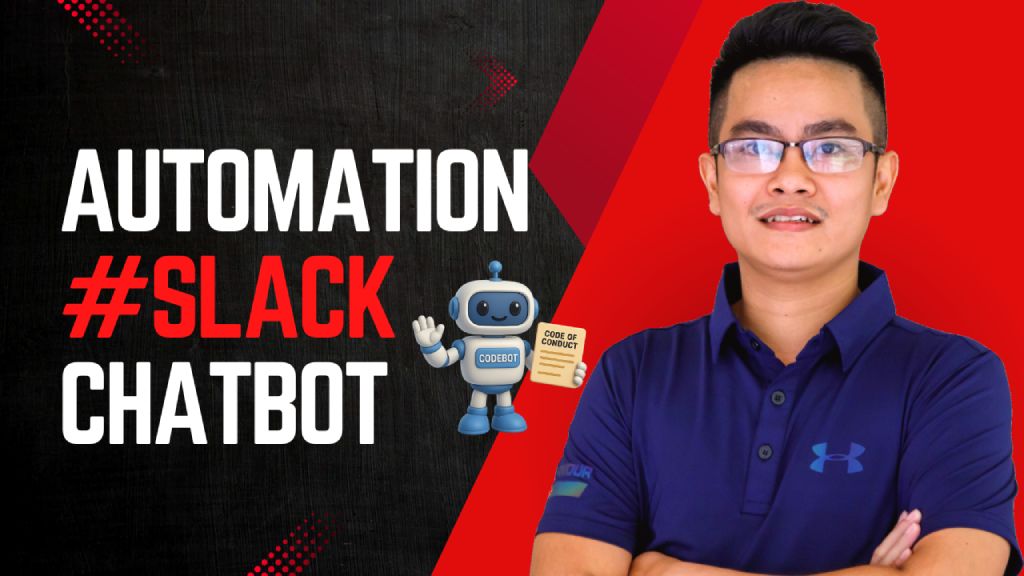](https://www.youtube.com/watch?v=2EWgC5UKiBQ) > Empower employees to instantly access and understand the company's Code of Conduct via a Slack chatbot, powered by Retrieval-Augmented Generation (RAG) and LLMs. ## Who's it for This workflow is designed for: - **HR and compliance teams** to automate policy-related inquiries - **Employees** who want quick answers to Code of Conduct questions directly inside Slack - **Startups or enterprises** that need internal compliance self-service tools powered by AI ## How it works / What it does This RAG-powered Slack chatbot answers user questions based on your uploaded **Code of Conduct PDF** using GPT-4 and embedded document chunks. Here's the flow: 1. **Receive Message from Slack:** A webhook triggers when a message is posted in Slack. 2. **Check if it's a valid query:** Filters out non-user messages (e.g., bot mentions). 3. **Run Agent with RAG:** - Uses GPT-4 with `Query Data Tool` to retrieve relevant document chunks. - Returns a well-formatted, context-aware answer. 4. **Send Response to Slack:** Fetches user info and posts the answer back in the same channel. 5. **Document Upload Flow:** - HR can upload the PDF Code of Conduct file. - It's parsed, chunked, embedded using OpenAI, and stored for future query retrieval. - A backup copy is saved to Google Drive. ## How to set up 1. **Prepare your environment:** - Slack Bot token & webhook configured (Sample slack app manifest: https://wisestackai.s3.ap-southeast-1.amazonaws.com/slack_bot_manifest.json) - OpenAI API key (for GPT-4 & embedding) - Google Drive credentials (optional for backup) 2. **Upload the Code of Conduct PDF:** - Use the designated node to upload your document (Sample file: https://wisestackai.s3.ap-southeast-1.amazonaws.com/20220419-ingrs-code-of-conduct-policy-en.pdf) - This triggers chunking, embedding, and data store. 3. **Deploy the chatbot:** - Host the webhook and connect it to your Slack app. - Share the command format with employees (e.g., `@CodeBot Can I accept gifts from partners?`) 4. **Monitor and iterate:** - Improve chunk size or embed model if queries aren't accurate. - Review unanswered queries to enhance coverage. ## Requirements - n8n (Self-hosted or Cloud) - Slack App (with `chat:write`, `users:read`, `commands`) - OpenAI account (embedding + GPT-4 access) - Google Drive integration (for backups) - Uploaded Code of Conduct in PDF format ## How to customize the workflow | What to Customize | How to Do It | |-------------------------|--------------------------------------------------------------------------------| | **Prompt style** | Edit the System & User prompts inside the `Code Of Conduct Agent` node | | **Document types** | Upload additional policy PDFs and tag them differently in metadata | | **Agent behavior** | Tune GPT temperature or replace with different LLM | | **Slack interaction** | Customize message formats or trigger phrases | | **Data Store engine** | Swap to Pinecone, Weaviate, Supabase, etc. depending on use case | | **Multilingual support**| Preprocess text and support locale detection via Slack metadata |
n8n$14.99Automate AI News Curation from TechCrunch to Slack Using OpenAI
This n8n workflow automatically scrapes TechCrunch articles, filters for AI-related content using OpenAI, and delivers curated summaries to your Slack channels. Ideal for teams needing up-to-date AI industry insights without manual browsing.
n8n$9.99Download Media Files from Slack Messages
**Description:** This n8n workflow helps you capture Slack messages via a webhook and download attached media files (like images, documents, or videos) directly from those messages. **How it works:** - Slack Trigger (Webhook) - Listens for new messages in a Slack channel where the app is added. - HTTP Request - Uses the file's private download URL to retrieve the media securely. **Use cases:** - Download files shared by team members in a Slack channel. - Capture and process media from specific project or support channels. - Prepare media for later processing, archiving, or review. **Requirements:** - Slack app with appropriate permissions (files:read, channels:history, etc.). - Slack webhook set up to listen to channel messages. - Authenticated HTTP request to handle private Slack file URLs. This template is ideal for users who want full control over file handling triggered by real-time Slack messages.
n8n$4.99Automate Expired AWS ACM Certificate Cleanup with Slack Approval
Streamline the management of expired AWS ACM certificates by automating their cleanup process with Slack-based approval. This workflow ensures a secure AWS environment by notifying admins of expired certificates, awaiting approval, and deleting them upon confirmation.
n8n$9.99Automate Slack Message Summarization and Replies with Claude AI
This workflow leverages Claude AI to summarize unread Slack channel messages and suggest replies, enhancing productivity by reducing Slack noise.
n8n$4.99Automate Security Log Monitoring and Slack Alerts for Failed Logins
This workflow automates the detection of failed login attempts by analyzing security logs and sending alerts via Slack. It helps in identifying potential security threats swiftly and efficiently.
n8n$4.99Deduplicate and Forward Kubernetes Error Logs from Grafana Loki to Slack
Streamline your Kubernetes monitoring by sending only unique error logs from Grafana Loki to Slack, minimizing alert fatigue and ensuring critical issues are highlighted.
n8n$9.99Convert Google Sheets to CSV and Share via Slack
Automatically convert Google Sheets data to a CSV file and share it in Slack when your bot is mentioned with a Google Sheets link.
n8n$4.99Automate Jamf Patch Compliance Alerts to Slack
Streamline your IT operations by automatically sending Jamf patch compliance summaries to Slack. This workflow enables quick identification of outdated software installations, allowing teams to take proactive measures without needing to log into Jamf.
n8n$9.99Automate WhatsApp and Slack Communication
This workflow facilitates seamless, bidirectional communication between WhatsApp and Slack using n8n. It automates the reception, processing, and forwarding of messages, including text, media, and documents, between WhatsApp users and private Slack channels.
n8n$14.99
More integrations
Need a custom Slack workflow?
Our automation experts build tailored Slack integrations for your exact stack.
Request a Custom Workflow