Notion Automation Workflows
511 ready-made Notion workflows for n8n, Make, Zapier, Activepieces, and Pipedream. Databases, notes, and docs kept in sync with the rest of your stack.
Transform Meeting Notes into Tasks with GPT-4.1, Notion, and TickTick via Telegram
Automate the conversion of raw meeting notes into structured tasks and documents using GPT-4.1, syncing them to Notion and TickTick through a Telegram bot.
n8n$9.99Integrate OpenAI with Notion for an Embeddable Knowledge Base Chatbot
Create an AI-powered chatbot using OpenAI and Notion to serve as a dynamic knowledge base, easily embeddable on your website for customer support.
n8n$9.99Automate Telegram to Notion with AI-Powered Summaries
Streamline your workflow by automatically saving Telegram messages, voice notes, and audio files to Notion, complete with AI-generated summaries for quick insights.
n8n$14.99Automate CV Parsing from Gmail to Notion with OCR and AI
Streamline your HR processes by automatically extracting and organizing candidate data from CVs received via email into a Notion database using OCR and AI.
n8n$9.99Voice-Activated Workflow Automation with Vagent.io, Notion, and Google Calendar
Enable seamless voice interaction with AI agents to automate tasks and manage calendars using Vagent.io, Notion, and Google Calendar.
n8n$14.99Automate Analysis and Storage of Hugging Face Papers in Notion
This workflow automates the retrieval of paper summaries from Hugging Face, analyzes them using OpenAI, and stores the results in Notion, ensuring efficient management of academic resources.
n8n$9.99Automate Feedback Sentiment Routing with Typeform, GCP, Notion, Slack, and Trello
Streamline feedback management by analyzing sentiment from Typeform responses using Google Cloud Natural Language, and route results to Notion, Slack, or Trello based on sentiment score.
n8n$4.99Automatically Store Retell Call Transcripts in Google Sheets, Airtable, or Notion
This workflow captures and stores Retell call transcripts and analyses in Google Sheets, Airtable, or Notion upon receiving a 'call_analyzed' webhook event. It is ideal for users who need to maintain a structured record of call data.
n8n$9.99Automate Article Summarization and Storage from Telegram to Notion using GPT-4
This workflow automates the process of saving and summarizing articles sent via Telegram to a Notion database using GPT-4. Ideal for users who want to enhance their reading lists with AI-generated highlights and topic tags.
n8n$9.99Convert Notion Pages to Markdown and Back
This workflow converts Notion pages to markdown format and then back to Notion blocks, effectively duplicating the content for demonstration purposes.
n8n$9.99Automate Learning and Content Creation with AI and Notion
Leverage AI to create detailed learning paths, book outlines, or course curricula and seamlessly organize them in Notion.
n8n$19.99Manage Notion Documents with Gemini AI: Fetch, Summarize, and Update via Chat
# AI Notion Assistant for Teams | Automated Knowledge Base & Smart Content ## What It Does Drowning in Notion pages and manual updates? Tired of scattered information and endless searching? This n8n workflow is your ultimate AI-Powered Notion Resource Agent, transforming your knowledge base into a dynamic, chat-driven assistant. It automates fetching, summarizing, updating, and even generating new content, all through a simple conversation. Instantly empower your team with intelligent document handling, slash manual effort, and ensure your critical resources are always accurate, accessible, and evolving. This is the future of smart Notion database management. --- ## Key Features - **Chat-Driven Notion Interaction:** Effortlessly retrieve, update, and manage Notion pages through natural language. - **AI-Powered Content Creation & Summarization:** Generate new content or get concise summaries of existing documents on demand. - **Automated Page Fetching & Updates:** Seamlessly pull full page content (including nested blocks) and apply updates to your Notion database. - **Streamlined Knowledge Base Management:** Keep your team's resources organized, consistent, and always up-to-date without manual intervention. - **Contextual Conversation Memory:** The AI agent remembers previous interactions, providing a more intuitive and efficient experience. --- ## Pain Points Solved - Wasting hours on manual Notion updates and organization, diverting focus from core tasks? - Struggling to find critical information buried deep within your extensive knowledge base? - Inconsistent or outdated documentation leading to team confusion, errors, and wasted time? - Spending too much time summarizing long documents or drafting new content from scratch? - Juggling multiple tools and workflows just to keep your team's resources current and accessible? --- ## What's Included - 1 n8n Workflow JSON File - Comprehensive Setup Guide --- ## Call to Action **Stop managing your Notion. Start commanding it. Get this AI agent now and transform your team's productivity!** --- ## Optimized Tags `n8n workflow`, `notion automation`, `ai assistant`, `document management`, `knowledge base`, `content generation`, `team productivity`, `google gemini`, `langchain`, `digital product`, `automation tool`, `notion template`
n8n$9.99Automate Notion Page Embeddings to Pinecone Vector Store
This n8n workflow automates the extraction, processing, and storage of Notion page content into a Pinecone vector store, enabling efficient semantic search and AI-driven insights.
n8n$4.99Sync Notion Content to Webflow CMS as Draft Items with Status Tracking
## **How it works:** This template takes approved Notion pages and syncs them to a Webflow CMS collection as **draft** items. It reads pages marked **Status = Ready for publish** in a specific Notion database/project, merges JSON content stored across page blocks into a single object, then either **creates** a new CMS item or **updates** the existing one by **name**. On success, it sets the Notion page to **5. Done**; on failure, it switches the page to **On Hold** for review. ## **Step-by-step:** 1. **Manual Trigger** You start the run with **When clicking 'Execute workflow'**. 2. **Get Notion Pages (Notion – Database: Fetch Content Tasks)** Pull all pages with **Status = Ready for publish** scoped to the target **Project**. 3. **Loop Over Items (Split In Batches)** Process one Notion page at a time. 4. **Code (Pass-through)** Expose page fields (e.g., **name**, **id**, **url**, **sector**) for downstream nodes. 5. **Get Notion Block (children)** Fetch all blocks under the page **id**. 6. **Merge Content (Code)** Concatenate code-block fragments, **parse** them into one `mergedContent` JSON, and attach the page metadata. 7. **Get Webflow Items (HTTP GET)** List items in the target Webflow **collection** to see if an item with the same **name** already exists. 8. **Update or Create (Switch)** - **No match:** **Create Webflow Item** (POST) with `isDraft: true`, mapping all `fieldData` (e.g., category titles, meta title, excerpt, hero copy/image, benefits, problem pointers, FAQ, ROI). - **Match:** **Update Webflow Item (Draft)** (PATCH) for that **id**. Keep the **existing slug**, write the latest `fieldData`, leave `isDraft: true`. 9. **Write Back Status (Notion)** - **Success path** set **Status = 5. Done**. - **Error path** set **Status = On Hold**. 10. **Log Submission (Code)** Log a compact object with **status**, **notionPageId**, **webflowItemId**, **timestamp**, and **action**. 11. **Wait – Loop** Short pause, then continue with the next page. ## **Tools integration:** - **Notion** - source database and page blocks for approved content. - **Webflow CMS API** - destination collection; items created/updated as **drafts**. - **n8n Code** - JSON merge and lightweight logging. - **Split In Batches + Wait** - controlled, item-wise processing. Want hands-free publishing? Add a **Cron** trigger before step 2 to run on a schedule.
n8n$9.99Seamlessly Sync Assignments Between Canvas LMS and Notion
Automatically synchronize assignments and their completion status between Canvas LMS and a Notion database. This workflow triggers every two hours during the school day and supports manual updates via webhooks.
n8n$14.99Effortlessly Sync and Organize Notion Contacts in Google Contacts
Automate the synchronization of your Notion contacts to Google Contacts, complete with group labels, ensuring your CRM remains organized and up-to-date without manual intervention.
n8n$14.99Automate Website Form Submissions to Notion CRM
Streamline your workflow by automatically capturing website form submissions and creating structured entries in your Notion CRM database, eliminating manual data entry.
n8n$4.99Automate AI Summaries of Notion Comments with Google Gemini
Streamline your Notion comment management by automatically generating AI-powered summaries using Google Gemini. This workflow ensures you never miss important details in your team discussions.
n8n$9.99Automate Telegram to Notion with AI Summaries and Transcriptions
Seamlessly integrate Telegram messages into Notion by automatically summarizing text and transcribing audio using AI, enhancing your task management and productivity.
n8n$14.99Automate Weekly Notion Journal Summaries and Task Reports to Discord
This workflow automates the process of summarizing your weekly Notion journal entries using GPT-4.1 and posts the summary to Discord. It also calculates completed tasks and sends a congratulatory message to a Discord channel.
n8n$14.99Seamlessly Import Meta Threads Posts into Notion
Automatically transfer your Meta Threads posts to a Notion database for streamlined content management and analysis. Ideal for social media managers and content creators looking to archive and analyze their posts.
n8n$14.99Realtime Notion Todoist 2-Way Sync with Redis
## Purpose This solution enables you to manage all your Notion and Todoist tasks from different workspaces as well as your calendar events in a single place. All tasks can be managed in Todoist and additionally, Fantastical can be used to manage scheduled tasks & events all together. ## Demo & Explanation [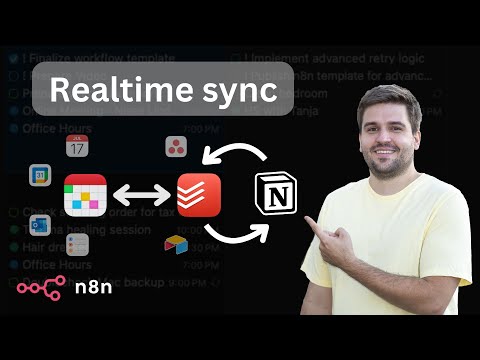](https://youtu.be/k66j6ZspjCg) ## How it works - The realtime sync consists of two workflows, both triggered by a registered webhook from either Notion or Todoist. - To avoid overwrites by lately arriving webhook calls, every time the current task is retrieved from both sides. - Redis is used to prevent endless loops, since an update in one system triggers another webhook call again. Using the ID of the task, the trigger is being locked down for 15 seconds. - Depending on the detected changes, the other side is updated accordingly. Generally, Notion is treated as the main source. Using an Obsolete Status, it is guaranteed that tasks never get deleted entirely by accident. - The Todoist ID is stored in the Notion task, so they stay linked together. - An additional full sync workflow daily fixes inconsistencies, if any of them occurred, since webhooks cannot be trusted entirely. - Since Todoist requires a more complex setup, a tiny workflow helps with activating the webhook. - Another tiny workflow helps generating a global config, which is used by all workflows for mapping purposes. ## Mapping (Notion >> Todoist) - Name: Task Name - Priority: Priority (1: do first, 2: urgent, 3: important, 4: unset) - Due: Date - Status: Section (Done: completed, Obsolete: deleted) - <page_link>: Description (read-only) - Todoist ID: <task_id> ## Current limitations - Changes on the same task cannot be made simultaneously in both systems within a 15-20 second time frame. - Subtasks are not linked automatically to their parent yet. - Recurring tasks are not supported yet. - Task names do not support URLs yet. ## Prerequisites ### Notion - A database must already exist (get a basic template [here](https://steadfast-banjo-d1f.notion.site/17682b476c848086b002de766879aa71)) with the following properties (case matters!): - Text: Name - Status: Status, containing at least the options Backlog, In progress, Done, Obsolete - Select: Priority, containing the options do first, urgent, important - Date: Due - Checkbox: Focus - Text: Todoist ID ### Todoist - A project must already exist with the same sections like defined as Status in Notion (except Done and Obsolete) ### Redis - Create a [Free Redis Cloud](https://redis.io/try-free/) instance or self-host ## Setup [](https://youtu.be/73jhyU0t4c4) The setup involves quite a lot of steps, yet many of them can be automated for business internal purposes. Just follow the video or do the following steps: - Setup credentials for Notion (access token), Todoist (access token), and Redis - you can also create empty credentials and populate these later during further setup. - Clone this workflow by clicking the Use workflow button and then choosing your n8n instance - otherwise, you need to map the credentials of many nodes. - Follow the instructions described within the bundle of sticky notes on the top left of the workflow. ## How to use - You can apply changes (create, update, delete) to tasks both in Notion and Todoist which then get synced over within a couple of seconds (this is handled by the differential realtime sync). - The daily running full sync resolves possible discrepancies in Todoist and sends a summary via email, if anything needed to be updated. In case that contains an unintended change, you can jump to the task from the email directly to fix it manually.
n8n$24.99Create a Notion AI Assistant with Google Gemini for Managing Tasks & Content
**This n8n workflow template uses community nodes and is only compatible with the self-hosted version of n8n.** # Build an AI agent for Notion (with Notion official MCP server)  ## Use case This template empowers Notion power-users to build their own AI assistant, deeply integrated with their workspace. It solves the constant problem of copy-pasting and context-switching between a separate AI chat and Notion by creating a direct, conversational bridge. Now you can interact with an intelligent agent that can create, retrieve, and update your Notion databases and pages on your behalf, turning your workspace into a truly dynamic productivity hub.  ## How it works When you send a message via the chat interface, the workflow passes it to your chosen AI model. The model, connected to the official Notion tool server, analyzes your request to see if it can be fulfilled by one of its available Notion actions. If it matches a tool, the workflow executes the command using the Notion API—like creating a new page or searching a database—and the AI then confirms the action is complete back in the chat. ## Setup **Prerequisite:** This template is for **self-hosted n8n instances only**, as it requires a community node. 1. Copy this workflow into your self-hosted n8n instance. 2. Install the required community node (n8n-nodes-mcp). 3. Add your credentials for your chosen AI Model and the Notion MCP Server. 4. Test the workflow by starting chatting with your new Notion assistant. ## How to adjust it to your needs - You can use the AI model you want and even easily compare different AI models. - You can start from this template and then provide other tools to your AI agent to build more powerful workflows.
n8n$9.99Automate n8n Workflow Backup with Versioning and Notion Tracking
This workflow automates the backup of n8n workflows with versioning and tracks details in Notion. It ensures multiple versions are maintained on the destination instance, with each workflow prefixed by the date for easy tracking.
n8n$14.99
More integrations
Need a custom Notion workflow?
Our automation experts build tailored Notion integrations for your exact stack.
Request a Custom Workflow