
Back to Blog a11y
a11y
 ai
ai cloud
cloud ai
ai ai
ai omnivideo
 webdev
Accessibility question: is nesting interactive elements bad?
Christian Heilmann May 27, 2026
0 views
Is it confusing to have links inside labels? Does it break in some screenreaders?
title: Accessibility question: is nesting interactive elements bad? published: true description: Is it confusing to have links inside labels? Does it break in some screenreaders? tags: accessibility,html,forms,a11y cover_image: https://dev-to-uploads.s3.amazonaws.com/uploads/articles/jhyzichhk0ehaysc92qy.png
published_at: 2026-05-27 14:06 +0000
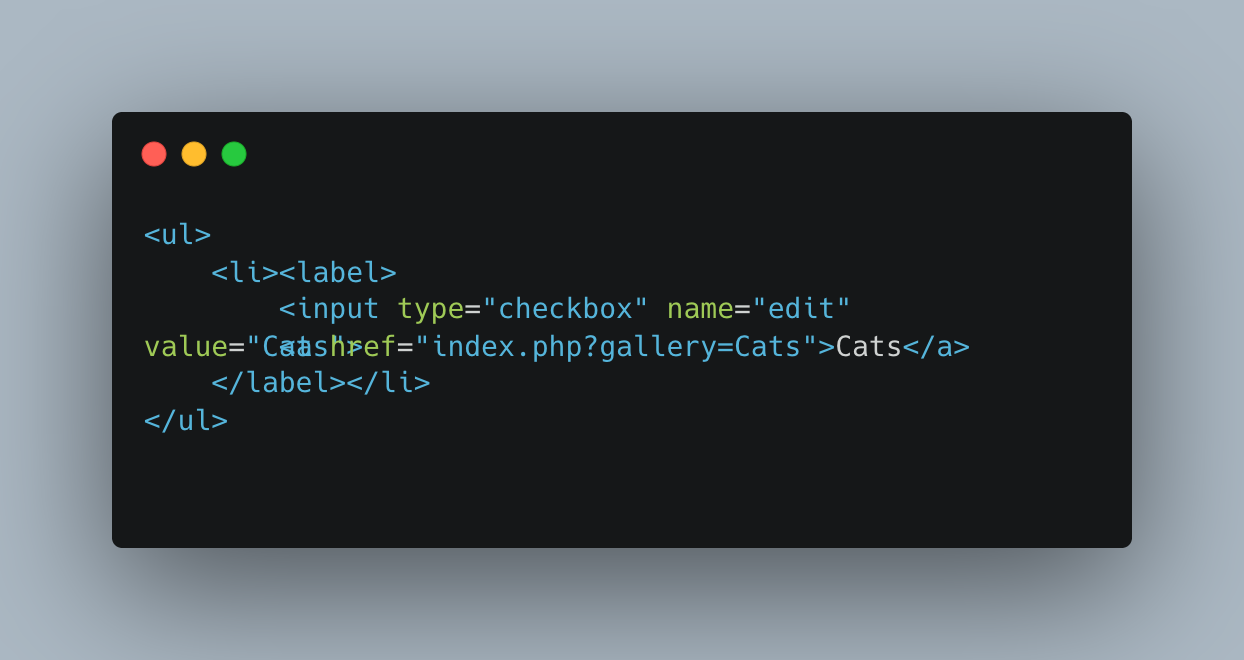
I am currently writing a gallery script for myself and ran into an interesting accessibility question. I have a list of galleries with links to each of them. I also wanted to provide a checkbox to allow users to select several galleries and merge or download them. The HTML I use is the following. An unordered list with labels and checkboxes and links inside the label.
<ul>
    <li><label>
        <input type="checkbox" name="edit" value="Cats">
        <a href="index.php?gallery=Cats">Cats</a>
    </label></li>
</ul>
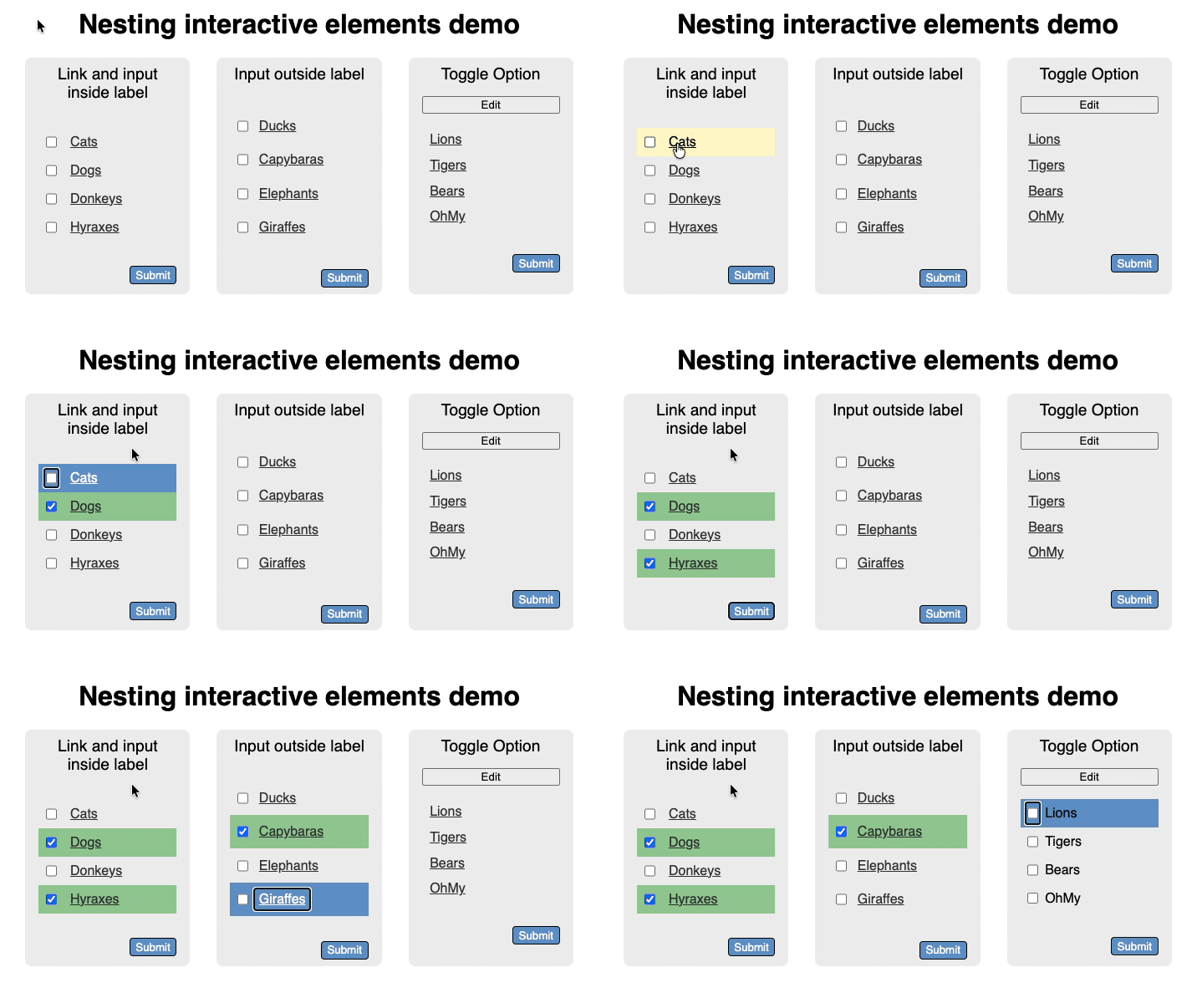
Given the right CSS and some breathing space this works well with a mouse and keyboard. You can click next to the link to check the checkbox and on the link to navigate to the gallery. It also works using a keyboard. You can tab through the list and check/uncheck using the space bar. The following screencast shows what that looks like.
Now, it feels wrong though. I am mixing two interaction modes here, navigation and selection, one being link based and the other form based. I am wondering if that creates any issues for screenreader users. The other thing I am wondering about is if there is an issue with nesting all in the label as some older assistive technology didn't like that. I can work around that using for and ids:
<ul>
    <li>
        <input id="CBDucks" type="checkbox" name="edit" value="Ducks">
        <label for="CBDucks">
            <a href="index.php?gallery=Ducks">Ducks</a>
        </label>
    </li>
</ul>
The question though is if that is still an accessibility issue and if it doesn't make more sense to show the navigation as links and create a toggle to switch to the selection use case? What do you think?
You can play with the demo page here.
Comments
More Blog
View allaiTeaching Google Antigravity to Paint: A Stateful Image-Editing Skill Built on Gemini's Interactions API and MCP
How nb2lite-skill-agy packages Google's gemini-3.1-flash-lite-image as an Antigravity skill + MCP server — with multi-turn stateful edits, a simple install guide, and a dogfooded cover image.
X
xbillcloudZero to Multi-Region: High Availability Serverless with Cloud Run and Cross-Region Failover & Failback
Google just made multi-region Cloud Run significantly easier. Here is the full picture; what changed,...
C
Caleb DuffaiTeaching Codex to Paint: A Stateful Image-Editing Skill Built on Gemini's Interactions API and MCP
How nb2lite-skill-codex packages Google's gemini-3.1-flash-lite-image as a Codex skill + MCP server — with Codex-native install paths, stateful edits, and a dogfooded cover.
X
xbillaiTeaching Antigravity to Direct: A Stateful Video-Editing Skill Built on Gemini's Interactions API and MCP
How omni-skill-agy packages Google's gemini-omni-flash-preview as an Antigravity CLI skill + MCP server — what Omni Flash actually does, a field guide to all eight tool calls, multi-turn stateful edits, an idiot-proof install guide, and a one-tool-call path to YouTube.
X
xbillomnivideoTeaching Claude Code to Direct: A Stateful Video-Editing Skill Built on Gemini’s Interactions API…
Teaching Claude Code to Direct: A Stateful Video-Editing Skill Built on Gemini’s...
X
xbillwebdevBetter than Next.js? Is Rust Finally Ready for Full-Stack Web Development? Introducing Topcoat
There is a super-new Rust Web Framework in town, and it's name is Topcoat Rust is already a solid...
F
Francesco CiullaReady-made automations for this
Workflows from the Neura Market marketplace related to this Midjourney resource
- Learn n8n Keyboard Shortcuts with an Interactive Hands-On Tutorial Workflown8n · $24.99 · Related topic
- Learn API Fundamentals with an Interactive Hands-On Tutorial Workflown8n · $24.99 · Related topic
- Create Animated Stories Using GP-4.0-mini, Midjourney, Kling, and Creatomate APIn8n · $24.99 · Related topic
- Test Your JSON Skills with Interactive Challenges and Instant Feedbackn8n · $24.99 · Related topic