
Back to Blog![[GCP Practice][BwAI] AI-Powered Development: Quickly Deploy a LINE Bot Cloud Backup Tool with Gemini CLI](https://media2.dev.to/dynamic/image/width=1200,height=627,fit=cover,gravity=auto,format=auto/https%3A%2F%2Fdev-to-uploads.s3.amazonaws.com%2Fuploads%2Farticles%2Feh70l7bu3x2uk9miobku.png) ai
ai
 githubactions
 ai
ai antigravity
![[GCP Billing & Vertex AI] Solving Gemini Cost Allocation in a Single Project: Vertex AI Dynamic Billing Labels in Action](https://media2.dev.to/dynamic/image/width=1200,height=627,fit=cover,gravity=auto,format=auto/https%3A%2F%2Fdev-to-uploads.s3.us-east-2.amazonaws.com%2Fuploads%2Farticles%2Fb6yzipcljv2243f1njmh.png) ai
ai ai
ai aie
aie
[GCP Practice][BwAI] AI-Powered Development: Quickly Deploy a LINE Bot Cloud Backup Tool with Gemini CLI
Evan Lin May 5, 2026
0 views
Background In the upcoming Build With AI 2026 workshop, we're bringing a very practical...
Background
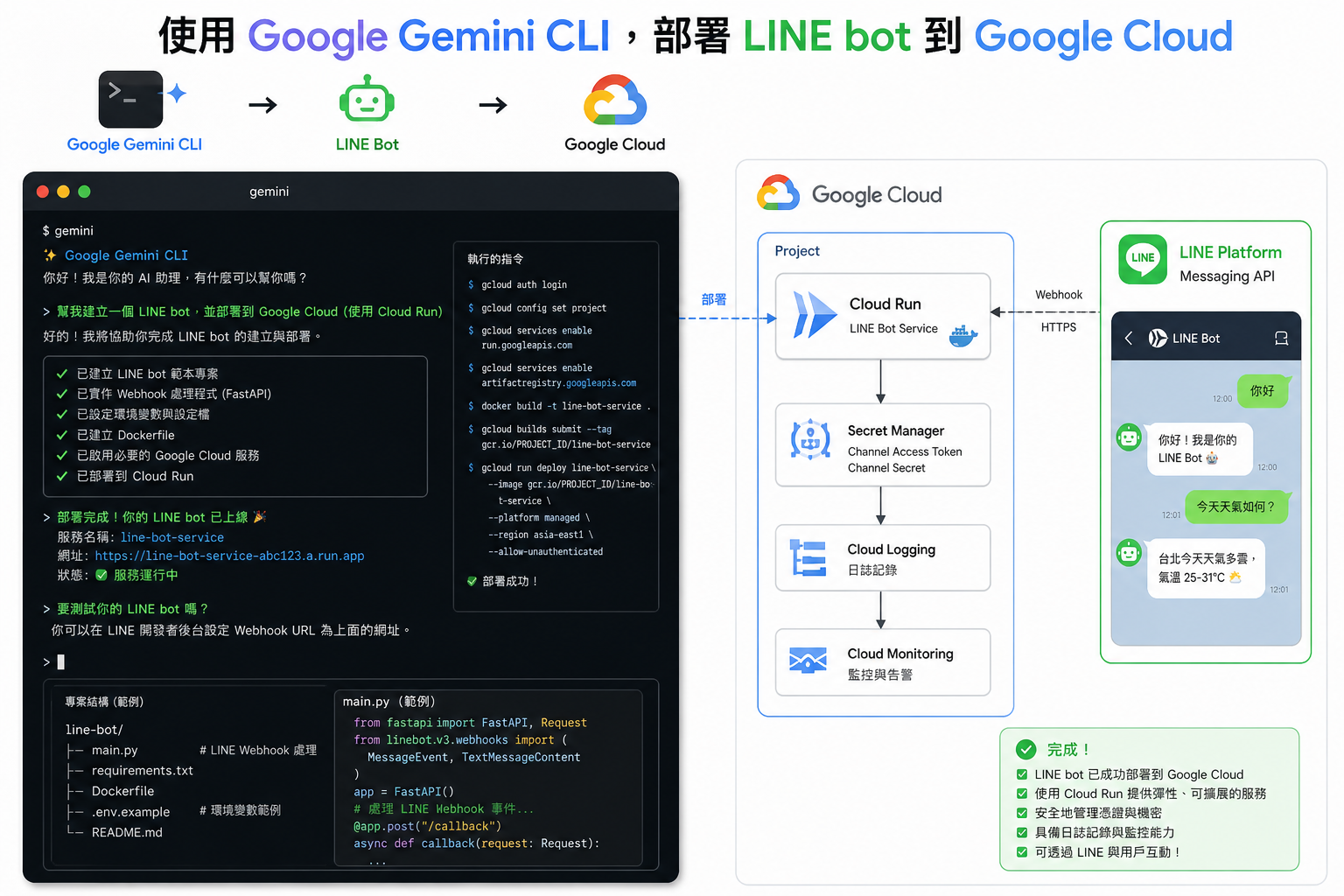
In the upcoming Build With AI 2026 workshop, we're bringing a very practical project: the LINE Bot File Backup Robot. It allows you to directly upload images and files from your LINE chatroom to Google Drive, and it will automatically create folders by month to keep things organized.
Traditionally, putting a project like this, which includes OAuth authorization, a Firestore database, and Cloud Run container deployment, on the cloud would often leave beginners struggling with lengthy gcloud commands.
But this time it's different, we have a secret weapon: Gemini CLI.
This article will document how we used AI as a DevOps engineer, completing the entire complex deployment process by "talking," and of course, including the various real pitfalls we encountered along the way.
Preparation: Summoning the AI Assistant
Before we start, besides the basic gcloud installation and login, you only need to install Gemini CLI.
Prepare the following "confidential parameters" (all are Mock processed in this article):
- PROJECT_ID:
your-cool-project-id - LINE Channel Secret:
YOUR_LINE_SECRET_XXXX - LINE Access Token:
YOUR_LINE_TOKEN_XXXX
After entering the project folder, I only said one sentence to Gemini CLI:
"Help me deploy to Cloud Run using gcloud, and stop and ask me if you need any information. Refer to the repo…"
Next, it's time to witness miracles (and fix bugs).
Practical Deployment Process: AI Leading the Way
Gemini CLI intelligently analyzed Dockerfile and main.go and immediately listed a set of battle plans.
Step 1: Environment Detection and API Enablement
The AI first confirmed my current project settings in gcloud and then enabled the necessary services in one go:
gcloud services enable firestore.googleapis.com \
  cloudbuild.googleapis.com \
  run.googleapis.com \
  artifactregistry.googleapis.com
Step 2: Creating a Firestore Database (Encountering the First Pitfall)
Our Bot needs to record the OAuth State anti-counterfeiting mark, so Firestore is needed. The AI tried to execute the command, but we immediately encountered an error. (See the pitfall record below for details)
After correction, the correct command is:
gcloud firestore databases create --location=asia-east1 --type=firestore-native
Step 3: Deploying Cloud Run First, Filling in the Blanks Later
This is a classic "chicken or the egg" problem: Google OAuth needs to know your Cloud Run URL (Redirect URI), but your Cloud Run deployment needs to fill in the OAuth Client ID and Secret.
Gemini CLI's strategy is great: Deploy with placeholders first!
gcloud run deploy linebot-backup-service \
  --source . \
  --region asia-east1 \
  --set-env-vars "GOOGLE_CLOUD_PROJECT=your-cool-project-id,ChannelSecret=YOUR_LINE_SECRET_XXXX,ChannelAccessToken=YOUR_LINE_TOKEN_XXXX,GOOGLE_CLIENT_ID=PENDING,GOOGLE_CLIENT_SECRET=PENDING,GOOGLE_REDIRECT_URL=PENDING" \
  --allow-unauthenticated \
  --quiet
After successful deployment, we got a string of fragrant URLs: https://linebot-backup-service-xxxxx.a.run.app.
Step 4: Completing Google OAuth Settings and Environment Variable Updates
With the URL, I can go to the "API & Services" in Google Cloud Console to complete the settings:
- Create an OAuth consent screen.
- Create credentials for a Web application.
- Fill in the "Authorized redirect URI" with the URL we just got, plus
/oauth/callback.
After getting the real ID and Secret, I directly pasted the information to Gemini CLI, and it automatically updated the service for me:
gcloud run services update linebot-backup-service \
  --region asia-east1 \
  --update-env-vars "GOOGLE_REDIRECT_URL=https://[YOUR_URL]/oauth/callback,GOOGLE_CLIENT_ID=real-client-id.apps.googleusercontent.com,GOOGLE_CLIENT_SECRET=real-secret-xxxx"
Done! Finally, just go to the LINE Developers Console and fill in the Webhook.
Blood and Tears Pitfall Records During the Deployment Process
It looks smooth, but in fact, the AI and I hit a few walls together. This is also the most real experience of using CLI tools.
Pitfall 1: Forgetting to Bind a Credit Card, the 390001 Error
When executing the first gcloud run deploy, the terminal directly spewed red text all over the face:
FAILED_PRECONDITION: Billing account for project is not found...
Reason: Cloud Run and Cloud Build require the project to enable billing (Billing Enabled). This is a brand new test project, and I forgot to bind the billing account. Solution: The AI immediately checked the project status for me (gcloud beta billing projects describe) and asked me if I wanted to switch to a project with billing, or to fix it. I obediently went to the Console to bind my credit card, and the deployment was able to continue.
Pitfall 2: The Evolution of Command Parameter Syntax
When creating Firestore, the AI initially gave the command --type=native-mode or --type=native, but gcloud didn't appreciate it:
ERROR: argument --type: Invalid choice: 'native-mode'
Reason: The CLI parameters of gcloud will change with version updates. Solution: Carefully look at the gcloud error message, and now the correct parameter values are firestore-native or datastore-mode. After changing to --type=firestore-native, it passed smoothly.
Pitfall 3: The Invisible "Drive API"
When everything was deployed, we encountered a permission error when testing "upload to Google Drive". Reason: This is a Bot that helps you upload files to Drive, but when we enabled the API in the first step, we actually forgot to enable the protagonist: Google Drive API! Without it, even if OAuth authorization is successful, the program will still be blocked. Solution: I only entered the mysterious "3." (implying the third checkpoint) into the terminal, and the AI immediately understood and added this critical blow:
gcloud services enable drive.googleapis.com
Conclusion
Through Gemini CLI, the originally tedious and error-prone infrastructure construction work has become a "two-person pair programming" session.
AI can help you remember lengthy gcloud parameters, help you sort out the deployment logic (deploy with PENDING first and then update), and even adjust strategies quickly based on error messages when you encounter errors.
This is the core spirit that Build With AI 2026 wants to convey: let AI handle the tedious DevOps chores, so that developers can focus more energy on innovation in core business logic.
If you are still manually typing long and ugly gcloud commands, I strongly recommend you install Gemini CLI and give it a try!
Comments
More Blog
View allgithubactionsAutomated GitHub Code Reviews Using Google Gemini
I Built a Thing! TL;DR — Google Gemini-based Pull Request reviews and Issue Triaging for...
D
Darren "Dazbo" LesteraiStop Your LLMs from Forgetting (Part 2): How a Graph-Anchor Pyramid Cures AI’s Relational Blindspots
Have you ever had a brilliant solution get completely crushed by a single comment on a technical blog...
T
TanaikeantigravityRemote Control Antigravity - Migrating to new Antigravity ecossytem and fully autonomous goals
In my previous post, we explored how to build an AI-powered IDE companion app from scratch using...
M
Marcelo Costaai[GCP Billing & Vertex AI] Solving Gemini Cost Allocation in a Single Project: Vertex AI Dynamic Billing Labels in Action
Pain Point: How to Accurately Allocate Gemini API Costs Within the Same Project? When...
E
Evan LinaiStop Your LLMs from Forgetting: How a 2016 String Algorithm Solves AI's Biggest Memory Loss Problem
Have you ever tried to read a massive pile of reports and summarize them in under 50 words? It’s...
T
TanaikeaieGoogle VP of Technology says he’s given up on coding
In his keynote on Wednesday, Benoit Schillings, vice president of Technology at Google DeepMind and...
I
Iain ThomsonReady-made automations for this
Workflows from the Neura Market marketplace related to this Gemini resource
- Automate Your Website Development with AI-Powered Chat Workflown8n · $6.3 · Related topic
- Automate Product Development with AI-Driven CPO and Specialized Agentsn8n · $14.99 · Related topic
- Automate Daily Photo Background Removal with Photoroom and Google Driven8n · $9.99 · Related topic
- Automate Background Removal with MCP Server for AI Agentsn8n · $9.99 · Related topic