
Back to Blog gemini
 githubactions
 ai
ai antigravity
![[GCP Billing & Vertex AI] Solving Gemini Cost Allocation in a Single Project: Vertex AI Dynamic Billing Labels in Action](https://media2.dev.to/dynamic/image/width=1200,height=627,fit=cover,gravity=auto,format=auto/https%3A%2F%2Fdev-to-uploads.s3.us-east-2.amazonaws.com%2Fuploads%2Farticles%2Fb6yzipcljv2243f1njmh.png) ai
ai ai
ai aie
aie
Reflections on my Trainings: Gemini for Google Workspace
Aryan Irani March 27, 2026
0 views
It's always an incredibly rewarding experience to engage with professionals eager to embrace new...
It's always an incredibly rewarding experience to engage with professionals eager to embrace new technology, and my recent live training sessions on Gemini for Google Workspace were no exception. I recently conducted live trainings on Gemini for Google Workspace with O'Reilly Media Inc. - and one thing became very clear very quickly:
Most people aren't struggling with AI tools. They're struggling with how to think with them.
These weren't passive sessions. Over the course of 4 hours, professionals jumped in, experimented live, built prompts, refined outputs, and saw immediate results. The turnout and energy were incredible - but what stood out more than anything was how differently people approached the exact same tool. Some were instantly building workflows. Others were still testing one-off prompts.
That gap - that difference in approach - is what this post is really about.
The "Why": More Than Just a Tool, It's a New Way of Working
In today's world, efficiency isn't just a nice-to-have; it's essential. From my years working with businesses and developers using Google Workspace, I've seen the daily grind firsthand. The hours spent wrestling with spreadsheet formulas, agonizing over the perfect email tone, or just facing that daunting blank page to start a new document. Gemini isn't just another feature; it's a fundamental shift. It's about augmenting our human capabilities, not replacing them.
The Secret Sauce: Mastering Prompts with the CRISP Method (My Personal Take)
When I first started playing around with Gemini, I quickly realized that the real magic wasn't just in the AI itself, but in how we talk to it. This is where prompt engineering comes in. My personal journey into mastering prompts using the CRISP method, really came from a place of wanting consistent, high-quality results. I found that by consciously applying Context, Role, Instruction, Specifics, and Purpose, I could transform those vague requests into exactly what I needed.
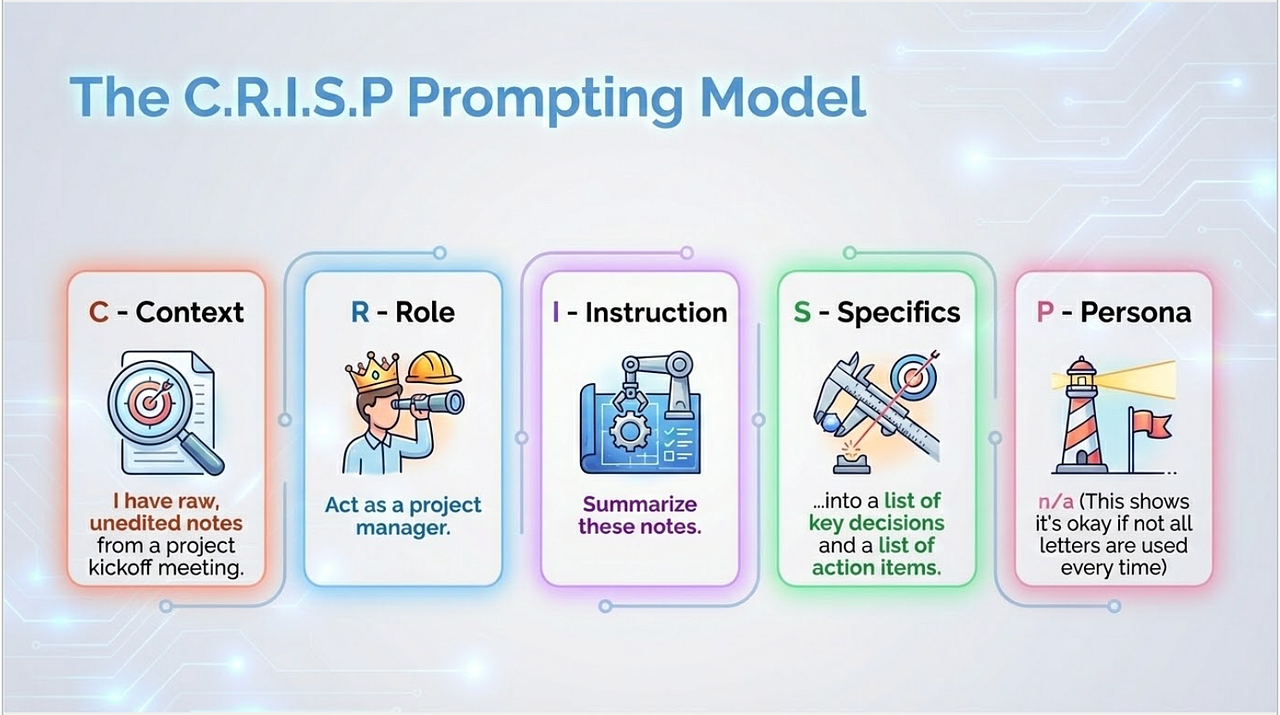
It was only when I started to improve my prompts that I saw Gemini truly perform as a powerful analyst, writer, or assistant. Sharing that learning curve and giving others a shortcut to getting those great results was what I was looking at.
Gemini in Action across Google Workspace
We explored Gemini's capabilities across the core Google Workspace apps, and I loved seeing the immediate impact.
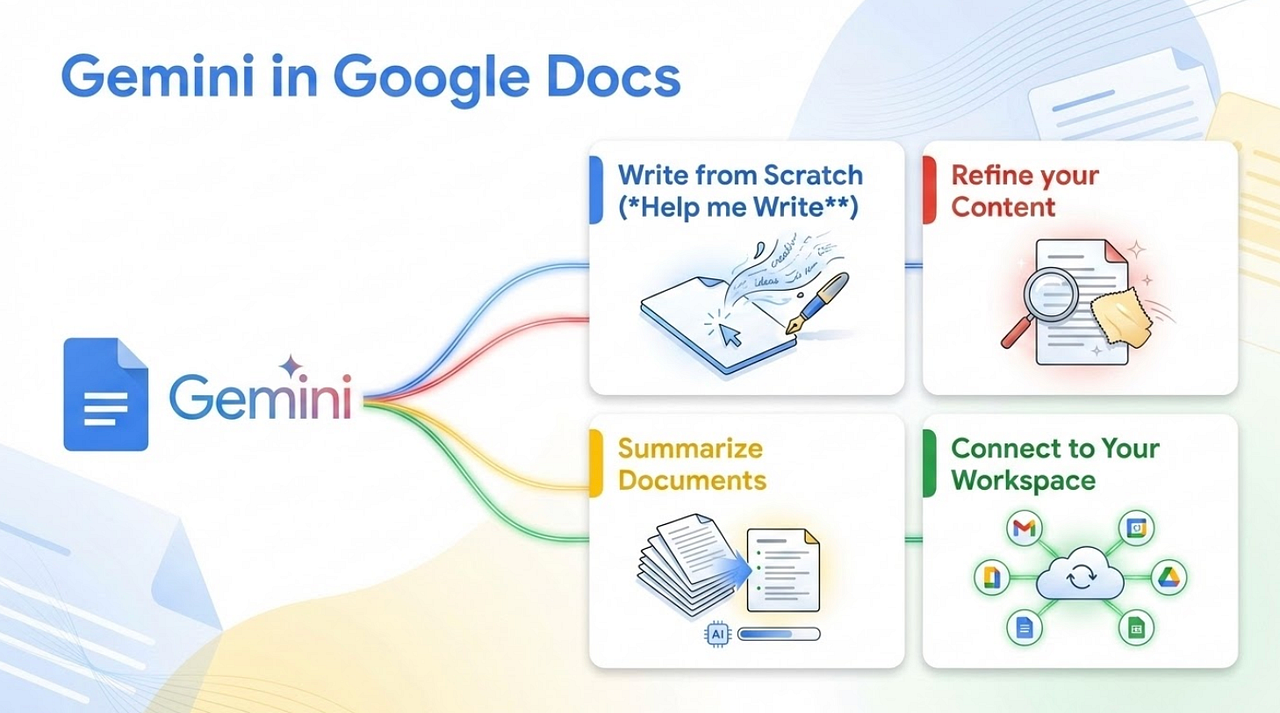
Google Docs
-
What We Did: Overcame writer's block, drafted content from outlines, summarized long documents, and even refined text for different tones.
-
My Observation: Seeing participants go from a blank page to a draft proposal summary in minutes was incredible. The Content Multiplier demo, where we took one piece of content and transformed it into a LinkedIn post, a YouTube script, and a senior executive email, always gets the biggest reaction. It highlights how Gemini can truly adapt to our communication needs and save hours of manual work.
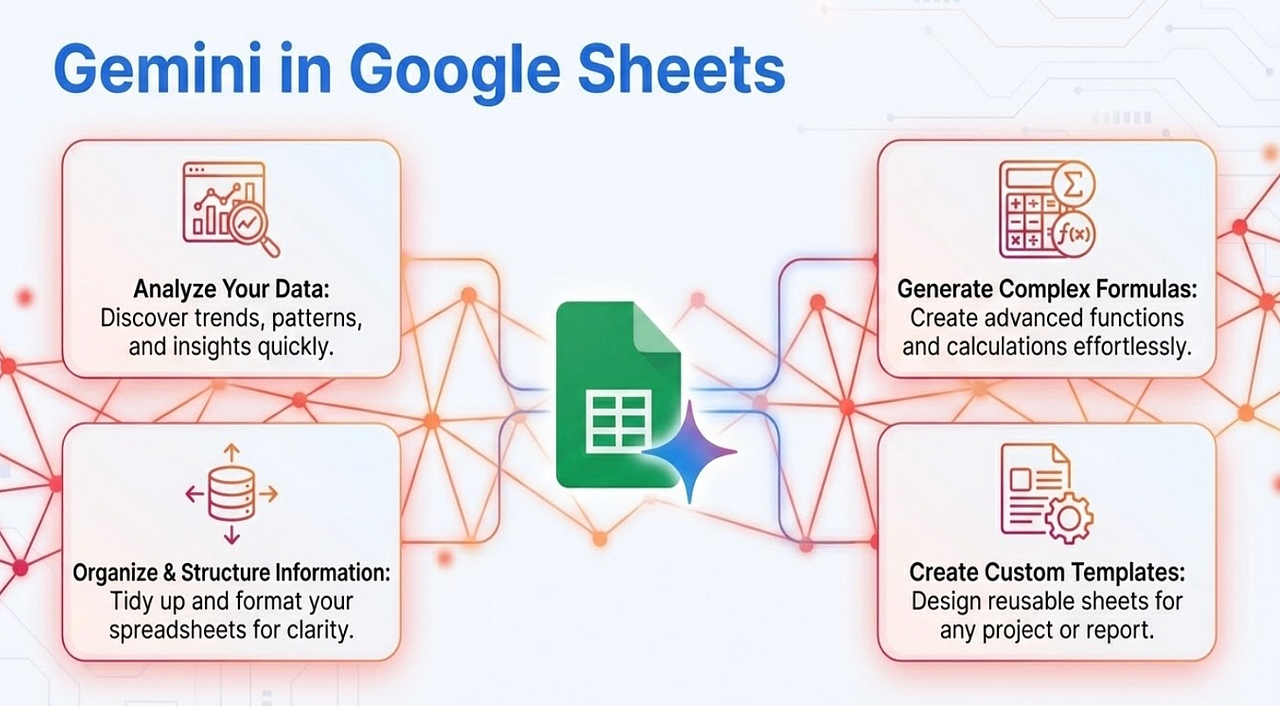
Google Sheets
-
What We Did: Cleaned messy data with natural language, generated formulas without syntax, analyzed data, created pivot tables, and visualized insights with charts.
-
My Observation: The "aha!" moments here are always around data analysis and formula generation. Watching someone who admitted to dreading VLOOKUPs confidently ask Gemini to find the email for Employee ID 105 and get it instantly, or seeing them create a complex pivot table just by describing it - that's incredibly powerful. It democratizes data insight, making analysis accessible to everyone.
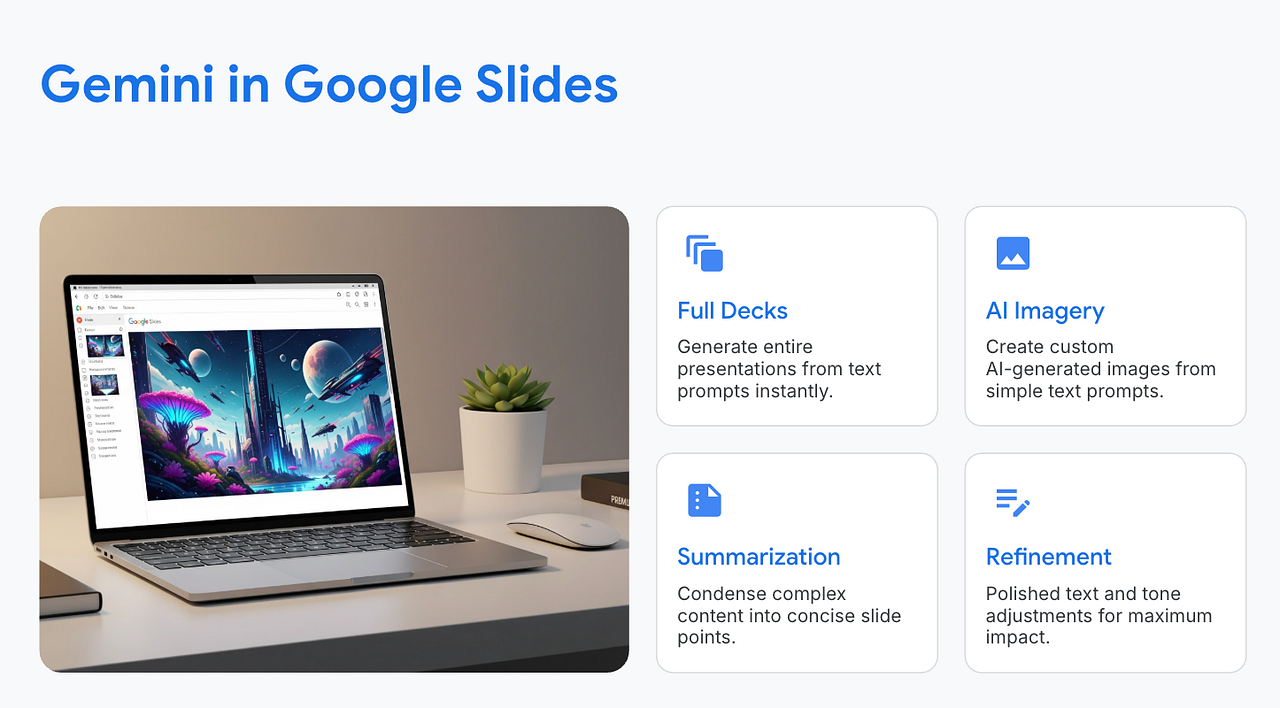
Google Slides
-
What We Did: Generated slides individually, created custom AI images, refined text, and produced speaker notes.
-
My Observation: The AI image generation is always a showstopper! It's amazing to see participants realize they don't need to be graphic designers to create stunning, unique visuals for their presentations. The Micro Pitch Deck exercise really showed how quickly you can build a professional presentation and speaker notes, making the process much more efficient.
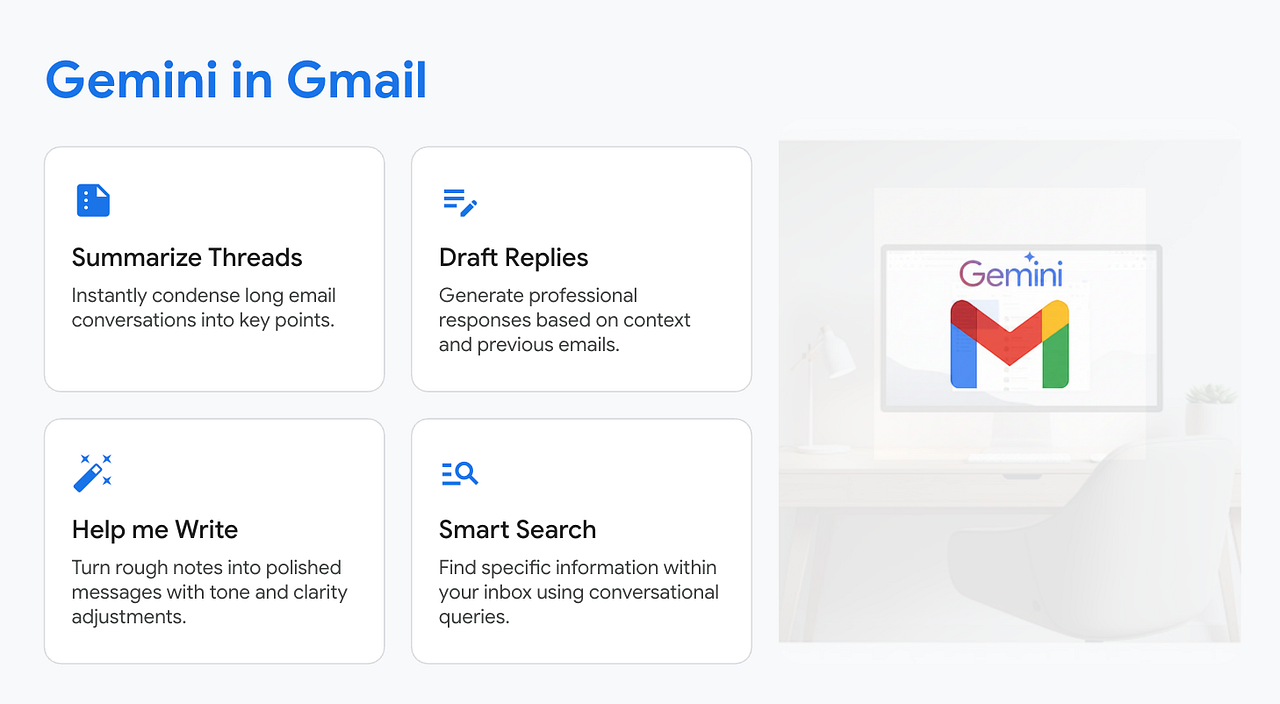
Gmail
-
What We Did: Summarized long threads, used conversational search, drafted and refined emails.
-
My Observation: Taming the inbox is a universal challenge. The immediate relief participants feel when they see how quickly Gemini can summarize long threads or draft professional emails with the right tone is palpable. It's about giving back valuable time and boosting confidence in communication.
Automation (Apps Script)
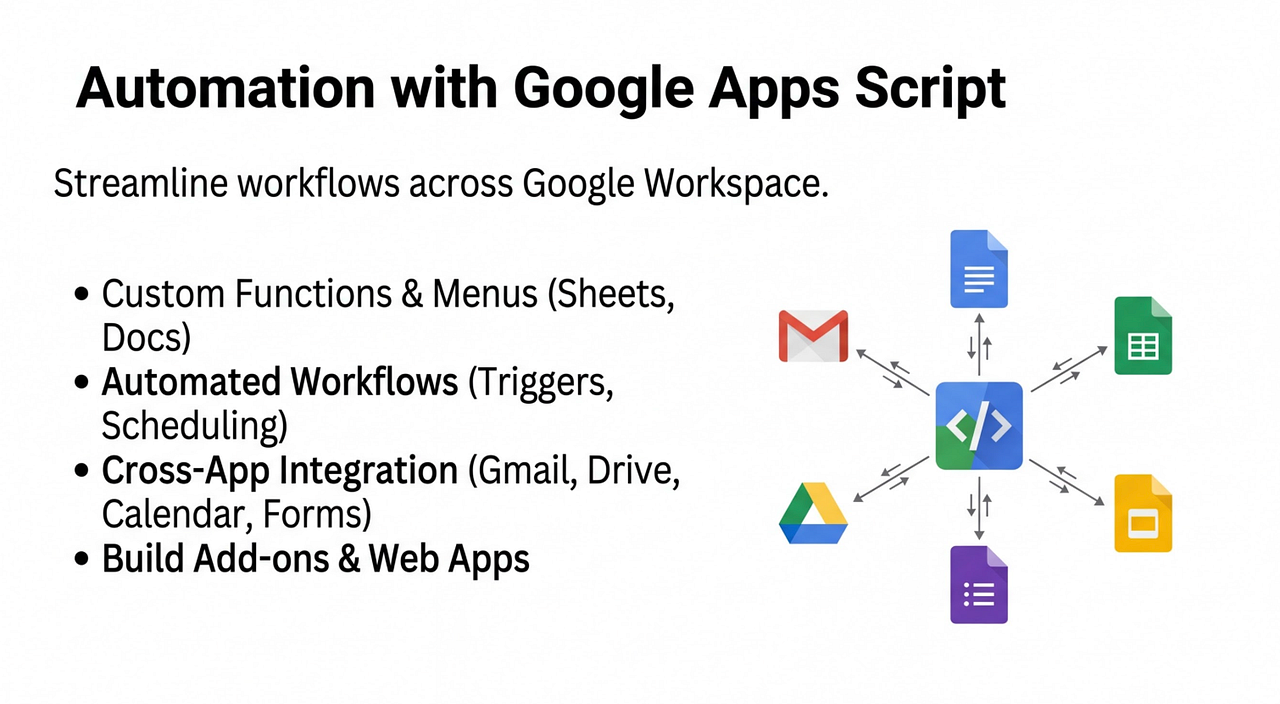
We've covered Gemini's power within Docs, Sheets, Slides, and Gmail, focusing on immediate productivity gains. Now, let's look ahead to the next frontier: AI-Powered Automation.
While Gemini offers incredible built-in features, its true potential is unlocked when we integrate its intelligence into custom workflows. This is where Google Apps Script becomes invaluable. It's the bridge that allows us to automate repetitive tasks and build intelligent agents that can work for us in the background.
During the training, I had the opportunity to showcase some of the tools I've been developing:
Comment AI: Your AI Commenting Assistant for Google Docs
-
What it is: I demonstrated a prototype Apps Script add-on called Comment AI. This tool leverages Gemini to analyze the text of a Google Doc and then suggest relevant, context-aware comments or feedback directly within the document. It can help users identify areas for improvement, suggest alternative phrasing, or even flag potential compliance issues, all based on intelligent AI analysis.
-
The Potential: Imagine the time saved in review cycles! Instead of manually adding notes, Gemini can pre-analyze and suggest improvements, allowing reviewers to focus on strategic feedback.
You can find a step-by-step guide for this project here:
{% embed https://youtu.be/UpjXl3F67KM?si=ASgTeqXmoORYJigO %}
Gemini-Powered Google Drive File Labelling & Filling:
-
What it is: I also showcased another Apps Script project focused on Google Drive. This tool uses Gemini to understand the content of files stored in Drive. Based on that understanding, it can automatically apply consistent labels, extract key metadata, and even auto-fill relevant properties.
-
The Potential: Think about organizing your entire Drive! Gemini can help tag documents by project, client, or topic, making file retrieval exponentially faster and more efficient. This is a game-changer for knowledge management and team collaboration.
These projects are early-stage, but they exemplify the power of combining Google Apps Script with Gemini's AI. It's about creating custom solutions for specific business needs, turning logic and intent into automated, intelligent workflows. While we didn't build these live, seeing them in action provides a tangible glimpse into what's possible when you integrate AI into your specific operational processes.
You can learn more about this project and how to set it up in my tutorial here:
The Key Takeaway: The future isn't just about using AI tools; it's about building AI into your workflows. As these technologies evolve, your ability to harness them through custom solutions will become an increasingly valuable skill.
My Experience: From Preparation to Connection
Crafting this training wasn't just about listing features; it was about deeply understanding the challenges professionals face daily and then showing them a practical, actionable path forward with Gemini. My background as a Google Developer Expert means I'm constantly exploring these tools, so my focus was on bringing real-world scenarios and genuine business value to every demo and exercise.
Building those hands-on activities to simulate real business tasks - like creating that executive briefing or analyzing messy data - is critical for making the learning stick. It's incredibly rewarding to see participants engage, ask those insightful questions, and achieve those tangible results in just a few hours.
What's Next
The response to these live sessions has been overwhelmingly positive, and it truly energizes me to see so many professionals eager to adopt AI.
We're moving toward a world where AI literacy is a core skill - and the ability to integrate tools like Gemini into real workflows will be a major differentiator.
I'm currently working on turning this training into a structured, self-paced course so more people can learn and apply these concepts at their own pace.
If you're exploring Gemini for Google Workspace - whether individually or for your team - I'd love to hear how you're approaching it.
Stay Tuned: Keep an eye out for the upcoming video course version of this training - it will offer even more depth and flexibility for self-paced learning!
Thank you for reading and for your interest in harnessing the power of AI and Google Workspace.
Feel free to reach out if you have any issues/feedback at aryaniran123@gmail.com
Comments
More Blog
View allgithubactionsAutomated GitHub Code Reviews Using Google Gemini
I Built a Thing! TL;DR — Google Gemini-based Pull Request reviews and Issue Triaging for...
D
Darren "Dazbo" LesteraiStop Your LLMs from Forgetting (Part 2): How a Graph-Anchor Pyramid Cures AI’s Relational Blindspots
Have you ever had a brilliant solution get completely crushed by a single comment on a technical blog...
T
TanaikeantigravityRemote Control Antigravity - Migrating to new Antigravity ecossytem and fully autonomous goals
In my previous post, we explored how to build an AI-powered IDE companion app from scratch using...
M
Marcelo Costaai[GCP Billing & Vertex AI] Solving Gemini Cost Allocation in a Single Project: Vertex AI Dynamic Billing Labels in Action
Pain Point: How to Accurately Allocate Gemini API Costs Within the Same Project? When...
E
Evan LinaiStop Your LLMs from Forgetting: How a 2016 String Algorithm Solves AI's Biggest Memory Loss Problem
Have you ever tried to read a massive pile of reports and summarize them in under 50 words? It’s...
T
TanaikeaieGoogle VP of Technology says he’s given up on coding
In his keynote on Wednesday, Benoit Schillings, vice president of Technology at Google DeepMind and...
I
Iain ThomsonReady-made automations for this
Workflows from the Neura Market marketplace related to this Gemini resource
- Automated Reservation System with Telegram, Google Gemini AI, and Google Sheetsn8n · $9.99 · Related topic
- Document Q&A Chatbot with Gemini AI and Supabase Vector Search for Telegramn8n · $14.99 · Related topic
- AI-Powered Upwork Cover Letter Generator - Pinecone, Groq, Google Gemini, SerpAPIn8n · $14.99 · Related topic
- AI-Generated LinkedIn Posts with OpenAI, Google Sheets, & Email Approval Workflown8n · $14.99 · Related topic