
ChatGPT for Coding: Prompt Patterns That Produce Working Code
Learn how to write prompts for ChatGPT that reliably generate working code. Covers core concepts, setup, and specific patterns for different coding tasks.
This guide covers how to write prompts for ChatGPT that reliably generate working code. It is for developers who want to move past one-off experiments and get consistent, production-ready output from the model. You will learn the core concepts of prompt engineering for code, how to set up your environment, and specific patterns for different coding tasks.
What You Need
Before you start, make sure you have the following:
- A ChatGPT account. ChatGPT is free to use. Free tier users have access to a range of chat capabilities, tools, and GPTs. The default model and available limits can change over time. For more intensive coding sessions, consider a paid plan like ChatGPT Plus or Pro, which may offer higher usage limits and access to more capable models.
- Access to a capable model. For coding, you generally want the most capable model available. As of this writing, models like
gpt-5.6are recommended for complex reasoning and code generation tasks. The official documentation notes that reasoning models likegpt-5.6behave differently from chat models and respond better to different prompts. They also perform better and demonstrate higher intelligence when used with the Responses API. - An OpenAI API key (optional but recommended for serious work). If you plan to integrate code generation into your own applications or workflows, you will need an API key. You can set it as an environment variable:
export OPENAI_API_KEY="your-api-key-here". The API provides programmatic access to the same models used by ChatGPT. - A code editor or IDE. You will be writing and testing code. Any editor will do, but one with good language support (like VS Code) will help.
- Basic familiarity with the programming language you want to generate. While ChatGPT can generate code in many languages, you need to be able to evaluate and debug the output. The model is a tool, not a replacement for understanding.
Core Concepts: How ChatGPT Understands Code Prompts
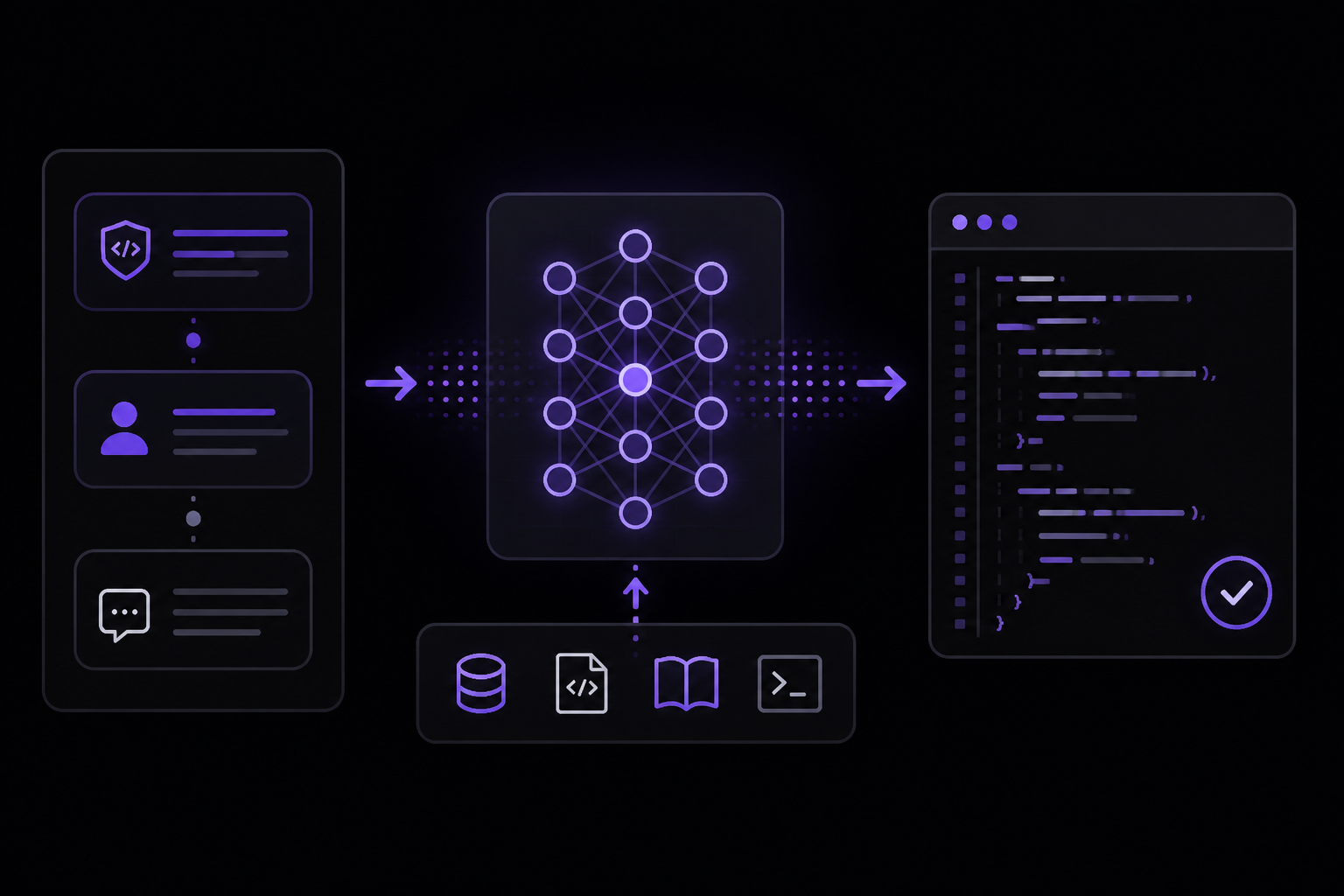
To get working code, you need to understand how the model interprets your instructions. The official documentation from OpenAI outlines several key concepts.
Message Roles and Instruction Following
You can provide instructions to the model with differing levels of authority using the instructions API parameter along with message roles. This is a fundamental concept for controlling model behavior.
developerrole: These are instructions provided by the application. They are prioritized ahead ofusermessages. Think of them as the system's rules and business logic, like a function definition. You can use this role to set the overall context, tone, and constraints for the coding task.userrole: These are instructions provided by an end user. They are prioritized behinddevelopermessages. Think of them as inputs and configuration to which thedevelopermessage instructions are applied, like arguments to a function.assistantrole: Messages generated by the model have theassistantrole. You can also provide exampleassistantmessages to show the model what kind of output you expect (this is a form of few-shot prompting).
The instructions parameter gives the model high-level instructions on how it should behave while generating a response, including tone, goals, and examples of correct responses. Any instructions provided this way will take priority over a prompt in the input parameter.
Here is an example from the official documentation showing how to use the instructions parameter to set a style for a coding answer:
import OpenAI from "openai";
const client = new OpenAI();

const response = await client.responses.create({
  model: "gpt-5.6",
  reasoning: { effort: "low" },
  instructions: "Talk like a pirate.",
  input: "Are semicolons optional in JavaScript?",
});

console.log(response.output_text);
This is roughly equivalent to using the following input messages in the input array:
import OpenAI from "openai";
const client = new OpenAI();

const response = await client.responses.create({
  model: "gpt-5.6",
  reasoning: { effort: "low" },
  input: [
    {
      role: "developer",
      content: "Talk like a pirate.",
    },
    {
      role: "user",
      content: "Are semicolons optional in JavaScript?",
    },
  ],
});

console.log(response.output_text);
Note that the instructions parameter only applies to the current response generation request. If you are managing conversation state with the previous_response_id parameter, the instructions used on previous turns will not be present in the context.
The Output Structure
When you make a request, the model returns a response object. The generated content is in the output property. The official documentation provides this example of a simple response:
[
  {
    "id": "msg_67b73f697ba4819183a15cc17d011509",
    "type": "message",
    "role": "assistant",
    "content": [
      {
        "type": "output_text",
        "text": "Under the soft glow of the moon, Luna the unicorn danced through fields of twinkling stardust, leaving trails of dreams for every child asleep.",
        "annotations": []
      }
    ]
  }
]
Important: The output array often has more than one item. It can contain tool calls, data about reasoning tokens generated by reasoning models, and other items. It is not safe to assume that the model's text output is present at output[0].content[0].text. Some of the official SDKs include an output_text property on model responses for convenience, which aggregates all text outputs from the model into a single string.
Prompt Engineering is a Mix of Art and Science
The official documentation states that because the content generated from a model is non-deterministic, prompting to get your desired output is a mix of art and science. However, you can apply techniques and best practices to get good results consistently.
Some prompt engineering techniques work with every model, like using message roles. But different models might need to be prompted differently to produce the best results. Even different snapshots of models within the same family could produce different results. So as you build more complex applications, the documentation strongly recommends:
- Pinning your production applications to specific model snapshots (like
gpt-5.5-2026-04-23for example) to ensure consistent behavior. - Building tests and evaluation suites that measure prompt behavior so you can monitor performance as you iterate, or when you change and upgrade model versions.
Setting Up Your Environment for Code Generation
You can use ChatGPT for coding in two main ways: through the web interface or through the API. The web interface is great for exploration and one-off tasks. The API is better for integrating code generation into your workflow or application.
Using the ChatGPT Web Interface
- Go to chat.openai.com and log in.
- Select the most capable model available to you (e.g., GPT-5.6).
- Start a new conversation.
- Write your prompt. Be specific about the language, framework, and what you want the code to do.
- Review the generated code. Test it. If it doesn't work, provide feedback to the model (e.g., "This throws an error on line 5. The variable
xis not defined.").
Using the OpenAI API
The API gives you more control and is essential for production use. The official documentation provides examples in multiple languages. Here is the basic structure of an API call for text generation, which applies directly to code generation:
Python:
from openai import OpenAI
client = OpenAI()

response = client.responses.create(
  model="gpt-5.6",
  input="Write a Python function to calculate the factorial of a number."
)

print(response.output_text)
JavaScript (Node.js):
import OpenAI from "openai";
const client = new OpenAI();

const response = await client.responses.create({
  model: "gpt-5.6",
  input: "Write a Python function to calculate the factorial of a number.",
});

console.log(response.output_text);
cURL:
curl "https://api.openai.com/v1/responses" \
  -H "Content-Type: application/json" \
  -H "Authorization: Bearer $OPENAI_API_KEY" \
  -d '{
    "model": "gpt-5.6",
    "input": "Write a Python function to calculate the factorial of a number."
  }'
The official documentation recommends using the Responses API over the older Chat Completions API for any text generation app. If you are using a reasoning model, it is especially useful to migrate to Responses.
Prompt Patterns for Working Code
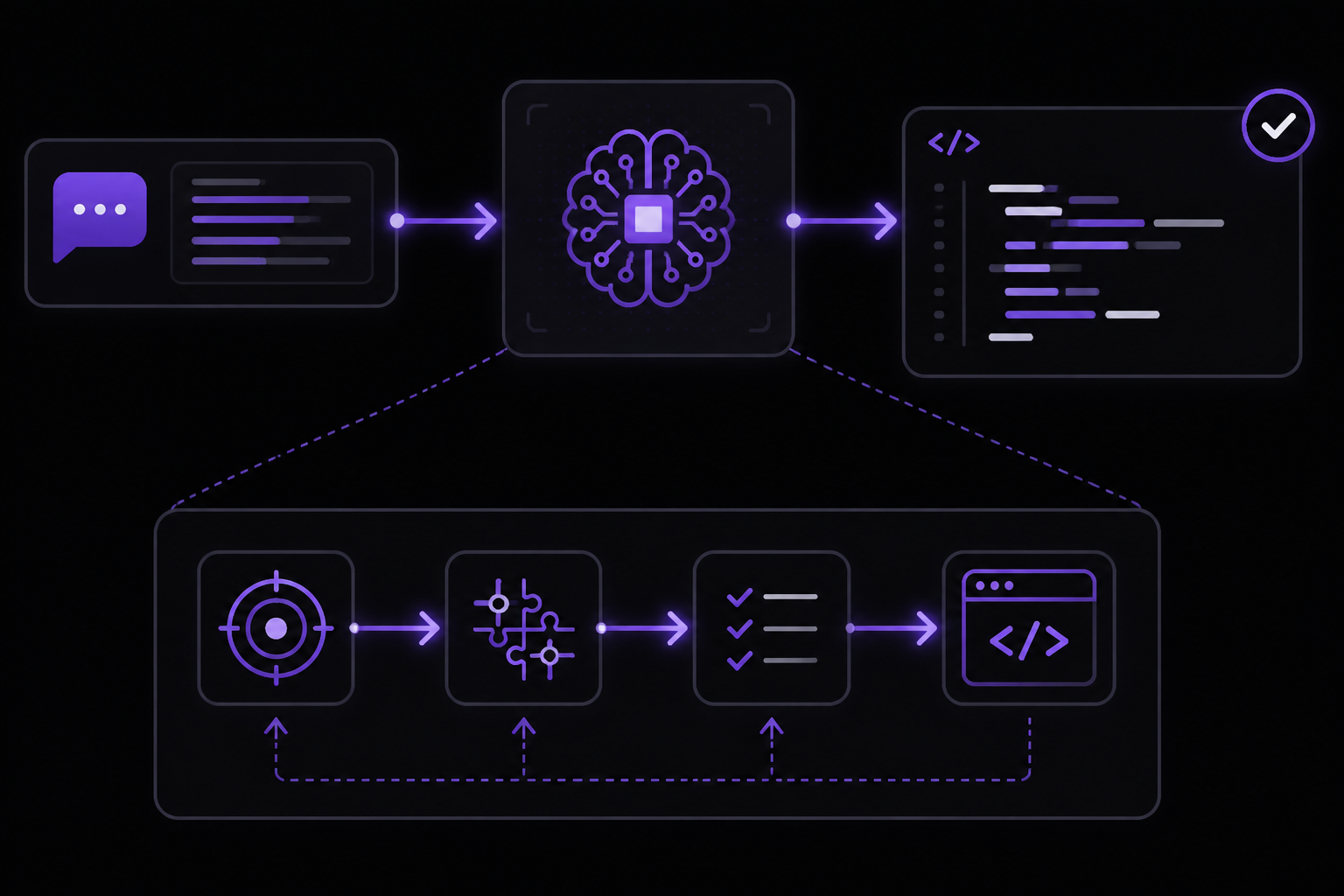
These patterns are drawn from the official documentation and general best practices for prompt engineering. They are designed to produce more reliable, working code.
Pattern 1: The Clear Specification
This is the most basic and important pattern. Be explicit about what you want. A vague prompt produces vague (and often broken) code.
Bad: "Write a sorting function."
Good: "Write a Python function called sort_list that takes a list of integers as input and returns a new list sorted in ascending order using the merge sort algorithm. Include type hints and a docstring."
Why it works: The good prompt specifies:
- The language (Python).
- The function name (
sort_list). - The input type (list of integers).
- The output (new list, sorted ascending).
- The algorithm (merge sort).
- Additional requirements (type hints, docstring).
This reduces ambiguity and gives the model clear constraints.
Pattern 2: Role and Context Setting
Use the developer role or the instructions parameter to set the model's persona and context. This is especially useful for complex tasks.
Example using instructions:
You are a senior Python developer with expertise in data engineering. Write a Python script that reads a CSV file from a given path, cleans the data by removing rows with missing values in the 'email' column, and writes the cleaned data to a new CSV file. Use pandas. Include error handling.
Example using message roles (API):
[
  {
    "role": "developer",
    "content": "You are a senior Python developer with expertise in data engineering. Write clean, efficient, and well-documented code."
  },
  {
    "role": "user",
    "content": "Write a Python script that reads a CSV file from a given path, cleans the data by removing rows with missing values in the 'email' column, and writes the cleaned data to a new CSV file. Use pandas. Include error handling."
  }
]
Why it works: Setting the role primes the model to use the vocabulary, patterns, and best practices of that role. A "senior developer" will produce different code than a "beginner."
Pattern 3: Few-Shot Prompting (Providing Examples)
Give the model one or more examples of the input-output pair you want. This is extremely powerful for code generation.
Example:
Convert the following Python function to JavaScript.

Python:
def add(a, b):
    """Returns the sum of a and b."""
    return a + b

JavaScript:
function add(a, b) {
  /** Returns the sum of a and b. */
  return a + b;
}

Now convert this Python function:
def multiply(a, b):
    """Returns the product of a and b."""
    return a * b
Why it works: The example tells the model exactly what format you expect, including the comment style and function structure. This dramatically increases the chance of getting a correct conversion.
Pattern 4: Chain of Thought for Complex Logic
For complex algorithms or multi-step logic, ask the model to reason step-by-step before writing the code.
Example:
I need a Python function that checks if a string is a valid palindrome, ignoring spaces, punctuation, and case. Before writing the code, explain the steps you will take.

Then, write the code.
Why it works: By forcing the model to articulate the steps, you reduce the chance of it making logical errors. The model's reasoning process helps it arrive at a correct solution.
Pattern 5: Specifying Constraints and Edge Cases
Explicitly mention edge cases and constraints. The model will not always think of them on its own.
Example:
Write a Python function `divide` that takes two integers, `a` and `b`, and returns the result of `a / b`. Handle the following edge cases:
- If `b` is 0, return `None` and print an error message.
- If `a` or `b` is not an integer, raise a TypeError.
- The function should work with negative numbers.
Why it works: The model will generate code that includes checks for these specific conditions, making the code more robust.
Pattern 6: Iterative Refinement
Do not expect perfect code on the first try. Treat the conversation as an iterative process. Provide feedback and ask for changes.
Example conversation:
- User: "Write a Python function to fetch data from a URL."
- Assistant: (Provides code using
urllib.request). - User: "This works, but I need it to use the
requestslibrary instead. Also, add a timeout of 10 seconds and handle network errors gracefully." - Assistant: (Provides updated code).
- User: "Great. Now modify it to accept the URL and timeout as parameters with default values."
Why it works: Each iteration gives the model more specific information, leading to a better final result. This mirrors how you would work with a human developer.
Advanced Techniques and Considerations
Version Prompts in Code
The official documentation strongly recommends storing production prompts in your application code instead of creating reusable prompt objects. Code-managed prompts let you use typed inputs, code review, tests, and your normal deployment process to change model behavior.
OpenAI is deprecating reusable prompt objects in the API. Prompt creation will be de-emphasized beginning June 3, 2026, and v1/prompts is scheduled to shut down on November 30, 2026.
For new text-generation work, the documentation advises:
- Keep prompt builders in a small module near the feature they support.
- Use typed function arguments or schemas for dynamic values such as customer data, files, or task options.
- Pass the generated
instructionsandinputdirectly to the Responses API. - Add representative fixtures, tests, and evaluation checks before changing production prompts.
- Roll out prompt changes through your deployment system, using feature flags or configuration when you need staged releases.
Using the reasoning Parameter
For complex coding tasks, you can use the reasoning parameter to control how much effort the model puts into reasoning before generating a response. The official documentation shows an example with reasoning: { effort: "low" }. The effort can be set to low, medium, or high. Higher effort may produce better results for complex logic but will take longer and cost more.
Structured Outputs (JSON)
In addition to plain text, you can have the model return structured data in JSON format. This feature is called Structured Outputs. This is useful when you want the model to generate code that conforms to a specific schema, such as a configuration file or a data structure. The official documentation suggests checking out the guide on Structured Outputs for more details.
Choosing Models and APIs
OpenAI has many different models and several APIs to choose from. Reasoning models, like gpt-5.6, behave differently from chat models and respond better to different prompts. One important note is that reasoning models perform better and demonstrate higher intelligence when used with the Responses API.
If you are building any text generation app, the official documentation recommends using the Responses API over the older Chat Completions API. And if you are using a reasoning model, it is especially useful to migrate to Responses.
Troubleshooting
If you are not getting working code, check these common issues:
- The prompt is too vague. Add more details about the language, framework, input, output, and constraints.
- The model is using an outdated library or syntax. Specify the version of the language or library you are using. For example, "Write Python 3.11 code using the
pathlibmodule." - The code has logical errors. Use the chain-of-thought pattern to have the model explain its reasoning. Then, ask it to fix specific parts.
- The code is incomplete. The model may stop generating before the code is finished. You can prompt it to continue: "Continue the function." or "Finish the code."
- The model is not following instructions. Check that you are using the
developerrole orinstructionsparameter correctly. If you are using the web interface, try rephrasing your instructions to be more direct. - You are hitting usage limits. Free tier users have limits that can change over time. Consider upgrading to a paid plan for higher usage.
- The model is not the right one for the task. For complex logic, use a reasoning model like
gpt-5.6. For simpler tasks, a faster model may suffice.
Going Further
Now that you know the basics of prompting for code, you can explore more advanced topics:
- Build a prompt in the Playground: Use the OpenAI Playground to develop and iterate on prompts interactively. This is a great way to experiment with different models and parameters.
- Generate JSON data with Structured Outputs: Ensure JSON data emitted from a model conforms to a JSON schema. This is essential for building reliable integrations.
- Explore the full API reference: Check out all the options for text generation in the API reference, including parameters like
temperature,top_p,max_output_tokens, andstop. - Learn about managing conversation state: For multi-turn conversations, you can use the
previous_response_idparameter to maintain context across multiple API calls. - Connect ChatGPT to your codebase: Use apps like GitHub to access your repositories directly in ChatGPT to analyze, search, and cite code. This can help the model understand your project's specific patterns and conventions.
Comments
More Guides
View all api
apiOpenAI Batch API: Cut Costs for Bulk Processing
Learn how to use the OpenAI Batch API to cut costs by 50% for bulk processing tasks. Covers setup, request formatting, job creation, monitoring, error handling, and troubleshooting.
 api
apiOpenAI Vision API: Processing Images with GPT Models
Learn how to use the OpenAI Vision API to analyze images with GPT models. Covers setup, sending images via URL, Base64, or file ID, controlling detail levels, cost calculation, and troubleshooting.
 api
apiStreaming ChatGPT Responses in Web Applications: A Complete Guide
Learn how to stream ChatGPT responses in web applications using the OpenAI API. This guide covers setup, implementation in JavaScript and Python, event handling, and troubleshooting for real-time text generation.
 api
apiOpenAI Embeddings for Semantic Search: A Practical Guide
Learn how to use OpenAI's text embedding models for semantic search, clustering, recommendations, and classification. This guide covers concepts, setup, API usage, dimension reduction, and practical tips from official documentation and community experience.
 api
apiHandling OpenAI API Rate Limits and Quota Errors: A Complete Guide
Learn how to handle OpenAI API rate limits (429) and quota errors. Covers error types, exponential backoff, Python library exceptions, and troubleshooting steps for production applications.
 api
apiOpenAI Structured Outputs: Guaranteed JSON Schemas with Function Calling
Learn how to use OpenAI Structured Outputs to guarantee JSON schema conformance from GPT models. Covers function tool definitions, strict mode, tool call handling, and best practices for both Chat Completions and Responses APIs.