
The Complete Obsidian Guide for Power Users: AI Search & Retrieval
This guide covers how to wire an Obsidian vault into AI tools like Claude Code, Codex CLI, and Cursor using the Model Context Protocol (MCP). You will learn to build a complete retrieval infrastructure: vault architecture, hybrid search (BM25 + vector embeddings), incremental indexing, and MCP server setup. This is for anyone who wants their personal knowledge base to serve as an AI context reservoir, from a 200-file vault to a 20,000-file corpus.
What You Need
Before starting, confirm you have the following prerequisites drawn from the official documentation and community workflows.
- Operating system: macOS, Linux, or Windows.
- Node.js 18+: Required for running MCP servers.
- Obsidian 1.12+: Version 1.12.7 is the current public desktop release. The 1.13.x line is in Catalyst early access (1.13.1 as of June 9, 2026) with settings-UX refinements and a CodeMirror upgrade, but no new AI capabilities beyond the 1.12.x CLI surface. Earlier versions work for MCP-only setups, but the CLI integration requires 1.12+.
- AI tool: Claude Code, Codex CLI, or Cursor installed and configured.
- A vault: A directory of
.mdfiles. Even 10-20 notes with meaningful titles and at least one paragraph each are enough to test the system. - Obsidian CLI (optional but recommended): Enable it in Settings > General > Command line interface. This provides programmatic access to Obsidian-native operations.
Why Obsidian for AI Infrastructure
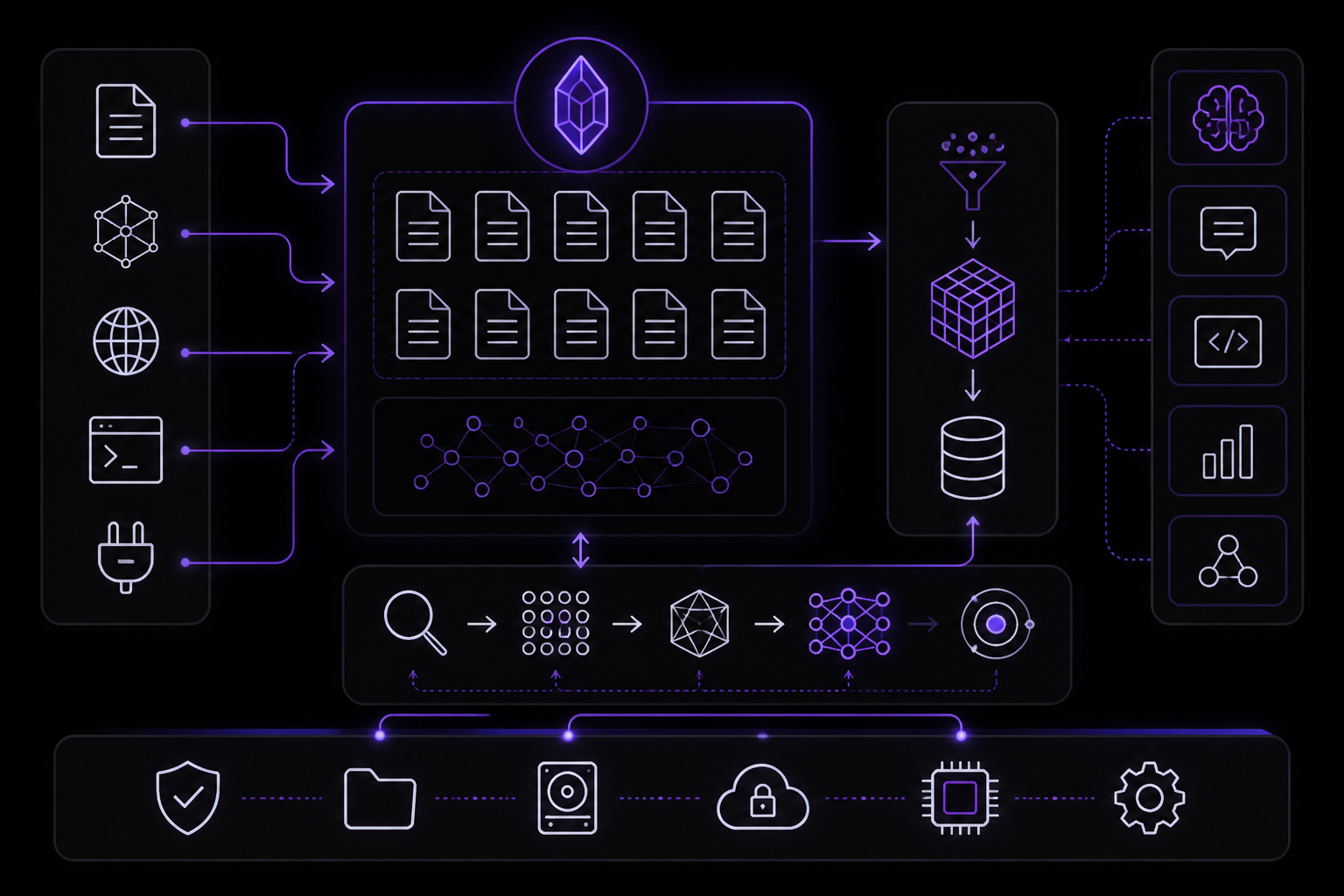
Obsidian vaults are the best substrate for personal AI knowledge bases because they are local-first, plaintext, graph-structured, and the user controls every layer of the stack.
What Obsidian gives AI that alternatives do not
Plaintext markdown files. Every note is a .md file on your filesystem. No proprietary format, no database export, no API required to read the content. Any tool that reads files can read your vault: grep, ripgrep, Python's pathlib, SQLite FTS5. When you build a retrieval system, you are indexing files, not API responses. The index is always consistent with the source because the source is the file system.
Local-first architecture. The vault lives on your machine. No server, no cloud sync dependency, no API rate limits, no terms of service governing how you process your own content. You can embed, index, chunk, and search your notes without any external service. This matters for AI infrastructure because the retrieval pipeline runs as fast as your disk allows, not as fast as an API endpoint responds. It also matters for privacy: personal notes containing credentials, health data, financial information, and private reflections never leave your machine.
Graph structure through wiki-links. Obsidian's [[wiki-link]] syntax creates a directed graph across notes. A note about OAuth implementation links to notes about token rotation, session management, and API security. The graph structure encodes human-curated relationships between concepts. Vector embeddings capture semantic similarity, but wiki-links capture intentional connections that the author made while thinking about the topic. The graph is a signal that embeddings cannot replicate.
Plugin ecosystem. Obsidian has 2,500+ community plugins (as of March 2026, up from 1,800+ in mid-2025). Dataview queries your vault like a database. Templater generates notes from templates with JavaScript logic. Git integration syncs your vault to a repository. Linter enforces formatting consistency. The Bases core plugin (introduced in v1.9.10) adds database-like views (tables, galleries, calendars, kanban boards) over vault files using frontmatter properties as fields, saved as .base files. These plugins add structure to the vault without changing the underlying plaintext format. The retrieval system indexes the output of these plugins, not the plugins themselves.
5 million+ users. Obsidian has a large active community producing templates, workflows, plugins, and documentation. When you encounter a problem with vault organization or plugin configuration, someone has likely documented a solution. The community also produces Obsidian-adjacent tools: MCP servers, indexing scripts, publishing pipelines, and API wrappers.
What a filesystem alone does not give you
A directory of markdown files has the plaintext advantage but lacks three things that Obsidian adds:
- Bidirectional links. Obsidian tracks backlinks automatically. When you link from Note A to Note B, Note B shows that Note A references it. The graph panel visualizes connection clusters. This bidirectional awareness is metadata that a raw filesystem does not provide.
- Live preview with plugin rendering. Dataview queries, Mermaid diagrams, and callout blocks render in real-time. The writing experience is richer than a text editor while the storage format remains plaintext. You write and organize in a rich environment; the retrieval system indexes the raw markdown.
- Community infrastructure. Plugin discovery, theme marketplace, sync service (optional), publish service (optional), and a documentation ecosystem. You can replicate any individual feature with standalone tools, but Obsidian packages them into a coherent workflow.
What Obsidian does NOT do (and what you build)
Obsidian does not include retrieval infrastructure. It has basic search (full-text, filename, tag) but no embedding pipeline, no vector search, no fusion ranking, no MCP server, no credential filtering, no chunking strategy, and no integration hooks for external AI tools. This guide covers the infrastructure you build on top of Obsidian. The vault is the substrate. The retrieval pipeline, the MCP server, and the integration hooks are the infrastructure.
The architecture described here is markdown-first, not Obsidian-exclusive. If you use Logseq, Foam, Dendron, or a plain directory of markdown files, the retrieval pipeline works identically. The chunker reads .md files. The embedder processes text strings. The indexer writes to SQLite. None of these components depend on Obsidian-specific features. Obsidian's contribution is the writing and organizational environment that produces the markdown files the retriever indexes.
Obsidian MCP Setup: Quick Start (5 Minutes)
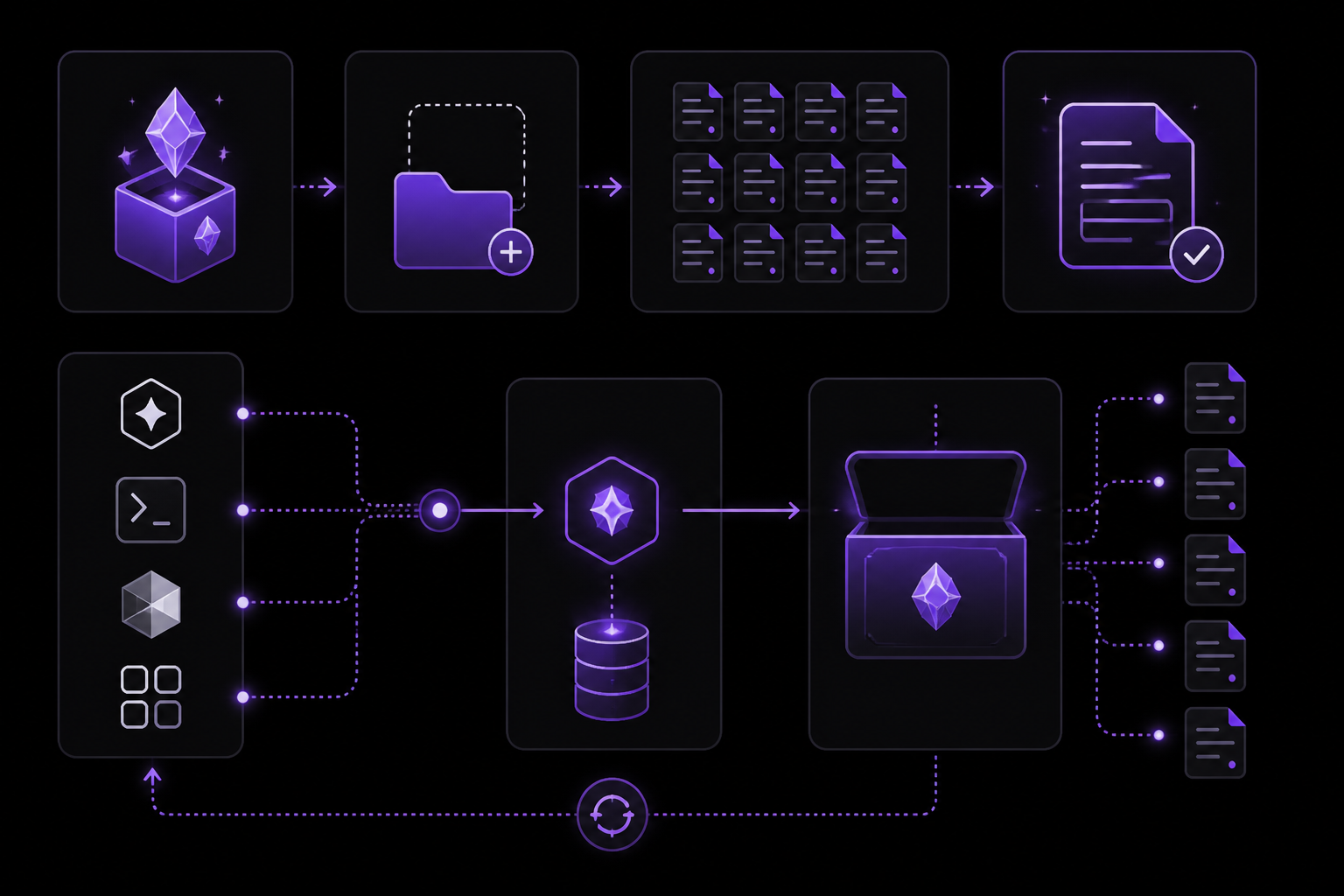
Model Context Protocol (MCP) is the standard interface that gives Claude Code, Codex CLI, Cursor, and other AI tools direct access to an Obsidian vault. This section gets a vault connected to an AI tool in five minutes.
Step 1: Create a vault
Download Obsidian from obsidian.md and create a new vault. Choose a location you will remember because the MCP server needs the absolute path.
# Example vault location
~/Documents/knowledge-base/
Add a few notes to give the retriever something to work with. Even 10-20 notes are enough to see results. Each note should be a .md file with a meaningful title and at least one paragraph of content.
Step 2: Install an MCP server
Several community MCP servers provide immediate vault access. The ecosystem has grown significantly through 2025-2026. A notable one is MCPVault (npm @bitbonsai/mcpvault, repo bitbonsai/mcpvault), now at v0.12.1. Its v0.11.0 (March 2026) added list_all_tags for scanning frontmatter and hashtags with counts, improved dotted-folder handling, and .base/.canvas support. Two medium-severity advisories (GHSA-9c83-rr99-vfwj and GHSA-j99q-93c9-h869) were disclosed against its path-filter restricted-directory deny-list, so run a current release.
As of April 2026, there has been a shift toward the Obsidian CLI as the preferred bridge. Obsidian 1.12.0 introduced the first-class CLI, and the public 1.12.7 installer (March 23, 2026) bundled the standalone binary plus TUI and socket-file improvements that made terminal workflows easier to install and run. Community tooling is actively migrating from the Local REST API plugin (which powered mcp-obsidian) to CLI-based integration because it is faster and more stable.
For the quick start, the simplest option is a file-based server that reads .md files directly:
npm install -g obsidian-mcp-server
Step 3: Configure your AI tool
Claude Code -- add to ~/.claude/settings.json:
{
  "mcpServers": {
    "obsidian": {
      "command": "obsidian-mcp-server",
      "args": ["--vault", "/absolute/path/to/your/vault"]
    }
  }
}
Codex CLI -- add to .codex/config.toml:
[mcp_servers.obsidian]
command = "obsidian-mcp-server"
args = ["--vault", "/absolute/path/to/your/vault"]
Cursor -- add to .cursor/mcp.json:
{
  "mcpServers": {
    "obsidian": {
      "command": "obsidian-mcp-server",
      "args": ["--vault", "/absolute/path/to/your/vault"]
    }
  }
}
Step 4: Run your first query
Open your AI tool and ask a question that your vault notes can answer:
Search my Obsidian vault for notes about [topic you wrote about]
The AI tool calls the MCP server, which searches your vault and returns matching content. You should see results with file paths and relevant excerpts.
What Claude can do once connected
Exact tool names vary by server, but the core capability surface is consistent across implementations:
| Capability | Typical tool | What the agent does with it |
|---|---|---|
| Search the vault | obsidian_search / search | Finds notes matching a query and returns ranked excerpts with file paths and source attribution |
| Read a full note | obsidian_read_note / read_note | Pulls complete note content when a search excerpt is not enough |
| List and browse | obsidian_list_notes / list_notes | Explores notes by folder, tag, or date range when there is no specific query |
| Get formatted context | obsidian_get_context | Returns a topic-shaped context block sized to a token budget, ready for injection into the conversation |
In practice: Claude answers questions from your notes with source attribution, pulls prior decisions and reference material into coding sessions, and explores vault structure without loading entire files into context. Some community servers also expose write operations (create, append, tag and frontmatter management); the custom server built later in this guide is deliberately read-only, with note creation handled by hooks instead.
What you just built
You connected a local knowledge base to an AI tool through a standard protocol. The MCP server reads your vault files, performs basic search, and returns results. This is the minimal viable version.
What this quick start does NOT give you:
- Hybrid retrieval (BM25 + vector search + RRF fusion)
- Embedding-based semantic search
- Credential filtering
- Incremental indexing
- Hook-based automatic context injection
The rest of this guide covers building each of these capabilities. The quick start proves the concept. The full pipeline delivers production-quality retrieval.
Obsidian CLI for AI Workflows
Obsidian 1.12 (February 2026) introduced a built-in command line interface that opens a new integration surface for AI workflows. It remains current through the 1.13.x Catalyst line (1.13.1, early access, June 9, 2026 -- a settings-UX plus CodeMirror version bump with no new CLI capabilities). The public desktop channel remains 1.12.7.
The CLI acts as a remote control for the Obsidian GUI. Obsidian must be running (or will launch automatically on first command). Enable it in Settings > General > Command line interface.
Why the CLI matters for AI infrastructure
The CLI provides programmatic access to Obsidian-native operations that previously required the GUI or plugin APIs. For AI workflows, the key capabilities are:
- Search from scripts and hooks.
obsidian search "query"andobsidian search:context "query"run vault searches from any shell script, hook, or automation pipeline. Thesearch:contextvariant returns matching lines with surrounding context, useful for feeding results into AI prompts. - Daily notes automation.
obsidian dailyopens or creates today's daily note. Combined with shell scripting, this enables automated daily briefing workflows. A hook can append AI-generated summaries to the daily note. - Template-based note creation.
obsidian template listandobsidian template creategenerate notes from Templater or core templates, enabling AI agents to create structured vault entries without directly writing markdown files. - Property management.
obsidian property setandobsidian property getread and write frontmatter properties, enabling metadata updates from scripts without parsing YAML. - Plugin control.
obsidian plugin enable/disable/listmanages plugins programmatically, useful for toggling indexing plugins during batch operations. - Task management.
obsidian task list/add/completeprovides structured task access, useful for AI agents that manage work items in the vault.
CLI vs MCP for AI access
The CLI and MCP servers serve different roles and are complementary, not competing:
| Aspect | Obsidian CLI | MCP Server |
|---|---|---|
| Caller | Shell scripts, hooks, cron jobs | AI agents (Claude Code, Codex, Cursor) |
| Protocol | POSIX process (stdin/stdout/stderr) | MCP (JSON-RPC over STDIO or HTTP) |
| Strength | Obsidian-native operations (templates, plugins, properties) | Custom retrieval (embeddings, BM25, RRF fusion) |
| Limitation | No vector search, no embedding pipeline | No access to Obsidian-internal operations |
| Best for | Automation scripts, intake pipelines, hook actions | Real-time AI agent queries during sessions |
Recommendation: Use the CLI for intake automation (creating notes, managing properties, running Obsidian-native search) and MCP for retrieval (hybrid search with embeddings). A PreToolUse hook can call obsidian search:context as a fast pre-check before falling back to the full MCP retriever for ranked results.
Example: CLI-powered intake hook
#!/bin/bash
# Hook: append today's signals to daily note via CLI
DATE=$(date +%Y-%m-%d)
SUMMARY="$1"
obsidian daily # ensure daily note exists
obsidian file append "Daily Notes/${DATE}.md" "## AI Summary\n${SUMMARY}"
Obsidian Agent Plugins
A growing category of Obsidian plugins embeds AI coding agents directly in the vault UI, providing an alternative to external MCP server configuration. These plugins run the AI agent inside Obsidian's sidebar rather than connecting from an external tool.
Claudian
Claudian embeds Claude Code as an AI collaborator in the vault. The vault directory becomes Claude's working directory, giving it full agentic capabilities: file read/write, search, bash commands, and multi-step workflows.
Key features for AI infrastructure:
- Context-aware prompts. Automatically attaches the focused note, supports
@notenamefile mentions, tag-based exclusion, and editor selection as context. - Vision support. Analyze images via drag-and-drop, paste, or file path. Useful for processing screenshots and diagrams captured in the vault.
- Slash commands. Create reusable prompt templates triggered by
/command, enabling standardized vault operations. - Permission modes. YOLO (auto-approve), Safe (approve each action), and Plan (plan-only) modes with a safety blocklist and vault confinement.
Agent Client
Agent Client brings Claude Code, Codex CLI, and Gemini CLI into a unified Obsidian sidebar via the Agent Client Protocol (ACP).
Key features:
- Multi-agent switching. Chat with Claude Code, Codex, or Gemini CLI from the same panel, switching between agents as needed.
- Note mentions. Use
@notenameto include note contents in prompts, similar to Claudian but agent-agnostic. - Shell execution. Execute terminal commands inline in the chat: build scripts, git commands, or any terminal operation without leaving the conversation.
- Action approval. Fine-grained control over file reads, edits, and command executions.
When to use agent plugins vs external MCP
| Scenario | Agent plugin | External MCP |
|---|---|---|
| Writing and editing vault notes with AI assistance | Better -- agent sees the editor context | Works but no editor awareness |
| Code development across multiple repos | Limited -- vault-scoped | Better -- project-scoped with full filesystem |
| Retrieval from a large indexed corpus | Basic search only | Full hybrid retrieval pipeline |
| Quick vault Q&A during note-taking sessions | Ideal -- no context switching | Requires switching to terminal |
Recommendation: Use agent plugins for vault-centric workflows (writing, organizing, summarizing notes). Use external MCP servers for development workflows where the AI agent needs the full retrieval pipeline and access to codebases outside the vault. The two approaches can coexist. Run Claudian inside Obsidian for note work and Claude Code with MCP externally for development.
Vault Architecture: The Three-Layer Design
The retrieval system uses a three-layer architecture that scales from 200 to 20,000+ notes. Each layer is independently useful and independently removable.
Layer 1: Intake
The intake layer handles file discovery, change detection, and chunking. It watches the vault directory for new, modified, or deleted files. File modification time comparison detects changes. Only modified files are re-chunked and re-embedded. Incremental indexing keeps the system current in under 10 seconds. A full reindex takes about four minutes on Apple M-series hardware. Incremental updates on a typical day's edits run in under ten seconds. The system stays current without manual intervention.
Layer 2: Retrieval
The retrieval layer indexes chunks into two search indexes: a BM25 keyword index (SQLite FTS5) and a vector index (sqlite-vec). BM25 catches exact identifiers and function names. Vector search catches synonyms and conceptual matches across different terminology. Reciprocal Rank Fusion (RRF) merges both without requiring score calibration. Neither method alone covers both failure modes. Research on MS MARCO passage ranking confirms the pattern: hybrid retrieval consistently outperforms either method in isolation.
Layer 3: Integration
The integration layer exposes the retriever as an MCP server. The agent queries the vault, receives ranked results with source attribution, and uses the context without loading entire files. The MCP server is a thin wrapper around the retrieval engine.
The Complete Retrieval Pipeline
This section covers building the full pipeline: chunking, embedding, indexing, and hybrid search.
Chunking strategy
The chunker reads .md files and splits them into overlapping chunks. The default chunk size is 512 tokens with a 128-token overlap. This balances retrieval granularity with context coherence. Smaller chunks (256 tokens) improve precision for narrow queries. Larger chunks (1024 tokens) improve recall for broad topics. The overlap ensures that boundary-spanning concepts are not lost.
Embedding with Model2Vec
Model2Vec is a static embedding model that runs locally. It converts text chunks into fixed-size vectors without a GPU. The full re-embed of 49,746 chunks would cost roughly $0.30 at OpenAI API prices, but the real costs are latency, privacy exposure, and the network dependency for a system that should work offline. Model2Vec runs on a single machine with no cloud services, no API calls, and no network dependency.
Indexing with SQLite
The indexer writes to a single SQLite file (83 MB for a 16,894-file vault). It uses FTS5 for keyword search and sqlite-vec for vector KNN (k-nearest neighbors). The SQLite file is portable. You can copy it to another machine and the retrieval system works immediately.
Hybrid search with RRF
Hybrid search combines BM25 and vector scores using Reciprocal Rank Fusion. RRF merges both without requiring score calibration. The formula is:
RRF_score = sum(1 / (k + rank_i))
Where k is a constant (typically 60) and rank_i is the rank of the document in each method's result list. The final ranking is the sum of reciprocal ranks across both methods. This gives higher weight to documents that rank well in both methods.
Query flow
- User submits a query string.
- The query is embedded using Model2Vec to produce a query vector.
- BM25 search runs against the FTS5 index.
- Vector KNN search runs against the sqlite-vec index.
- RRF merges the two result lists into a single ranked list.
- The top-k results (default 10) are returned with file paths, excerpts, and source attribution.
Performance Tuning
Query latency
On a 16,894-file vault with 49,746 chunks, queries run in 23ms. This includes BM25 search, vector search, and RRF fusion. The entire stack runs on a single machine: SQLite for storage, Model2Vec for embeddings, FTS5 for keyword search, sqlite-vec for vector KNN.
Indexing speed
- Full reindex: ~4 minutes on Apple M-series hardware.
- Incremental update: <10 seconds for a typical day's edits.
- File modification time comparison detects changes. Only modified files are re-chunked and re-embedded.
Memory usage
Model2Vec loads into memory once and serves all embedding requests. The SQLite file is memory-mapped for fast reads. Total memory usage is under 500 MB for a 16,894-file vault.
Troubleshooting
MCP server not connecting
- Verify the vault path in the configuration is absolute and correct.
- Confirm Node.js 18+ is installed and in your PATH.
- Check that the MCP server process is running. On macOS, use
ps aux | grep mcp. - For CLI-based integration, ensure Obsidian is running and the CLI is enabled in Settings > General > Command line interface.
No results from search
- Ensure the vault directory contains
.mdfiles with content. - Verify the index has been built. Run a full reindex if the index is empty.
- Check that the query terms appear in the notes. BM25 requires exact term matches for keyword search.
- For vector search, ensure the embedding model is loaded correctly.
Slow indexing
- Reduce chunk size or overlap to speed up chunking.
- Use incremental indexing instead of full reindex.
- On Windows, ensure the vault is on a local SSD, not a network drive.
Permission errors
- The MCP server runs as the current user. Ensure the vault directory is readable.
- For write operations, ensure the vault directory is writable.
- Community servers may have path-filter restrictions. Check the server's documentation for allowed paths.
Going Further
Build a custom retrieval pipeline
The quick start uses a community MCP server. For production use, build a custom pipeline with your own chunking, embedding, and ranking logic. The three-layer design (intake, retrieval, integration) works at any vault size. Start with BM25-only search over a small vault. Add vector search when keyword collisions become a problem. Add RRF fusion when you need both exact and semantic matches.
Explore agent plugins
Claudian and Agent Client embed AI agents directly in the Obsidian sidebar. Use them for vault-centric workflows: writing, organizing, and summarizing notes. They provide context-aware prompts, vision support, and slash commands.
Integrate with other tools
The MCP protocol is not limited to Obsidian. You can expose any markdown directory as an MCP server. The retrieval pipeline works with Logseq, Foam, Dendron, or a plain directory of markdown files.
Read the full guide
This guide is a condensed version of a longer resource that covers the complete system: from vault architecture to hybrid retrieval to MCP integration to operational workflows. The full guide includes detailed configuration blocks, failure modes, and worked examples with real numbers. It also covers the decision framework for when Obsidian is the right substrate versus alternatives like Notion, Apple Notes, or a plain filesystem.
Community resources
- Obsidian forum: forums.obsidian.md
- Obsidian Discord: discord.gg/obsidian
- MCP specification: modelcontextprotocol.io
- Model2Vec: hf.co/blog/model2vec
- sqlite-vec: github.com/asg017/sqlite-vec
The #1 AI Newsletter
The most important ai updates, guides, and fixes — one weekly email.
No spam, unsubscribe anytime. Privacy policy