
The Complete Midjourney Guide: Prompting to Production
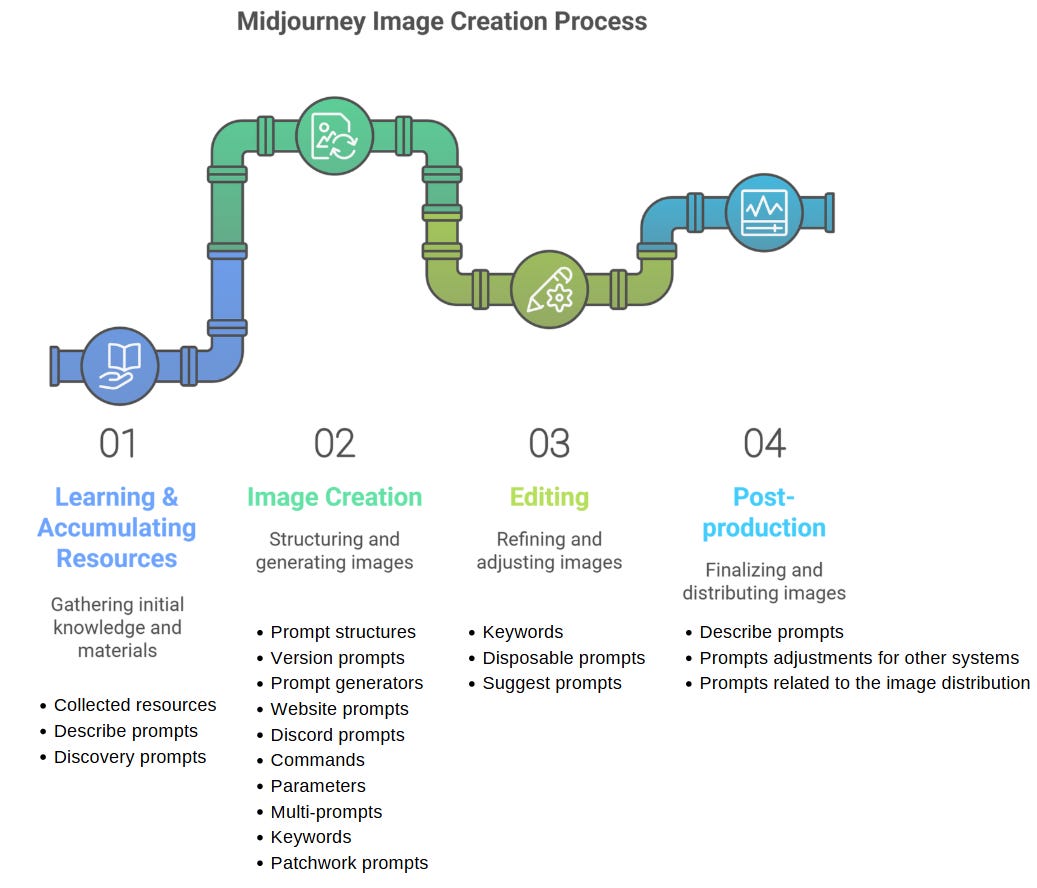
This guide covers everything you need to go from your first Midjourney prompt to production-ready images, including account setup, parameter mastery, reference systems, video generation, and advanced techniques. It is written for beginners who want a structured introduction and for experienced users who need a comprehensive reference for V8.1, V7, and Niji 7.
What You Need
Before you start, you need a Midjourney subscription. The plans are:
- Basic ($10/month): 3.3 hours of Fast GPU time, no Relax mode.
- Standard ($30/month): 15 hours of Fast GPU time, unlimited Relax mode.
- Pro ($60/month): 30 hours of Fast GPU time, unlimited Relax mode, and Video Relax.
- Mega ($120/month): 60 hours of Fast GPU time, unlimited Relax mode, and Video Relax.
According to the official documentation, start with Standard ($30/month). The unlimited Relax mode is essential for experimentation because you will burn through Fast hours quickly while learning. You also need a Discord account or a Midjourney web account. Visit midjourney.com to sign in with Discord or create an account directly. The web interface at midjourney.com/imagine is the easiest starting point because organization, prompt editing, video settings, and playback are more visual. Discord remains useful for power users and supports video generation through its own controls and video-specific parameters.
Core Concepts
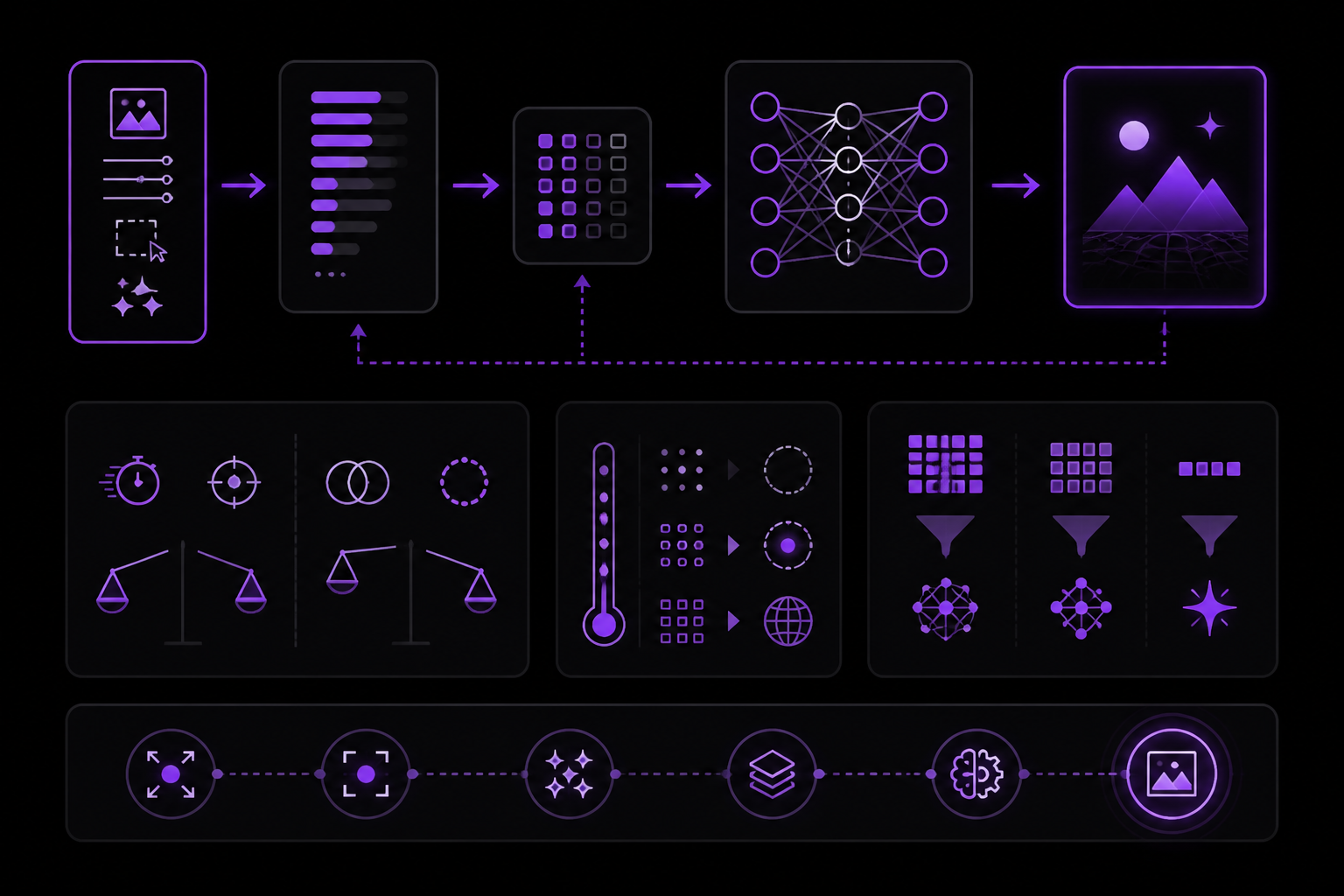
How Prompts Work
Every Midjourney prompt is processed through a pipeline:
Your Text Prompt
↓
[ Text Encoder ] → Converts words to mathematical embeddings
↓
[ Diffusion Model ] → Generates image from noise, guided by embeddings
↓
[ Upscaler ] → Increases resolution and detail
↓
Final Image
What this means for you:
- Word order matters: Early words have more influence than later ones.
- Specificity wins: "golden hour sunlight casting long shadows" beats "nice lighting".
- Contradictions confuse: "dark, bright, moody, cheerful" cancels itself out.
- Less is often more: 50-150 tokens typically outperforms 300+ tokens.
The Token Economy
Midjourney does not see your words. It sees tokens, which are roughly word pieces. The token count affects the output:
- 10-30 tokens: Very open interpretation. Best for abstract, experimental work.
- 30-80 tokens: Balanced control. Best for most prompts.
- 80-150 tokens: Detailed control. Best for specific scenes.
- 150+ tokens: Diminishing returns. May cause conflicts.
If your prompt exceeds 150 tokens, you are probably over-specifying. Cut the adjective spam.
Quality Signals
V7 and V8.1 respond strongly to certain descriptive patterns. The most impactful is lighting. Examples:
- "golden hour light casting long shadows across weathered stone"
- "Rembrandt lighting with soft fill from camera left"
- "bioluminescent glow illuminating the fog"
Materials and textures also matter:
- "oxidized copper with verdigris patina"
- "worn leather showing decades of use"
- "translucent jade catching the light"
Atmosphere and mood:
- "melancholic twilight atmosphere"
- "oppressive industrial ambiance"
- "ethereal dreamlike quality"
Technical camera terms:
- "shot on medium format, shallow depth of field"
- "85mm lens, f/1.8 aperture"
- "anamorphic lens flare, 2.39:1 aspect"
The Prompt Hierarchy
Every effective prompt follows a hierarchy. Words at the top have the most influence.
┌─────────────────────────────────────────────────┐
│ 1. SUBJECT (who/what) ← Most important          │
│ "elderly fisherman"                              │
├─────────────────────────────────────────────────┤
│ 2. SUBJECT DETAILS (descriptors)                 │
│ "weathered face, silver beard, kind eyes"        │
├─────────────────────────────────────────────────┤
│ 3. CONTEXT (where/when)                          │
│ "on a wooden dock at dawn"                       │
├─────────────────────────────────────────────────┤
│ 4. STYLE/MOOD (how it feels)                     │
│ "documentary photography, contemplative"         │
├─────────────────────────────────────────────────┤
│ 5. TECHNICAL (camera/lighting)                   │
│ "shot on Leica, natural morning light"           │
├─────────────────────────────────────────────────┤
│ 6. PARAMETERS (--ar, --s, etc.) ← Fine-tuning    │
│ "--ar 3:2 --s 100 --v 7"                         │
└─────────────────────────────────────────────────┘
Prompt Template
[ SUBJECT ] [ SUBJECT DETAILS ], [ CONTEXT ], [ STYLE/MOOD ], [ TECHNICAL ] -- parameters
Example applying the hierarchy:
An elderly fisherman with a weathered face and silver beard, standing on a wooden dock at dawn, documentary photography style, contemplative mood, shot on Leica M11 with natural morning light, soft mist rising from the water --ar 3:2 --s 100 --v 7
What most users miss: They start with style ("beautiful cinematic photo of...") instead of subject. V7 and V8.1 weight early tokens heavily. Lead with what you actually want to see.
Version Selection
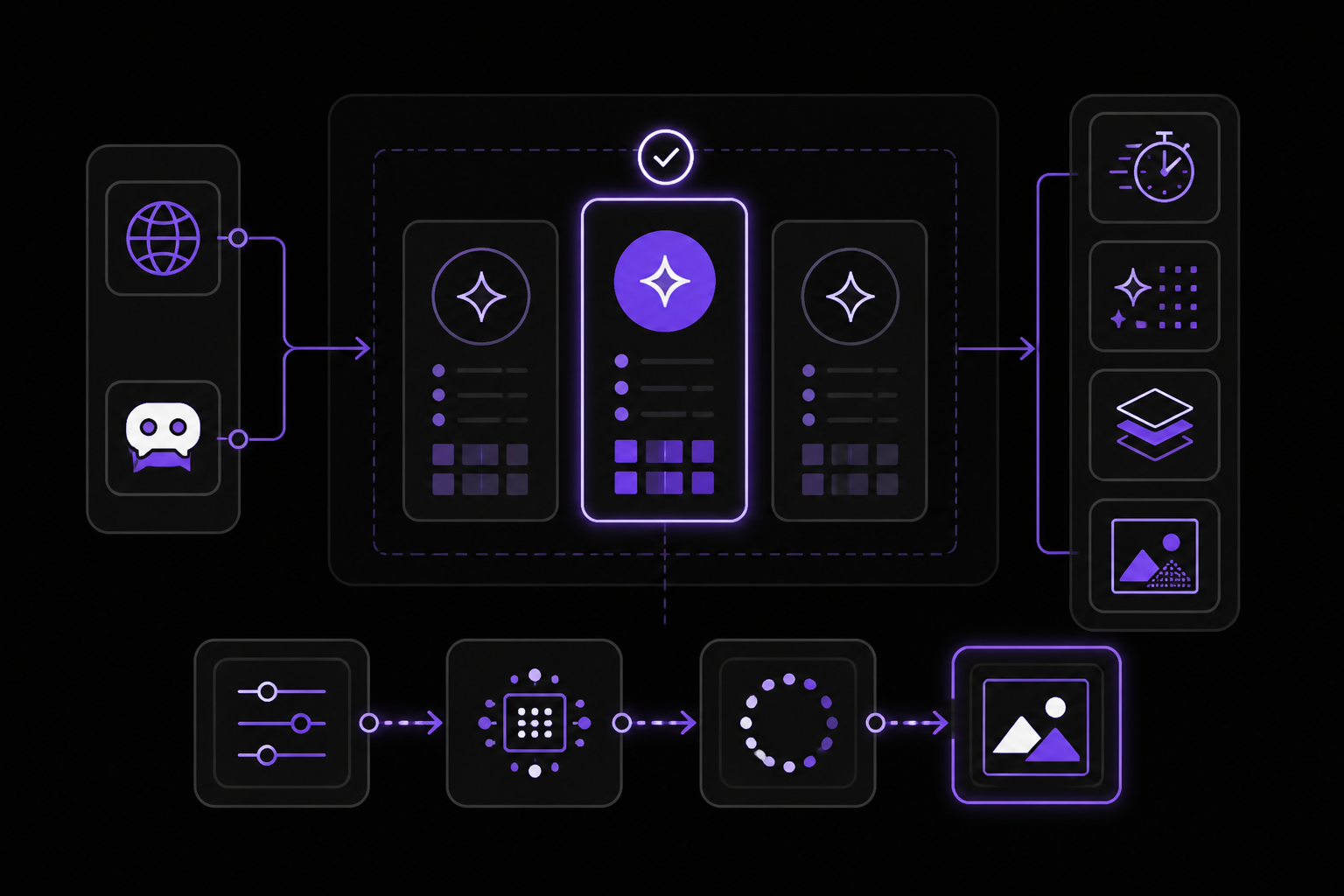
V8.1 (default since June 11, 2026)
V8.1 is available on midjourney.com and Discord. On June 11, 2026 it became the current default model in the official Version docs, replacing V7. V8.1 launched April 14, 2026 in alpha at alpha.midjourney.com, then reached midjourney.com and Discord on April 30, 2026 with sharpness and image-quality improvements, especially for SREFs, Moodboards, and HD images. On June 11, 2026 V8.1 became the default version in the official Version docs, replacing V7 as the default while leaving V7 selectable.
Strengths:
- Standard jobs render about 4-5x faster than earlier versions.
- Dramatically improved instruction-following and coherence.
- Native 2048px HD images without a separate upscaler step.
- Best text rendering yet (use "quotes" in prompts).
- Enhanced aesthetic understanding through personalization, srefs, and moodboards.
- Raw, style references, image prompts, image weights, personalization, moodboards, seeds, chaos, stylize, weird, the No parameter (
--no), and--expremain available in V8.1.
Generation modes:
- SD / standard: Less than 1 GPU minute per job. Best for exploration and cost control.
--hd: 1.33 GPU minutes per job. Produces native 2048px image output.- Fast: V8.1 standard jobs render about 4-5x faster than earlier versions. This is the default V8.1 workflow.
- Relax: Available in V8.1 according to the Version compatibility chart. Best for low-priority experimentation.
Compatibility notes:
- V8.1 does not support Midjourney upscalers; use HD generation directly instead.
- Omni Reference (
--oref) and Omni Weight (--ow) are V7-only; Character Reference (--cref) is for Midjourney/Niji V6. - The Quality parameter is not supported on V8.1 in the Version compatibility chart; use V7 for
--q 2/--q 4workflows. - The No parameter (
--no) is supported on V8.1 per the Version compatibility chart (alongside V6 and V7). - Multi-prompts are not listed as V8.1-compatible in the Version compatibility chart.
- Turbo is not a V8.1 path. Draft Mode reached V8.1 on June 16, 2026: 24 images per draft, click
Varyto render any at full quality, at half the fast-hours of a V8.1 SD job.
New UI features:
- Conversational Mode for natural-language flow: describe ideas in text or voice and the AI writes the prompts (supported on V7 and V8.1).
- "Grid Mode" for focusing on large image sets.
- Settings in sidebars (no longer blocking your view).
Usage:
a weathered lighthouse on volcanic cliffs at golden hour, dramatic clouds, crashing waves --v 8.1 --hd
V8.1 prompt tips:
- Use
--rawwhen literal prompt control matters; Raw turns down Midjourney's default aesthetic interpretation. - Specify cinematographic lighting precisely: "single overhead key light with no fill, hard shadows" beats "dramatic lighting".
- Reference photographers/directors by name for style anchoring (e.g., "Annie Leibovitz portraiture," "Roger Deakins cinematography").
- Describe medium precisely: "35mm film photograph, grain, Kodak Portra 400 palette" narrows the solution space.
When to use V8.1:
- When you want the fastest generation.
- For text-heavy images.
- When coherence matters most.
- To take advantage of native 2048px image generation.
V7 (Default June 2025, June 2026)
V7 was Midjourney's default model from June 17, 2025 until V8.1 replaced it as the default on June 11, 2026. It remains fully selectable and the safest broad production choice for full feature coverage. Released April 3, 2025 and made default June 17, 2025.
Strengths:
- Natural language understanding (write sentences, not keywords).
- Excellent photorealism.
- Strong text rendering.
- Better human anatomy (hands, bodies).
- Improved spatial relationships.
- Personalization enabled by default.
- Full V7 control surface: Omni Reference, Quality values, multi-prompts, No parameter, and Niji workflows where relevant.
Generation modes:
- Turbo: Fastest, 2x normal. Best for final renders when time matters.
- Fast: Normal 1x. Standard workflow.
- Relax: Queued, included. Best for exploration and learning.
- Draft: 10x faster, 0.5x cost. Best for rapid iteration.
When to use V7:
- Photorealistic images.
- Any prompt with complex natural language.
- Text rendering.
- When quality matters most.
Niji 7 (January 2026)
Niji 7 is the specialized anime/manga model, released January 9, 2026.
Strengths:
- Crystal-clear eyes, reflections, and fine background details.
- Improved coherence for complex poses and multi-arm setups.
- More literal prompt interpretation: handles specific color positions and hairstyles precisely.
- Better text rendering.
- Enhanced
--srefperformance with significantly reduced style drift. - Clean, flat linework aesthetic designed to highlight improved line quality.
Limitations:
--crefis NOT supported. The team hints at a "more powerful secret surprise" alternative.- Personalization (
--p) and Moodboards are fully supported as of February 26, 2026. - More literal than previous Niji versions: adjust vibey prompts accordingly.
Coming Soon:
- New character reference system to replace
--cref(expected to exceed--crefcapabilities).
Usage:
A determined young mage with crimson hair, casting fire magic, intense expression, ancient library background --niji 7
When to use Niji 7:
- Anime and manga-style illustrations.
- Character design.
- Eastern aesthetic illustrations.
- When you want cleaner linework.
Niji 6 (Legacy)
Still available for backward compatibility.
When to use Niji 6:
- You need style presets (
--style expressive,--style cute,--style scenic). - Your workflow depends on
--cref. - You prefer the softer, less literal interpretation.
Styles:
--niji 6 --style expressive # Dynamic, stylized
--niji 6 --style cute # Kawaii aesthetic
--niji 6 --style scenic # Background focus
--niji 6 --style original # Classic Niji look
Version Comparison
| Feature | V8.1 | V7 | Niji 7 | Niji 6 |
|---|---|---|---|---|
| Photorealism | Excellent, fastest | Excellent default | N/A | N/A |
| Anime | No Niji mode | Good | Excellent | Excellent |
| Natural language | Excellent | Excellent | Good | Moderate |
| Text rendering | Best current | Strong | Good | Limited |
--oref | No | Yes | No | No |
--cref | No | No | No | Yes |
--sref | Yes | Yes | Yes (best) | Yes |
--p / Moodboards | Yes | Yes | Yes (Feb 2026) | Optional |
--q | No | 1, 2, 4 | Varies | Legacy |
--no | Yes | Yes | Yes | Yes |
| Draft Mode | Yes (Jun 2026) | Yes | No | No |
| Conversational Mode | Yes | Yes | No | No |
| Style presets | No | No | No | Yes |
V8 / V8.1 Timeline
- Internal testing: January 2026.
- Rating parties: early to mid February 2026.
- Final rating round (V8 personalization calibration): February 20, 2026.
- Functionally complete: confirmed March 4, 2026.
- Distillation run: about to begin (~1 week duration).
- V8 Alpha launched: March 17, 2026 at alpha.midjourney.com (opt-in, non-default).
- Relax mode added: March 21, 2026.
- New SREF/Moodboards version (
--sv 7): 4x faster, 4x cheaper, supports--hd,--p,--stylize,--exp. - V8.1 Alpha launched: April 14, 2026 at alpha.midjourney.com (HD default, 3x faster + 3x cheaper, image prompts return, V7-spirited aesthetic).
- V8.1 released to midjourney.com and Discord: April 30, 2026 with sharpness and image-quality improvements; SD temporarily default during transition; V8.2 in development.
- V8.0 Alpha: still available for a limited time, with Midjourney expecting eventual decommissioning after V8.1 has had time in use.
What is next after V8:
- V8.2 quality/aesthetic improvements, driven partly by rating data at midjourney.com/rank-v8-1.
- V8 upscalers, then V8 edit / inpainting / outpainting model upgrades.
- V2 video model remains a post-V8 roadmap item from earlier office-hour coverage.
Aspect Ratios
The --ar parameter sets image dimensions. Default is 1:1 (square).
Common Ratios
| Ratio | Dimensions | Use Case |
|---|---|---|
1:1 | Square | Social media, icons |
4:5 | Portrait | Instagram feed, mobile |
5:4 | Landscape | Desktop, presentations |
16:9 | Widescreen | YouTube, presentations |
6:11 | Tall portrait | Phone wallpapers, vertical posters |
9:16 | Vertical | Stories, TikTok, mobile |
21:9 | Ultrawide | Cinematic, film |
3:2 | Classic | Photography prints |
2:3 | Portrait | Vertical prints |
Platform-Specific Recommendations
| Platform | Ratio | Notes |
|---|---|---|
| Instagram Feed | 1:1 or 4:5 | 4:5 gets more screen space |
| Instagram Story | 9:16 | Full vertical |
| Twitter/X | 16:9 or 1:1 | 16:9 expands in feed |
1.91:1 or 16:9 | Professional landscape | |
2:3 | Vertical performs best | |
| YouTube Thumbnail | 16:9 | Standard video format |
| Desktop Wallpaper | 16:9 or 21:9 | Match your monitor |
Composition Impact
Aspect ratio is not just dimensions. It fundamentally changes composition.
- Wide ratios (16:9, 21:9): Emphasize environment and context. Natural for landscapes, cityscapes. Cinematic feel. Subjects become part of a scene.
- Tall ratios (4:5, 9:16): Focus attention on subject. Natural for portraits, products. Intimate feel. More vertical information.
For cinematic portraits, try 4:5 instead of the obvious 16:9. You get the subject-focused framing of portrait with enough context for storytelling.
Stylization
The --s parameter controls how much artistic interpretation the model applies. Range: 0-1000. Default: 100.
Stylization Ranges
| Range | Effect | Best For |
|---|---|---|
| 0-50 | Minimal interpretation | Product photos, technical accuracy |
| 50-150 | Balanced (default) | General use, portraits |
| 150-300 | Noticeable style | Artistic photos, mood pieces |
| 300-500 | Strong style | Illustrations, conceptual |
| 500-1000 | Very stylized | Abstract, experimental |
Visual Examples
Portrait of a woman, soft window light --s 50
# Result: Clean, realistic, minimal embellishment

Portrait of a woman, soft window light --s 250
# Result: More artistic interpretation, enhanced mood

Portrait of a woman, soft window light --s 600
# Result: Distinctly stylized, dreamlike quality
Decision Framework
Use low stylization (0-100) when:
- Creating product photography.
- You want photorealistic accuracy.
- Technical/documentation images.
- The prompt should be interpreted literally.
Use medium stylization (100-300) when:
- General creative work.
- Editorial photography.
- You want enhancement without extremes.
- Balanced between realistic and artistic.
Use high stylization (300+) when:
- Creating illustrations or concept art.
- Abstract or experimental work.
- You want Midjourney's aesthetic to dominate.
- Pushing creative boundaries.
Stylization + Style Raw
For maximum photorealism, combine low stylization with --style raw:
Portrait of a businessman, office background --s 50 --style raw --v 7
--style raw tells the model to minimize its own aesthetic interpretation, giving you results closer to literal prompt fulfillment.
Chaos and Weird
Chaos (--chaos 0-100)
Controls variation between the four generated images. Default: 0.
| Value | Effect |
|---|---|
| 0 | Very similar outputs |
| 25 | Slight variations |
| 50 | Moderate variety |
| 75 | High variety |
| 100 | Maximum unpredictability |
When to use chaos:
- Exploration phase:
--chaos 50-75to see diverse interpretations. - Final render:
--chaos 0-25for consistent results. - Finding direction: High chaos early, low chaos for refinement.
Weird (--weird 0-3000)
Introduces unconventional, unexpected aesthetics. Default: 0.
| Range | Effect |
|---|---|
| 0 | Standard aesthetics |
| 100-500 | Subtle quirks |
| 500-1000 | Noticeable strangeness |
| 1000-2000 | Very unusual |
| 2000-3000 | Maximum weirdness |
When to use weird:
- Surreal or dreamlike imagery.
- Breaking out of generic AI aesthetics.
- Concept art exploration.
- When "normal" feels too predictable.
Combining Chaos and Weird
--chaos 50 --weird 500 # Varied outputs, each slightly quirky
--chaos 100 --weird 0 # Wild variations, normal aesthetic
--chaos 25 --weird 2000 # Similar outputs, all very weird
High weird can produce genuinely unusual imagery, but it is inconsistent. Use it for exploration, then dial back for final renders.
Experimental Aesthetics
The --exp parameter adds enhanced detail, dynamics, and tone-mapped effects. Range: 0-100. Default: 0.
Effect Levels
| Value | Effect | Notes |
|---|---|---|
| 0 | Off (default) | Standard rendering |
| 5 | Subtle enhancement | Safe to combine with other params |
| 10 | Noticeable detail boost | Good starting point |
| 25 | Strong effect | Recommended max for mixing |
| 50 | Very strong | May reduce prompt accuracy |
| 100 | Maximum | Can overwhelm -stylize and -p |
What --exp Does
- More detailed textures and surfaces.
- More dynamic, punchy compositions.
- Tone-mapped HDR-like appearance.
- Enhanced visual interest.
Recommended Combinations
--exp 10 --s 200 # Enhanced detail, balanced style
--exp 25 --s 100 # Strong exp, controlled stylize
--exp 5 --style raw # Subtle boost for photorealism
Warning: Parameter Conflicts
At high values (above 25-50), --exp can:
- Overwhelm
--stylizesettings. - Reduce prompt accuracy.
- Create unnatural-looking images.
Reference Systems
Omni Reference (--oref)
Omni Reference is a V7-only feature. It is not supported on V8.1. It allows you to reference an image for style, composition, or character elements. Use it when you need to maintain a specific visual direction across multiple prompts.
Style Reference (--sref)
Style Reference is supported on V8.1, V7, Niji 7, and Niji 6. It applies the aesthetic of a reference image to your prompt. On Niji 7, --sref performance is enhanced with significantly reduced style drift.
Image Weight (--iw)
Image weight controls how strongly an image prompt influences the final output. Supported on V8.1 and V7. Higher values make the output more closely match the reference image. Lower values let the text prompt dominate.
Draft Mode
Draft Mode reached V8.1 on June 16, 2026. It produces 24 images per draft at half the fast-hours of a V8.1 SD job. Click Vary to render any image at full quality. It is ideal for rapid iteration and exploration.
Video Generation
Midjourney supports native video generation from images (since June 2025). You can create 5-21 second animated clips. The web interface provides full support for video generation, including visual controls for playback and editing. Discord also supports video generation through its own controls and video-specific parameters.
Image-to-Video Basics
To generate a video, start with an image you have already created. Use the web interface to select the image and choose the video option. You can control the duration and style of the animation.
Extending and Looping
You can extend a video by adding more frames or create a loop by setting the end frame to match the start. The web interface provides visual controls for these options.
Video Best Practices
- Start with a high-quality image. The video output depends on the source image.
- Use simple motion. Complex movements can cause artifacts.
- Keep videos short (5-10 seconds) for best quality.
- Use Relax mode for video generation to save Fast hours.
Troubleshooting
Prompt Not Following Instructions
If the model is not following your prompt, check these things:
- Are you using V7 or V8.1? Older versions may not understand natural language as well.
- Is your prompt too long? Over 150 tokens can cause conflicts.
- Are you using contradictory terms? "Dark, bright, moody, cheerful" cancels itself out.
- Are you using
--style raw? This minimizes aesthetic interpretation and can help with literal prompt fulfillment.
Images Are Too Stylized
If the output is more stylized than you want, reduce the --s value. Use --s 50 or lower. Combine with --style raw for maximum photorealism.
Images Are Too Similar
If all four variations look the same, increase --chaos. Start with --chaos 50 and adjust up or down.
Text Rendering Issues
For text-heavy images, use V8.1. It has the best text rendering of any Midjourney version. Put the text in quotes in your prompt. For example: "A sign that says 'Welcome'."
Cost Management
- Use SD mode (less than 1 GPU minute per job) for exploration.
- Use Draft Mode (half the fast-hours of a V8.1 SD job) for rapid iteration.
- Use Relax mode for low-priority experimentation.
- Use
--hdonly when you need native 2048px output (1.33 GPU minutes per job).
Version Migration
If you have workflows built on V7, test them on V8.1 before switching completely. Some features (Omni Reference, Quality parameter, multi-prompts) are not supported on V8.1. Keep V7 selectable for those workflows.
Going Further
To deepen your understanding, explore these topics from the source material:
- Conversational Mode: Describe ideas in text or voice and let the AI write the prompts. Supported on V7 and V8.1.
- Moodboards: Combine multiple reference images to define a consistent aesthetic.
- Personalization (
--p): Train the model on your preferences for more tailored outputs. - Video Generation: Experiment with image-to-video, extending, and looping.
- Genre Templates: The source includes templates for cinematic realism, portrait photography, product photography, fantasy and sci-fi, anime with Niji 7, architecture, and abstract art. Adapt these templates to your own projects.
- Parameter Cheat Sheet: The source includes a full parameter cheat sheet for quick reference.
- Changelog: Keep up with the official changelog for new features and version updates.
Midjourney is a sophisticated visual language system that rewards those who understand its architecture. The difference between generic AI art and stunning, intentional imagery is understanding these patterns. Keep experimenting, keep iterating, and keep pushing the boundaries of what is possible.
The #1 AI Newsletter
The most important ai updates, guides, and fixes — one weekly email.
No spam, unsubscribe anytime. Privacy policy