
Back to Blog gemma
gemma
 gemma
gemma community
 ai
ai ai
ai githubactions
 ai
ai
Build a Socratic Study Buddy with Gemma 4: A Beginner’s Guide to Running AI Locally
leslysandra May 14, 2026
0 views
The landscape of AI has shifted from "bigger is better" to "smarter is better." We are entering the...
The landscape of AI has shifted from "bigger is better" to "smarter is better." We are entering the era of intelligence-per-parameter—a metric of how much reasoning power is packed into a compact model. Gemma 4, built on the latest research from Google DeepMind, brings high-level, multi-step reasoning directly to your own hardware.
This guide will show you how to build a Socratic Study Buddy—a tutor that doesn't just give you answers but helps you think through problems—while keeping your data 100% private using a custom local web interface.
What I Built
I built a local Socratic Study Buddy application. It pairs the localized inference engine of LM Studio with a custom-built Streamlit Web UI frontend. Instead of acting as a lazy "answer engine" that does a student's homework for them, this tool forces the underlying Gemma 4 model to plan pedagogical strategies and use structured dialogue to guide critical thinking.
Why Gemma 4 Matters for Learning
Gemma 4 is a "Thinking Model." Older AI models functioned like advanced autocomplete, predicting the next word based on patterns. Gemma 4 has the capacity for a native Chain-of-Reasoning process.
Instead of jumping straight to an answer, Gemma 4 works through logical steps internally before it speaks. This makes it a perfect mentor. While other models might just do your homework, Gemma 4 is trained to identify where you are stuck and nudge you toward the solution.
Choosing Your Brain: The Official Model Sizes
To run this locally, you need to pick the right "size" for your computer. Gemma 4 comes in four official variants:
-
Effective 2B (E2B): Tiny and lightning-fast. Optimized for high-end phones or older laptops with 4GB–8GB of RAM.
-
Effective 4B (E4B): The "Sweet Spot" for most modern laptops with 8GB–12GB of RAM. This is the entry point for high-quality image and audio understanding.
-
26B A4B (Mixture-of-Experts): The speed demon. It has 26 billion parameters but only uses 4 billion at a time to answer. You get high-quality reasoning with fast speeds. Requires 16GB–24GB of RAM.
-
31B Dense: The flagship. This is the smartest model in the family, providing maximum reasoning quality for complex math. Use this if you have a powerful workstation with 32GB+ of RAM.
Setup: Bringing the Brain to Your Frontend
Instead of staying restricted to standard desktop setups, we bridge the model into a lightweight web dashboard.
Step 1. Weight Retrieval & Backend Hosting
1. Search for Gemma 4: Open LM Studio and click the Magnifying Glass. Type "Gemma 4".
2. Select a GGUF: Look for files labeled GGUF (a compressed file format that lets heavy models run on consumer hardware).
3. Choose Your Quantization: Look for Q4_K_M (a version that balances intelligence with low memory usage).
4. Start the Local Server:: Head to the Local Server tab in LM Studio, load your downloaded model, ensure your system prompts are injected, and start the service on port 1234. Turn GPU Offload to "Max" to leverage your graphics card.
Step 2. Running the Custom Web UI
To spin up the clean web chat interface shown below, clone the repository, install the dependencies, and launch the frontend file:
pip install streamlit openai
streamlit run app.py
Demo
Here is how the complete architecture interacts within the custom Python frontend workspace:
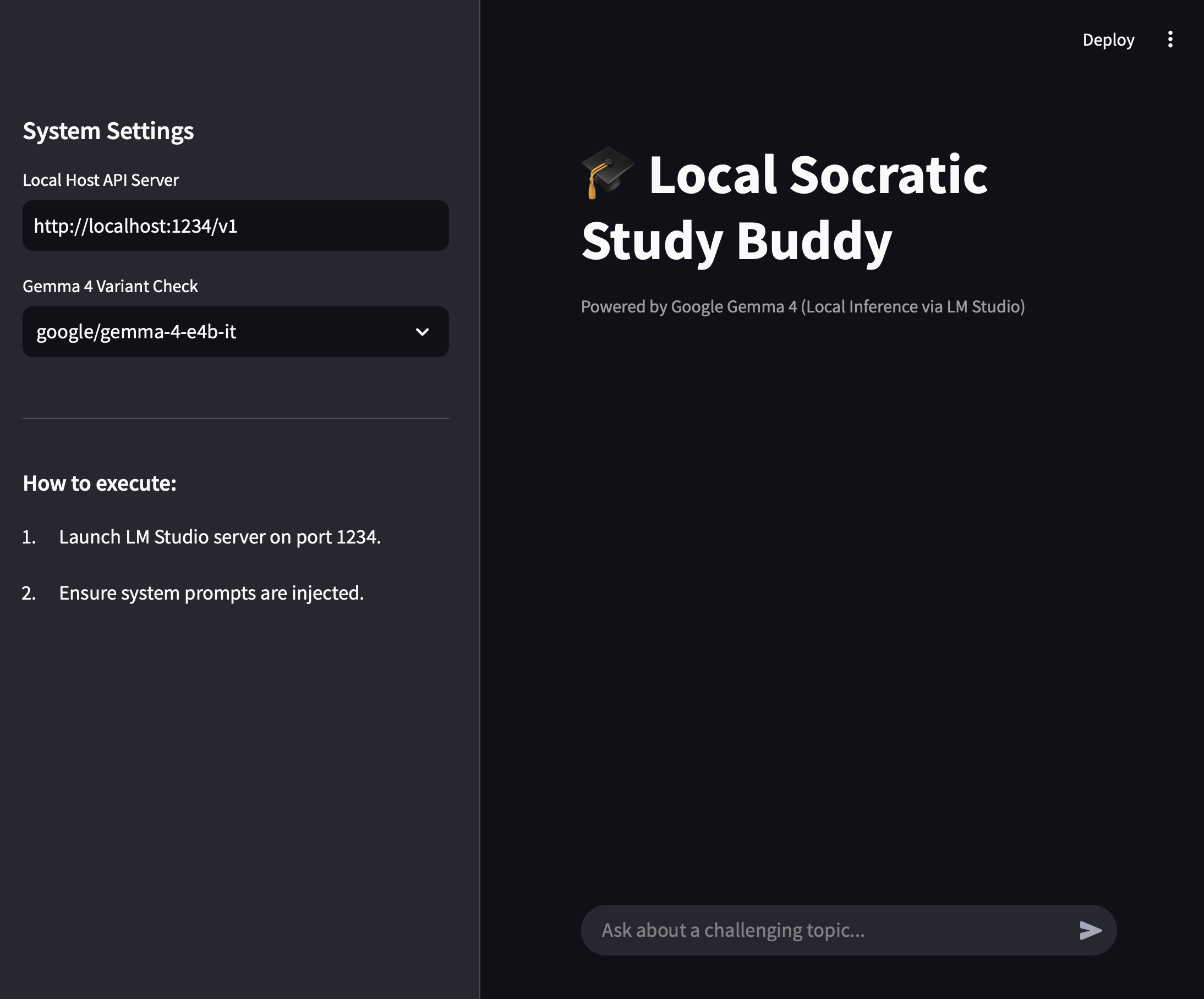
The UI Environment Overview
The implementation splits backend configuration details directly away from the active learning space, allowing seamless swaps between running models:
The Project: The Socratic Study Buddy Prompt
In your local configuration workspace or the core application prompt files, we pass this instruction using the official <|think|> control token sequence to isolate the reasoning channel:
<|think|>
You are an expert academic tutor. You are forbidden from giving the final answer. Instead, use your internal reasoning to identify the core concept the student is struggling with and ask guiding questions.
The "Thinking" Advantage in Action
When you ask the web component: "I don't understand how recursion works in coding."
Gemma 4 enters its Internal Thought Channel. Within your local terminal execution or dashboard view, you will see it process its strategy before printing its output:
Gemma 4 (Internal Reasoning): The user wants to know recursion. Giving code directly violates the Socratic constraint. I will use a structural stack analogy, like a line of people or nesting boxes, to force them to identify the concept of a terminating condition.
Tutor Output Response:
"To understand recursion, we first need to understand a 'base case.' If you were standing in a line of people, how would you know your position without counting everyone yourself?"
Beyond Chat: Real-World Visuals
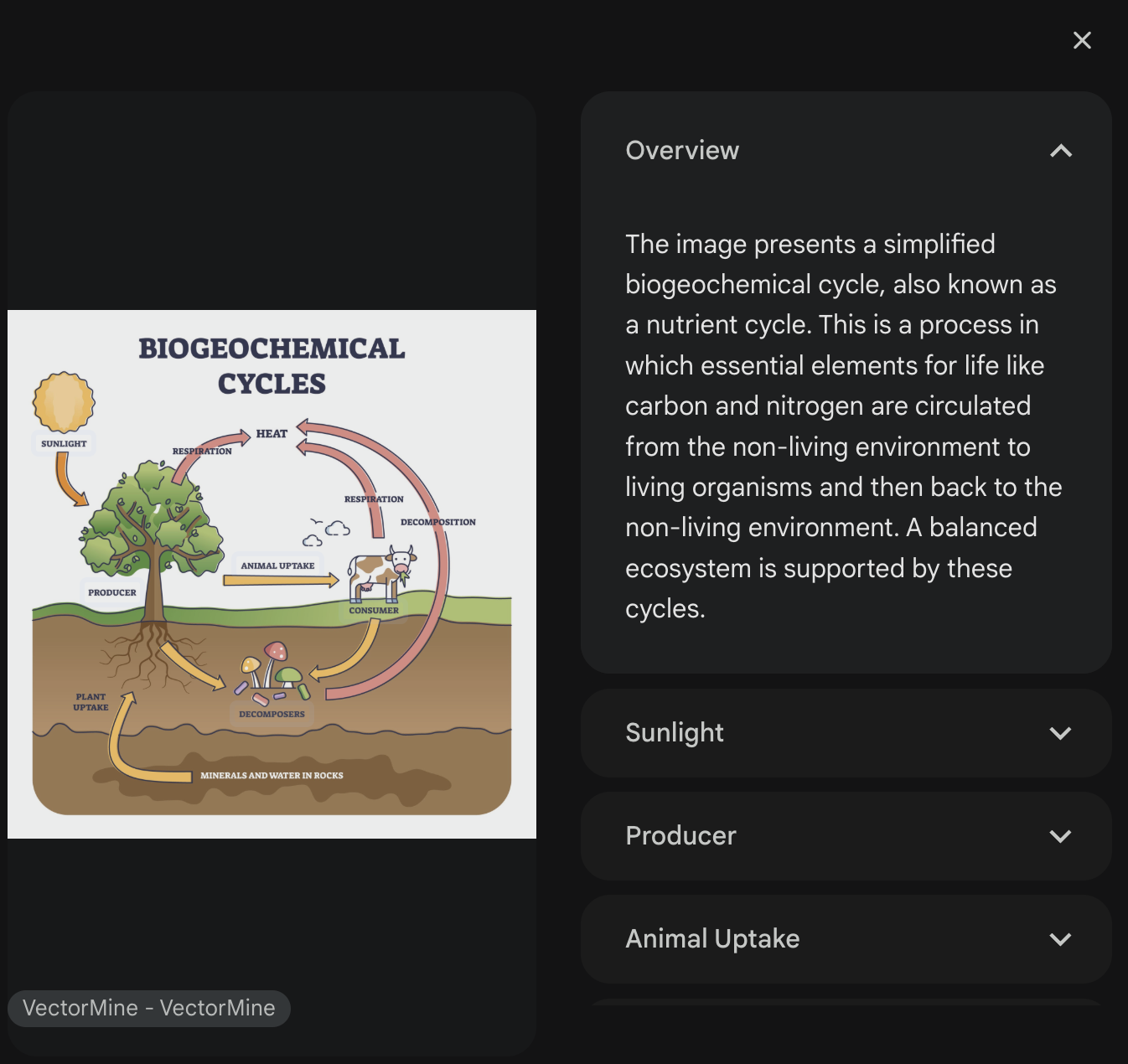
One of the best ways to study is to visualize logic. You can ask your Study Buddy to "Draw the logic of this concept." It will generate clean Mermaid.js code directly in the conversation panel:
User: "Show me the logic of the Socratic method we just used." Gemma 4: "Here is the flowchart of our session:"
graph TD
    A[Student Asks Question] --> B{Model Thinks}
    B --> C[Identify Missing Concept]
    C --> D[Ask Guiding Question]
    D --> E[Student Responds]
    E -->|Correct| F[Nudge to Next Step]
    E -->|Incorrect| G[Simplify Analogy]
Code
The entire layout—including the Python automation scripts, system prompt templates, configurations, and the Streamlit frontend architecture—is completely open-source: 👉 Check out the GitHub Repository Here
Digital Sovereignty & Ethical AI Safety
Building with open-source models like Gemma 4 is a foundational ethical choice:
-
Privacy (Digital Sovereignty): Every question you ask stays on your machine. Your learning struggles aren't being used to train a corporate model.
-
The Trade-off: Unlike cloud models, a local model is your responsibility. You must verify its facts, as it doesn't have an external "safety filter" monitoring the conversation.
Advantages:
-
Transparency: You can inspect the weights and the "thinking" process, which is impossible with closed-source models.
-
Privacy: Since it runs locally in LM Studio or on your private GKE cluster, your data never leaves your environment.
Disadvantages:
-
Resource Intensity: High-reasoning models still require significant compute power compared to lightweight "dumb" bots.
-
Guardrail Responsibility: Unlike a managed API that filters every word, an open-source model places the "Safety Filter" responsibility on you. You must implement your own output classifiers to ensure the model stays within educational boundaries.
Conclusion
You’ve gone from raw local model files to running a custom, world-class educational reasoning platform directly on your laptop. You’ve built an app that doesn't just echo stored training text—it actively fosters critical thinking.
Your Challenge: Use your newly built Web UI Study Buddy to tackle a topic you’ve always found intimidating—maybe organic chemistry or financial engineering. How does having an interface powered by a "Thinking Model" change the way you interact with complex documentation?
Next Steps: Ready to scale from a chat interface to fully autonomous pipelines? Check out the Pi Coding Agent by Patrick Loeber—a minimal terminal client that bridges local Gemma 4 instances straight to your terminal environment so it can write, debug, and run code directly for you!
Comments
More Blog
View allgemmaFive Gemma-4 models, one accelerator: what porting E2B 31B to AWS Inferentia2 taught me
I ported the whole Gemma-4 family — E2B, E4B, 12B, 31B, and the 26B-A4B MoE — to run on...
X
xbillcommunityHey DEV, I'm Tobore. Let's actually connect.
Hey DEV, I'm Tobore. Let's actually connect. I've been on here for a while now, mostly writing and...
L
Laurina AyarahaiI burned through thousands of AI tokens. Then a friend did it for free
(yep, kinda clickbait, just for the funsies 😊) At the beginning of the year, I relaunched my...
P
Paulo HenriqueaiClaude might be saturating your machine
My laptop was sitting idle with the fan at full tilt. Nothing was running that I knew of. The culprit...
S
Sidhant PandagithubactionsAutomated GitHub Code Reviews Using Google Gemini
I Built a Thing! TL;DR — Google Gemini-based Pull Request reviews and Issue Triaging for...
D
Darren "Dazbo" LesteraiWhat is an "agentic harness," actually?
I've been hearing the word "harness" thrown around a lot lately. I assumed it just meant "the IDE" or...
T
Tilde A. ThuriumReady-made automations for this
Workflows from the Neura Market marketplace related to this Stable Diffusion resource
- Extract Text from Images & PDFs via Telegram with Mistral OCR to Markdownn8n · $24.99 · Related topic
- Build AI Agents with Think-Plan-Act Architecture Using Llama-4 Reasoningn8n · $24.99 · Related topic
- Build Comprehensive Entity Profiles with GPT-4, Wikipedia & Vector DB for Contentn8n · $24.99 · Related topic
- Beginner Data Analysis: Merge, Filter & Summarize in Google Sheets with GP-40n8n · $14.99 · Related topic