
Back to Blog productivity
 gemma
gemma community
 ai
ai ai
ai githubactions
 ai
ai
Terminal Superpowers You Should Be Using in 2026
Sean Boult May 6, 2026
0 views
I live in my terminal. Here's what I use to stay fast. Fuzzy finder (fzf) Terminal motions Sudo...
I live in my terminal. Here's what I use to stay fast.
- Fuzzy finder (fzf)
- Terminal motions
- Sudo shortcut
- Tab completion
- Autosuggestion
- Autocompletion
- Syntax highlighting
- Command buffering
- Terminal clearing
⚠️ NOTE: Some of these are zsh-specific, so make sure you have that set up first.
Fuzzy finder (fzf)
Please please stop spamming up arrow to find that command you ran. Instead you can make this so much simpler with fzf.
Once installed, hit Ctrl+R and your shell history becomes searchable. No more mashing the up arrow 47 times to find that docker command you ran last Tuesday.
You can also use it to find files:
# fuzzy find a file and open it in your editor
vim $(fzf)
Or pipe anything into it:
# search git branches
git branch | fzf
Seriously, just install fzf.
Terminal motions
Stop holding backspace and typing everything all over again...
Here are the motions that saved me the most time:
| Shortcut | What it does |
|---|---|
Option + ←/→ | Jump by word |
Option + Backspace | Delete a word |
Ctrl + A | Jump to beginning of line |
Ctrl + E | Jump to end of line |
Ctrl + K | Delete everything after cursor |
Drill these for a week and holding backspace will start to physically hurt you.
Sudo shortcut
You've done this before:
apt install something
# Permission denied
Instead of retyping the whole thing, just run:
sudo !!
!! expands to your last command. Done.
Tab completion
ZSH tab completion goes further than bash:
- Tab into directories and keep going (no need to hit enter between each level)
- Cycle through matches with repeated tab presses
- Case-insensitive matching by default
In this case I did ~/.aw<tab>/co<tab>.
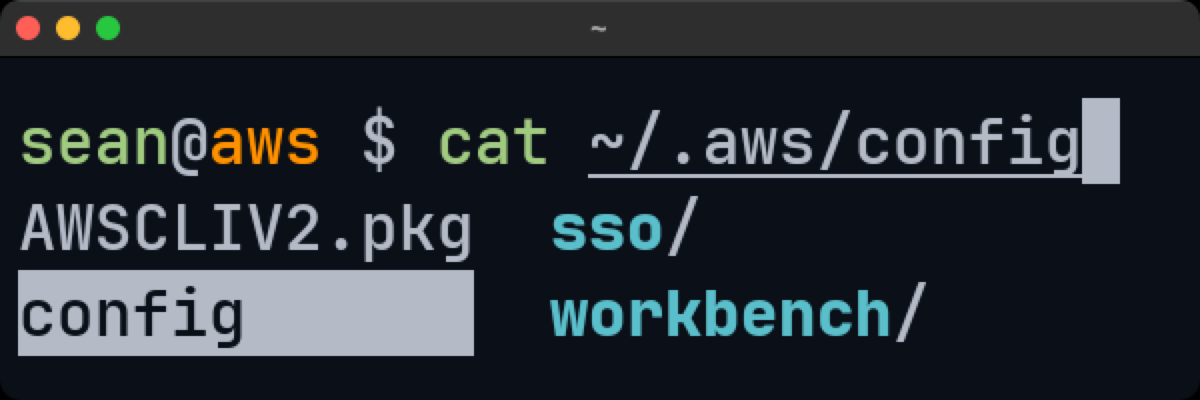
If you're typing full paths by hand, you're doing it wrong.
Autocompletion
Some CLI tools ship with their own completions for subcommands and flags. The AWS CLI is a good example:
# Add this to your .zshrc
autoload bashcompinit && bashcompinit
autoload -Uz compinit && compinit
complete -C '/usr/local/bin/aws_completer' aws
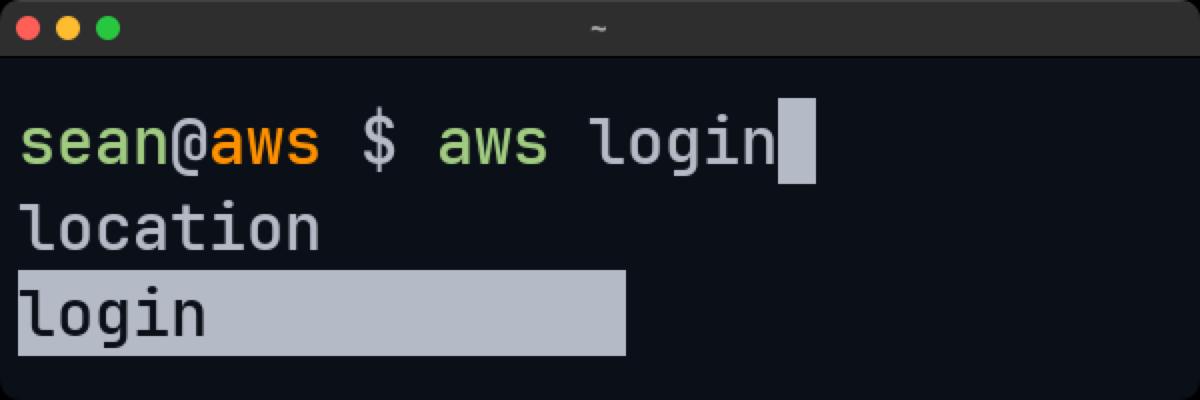
Now aws s3<TAB> shows you all the s3 subcommands. Most popular CLIs (docker, kubectl, gh, npm) have similar setups. Check their docs.
Autosuggestions
zsh-autosuggestions gives you fish-like behavior in ZSH. As you type, it shows a grayed-out suggestion based on your history. Press the right arrow to accept it.
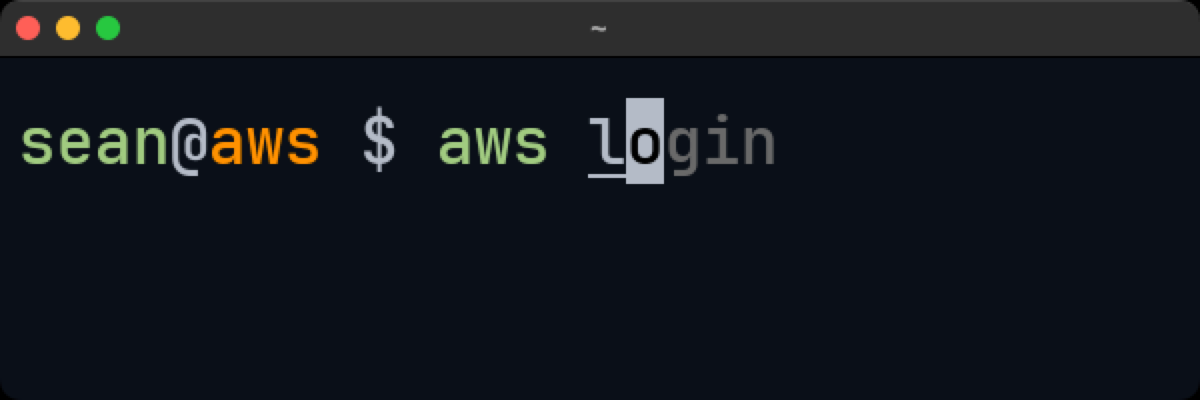
Give it a few days and you won't be able to go back.
Syntax highlighting
zsh-syntax-highlighting highlights your commands as you type. Valid commands go green, invalid go red. It's instant feedback before you even hit enter.
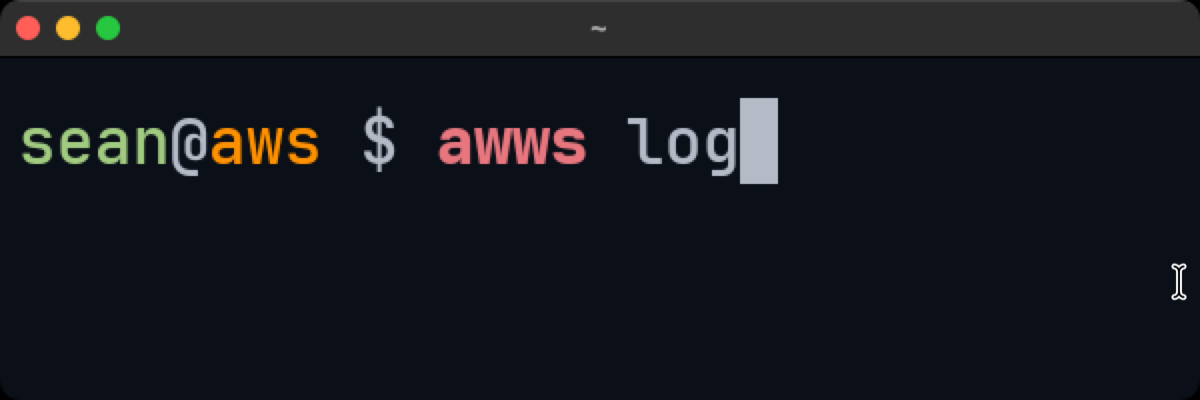
You catch typos before you hit enter. That's it, that's the sell.
Command buffering
Kick off a long-running command like pnpm i, then just type your next command and hit enter. ZSH buffers it and runs it when the first one finishes.
You're typing blind so typos happen, but it beats waiting around.
Terminal clearing
Two quick ones:
clear(orCtrl + L) - clears the screen but keeps scrollbackCmd + K- nukes everything including scrollback
I use Cmd + K when I want a clean slate and clear when I just want visual breathing room.
Resources
Here's everything linked in one place:
- Oh My ZSH
- Fuzzy Finder (fzf)
- zsh-autosuggestions
- zsh-syntax-highlighting
- Terminal Motions Reference
- Tab Completion
That's my setup. Most of these take under a minute to install and will save you hours over time. If you found this useful, feel free to follow me for more dev tooling tips.
Happy coding 😀!
Also follow AWS for more articles like this {% organization aws %}
Comments
More Blog
View allgemmaFive Gemma-4 models, one accelerator: what porting E2B 31B to AWS Inferentia2 taught me
I ported the whole Gemma-4 family — E2B, E4B, 12B, 31B, and the 26B-A4B MoE — to run on...
X
xbillcommunityHey DEV, I'm Tobore. Let's actually connect.
Hey DEV, I'm Tobore. Let's actually connect. I've been on here for a while now, mostly writing and...
L
Laurina AyarahaiI burned through thousands of AI tokens. Then a friend did it for free
(yep, kinda clickbait, just for the funsies 😊) At the beginning of the year, I relaunched my...
P
Paulo HenriqueaiClaude might be saturating your machine
My laptop was sitting idle with the fan at full tilt. Nothing was running that I knew of. The culprit...
S
Sidhant PandagithubactionsAutomated GitHub Code Reviews Using Google Gemini
I Built a Thing! TL;DR — Google Gemini-based Pull Request reviews and Issue Triaging for...
D
Darren "Dazbo" LesteraiWhat is an "agentic harness," actually?
I've been hearing the word "harness" thrown around a lot lately. I assumed it just meant "the IDE" or...
T
Tilde A. ThuriumReady-made automations for this
Workflows from the Neura Market marketplace related to this Stable Diffusion resource
- Build AI Agents with Think-Plan-Act Architecture Using Llama-4 Reasoningn8n · $24.99 · Related topic
- Import Google Keep Notes to Google Sheets Using OpenAI and Google Driven8n · $14.99 · Related topic
- Multi-service Terminal: Access Gmail, IRC, Telegram & News with Gemini AIn8n · $9.99 · Related topic
- Automated Sonarr Missing Episode Finder with Quality & Language Filteringn8n · $9.99 · Related topic