
Back to Blog ai
ai
 ai
ai cloud
cloud ai
ai omnivideo
 webdev
![[GCP in Action] LINE Business Card Bot Evolution: Dual-Side Recognition and Merging with Gemini](https://media2.dev.to/dynamic/image/width=1200,height=627,fit=cover,gravity=auto,format=auto/https%3A%2F%2Fdev-to-uploads.s3.us-east-2.amazonaws.com%2Fuploads%2Farticles%2Fh6w6qe4tziwy0pk8qm71.png) ai
ai
Teaching Antigravity to Direct: A Stateful Video-Editing Skill Built on Gemini's Interactions API and MCP
xbill July 23, 2026
0 views
How omni-skill-agy packages Google's gemini-omni-flash-preview as an Antigravity CLI skill + MCP server — what Omni Flash actually does, a field guide to all eight tool calls, multi-turn stateful edits, an idiot-proof install guide, and a one-tool-call path to YouTube.
title: "Teaching Antigravity to Direct: A Stateful Video-Editing Skill Built on Gemini's Interactions API and MCP" published: true series: MCP description: "How omni-skill-agy packages Google's gemini-omni-flash-preview as an Antigravity CLI skill + MCP server — what Omni Flash actually does, a field guide to all eight tool calls, multi-turn stateful edits, an idiot-proof install guide, and a one-tool-call path to YouTube." tags: ai, gemini, mcp, antigravity cover_image: https://raw.githubusercontent.com/xbill9/omni-skill-agy/main/devto-cover.jpg
<!-- Done: real tool output in Dogfooding; devto-cover.jpg (frame at 2s of gen_1784824947.mp4); edit_1784825027.mp4 uploaded to YouTube (unlisted, bPBOgchoA_A) via upload_to_youtube and embedded in Dogfooding. -->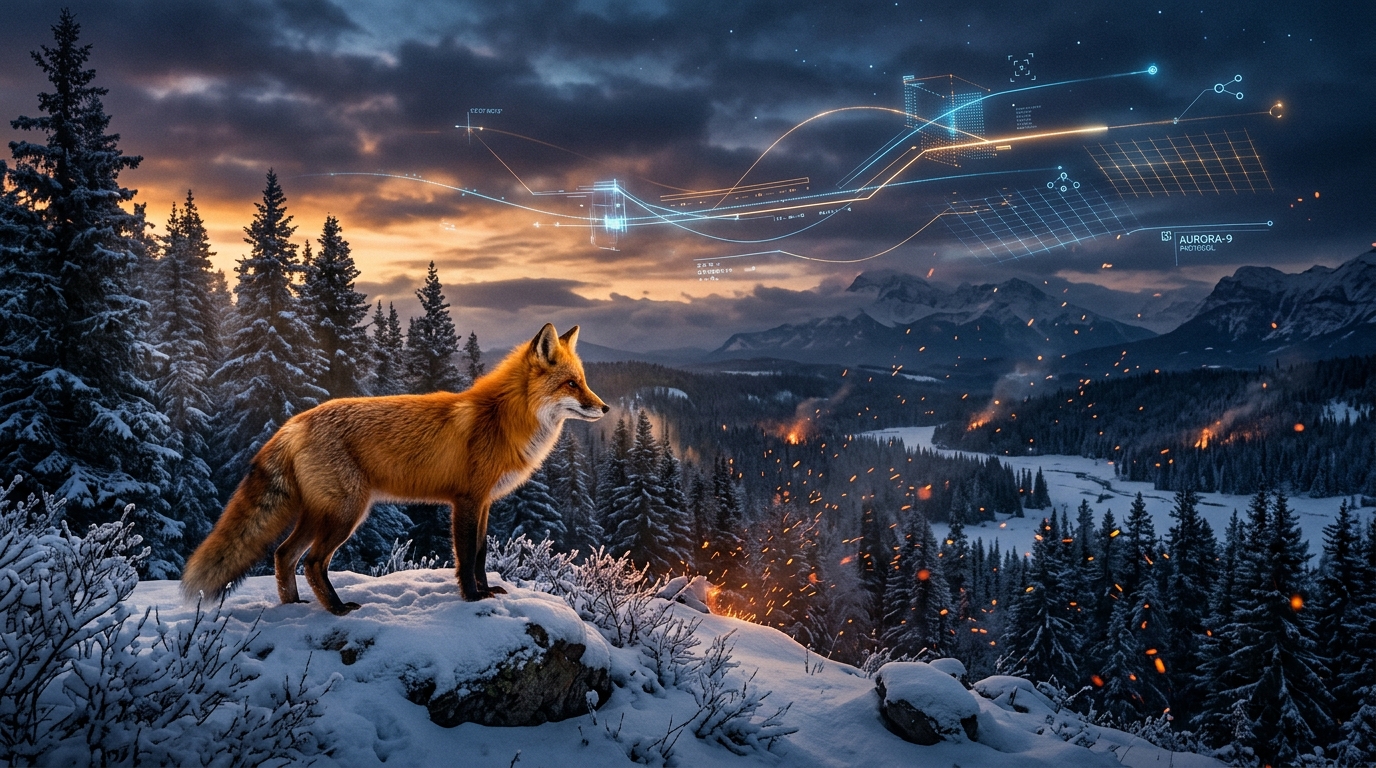
TL;DR: omni-skill-agy wraps Google's
gemini-omni-flash-previewmodel (Omni Flash) in a tiny FastMCP server and packages it as an Antigravity CLI skill. You type "generate a video of a fox running through snow" into Antigravity, and it just... does it. Then you say "make it nighttime with snowfall" and it edits the same video without re-prompting the whole scene. It can also animate a still image, interpolate between two keyframes, restyle a video you already have — and when you're happy, upload the result to YouTube. Without leaving your terminal.
Background: why another video tool?
Most video-generation workflows are stateless. You send a prompt, you get frames back, and the model immediately forgets everything. Want to tweak the result? You re-describe the entire scene and pray the character, lighting, and camera work survive the round trip. (Narrator: they don't.)
Google's Omni Flash — gemini-omni-flash-preview — takes a different approach. It's the video-generation model in Google's Gemini "Omni" line: built for fast, high-fidelity clips, and — the headline feature — wired into the stateful Interactions API, which lets you iterate on a video across multiple turns while the model keeps the visual context server-side.
What Omni Flash actually does
The "Omni" part isn't branding fluff — the model accepts genuinely mixed multimodal input. A single request's input can be a plain string, or a list of typed parts: text parts, base64-encoded image parts, and document parts pointing at a video you've uploaded via the Gemini File API. The model composes whatever you hand it into one clip. That single mechanism covers five distinct ways to make a video:
- Text → video. A prompt in, an
.mp4out — landscape16:9or portrait9:16, chosen at generation time. - One image + a motion prompt → animation. A still comes to life ("the group smiles and waves at the camera").
- Two images + a transition prompt → keyframe interpolation. The model invents the in-between footage from frame A to frame B ("a smooth timelapse from sunrise to sunset").
- Reference images + a scene prompt → subject-consistent generation. The people or objects in your reference shots show up in the generated scene, doing what the prompt directs.
- An uploaded video + an edit prompt → restyling. Footage that never came from the model at all, re-rendered ("make it a Pixar animation style").
And on top of all five sits the stateful layer: every one of those calls (made with store=True) returns an interaction ID, and any result can then be refined turn after turn with incremental edit prompts — same characters, same lighting, same camera language — because the model retrieves the stored visual context instead of making you re-describe it.
Three practical realities to know going in: generation is synchronous and slow (the call blocks until the video is ready), it's billable per generation, and outputs get big fast — past ~4 MB you want File-API delivery instead of inline base64. The server and skill below exist largely to absorb those realities for you.
This repo glues all of that into Antigravity CLI, so your coding agent can generate and iteratively refine videos as a natural part of a session. It ships as two things in one repo:
- A Model Context Protocol (MCP) server (
omni-video-agent, a single-file FastMCP app inserver.py) exposing exactly eight tools. - An Antigravity skill (
omni-video) that teaches the agent when and how to use those tools well.
The Interactions API: video with a memory
The Interactions API is Gemini's stateful endpoint. The core loop looks like this:
- You call
client.interactions.create(...)with a prompt andstore=True. - The response includes an
interaction_id— a handle to the turn's visual context, persisted on Google's servers. - On the next call, you pass
previous_interaction_id, and the model edits the existing video — preserving scene, character, lighting, and style continuity.
So instead of this (stateless suffering):
"A tracking shot of a red fox running through fresh snow at golden hour, birch trees, low sun, shallow depth of field, and now also at night with heavy snowfall"
...you write this:
"Make it nighttime with heavy snowfall."
That's it. The stored context holds the rest.
A few practical details the server handles for you:
- Every turn returns a new interaction ID. Chain the latest one; editing from a stale ID silently forks your session from an older state (a subtle and very annoying bug if you roll this by hand).
- Aspect ratio is chosen at generation time (
16:9landscape or9:16portrait) and inherited on stateful edits — so the edit tool deliberately doesn't accept one. - Delivery modes:
inline(default — the video comes back as base64, fine for short clips) oruri— the output lands on the Google File API and the server polls until it's ready, then downloads it. Videos get big fast; past ~4 MB,urisaves you from payload-limit failures you'd otherwise discover the hard way.
What is MCP, in one minute
The Model Context Protocol is an open standard for connecting AI assistants to tools and data. Before it, giving a model access to some service meant writing a bespoke integration for each assistant — N assistants × M services, everyone reinventing the same plumbing. MCP collapses that: a tool author writes one MCP server that exposes typed tools, and any MCP-capable client (Claude Code, Claude Desktop, and a growing list of others) can discover and call them with no per-client glue code.
An MCP server is usually a small local process that speaks JSON-RPC over stdio. The client launches it, asks "what tools do you have?", and from then on the model can call them like functions.
The omni-video-agent server exposes exactly eight:
| Tool | What it does |
|---|---|
generate_video | Text → video. Saves locally as .mp4, returns the path + an interaction ID. |
edit_video | Stateful edit: takes the previous interaction ID + a description of only the change. |
animate_image | A still image + a motion prompt → the image comes to life. |
interpolate_images | Two keyframe images + a transition prompt → the video between them. |
generate_with_subjects | Reference images of people/objects + a scene prompt → those subjects, directed. |
edit_user_video | Uploads a video you already have via the Gemini File API and restyles it ("Make it a Pixar animation style"). |
upload_to_youtube | Publishes a finished .mp4 via the YouTube Data API v3 (one-time OAuth setup; defaults to private). |
get_help | The full tool reference, delivery-mode guidance, and cinematic prompting tips. |
Errors come back as 🔴 ... text strings rather than protocol errors, so the agent can read and react to them.
The eight function calls, in detail
Two conventions run through the whole surface. Every video tool takes a delivery parameter — 'inline' (default; the video comes back as base64 in the response) or 'uri' (the output lands on the Google File API and the server polls until it's ACTIVE, then downloads — use it for anything over ~4 MB). And every video tool returns a text report carrying the saved local path plus the interaction ID to chain into the next edit. Videos land on disk as <prefix>_<unix-timestamp>.mp4, with a prefix per tool.
generate_video — text → video
generate_video(prompt: str, aspect_ratio: str = "16:9", delivery: str = "inline") -> str
The starting point. aspect_ratio is '16:9' (landscape) or '9:16' (portrait) — this is the only tool that accepts one, because stateful edits inherit it; any other value silently falls back to the model default. Under the hood it's a single client.interactions.create(...) with store=True, so the result is immediately editable. Saves as gen_*.mp4.
edit_video — the stateful edit
edit_video(previous_interaction_id: str, edit_prompt: str, delivery: str = "inline") -> str
The tool the whole architecture is built around. Pass the interaction ID from the latest turn and describe only the change — the stored context holds the rest. Each call returns a new ID; chain that one next, because editing from a stale ID silently forks the session from an older state. Deliberately has no aspect_ratio parameter — it's inherited. Saves as edit_*.mp4.
animate_image — still image → motion
animate_image(image_path: str, motion_prompt: str, delivery: str = "inline") -> str
Reads a local image (png/jpg/jpeg/webp — mime type inferred from the extension, anything else sent as png), base64-encodes it, and sends [image, text] as the multimodal input. Saves as animated_*.mp4.
interpolate_images — two keyframes → the footage between them
interpolate_images(start_image_path: str, end_image_path: str, prompt: str, delivery: str = "inline") -> str
Same encoding as animate_image, but the input is [start_image, end_image, text] and the prompt describes the transition ("a smooth timelapse from sunrise to sunset"). Saves as interpolation_*.mp4.
generate_with_subjects — reference images, directed
generate_with_subjects(subject_image_paths: list[str], prompt: str, delivery: str = "inline") -> str
Every path in the list becomes an image part, the scene prompt goes last, and the model generates a video featuring those subjects. Saves as subject_*.mp4.
edit_user_video — restyle footage you already have
edit_user_video(video_path: str, edit_prompt: str, delivery: str = "inline") -> str
The one tool that touches the Gemini File API on input: it uploads your local video, polls until processing completes (up to 5 minutes), then sends [document, text] — the uploaded video referenced by URI plus your edit instruction. Saves as user_edit_*.mp4.
upload_to_youtube — publish the final cut
upload_to_youtube(video_path: str, title: str, description: str,
                  category_id: str = "22", privacy_status: str = "private") -> str
YouTube Data API v3. Needs a one-time OAuth setup (client_secrets.json in the server's working directory; first run opens a browser and caches token.pickle). category_id defaults to '22' (People & Blogs); privacy_status is 'private', 'public', or 'unlisted' — defaulting to private, so nothing goes live by accident. Its errors use ❌ ... instead of 🔴 ..., and its extra dependencies are optional — the tool reports the exact pip install command if they're missing.
get_help — the built-in manual
get_help() -> str
No parameters. Returns the full tool catalog, delivery-mode guidance, and a cinematic prompting guide — so an agent (or a curious human) can orient without leaving the session.
And what's an Antigravity skill?
If MCP is the hands (the tools the agent can physically call), a skill is the muscle memory — a markdown file (SKILL.md) plus bundled resources that load into the agent's context and teach it the workflow: which tool to reach for, in what order, with which constraints.
For omni-video, the skill encodes things like:
- Prompt cinematically: scene layout, subject action, camera motion (tracking shot, slow zoom), lighting, style. Specific beats vague.
- Keep edit prompts incremental: describe the change, not the scene.
- Always chain the latest interaction ID.
- Prefer
delivery='uri'for anything long or high-motion. - Video generations block until ready and are billable — batch related edits into one well-specified prompt, and ask before uploading anything
publicto YouTube.
The skill also bundles the MCP server itself (mcp/server.py), its requirements, an installer script, and the Interactions API video guide — so it's self-contained: install the skill, and you have everything needed to also stand up the server.
Installing it: the "I just want it to work" edition
You need three things: Python 3.10+, Antigravity CLI (or Claude Code), and a Gemini API key (free from Google AI Studio). Pick one of the paths below.
Path A: The plugin marketplace (fewest keystrokes)
Inside your agent CLI, type:
/plugin marketplace add xbill9/omni-skill-agy
/plugin install omni-video@omni-skill-agy
This installs the skill and auto-registers the MCP server. The plugin manifest carries no API key (as it should!) — the server reads GEMINI_API_KEY from your environment, so make sure it's exported before launching your session.
Path B: Clone and bootstrap (this repo)
# 1. Get the code
git clone https://github.com/xbill9/omni-skill-agy.git
cd omni-skill-agy

# 2. One-command setup: installs deps, registers the MCP server
#    in .mcp.json, and prompts for your API key (stored in ~/gemini.key)
./init.sh

# 3. Restart Antigravity in this directory and approve the server
#    when prompted. Verify with:
/mcp        # should list omni-video-agent
That's genuinely it. init.sh is safe to rerun if anything looks off.
Path C: Install into your project
From a clone of the repo:
make init TARGET=/path/to/your/project
This copies the skill into <project>/.gemini/skills/omni-video/ and writes the omni-video-agent entry into that project's .mcp.json. It reuses ~/gemini.key if you've set one up. Restart Antigravity CLI in the target project, approve the server, done. Generated videos land in the project directory.
Path D: Docker (nothing on the host but Docker)
The repo ships a Dockerfile that builds an image containing only the server and its deps — no keys, no CLI runtime:
make docker-build   # builds xbill9/omni-video-agent

docker run --rm -i -e GEMINI_API_KEY -v "$PWD:$PWD" -w "$PWD" xbill9/omni-video-agent
The -v "$PWD:$PWD" -w "$PWD" mount matters: the server saves videos to disk and reads local files for the image/video-input tools, so the container must see your project at the same absolute path as the host. (One caveat: upload_to_youtube's first-run OAuth flow opens a browser, which containers famously don't have — run that one from a host install.)
Troubleshooting, the whole guide
/mcpdoesn't list the server → restart Antigravity CLI in the project directory.- The server won't start at all → the Gemini client is created at launch, so a missing key kills the process before it says hello. Run
source set_env.sh(or exportGEMINI_API_KEY) and restart. - Anything else → ask the assistant to call
get_help; failures come back as readable🔴 ...strings.
Examples: a session in practice
Once installed, you talk to it in plain English. A real flow looks like:
You: "Generate a video of a red fox running through fresh snow at golden hour, 16:9."
Antigravity calls:
generate_video(
    prompt="A tracking shot of a red fox running through fresh snow at golden hour",
    aspect_ratio="16:9",
    delivery="uri",
)
# 🟢 Video successfully saved!
# • Saved to: ./gen_1784759001.mp4
# • Interaction ID: v1_ChdpRU5...
You: "Nice. Make it nighttime, heavy snowfall."
edit_video(
    previous_interaction_id="v1_ChdpRU5...",
    edit_prompt="make it nighttime with heavy snowfall",
    delivery="uri",
)
# 🟢 Video successfully saved!
# • Saved to: ./edit_1784759050.mp4
# • Interaction ID: v1_Xk9mPq2...   ← a NEW id; the next edit chains this one
Same fox, same trees, same camera move — only the time of day and weather change. No re-prompting, no continuity roulette.
And for footage that didn't come from the model at all:
You: "Take ./team-photo.png and animate it — everyone waves at the camera."
animate_image(
    image_path="./team-photo.png",
    motion_prompt="the group smiles and waves at the camera, subtle handheld motion",
)
You: "Turn ./demo-screencast.mp4 into a Pixar-style animation."
edit_user_video(
    video_path="./demo-screencast.mp4",
    edit_prompt="Make it a Pixar animation style",
    delivery="uri",
)
Both return interaction IDs too — so follow-up refinements switch to edit_video and go stateful from there. And when the cut is final:
You: "Ship it to YouTube, unlisted."
upload_to_youtube(
    video_path="./edit_1784759050.mp4",
    title="Fox in the Snow — generated with Omni Flash",
    description="Generated and edited with the omni-video Antigravity skill.",
    privacy_status="unlisted",
)
# 🟢 Video successfully uploaded to YouTube!
# • URL: https://www.youtube.com/watch?v=...
First run, the tool walks you through the one-time OAuth setup (a client_secrets.json from Google Cloud Console; the token is cached after that). Prompt to published URL, all inside one Antigravity session.
Dogfooding: about that demo video 🐕🍖
If the term is new to you: "eating your own dog food" means using your own product for real work, not just demoing it. It's the difference between "this should work" and "I ship with this every day." If a tool is good enough for your users, it should be good enough for you — and if it isn't, you'll be the first to feel the pain and fix it.
This repo dogfoods itself at every layer:
- The skill is active inside its own repository — open Antigravity CLI in a clone and the
omni-videoskill andomni-video-agentserver are already wired up, so every development session doubles as an integration test. - The demo video for this article was generated by the exact skill the article describes, from inside an Antigravity CLI session in this repo. These are the real calls and the real, unedited output — the same fox example used throughout the article, run for keeps:
generate_video(
    prompt="A tracking shot of a red fox running through fresh snow at golden hour, "
           "birch trees in the background, low sun flaring through the branches, "
           "shallow depth of field, photorealistic, cinematic",
    aspect_ratio="16:9",
    delivery="uri",
)
# 🟢 Video successfully saved!
# • Saved to: gen_1784824947.mp4
# • Interaction ID: v1_Chdja1JpYXFyVkVkcWVqTWNQaHFULW9BWRIXY2tSaWFxclZFZHFlak1jUGhxVC1vQVk
One incremental edit later — note that only the change is described, nothing about the fox, the trees, or the camera:
edit_video(
    previous_interaction_id="v1_Chdja1JpYXFyVkVkcWVqTWNQaHFULW9BWRIXY2tSaWFxclZFZHFlak1jUGhxVC1vQVk",
    edit_prompt="make it nighttime with heavy snowfall, moonlight instead of golden hour",
    delivery="uri",
)
# 🟢 Video successfully saved!
# • Saved to: edit_1784825027.mp4
# • Interaction ID: v1_Chdja1JpYXFyVkVkcWVqTWNQaHFULW9BWRIXd2tSaWF1RGdHXzZhX3VNUHI4LThzUTQ
A detail you only notice with real receipts in hand: the two interaction IDs share their first half. The session lineage is visible in the ID itself — the common prefix is the stored context both turns belong to, and the differing tail is the new turn. Also worth noting: both clips came out around 2.6 MB, under the ~4 MB inline ceiling — but delivery="uri" was the right call anyway, because you don't know the size until it's too late.
And here is that final cut — published straight from the same session with the skill's own upload_to_youtube tool (privacy_status="unlisted"), so the publishing step got dogfooded too:
{% youtube bPBOgchoA_A %}
- The cover image at the top of this article is a frame from the first clip in the receipts above (
gen_1784824947.mp4, two seconds in) — so the header art was generated by the tool the article describes, too. - If I wanted the ending changed, I wouldn't regenerate — I'd
edit_videowith the latest interaction ID (...UHI4LThzUTQ, the second one, not the first) and describe the change. That's the whole point.
Dogfooding is the cheapest credibility there is: no cherry-picked gallery, no "results may vary" fine print — the tool's real output is embedded right here, receipts and all. If the model had mangled the motion or lost the fox between edits, you'd be looking at the evidence right now.
Links
- Repo: github.com/xbill9/omni-skill-agy (Apache-2.0)
- Interactions API reference: ai.google.dev/api/interactions-api
- Gemini Omni prompting guide: deepmind.google/models/gemini-omni/prompt-guide
- Model Context Protocol: modelcontextprotocol.io
This is a third-party community project, not affiliated with or endorsed by Anthropic or Google. Bring your own Gemini API key — and remember video generations are billable and slow, so nail the prompt, batch your edits, and save the YouTube upload for the final cut.
Comments
More Blog
View allaiTeaching Google Antigravity to Paint: A Stateful Image-Editing Skill Built on Gemini's Interactions API and MCP
How nb2lite-skill-agy packages Google's gemini-3.1-flash-lite-image as an Antigravity skill + MCP server — with multi-turn stateful edits, a simple install guide, and a dogfooded cover image.
X
xbillcloudZero to Multi-Region: High Availability Serverless with Cloud Run and Cross-Region Failover & Failback
Google just made multi-region Cloud Run significantly easier. Here is the full picture; what changed,...
C
Caleb DuffaiTeaching Codex to Paint: A Stateful Image-Editing Skill Built on Gemini's Interactions API and MCP
How nb2lite-skill-codex packages Google's gemini-3.1-flash-lite-image as a Codex skill + MCP server — with Codex-native install paths, stateful edits, and a dogfooded cover.
X
xbillomnivideoTeaching Claude Code to Direct: A Stateful Video-Editing Skill Built on Gemini’s Interactions API…
Teaching Claude Code to Direct: A Stateful Video-Editing Skill Built on Gemini’s...
X
xbillwebdevBetter than Next.js? Is Rust Finally Ready for Full-Stack Web Development? Introducing Topcoat
There is a super-new Rust Web Framework in town, and it's name is Topcoat Rust is already a solid...
F
Francesco Ciullaai[GCP in Action] LINE Business Card Bot Evolution: Dual-Side Recognition and Merging with Gemini
Pain Point: One Chinese Business Card is Actually Two Business Cards Business cards in...
E
Evan LinReady-made automations for this
Workflows from the Neura Market marketplace related to this DeepSeek resource
- Automate Customer Interactions with WhatsApp Business and Google Sheetsn8n · $9.99 · Related topic
- Monitor AI Chat Interactions with Gemini 2.5 and Langfusen8n · $4.99 · Related topic
- Create Google My Business posts from Facebook interactions using ChatGPTmake · $3.99 · Related topic
- Automate Petshop Customer Interactions with AI and Multichannel Supportn8n · $24.99 · Related topic