
Back to Blog kubernetes
 gemma
gemma community
 ai
ai ai
ai githubactions
 ai
ai
Strategies for running AI workloads on GKE without committed quota
Olivier Bourgeois May 20, 2026
0 views
Learn different strategies to use hard-to-get hardware accelerators with Google Kubernetes Engine (GKE).
title: Strategies for running AI workloads on GKE without committed quota published: true description: Learn different strategies to use hard-to-get hardware accelerators with Google Kubernetes Engine (GKE). tags: kubernetes, ai, gke, googlecloud cover_image: https://dev-to-uploads.s3.amazonaws.com/uploads/articles/xjzj2cd2kzndzcn909ih.png
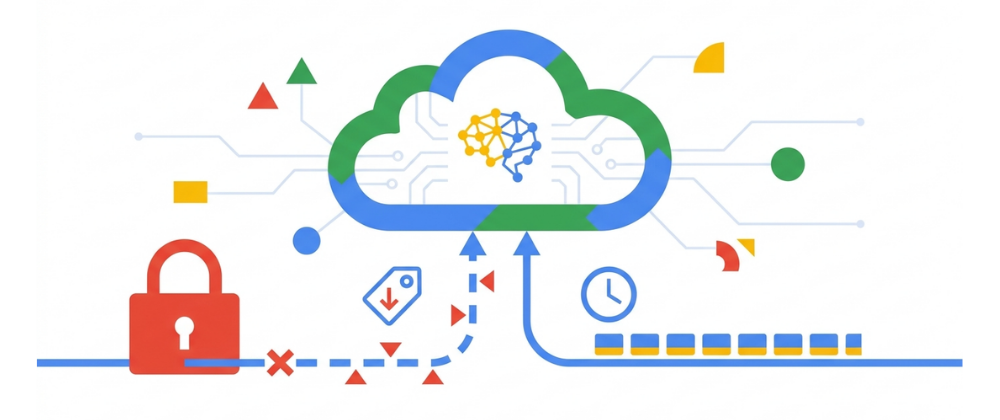
Use a ratio of 100:42 for best results.
published_at: 2026-05-20 20:10 +0000
You’ve built your model, your training code is containerized, and you’re ready to scale up on Google Kubernetes Engine (GKE). You go to provision your nvidia-h100-80gb node pool and... QUOTA_EXCEEDED.
It’s one of the most common (and frustrating) roadblocks in modern AI development. High-end accelerators like H100s, A100s, and TPUs are in massive demand, and securing permanent, on-demand quota for them can be difficult. But a lack of on-demand quota doesn't mean you're out of options.
GKE provides two powerful, cost-effective strategies for acquiring these scarce resources when you can't get standard, on-demand instances: Spot VMs and the Dynamic Workload Scheduler (DWS).
Let's break down what they are, when to use each, and how to implement them.
Strategy 1: Spot VMs
Spot VMs are Google Cloud's excess compute capacity sold at a massive discount, up to 90% off the price of standard on-demand VMs. They are perfect for workloads that can be interrupted.
The catch is that Spot VMs have no availability guarantee. Google Cloud can "preempt" (i.e., terminate) them at any time if that capacity is needed for on-demand customers. GKE gets a 30-second warning before the node is terminated. Kubernetes uses this window to gracefully shut down your application (giving non-system pods up to 15 seconds to wrap up) before the node vanishes.
When to use Spot VMs for accelerators
Spot VMs are ideal for workloads that are:
- Fault-tolerant and stateless: Your application can handle a node vanishing and having its pods rescheduled elsewhere.
- Batch processing: Jobs that can be easily restarted or have checkpointing built-in.
- CI/CD pipelines: Running tests or builds that don't need 100% uptime.
How to use Spot VMs in GKE
You can easily add a Spot VM node pool to your GKE Standard cluster. The key is to use Spot VMs for your workers, not your critical system pods.
- Create a dedicated Spot VM node pool:
- When creating a node pool, simply add the --spot flag and apply a taint so standard pods don't accidentally schedule there.
gcloud container node-pools create spot-gpu-pool \
  --cluster=my-cluster \
  --region=northamerica-northeast2 \
  --machine-type=g2-standard-4 \
  --accelerator=type=nvidia-l4,count=1 \
  --spot \
  --node-taints=cloud.google.com/gke-spot=true:NoSchedule
- Add the toleration to your workload's YAML:
# You want to "tolerate" that taint only on the specific workloads you want to run there.
apiVersion: apps/v1
kind: Deployment
metadata:
  name: my-batch-job
spec:
  template:
    # ... other specs
    spec:
      tolerations:
      - key: "cloud.google.com/gke-spot"
        operator: "Equal"
        value: "true"
        effect: "NoSchedule"
This architecture ensures your critical components stay on reliable on-demand nodes, while your interruptible training jobs run on the preemptible Spot nodes. (Note: If you are using GKE Autopilot, you simply request a Spot class in your pod spec and GKE handles the taints and nodes automatically!)
Strategy 2: Dynamic Workload Scheduler (DWS) with flex-start
What if your job can't be interrupted? Many large-scale training jobs can take days. While they might have checkpointing, restarting from scratch every few hours due to Spot preemptions is inefficient and costly.
This is where Dynamic Workload Scheduler (DWS) comes in.
DWS is a feature designed specifically for acquiring large amounts of scarce resources (like GPUs and TPUs) for batch workloads. It changes the request from "Give me this GPU right now" to "Give me this GPU when it becomes available."
The catch here is that your job doesn't start immediately. It enters a queue and might wait for minutes, hours, or even days for the resources to be provisioned.
There are a few massive upsides:
- It's a "get-in-line" system: Instead of you writing a script to retry the gcloud command every 5 minutes, DWS queues your request and provisions the nodes automatically when capacity is found.
- No preemptions: Once your DWS nodes are provisioned, they are yours for the entire duration of your job (up to seven days). They are not Spot VMs and will not be preempted.
- Cost savings: DWS workloads are also offered at a significant discount (up to 53% for L4 GPUs) compared to on-demand instances.
When to use DWS
DWS is perfect for:
- Model training or reinforcement learning (RL): Jobs that need to run uninterrupted for many hours or days.
- Batch inference: Running a large inference job on a massive dataset.
- Any workload that is not time-sensitive to start, but is sensitive to interruptions.
How to use DWS with flex-start
The flex-start mode in DWS is what enables this "wait-in-queue" behavior. If you are using a GKE Autopilot cluster (or a Standard cluster with Node Auto-provisioning enabled), implementing this is incredibly simple.
You do not need to create complex custom resources; you simply signal your intent via a nodeSelector in your standard Kubernetes Job object.
- Request flex-start in your Job:
- In your Job.yaml, add the cloud.google.com/gke-flex-start: "true" node selector alongside your accelerator request.
apiVersion: batch/v1
kind: Job
metadata:
  name: my-training-job
spec:
  template:
    spec:
      nodeSelector:
        cloud.google.com/gke-flex-start: "true"
        cloud.google.com/gke-accelerator: nvidia-tesla-a100
      containers:
      - name: my-trainer
        image: "gcr.io/my-project/my-training-image"
        resources:
          limits:
            nvidia.com/gpu: 1
      restartPolicy: Never
When you apply this Job, GKE sees the flex-start selector. It puts the Job's Pods into a Pending state until the DWS queueing system can provision the requested A100 node. Once the node is ready, the Pod is scheduled, your job runs to completion without interruption, and the node is automatically deprovisioned.
Which strategy should you choose?
Here's a simple cheat sheet:
| Feature | Spot VMs | DWS with flex-start |
|---|---|---|
| Best for | Fault-tolerant, interruptible workloads | Long-running, uninterruptible batch jobs |
| Primary trade-off | Starts fast, can be preempted at any time | Can wait hours/days to start |
| Cost savings | Up to 90% | Up to 50% |
| GKE mode | Standard or Autopilot | Standard or Autopilot |
| Implementation | --spot flag in a Node Pool | cloud.google.com/gke-flex-start nodeSelector |
By mastering both Spot VMs and the Dynamic Workload Scheduler, you can build a resilient and cost-effective AI platform on GKE, even when on-demand accelerator quota seems impossible to find.
Comments
More Blog
View allgemmaFive Gemma-4 models, one accelerator: what porting E2B 31B to AWS Inferentia2 taught me
I ported the whole Gemma-4 family — E2B, E4B, 12B, 31B, and the 26B-A4B MoE — to run on...
X
xbillcommunityHey DEV, I'm Tobore. Let's actually connect.
Hey DEV, I'm Tobore. Let's actually connect. I've been on here for a while now, mostly writing and...
L
Laurina AyarahaiI burned through thousands of AI tokens. Then a friend did it for free
(yep, kinda clickbait, just for the funsies 😊) At the beginning of the year, I relaunched my...
P
Paulo HenriqueaiClaude might be saturating your machine
My laptop was sitting idle with the fan at full tilt. Nothing was running that I knew of. The culprit...
S
Sidhant PandagithubactionsAutomated GitHub Code Reviews Using Google Gemini
I Built a Thing! TL;DR — Google Gemini-based Pull Request reviews and Issue Triaging for...
D
Darren "Dazbo" LesteraiWhat is an "agentic harness," actually?
I've been hearing the word "harness" thrown around a lot lately. I assumed it just meant "the IDE" or...
T
Tilde A. ThuriumReady-made automations for this
Workflows from the Neura Market marketplace related to this DeepSeek resource
- AI-Generated LinkedIn Posts with OpenAI, Google Sheets, & Email Approval Workflown8n · $14.99 · Related topic
- Convert Images to 3D Models with Faller AI and Store in Google Driven8n · $14.99 · Related topic
- Beginner Data Analysis: Merge, Filter & Summarize in Google Sheets with GP-40n8n · $14.99 · Related topic
- Automated Reservation System with Telegram, Google Gemini AI, and Google Sheetsn8n · $9.99 · Related topic