
Back to Blog terminal
 gemma
gemma community
 ai
ai ai
ai githubactions
 ai
ai
I Built a One-Command macOS Terminal Setup — Ghostty + Zsh + 30 Modern CLI Tools
satyamsoni2211 May 11, 2026
0 views
Stop wasting hours configuring your terminal. dev-accelerator sets up Ghostty, Zsh, Starship, and 30+ modern CLI tools with a single curl command.
title: "I Built a One-Command macOS Terminal Setup — Ghostty + Zsh + 30 Modern CLI Tools" published: true description: "Stop wasting hours configuring your terminal. dev-accelerator sets up Ghostty, Zsh, Starship, and 30+ modern CLI tools with a single curl command." tags: terminal, macos, productivity, opensource cover_image: https://dev-to-uploads.s3.amazonaws.com/uploads/articles/qx55705j6cdqv6c7u4gg.png
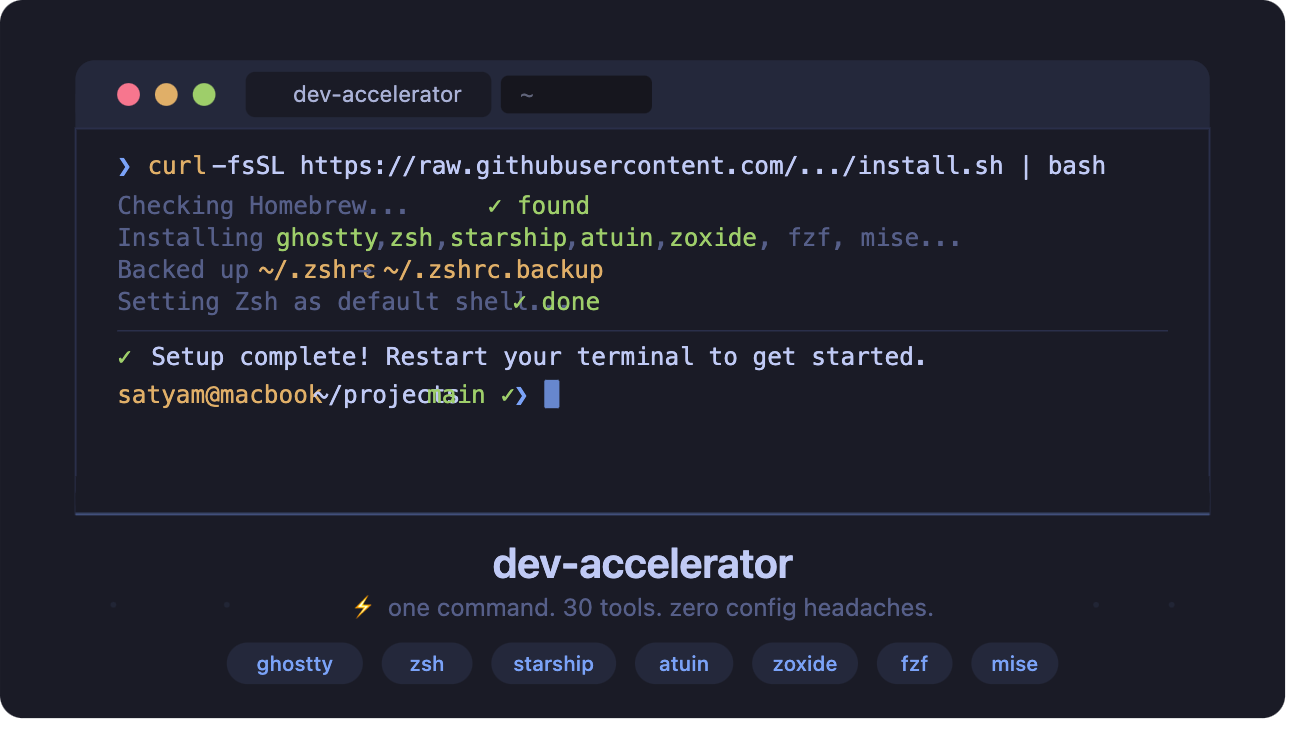
Every time I set up a new Mac, I'd spend half a day doing the same thing — installing Homebrew, picking a terminal, configuring Zsh plugins, hunting for that one tool I forgot the name of, fixing a broken .zshrc. It was tedious, error-prone, and felt like something a script could handle.
So I built dev-accelerator — a one-command macOS terminal setup that gets you from a fresh Mac to a fully productive terminal environment in minutes.
What it sets up
╭─────────────────────────────────────────────────────────────────────────╮
│ dev-accelerator ─ Ghostty + Zsh + 30 modern CLI tools │
├─────────────────────────────────────────────────────────────────────────┤
│ │
│ ❯ ls │
│ src/ tests/ docs/ setup.sh install.sh README.md │
│ │
│ ❯ git log --oneline │
│ a3f1c2e feat: add zoxide smart cd integration │
│ b89d041 fix: backup .zshrc before modification │
│ │
│ satyam@macbook ~/projects/dev-accelerator main ✓ took 0.3s │
╰─────────────────────────────────────────────────────────────────────────╯
Here's the full picture of what gets installed and configured:
- Ghostty — a GPU-accelerated terminal emulator, pre-configured with the Catppuccin theme
- Zsh with
zsh-autosuggestionsandzsh-syntax-highlighting - Starship prompt using the gruvbox-rainbow preset
- Atuin — shell history that syncs across machines and is actually searchable
- Zoxide — a smarter
cdthat learns your most-visited directories - FZF — fuzzy finder wired into your shell for files, history, and more
- Mise — a single runtime version manager replacing nvm, pyenv, and rbenv
Plus a full suite of modern CLI replacements for the outdated Unix defaults you've been living with.
Modern CLI tools: out with the old
One of the best parts of this setup is swapping out stale Unix tools for modern, faster, friendlier alternatives:
| Old tool | New tool | Why it's better |
|---|---|---|
ls | eza | Icons, git status, tree view |
cat | bat | Syntax highlighting, line numbers, git diff |
grep | ripgrep | 10–100x faster, respects .gitignore |
find | fd | Simpler syntax, faster, colorized output |
cd | zoxide | Learns your habits, jump with z proj |
top | bottom (btm) | Beautiful TUI with graphs |
ps | procs | Human-readable, colorized, searchable |
man | tealdeer | Practical examples instead of dense manpages |
| git CLI | lazygit / gitui | Full TUI git workflows |
tar/zip | ouch | One tool for all archive formats |
One command to rule them all
curl -fsSL https://raw.githubusercontent.com/satyamsoni2211/dev-accelerator/main/install.sh | bash
That's it. The script:
- Checks if Homebrew is installed — installs it if not
- Dynamically checks which packages are already installed — skips them
- Configures Zsh with all plugins
- Sets up the Starship prompt
- Creates the Ghostty config with Catppuccin theme
- Backs up your existing
.zshrcbefore touching anything - Sets Zsh as your default shell
The "backs up your .zshrc" part matters — I've seen too many setup scripts that just overwrite your config without asking.
Two ways to install
Not everyone wants to pipe a script into bash (fair!), so there's also a manual option:
Option 1: One-click (above)
Best for getting started fast on a new machine.
Option 2: Homebrew + setup script
git clone https://github.com/satyamsoni2211/dev-accelerator.git
cd dev-accelerator
./setup.sh
Gives you an interactive prompt to choose what to install.
2025/2026 tools worth knowing
Beyond the classics, the setup also includes some newer tools that have become part of my daily workflow:
- Zellij — a terminal workspace (tmux alternative) with a much friendlier UX and built-in layouts
- delta — a
git diffpager with syntax highlighting that makes reviewing changes actually pleasant - tokei — counts lines of code by language, blazing fast
- uv — the new standard for Python package management; it's dramatically faster than pip
- direnv — automatically loads
.envfiles when you enter a directory, unloads when you leave
What's next
A few things I'm planning to add:
- Linux support (Ubuntu/Debian)
- Neovim pre-configuration as an optional module
- A
--minimalflag for the install script (just shell + core tools, no terminal emulator) - iTerm2 as an alternative to Ghostty for those who prefer it
Give it a try
The project is open source under the MIT license.
👉 github.com/satyamsoni2211/dev-accelerator
If you try it out, I'd love to hear what tools you'd add or what your current setup looks like. And if you find a bug, issues and PRs are very welcome — see CONTRIBUTING.md to get started.
What's your go-to terminal tool that most developers haven't heard of? Drop it in the comments — I'm always looking for new additions.
Comments
More Blog
View allgemmaFive Gemma-4 models, one accelerator: what porting E2B 31B to AWS Inferentia2 taught me
I ported the whole Gemma-4 family — E2B, E4B, 12B, 31B, and the 26B-A4B MoE — to run on...
X
xbillcommunityHey DEV, I'm Tobore. Let's actually connect.
Hey DEV, I'm Tobore. Let's actually connect. I've been on here for a while now, mostly writing and...
L
Laurina AyarahaiI burned through thousands of AI tokens. Then a friend did it for free
(yep, kinda clickbait, just for the funsies 😊) At the beginning of the year, I relaunched my...
P
Paulo HenriqueaiClaude might be saturating your machine
My laptop was sitting idle with the fan at full tilt. Nothing was running that I knew of. The culprit...
S
Sidhant PandagithubactionsAutomated GitHub Code Reviews Using Google Gemini
I Built a Thing! TL;DR — Google Gemini-based Pull Request reviews and Issue Triaging for...
D
Darren "Dazbo" LesteraiWhat is an "agentic harness," actually?
I've been hearing the word "harness" thrown around a lot lately. I assumed it just meant "the IDE" or...
T
Tilde A. ThuriumReady-made automations for this
Workflows from the Neura Market marketplace related to this DeepSeek resource
- Multi-service Terminal: Access Gmail, IRC, Telegram & News with Gemini AIn8n · $9.99 · Related topic
- Create a REST API for PDF Digital Signatures with Webhooksn8n · $24.99 · Related topic
- Build AI Agents with Think-Plan-Act Architecture Using Llama-4 Reasoningn8n · $24.99 · Related topic
- Auto-Publish Content to 9 Social Platforms with Blotato & Airtablen8n · $24.99 · Related topic