
Back to Blog java
java
 gemma
gemma community
 ai
ai ai
ai githubactions
 ai
ai
Why My "Lightning Fast" Spring Boot Native App Took 9 Seconds to Boot on Fly.io
Albert April 2, 2026
0 views
We’ve all heard the promise of GraalVM and Spring Boot Native: Sub-second cold starts! Instant scaling! A fraction of the memory! So, I spent the time configuring my Spring Boot 4 app to compile into a native image
title: Why My "Lightning Fast" Spring Boot Native App Took 9 Seconds to Boot on Fly.io published: true description: We’ve all heard the promise of GraalVM and Spring Boot Native: Sub-second cold starts! Instant scaling! A fraction of the memory! So, I spent the time configuring my Spring Boot 4 app to compile into a native image tags: #java, #springboot, #architecture, #debugging cover_image: https://dev-to-uploads.s3.amazonaws.com/uploads/articles/mdjmz5im9lbug5teadae.png
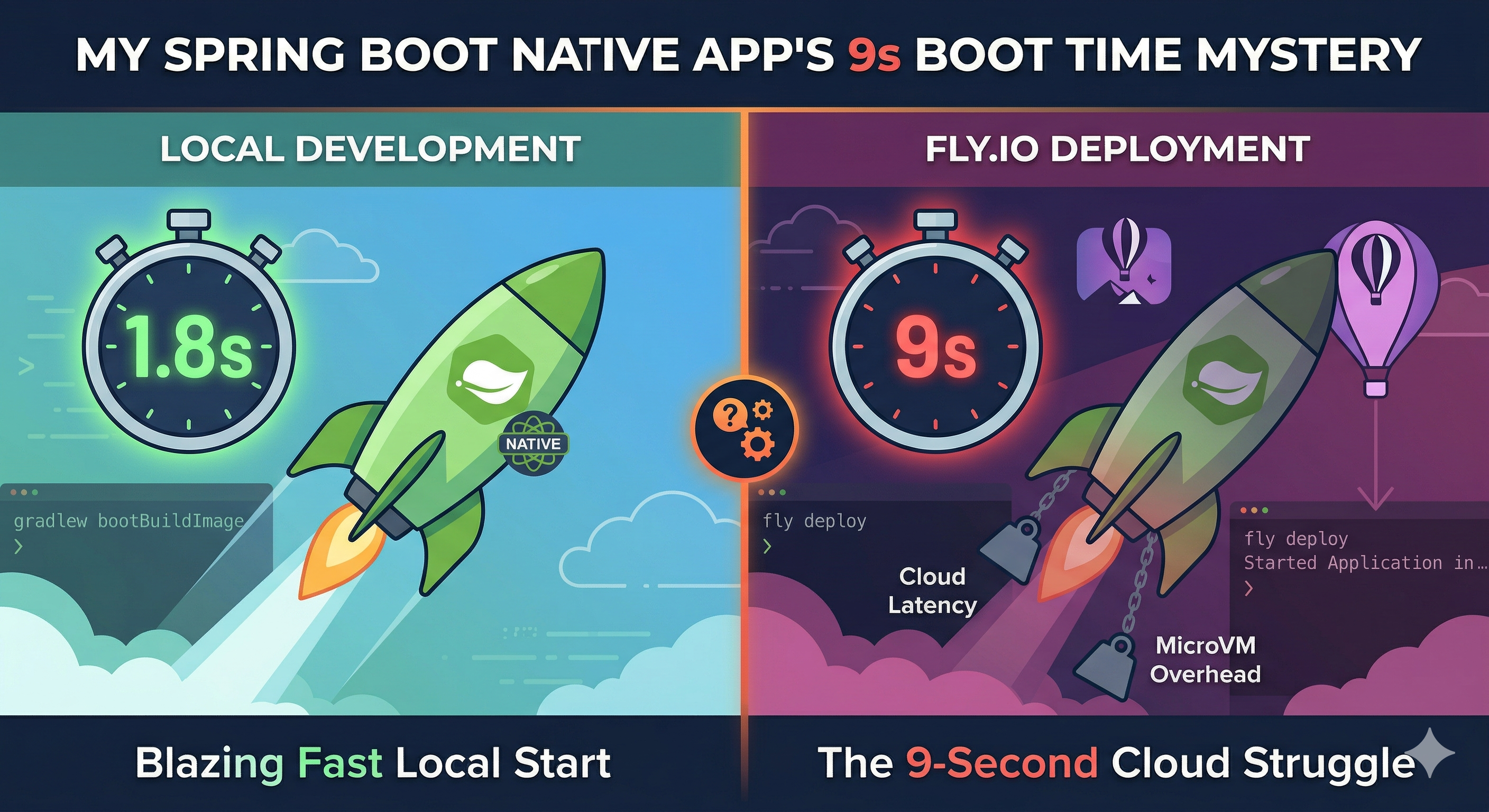
Use a ratio of 100:42 for best results.
published_at: 2026-04-02 18:23 +0000
Why My "Lightning Fast" Spring Boot Native App Took 9 Seconds to Boot on Fly.io
We’ve all heard the promise of GraalVM and Spring Boot Native: sub-second cold starts! Instant scaling! A fraction of the memory! So, I spent the time configuring my Spring Boot 4 app to compile into a native image. Locally, inside a Docker container, it booted in a highly respectable 1.7 seconds. Feeling triumphant, I deployed it to Fly.io, expecting instantaneous "scale-to-zero" magic.
I checked the logs.
Started Application in 9.026 seconds.
Wait, what? 9 seconds? For a pre-compiled native binary? Thus began my descent into a debugging rabbit hole that fundamentally changed how I view cloud hardware, GraalVM, and the "scale-to-zero" paradigm.
Here is the story of how I debugged a 9-second cold start, and why I eventually decided to abandon scale-to-zero altogether.
The Setup
- Framework: Spring Boot 4 + Hibernate + Flyway
- Java Version: Java 25
- Build Tool: Gradle with the GraalVM Native Build Tools plugin
- Infrastructure: Fly.io (shared-cpu-1x, 512MB RAM)
- Database: PostgreSQL hosted on AWS RDS (us-east-1)
The most baffling part was that my local Docker container in Colombia was pointing to the same AWS RDS database, and it still started in 1.7 seconds. So, the code was fine, and the database was reachable. What was happening in the cloud?
Down the Debugging Rabbit Hole
Hypothesis 1: CPU Throttling and Memory Thrashing
My first thought was that GraalVM’s Serial Garbage Collector was thrashing within the tiny 512MB memory limit of my Fly.io microVM, or that the shared CPU was just too weak.
- The Test: I scaled the machine up to a dedicated performance CPU and 2 GB of RAM.
- The Result:
Started Application in 9.041 seconds.
It didn't shave off a single millisecond. It wasn't a resource starvation issue.
Hypothesis 2: IPv6 and OS Entropy Blocking
Cloud microVMs can sometimes hang during startup if they lack OS-level entropy (needed for secure random number generation by Tomcat/Hikari) or if they timeout trying to resolve IPv6 DNS records before falling back to IPv4.
- The Test: I passed standard Java arguments to bypass both:
[env]
  JAVA_TOOL_OPTIONS = "-Djava.net.preferIPv4Stack=true -Djava.security.egd=file:/dev/./urandom"
- The Result:
Started Application in 9.037 seconds.
Still 9 seconds.
Hypothesis 3: Spring Boot's Eager Initialization
Maybe Spring was doing too much work on the main thread?
- The Test: I forced global lazy initialization (
SPRING_MAIN_LAZY_INITIALIZATION=true). - The Result:
Started Application in 9.237 seconds.
It actually got slower.
This was because I was using the /actuator/health endpoint for fly.io to recognize that the app was healthy, and when you do that, the actuator actually performs a series of checks that then create all the beans required for the app to run and show as healthy.
Even though you can change this behavior. I abandoned the idea of lazy initialization because all my requests perform operations in the DB, so I think this was not the solution to my problem.
The "Aha!" Moment: The Reality of Cloud MicroVMs
After staring at timestamps, the reality of cloud architecture finally set in. The 9-second boot wasn't a bug; it was the natural hardware limit of running a heavy Spring Boot 4 app on a microVM.
It came down to two major bottlenecks:
1. Single-Threaded CPU Limits
GraalVM Native Image initialization is strictly single-threaded. Locally, my developer laptop has a massive single-core burst speed (4.0 GHz+). Cloud microVMs are carved out of massive, stable server chips (like AMD EPYC) with much lower single-core clock speeds (~2.5 GHz). Throwing cpus = 4 at the app did nothing, because startup only uses one core. The laptop chewed through Spring's AOT wiring in milliseconds; the cloud vCPU took seconds.
2. The Network Penalty (Flyway & HikariCP)
My app included Flyway and HikariCP. During startup, it had to:
- Resolve the AWS RDS DNS hostname.
- Perform the SSL handshake.
- Run Flyway schema validations across the public internet.
- Fetch Hibernate metadata.
Locally, the CPU steps were so fast they hid the network delay. On Fly.io, the slower CPU combined with the network hops compounded into a massive 9-second wall.
The Scale-to-Zero Dilemma
When your goal is to "scale to zero," a 9-second cold start is a death sentence. The first user to hit your API after it spins down has to wait 9 seconds just for the server to wake up.
I considered my options:
- Switch to Quarkus? It might shave a few seconds off by shifting more reflection to compile time, but the network handshakes (Flyway/RDS) would still block the startup thread.
- Rewrite in Go? A Go REST API compiles to a tiny binary and could probably cold-start and serve a request in under 100 ms. But rewriting the entire application wasn't feasible.
So, I made the pragmatic choice: I abandoned scale-to-zero.
The Pragmatic Solution: Always-On
For a typical REST API, leaving a single small instance running 24/7 on Fly.io costs roughly $3 to $5 a month. By setting a minimum machine count of 1, the first instance stays warm perpetually, guaranteeing instant responses.
But this led to a new architectural question: If the app is running 24/7, should I stick with the GraalVM Native Image, or go back to the standard JVM?
Here is the mental model I landed on for deploying Spring Boot 4:
Go back to the JVM if:
You can afford to run your container with 1GB+ of RAM.
- Peak Performance: The JVM's Just-In-Time (JIT) compiler will eventually outperform the Native Image's AOT compiler on a long-running server.
- Developer Experience: Your CI/CD builds will take seconds instead of 10+ minutes, and you get your profiling and debugging tools back.
Stick with the Native Image if:
You want to keep infrastructure costs as close to $0 as possible.
- Memory Survival: If you are deploying on a tiny 256MB or 512MB instance, the JVM will feel claustrophobic and might get killed by the Linux OOM killer. The Native Image's incredibly tiny RAM footprint is the only way a heavy Spring + Hibernate application survives comfortably in that small of a box.
Conclusion
I ended up switching back to the standard JVM. I bumped my Fly.io machine up to 1 GB of RAM to give the JVM enough breathing room, turned off Flyway at startup (spring.flyway.enabled=false) to speed up future horizontal scaling, and set my configuration to leave one instance running permanently.
The extra couple of dollars a month for the upgraded RAM was entirely worth the blazing-fast CI/CD builds, easier debugging, and the peace of mind knowing the JVM's JIT compiler was optimizing my hot paths under the hood.
Scale-to-zero is a cool concept, but sometimes, paying a few bucks a month to let your server sleep with one eye open is the best engineering decision you can make.
Have you struggled with Native Image cold starts in the cloud? Did you rewrite it in Go/Rust, or just leave the server running? Please let me know in the comments!
Comments
More Blog
View allgemmaFive Gemma-4 models, one accelerator: what porting E2B 31B to AWS Inferentia2 taught me
I ported the whole Gemma-4 family — E2B, E4B, 12B, 31B, and the 26B-A4B MoE — to run on...
X
xbillcommunityHey DEV, I'm Tobore. Let's actually connect.
Hey DEV, I'm Tobore. Let's actually connect. I've been on here for a while now, mostly writing and...
L
Laurina AyarahaiI burned through thousands of AI tokens. Then a friend did it for free
(yep, kinda clickbait, just for the funsies 😊) At the beginning of the year, I relaunched my...
P
Paulo HenriqueaiClaude might be saturating your machine
My laptop was sitting idle with the fan at full tilt. Nothing was running that I knew of. The culprit...
S
Sidhant PandagithubactionsAutomated GitHub Code Reviews Using Google Gemini
I Built a Thing! TL;DR — Google Gemini-based Pull Request reviews and Issue Triaging for...
D
Darren "Dazbo" LesteraiWhat is an "agentic harness," actually?
I've been hearing the word "harness" thrown around a lot lately. I assumed it just meant "the IDE" or...
T
Tilde A. ThuriumReady-made automations for this
Workflows from the Neura Market marketplace related to this DeepSeek resource
- Automate Blog Content Creation with Notion MCP, DeepSeek AI, and WordPressn8n · $9.99 · Related topic
- Generate AI Videos from Scripts with DeepSeek, Synthesia, and Together.ain8n · $24.99 · Related topic
- Compare Multi-Period Financial Data from Google Sheets with DeepSeek AI Analysisn8n · $14.99 · Related topic
- PostgreSQL Conversational Agent with Claude & DeepSeek (Multi-KPI, Secure)n8n · $14.99 · Related topic