
Back to Blog java
java
 gemma
gemma community
 ai
ai ai
ai githubactions
 ai
ai
Generating an aerial view of your project with OpenRewrite
Kosmik March 25, 2026
0 views
Read it in french here In the previous article, we discussed (well, I wrote, you read) Scanning...
title: Generating an aerial view of your project with OpenRewrite tags: java, jreleaser, openrewrite, graph cover_image: https://dev-to-uploads.s3.amazonaws.com/uploads/articles/t1ybqf9x4vz6tgj47kkn.webp canonical_url: https://jtama.github.io/posts/en/generating-an-aerial-view-of-your-project-with-openrewrite/ series: Openrewrite published: true
Read it in french here
In the previous article, we discussed (well, I wrote, you read) Scanning Recipes when you need complete information to make a decision, or to generate code ex nihilo.
I promised you a little toy at the end... The time has come for the reveal: the Project Graph Generator.
The Need: Mapping Your Code
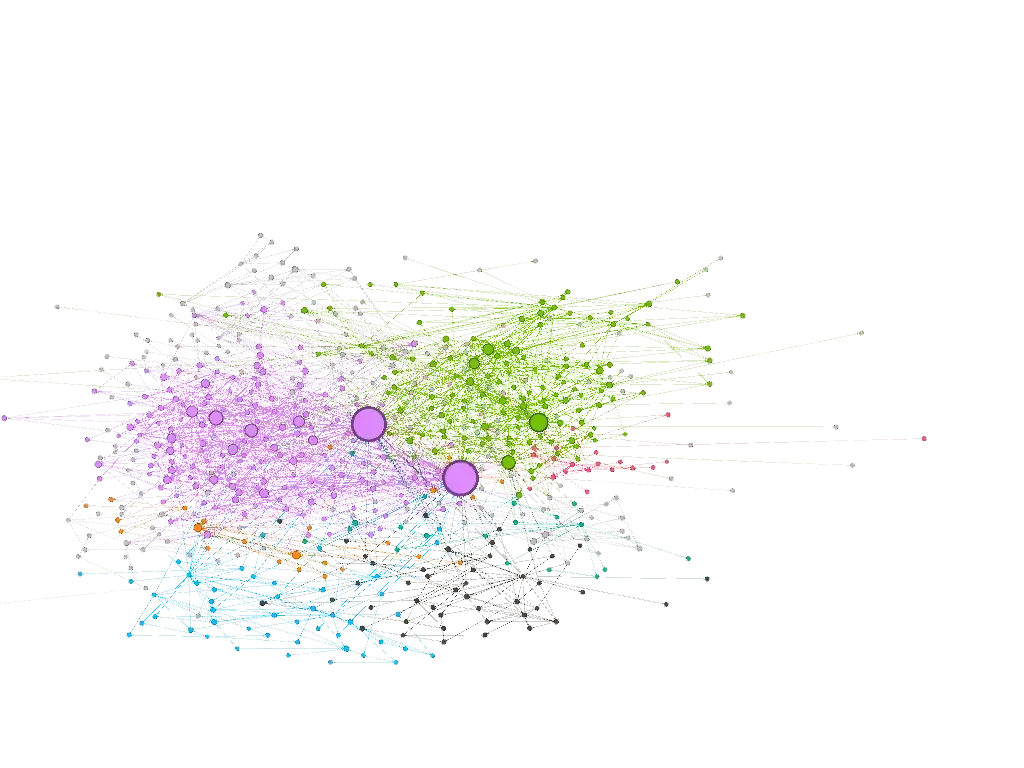
It’s sometimes difficult to get a global view of the dependencies within your own code. Is this package too tightly coupled to others? What is the central class of my domain? Has my wonderful initial design withstood the ravages of time?
Since OpenRewrite already knows how to build the complete LST of your codebase, it’s not exactly complicated to traverse it to deduce relationships.
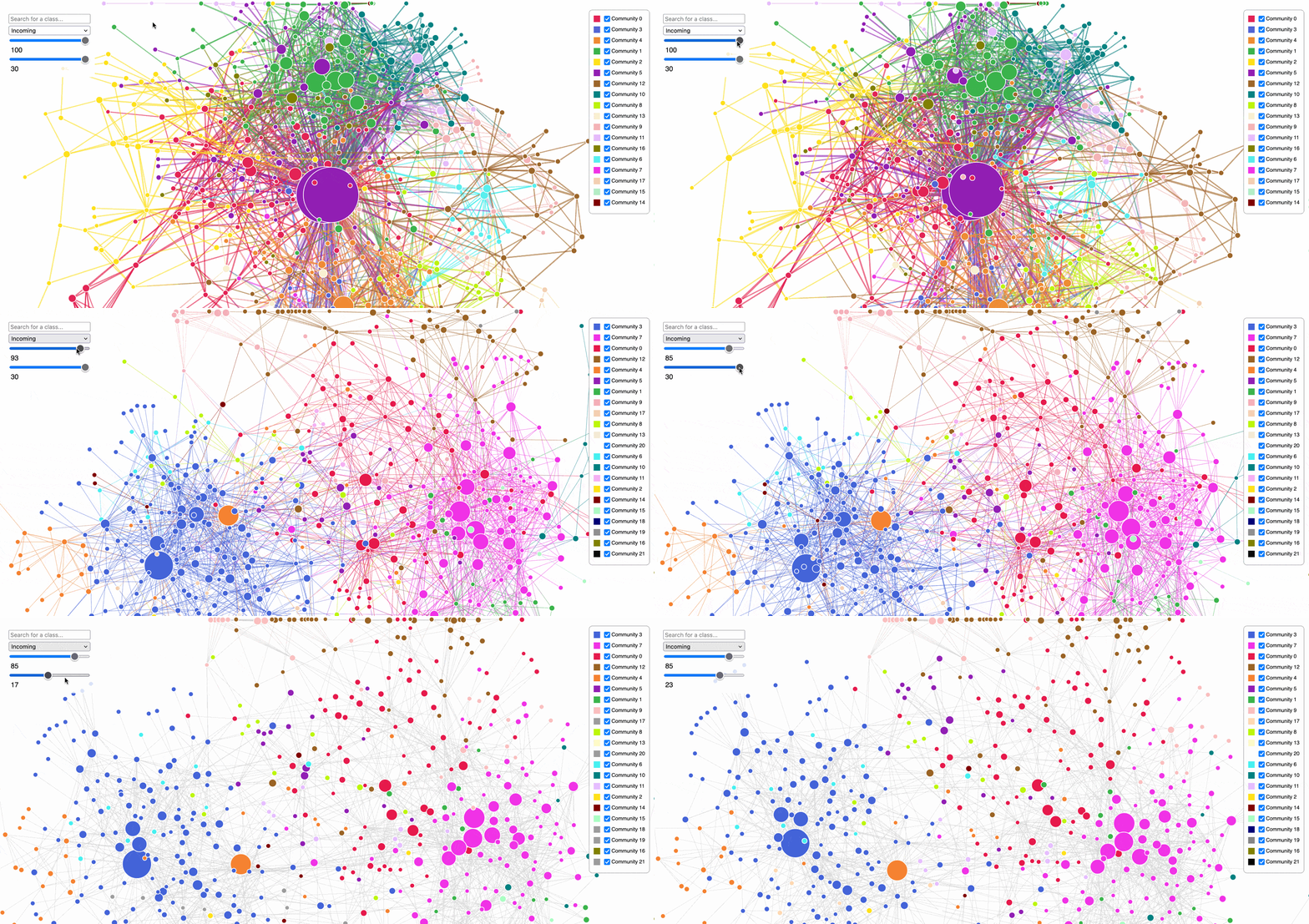
This is exactly the goal of the project-graph-generator project: scanning your sources to deduce a dependency graph and produce a simple HTML page using D3.js to display it.
TL;DR;
Oh thou, who doesn’t want to know more, but only wants to play with the graph, go no further than this chapter, you might gain some knowledge!
The project is easily usable via the rewrite-maven-plugin or any other way to trigger an OpenRewrite recipe. Here is the command to launch a complete analysis of your project:
mvn -U org.openrewrite.maven:rewrite-maven-plugin:run \
-Drewrite.recipeArtifactCoordinates=io.github.jtama:project-graph-generator:RELEASE \ ①
-Drewrite.activeRecipes=io.github.jtama.openrewrite.ProjectAerialViewGenerator \
-Drewrite.exportDatatables=true
RELEASE=latest
Once the analysis is complete, the plugin generates a standalone HTML file containing the data AND the visualization. Simply open the class-diagram.html file at the root of your project in your browser to explore the web of your architecture.
You can also pass additional options to filter the nodes according to your needs:
maxNodes=20
Filters for classes with the highest number of incoming connections.basePackages=com.mycompany
Forces the target base packageincludeTests=true
Also include test classes.
To learn more 👉 Here is the project repository. Go ahead, it’s open source, use it, fork it, make issues and pull requests!

The Mechanics: Analysis Without Modification
Under the hood, the tool is based on the ScanningRecipe concept we saw previously. The major difference here is that the generation phase generates HTML*, and the modification* phase (visit) does nothing, nada, zilch. The entire goal of the recipe is concentrated in the first pass: scanning the LST. Well, no, not the goal, rather the intelligence (not the A.I. kind).
It all starts with an accumulator - our famous graph - which will store the classes (Nodes) and their relationships (Links) as the scan progresses:
public static class GraphScanAccumulator {
    public List<Node> nodes = new ArrayList<>(); // ①
    public List<Link> links = new ArrayList<>();

    // ... search methods findNode() and findLink()
}
- Did you seriously think I was going to explain this line?
To fill this graph, we will traverse the LST using a JavaIsoVisitor.
First, we identify each component of our architecture by overriding the visitClassDeclaration method. Each new class encountered becomes a "Node":
@Override
public J.ClassDeclaration visitClassDeclaration(J.ClassDeclaration classDecl, ExecutionContext ctx) {
    if (includeTests() || not(isTestClass()).test(getCursor())) { // ①

        if (classDecl.getType() != null) {
            String fqn = classDecl.getType().getFullyQualifiedName();
            graph.findNode(fqn).orElseGet(() -> { // ②
                Node newNode = new Node(fqn, classDecl.getType().getPackageName());
                graph.nodes.add(newNode);
                return newNode;
            });
        }
        return super.visitClassDeclaration(classDecl, ctx); // ③
    }
    return classDecl;
}
- We only look at test classes if explicitly requested.
- We use our
graphaccumulator to register the current class if it hasn’t been seen already. - We don’t forget to call
superso that the visitor continues to descend into the tree. If and only if the class is of interest to us, otherwise, we don’t waste our time.
Next, we must weave the web. How do we know that class A depends on class B? We simply capture type usages (method calls, fields access, instantiations). For example, here’s how we proceed for method invocations:
@Override
public J.MethodInvocation visitMethodInvocation(J.MethodInvocation method, ExecutionContext ctx) {
    var mi = super.visitMethodInvocation(method, ctx); // ①

    JavaType.FullyQualified targetType = mi.getMethodType() != null ? mi.getMethodType().getDeclaringType() : null; // ②

    if (targetType != null) {
        addLink(targetType); // ③
    }
    return mi;
}
- Let the visitor visit.
- Extract the type information (
JavaType) carried by the invoked method to know which class it belongs to. The type can benull, particularly if OpenRewrite failed to determine it. - Invoke the
addLinkmethod.
The addLink method contains all the logic allowing us to determine if the targetType interests us, that is to say if it is part of the target packages. If so, we create a new link or strengthen an existing one.
The same logic is obviously applied to member references, class fields, constructor invocations, etc.
This is the beauty of OpenRewrite’s model: the LST is already perfectly typed by the compiler during parsing. We don’t need to guess who an invoked method belongs to, the type information tells us with certainty.
Going Further: Raw Export with Datatables
Generating an HTML page is nice. But what if you want to cross-reference this data, render it yourself in a tool like Gephi, or even provide it as context to an LLM to audit your architecture?
This is where OpenRewrite’s Datatables come in. In addition to the view, project-graph-generator can export metadata in the form of easily usable CSV files:
- *
target/rewrite/datatables/io.github.jtama.openrewrite.model.NodesReport.csv*
Contains all the classes found with their package and their number of incoming/outgoing connections. - *
target/rewrite/datatables/io.github.jtama.openrewrite.model.LinksReport.csv*
Exhaustive list of links between classes with an associated weight. - *
target/rewrite/datatables/io.github.jtama.openrewrite.model.JavaSourceFileExcludedReport.csv*
All classes that were excluded from the final result (often due to package filtering).
Now, it’s your turn. Run the scanner on your legacy, and contemplate (or be frightened by) the extent of the web!
P.S.: As you may have noticed, this plugin is distributed on Maven Central (io.github.jtama:project-graph-generator). If you’re wondering how to easily automate the entire publication chain without tearing your hair out, I recommend you take a look at my JReleaser tutorial.
Comments
More Blog
View allgemmaFive Gemma-4 models, one accelerator: what porting E2B 31B to AWS Inferentia2 taught me
I ported the whole Gemma-4 family — E2B, E4B, 12B, 31B, and the 26B-A4B MoE — to run on...
X
xbillcommunityHey DEV, I'm Tobore. Let's actually connect.
Hey DEV, I'm Tobore. Let's actually connect. I've been on here for a while now, mostly writing and...
L
Laurina AyarahaiI burned through thousands of AI tokens. Then a friend did it for free
(yep, kinda clickbait, just for the funsies 😊) At the beginning of the year, I relaunched my...
P
Paulo HenriqueaiClaude might be saturating your machine
My laptop was sitting idle with the fan at full tilt. Nothing was running that I knew of. The culprit...
S
Sidhant PandagithubactionsAutomated GitHub Code Reviews Using Google Gemini
I Built a Thing! TL;DR — Google Gemini-based Pull Request reviews and Issue Triaging for...
D
Darren "Dazbo" LesteraiWhat is an "agentic harness," actually?
I've been hearing the word "harness" thrown around a lot lately. I assumed it just meant "the IDE" or...
T
Tilde A. ThuriumReady-made automations for this
Workflows from the Neura Market marketplace related to this DeepSeek resource
- Generating AI Videos with VEO3 and Distributing with Blotato Across Multiple Platformsn8n · $14.99 · Related topic
- Create a REST API for PDF Digital Signatures with Webhooksn8n · $24.99 · Related topic
- Build AI Agents with Think-Plan-Act Architecture Using Llama-4 Reasoningn8n · $24.99 · Related topic
- Auto-Publish Content to 9 Social Platforms with Blotato & Airtablen8n · $24.99 · Related topic