
Back to Blog security
 gemma
gemma community
 ai
ai ai
ai githubactions
 ai
ai
A Small Hardening Trick for .env.local: dotenvx + OS Keychain
Ustun Ozgur March 25, 2026
0 views
A defense layer against increasing supply chain attacks that read your .env files
title: A Small Hardening Trick for .env.local: dotenvx + OS Keychain published: true description: A defense layer against increasing supply chain attacks that read your .env files tags: security, dotenv, dotenvx, secrets cover_image: https://dev-to-uploads.s3.amazonaws.com/uploads/articles/o08knhsrnxihjclggbem.png
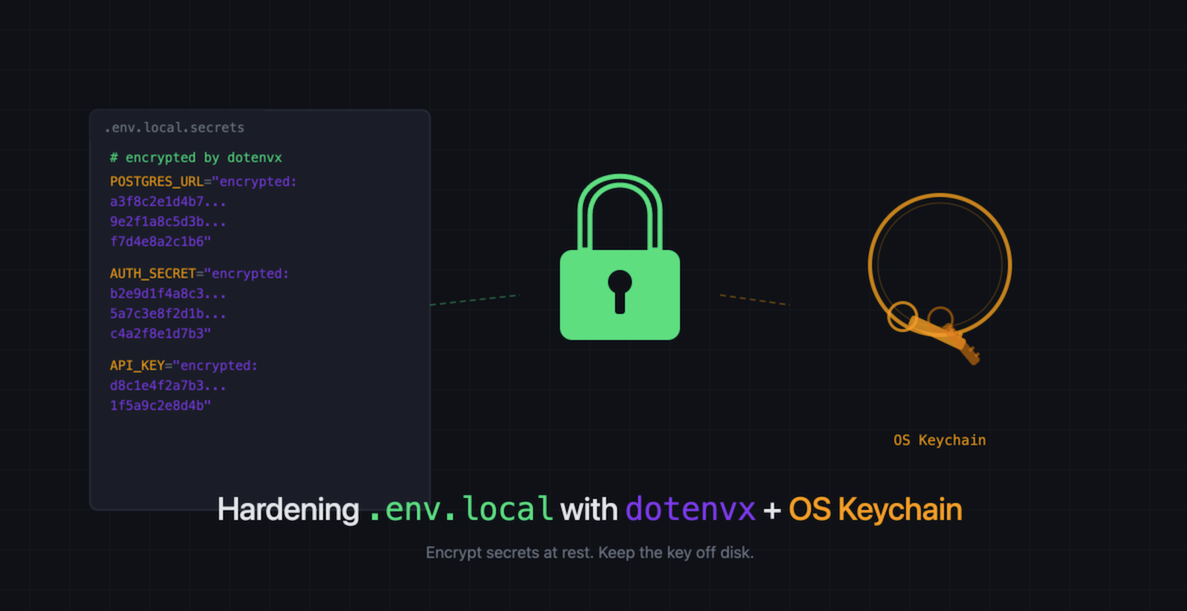
cover_image: https://direct_url_to_image.jpg
Use a ratio of 100:42 for best results.
published_at: 2026-03-25 08:25 +0000
Most teams keep local secrets in .env.local and add that file to .gitignore.
That is the bare minimum, and it does not address a more pressing risk: supply
chain attacks and compromised local tooling that read .env files as soon as
they get repo access.
Once a malicious dependency, postinstall script, editor extension, MCP server,
AI coding tool, or other local helper can inspect your workspace, plain-text
.env.local files become low-effort, high-value targets.
I wanted a low-friction way to reduce that blast radius without forcing the whole team onto a heavyweight secrets manager for day-to-day local development.
This is the pattern I landed on:
- keep non-secret local config in
.env.local - move actual secrets into
.env.local.secrets - encrypt
.env.local.secretswithdotenvx - move the decryption key out of disk and into macOS Keychain
- load
.env.localfirst, then only decrypt secrets when an explicit opt-in flag says to
Important distinction: I am not using dotenvx the way it is often
marketed, where encrypted env files are committed to the repo and shared that
way. This setup is local-only. The encrypted file and .env.keys both stay
uncommitted, and I prefer it that way. Committing encrypted env files is useful
when you want team-wide encrypted config distribution, but that was not my goal.
I wanted to reduce plaintext secrets on developer machines and raise the cost of
tools that slurp local env files, while keeping the workflow simple enough that
teammates actually use it.
The setup
Start with a normal .env.local, then split it:
.env.local: safe local config, feature flags, non-secret defaults.env.local.secrets: secrets only
Example:
# .env.local
BETTER_AUTH_URL=http://localhost:3000
USE_KEYCHAIN_FOR_DOTX=true
# .env.local.secrets
POSTGRES_URL=postgres://...
GOOGLE_CLIENT_SECRET=...
BETTER_AUTH_SECRET=...
Make sure your .gitignore covers all the pieces:
.env.local
.env.local.secrets
.env.keys
Then encrypt the secrets file:
pnpm exec dotenvx encrypt -f .env.local.secrets
That gives you an encrypted .env.local.secrets and a decryption key in
.env.keys.
At this point, you have improved at-rest security a bit, but the key is still on disk, which is not the end state we want.
Why bother with the extra steps?
There have been enough supply chain and developer tooling incidents lately that I no longer treat "it is gitignored" as a meaningful security boundary. Once something malicious lands in your development environment, one of the first profitable things it can do is read local env files and exfiltrate credentials.
Encrypting local secrets at rest is not a complete defense, but it is a useful speed bump:
- secrets are no longer sitting in plaintext on disk
- the decryption key can live in the OS keychain instead of another dotfile
- accidental repo-wide file reads become less damaging
- you can keep the workflow mostly compatible with existing frameworks
This does not protect secrets after your app starts. At runtime, the process still has decrypted environment variables in memory. But that is still better than leaving everything plaintext on disk all the time.
Move the key into macOS Keychain
Copy the DOTENV_PRIVATE_KEY_LOCAL_SECRETS value from .env.keys, then store it
in Keychain:
security add-generic-password -U \
  -a LOCAL_SECRETS_DOTENVX_KEY \
  -s LOCAL_SECRETS_DOTENVX_KEY \
  -w
With security, keeping -w as the last argument makes it prompt you for the
secret instead of putting it in your shell history.
The LOCAL_SECRETS_DOTENVX_KEY label is just an example. Pick any consistent
Keychain item name you want, then use that same name everywhere in your scripts.
Now you can delete .env.keys. Before you do, stash the key somewhere safe
outside the repo. A password manager like 1Password is a good choice. You will
need it if you set up another machine or need to recover.
With that, your decryption key is no longer sitting next to the repo in another plaintext file.
Linux and Windows. This post uses macOS Keychain, but the same idea applies elsewhere. On Linux,
secret-tool(backed bylibsecretand GNOME Keyring or KWallet) fills the same role. On Windows, you can use Credential Manager via PowerShell'sGet-StoredCredential/New-StoredCredentialcmdlets. The loading pattern stays the same; only the key retrieval command changes.
The loading pattern
The subtle part is loader order.
If you want a flag like USE_KEYCHAIN_FOR_DOTX=true to live in .env.local,
your app needs to read .env.local before it decides whether to pull the
decryption key from Keychain.
That means the loader should do this:
- Load
.env - Load
.env.local - Check
USE_KEYCHAIN_FOR_DOTX - If enabled, read
DOTENV_PRIVATE_KEY_LOCAL_SECRETSfrom Keychain - Load
.env.local.secrets
Here is the core idea in TypeScript:
import { execFileSync } from "node:child_process";
import { existsSync } from "node:fs";
import { resolve } from "node:path";
import { config } from "@dotenvx/dotenvx";

export function loadEnv(): void {
  for (const file of [".env", ".env.local"]) {
    const path = resolve(process.cwd(), file);
    if (existsSync(path)) {
      config({ path });
    }
  }

  const localSecretsPath = resolve(process.cwd(), ".env.local.secrets");
  if (!existsSync(localSecretsPath)) {
    return;
  }

  if (process.env.USE_KEYCHAIN_FOR_DOTX === "true") {
    try {
      process.env.DOTENV_PRIVATE_KEY_LOCAL_SECRETS = execFileSync(
        "security",
        [
          "find-generic-password",
          "-a",
          "LOCAL_SECRETS_DOTENVX_KEY",
          "-s",
          "LOCAL_SECRETS_DOTENVX_KEY",
          "-w",
        ],
        { encoding: "utf-8" }
      ).trim();
    } catch (err) {
      throw new Error(
        "Failed to read decryption key from macOS Keychain. " +
          "Make sure the LOCAL_SECRETS_DOTENVX_KEY item exists. " +
          "See scripts/store-keychain-key.sh for setup.",
        { cause: err }
      );
    }
  }

  config({ path: localSecretsPath, overload: true });

  // The private key has done its job. Remove it from the environment so it
  // is not visible in process.env dumps or child process inheritance.
  delete process.env.DOTENV_PRIVATE_KEY_LOCAL_SECRETS;
}
Three notes:
execFileSyncwill throw on a non-zero exit, so the try/catch above turns a cryptic child-process error into a clear setup instruction- the
deleteat the end matters: oncedotenvxhas decrypted the secrets into their individual env vars, the private key has no further purpose; leaving it inprocess.envmeans any code that inspects the environment (logging, diagnostics, error reporters) could leak the one key that decrypts the file - do not log even partial key material during startup. That is easy to get wrong when debugging the integration
One thing this does not protect against: once your app is running, the
decrypted secrets are plain strings in process.env. Anyone who can attach a
Node debugger to your process can inspect memory directly.
Cross-process env snooping is more nuanced. On macOS 11+, SIP prevents
processes from reading other processes' environment variables, so this vector
is largely closed on a default macOS install. On Linux, /proc/<pid>/environ
is still readable by any process running as the same user. Either way, this
pattern is about secrets at rest on disk, not secrets in a running process.
Next.js integration
If you are using Next.js, you cannot just call loadEnv() from anywhere and
expect it to work. Next.js has its own env loading built in, and by the time
your application code runs, it has already resolved which variables are
available.
The right place to hook this in is instrumentation.ts (or .js). Next.js
calls the register function exported from this file once when the server
starts, before any routes or middleware run. That makes it the earliest
reliable point to pull secrets from Keychain and inject them into process.env.
// instrumentation.ts
export async function register() {
  const { loadEnv } = await import("./lib/load-env");
  loadEnv();
}
The dynamic import is intentional. It keeps the Keychain and dotenvx logic
out of the client bundle and avoids top-level side effects that could run at
the wrong time.
Make sure instrumentation.ts is at your project root (next to next.config),
and that you are on Next.js 15+ where the instrumentation hook is stable. On
older versions (13.2 through 14.x) it works but requires setting
experimental.instrumentationHook: true in your Next config.
Helper scripts for temporary decrypt/re-encrypt
I also like keeping two tiny helper scripts around so I can temporarily decrypt the file, edit it, and then re-encrypt it.
#!/usr/bin/env bash
# scripts/decrypt-local-secrets.sh
set -euo pipefail

KEYCHAIN_ITEM_NAME="LOCAL_SECRETS_DOTENVX_KEY"

export DOTENV_PRIVATE_KEY_LOCAL_SECRETS="$(
  security find-generic-password \
    -a "$KEYCHAIN_ITEM_NAME" \
    -s "$KEYCHAIN_ITEM_NAME" \
    -w
)"

pnpm exec dotenvx decrypt -f .env.local.secrets
#!/usr/bin/env bash
# scripts/encrypt-local-secrets.sh
set -euo pipefail

KEYCHAIN_ITEM_NAME="LOCAL_SECRETS_DOTENVX_KEY"

export DOTENV_PRIVATE_KEY_LOCAL_SECRETS="$(
  security find-generic-password \
    -a "$KEYCHAIN_ITEM_NAME" \
    -s "$KEYCHAIN_ITEM_NAME" \
    -w
)"

pnpm exec dotenvx encrypt -f .env.local.secrets
That gives you a simple workflow:
bash scripts/decrypt-local-secrets.sh
# edit .env.local.secrets
bash scripts/encrypt-local-secrets.sh
One risk here: if you decrypt the file, edit it, and forget to re-encrypt, your secrets are back to sitting in plaintext. A git pre-commit hook can catch this. Something like:
#!/usr/bin/env bash
# .husky/pre-commit or .git/hooks/pre-commit
if head -c 50 .env.local.secrets 2>/dev/null | grep -qv "^#/"; then
  echo "ERROR: .env.local.secrets appears to be decrypted. Run:"
  echo "  bash scripts/encrypt-local-secrets.sh"
  exit 1
fi
(dotenvx-encrypted files start with a comment header like
#/-------------------[DOTENV]--------------------/, so checking for the
absence of that prefix is a reasonable heuristic.)
Where this helps, and where it doesn't
This pattern helps with:
- raising the cost of supply chain attacks that look for
.envfiles - repo-wide local file scraping
- accidental plaintext secret exposure in local tooling
- reducing how many places secrets live on disk
- avoiding accidental exposure during screen sharing and pair programming
It does not solve:
- malicious code running inside your process
- a debugger attached to your Node process (secrets are in memory as plain strings)
- cross-process env snooping on Linux (
/proc/<pid>/environ); macOS SIP blocks this since Big Sur, but Linux does not - secrets already exported into your shell
- logs or copy/paste leaks
- production secret management
Think of it as one useful layer, not as a silver bullet.
A note on screen sharing
If your secrets live in a
plain-text .env.local, it is very easy to accidentally flash them on screen
during a Zoom call, a pair programming session, or a live demo. All it takes
is opening the wrong file, running cat on it, or having your editor preview
it in a sidebar.
With encrypted .env.local.secrets, that file is just opaque ciphertext. Even
if you open it on camera, nobody sees your database credentials or API keys.
The decryption only happens at runtime, in memory, when your app starts, not
when a human or a screen recording is looking at your filesystem.
This is not a reason to adopt the pattern on its own, but it is a nice side effect that has already saved me at least once.
The developer-experience bar matters
The reason I like this approach is that it is security work people may actually keep using.
Once set up, the workflow is close to normal local development:
- keep config in
.env.local - keep secrets in
.env.local.secrets - let the app pull the key from Keychain when needed
That is much more likely to stick than a system that feels "more secure" on paper but creates enough friction that everyone bypasses it.
If you want to adopt this
My suggestions:
- Start with local-only encryption, not a big secret-sharing redesign.
- Separate non-secret config from secrets first.
- Make the Keychain path opt-in with a clear env flag.
- Ensure
.env.localloads before you evaluate that flag. - Audit helper scripts too, not just the main app boot path.
- Back up your decryption key in a password manager before deleting
.env.keys. - Add a pre-commit hook to catch unencrypted secrets files.
- Never print keys, even partially, while debugging the integration.
That last point deserves repeating.
Security improvements have a way of being partially undone by "temporary" debugging statements.
Related tools worth looking at
If this pattern feels too lightweight for your needs, or you want something more structured, there are good adjacent tools in this space.
SOPS is a strong option when you want encrypted files as a first-class workflow, especially in teams already comfortable with cloud KMS, age, or GitOps-style config management.
DMNO goes in a different direction: schema-aware config,
tooling around developer experience, and integrations with external secret
stores. Their 1Password plugin
is a good example if you want local development ergonomics tied more directly to
a secrets manager instead of local encrypted .env files.
I do not see these as mutually exclusive with the smaller pattern in this post. They just sit at different points on the complexity and capability curve.
Closing thought
I do not think local .env files are going away anytime soon.
But I do think the threat model around them has changed.
A small amount of structure, encryption at rest, and OS-managed key storage can go a surprisingly long way without making local development miserable.
Followup: I also wrote a companion script that scans your machine for plaintext secrets sitting in .env files. It pairs well with this post as a way to find what needs encrypting. Find Plaintext Secrets Hiding in Your .env Files
Comments
More Blog
View allgemmaFive Gemma-4 models, one accelerator: what porting E2B 31B to AWS Inferentia2 taught me
I ported the whole Gemma-4 family — E2B, E4B, 12B, 31B, and the 26B-A4B MoE — to run on...
X
xbillcommunityHey DEV, I'm Tobore. Let's actually connect.
Hey DEV, I'm Tobore. Let's actually connect. I've been on here for a while now, mostly writing and...
L
Laurina AyarahaiI burned through thousands of AI tokens. Then a friend did it for free
(yep, kinda clickbait, just for the funsies 😊) At the beginning of the year, I relaunched my...
P
Paulo HenriqueaiClaude might be saturating your machine
My laptop was sitting idle with the fan at full tilt. Nothing was running that I knew of. The culprit...
S
Sidhant PandagithubactionsAutomated GitHub Code Reviews Using Google Gemini
I Built a Thing! TL;DR — Google Gemini-based Pull Request reviews and Issue Triaging for...
D
Darren "Dazbo" LesteraiWhat is an "agentic harness," actually?
I've been hearing the word "harness" thrown around a lot lately. I assumed it just meant "the IDE" or...
T
Tilde A. ThuriumReady-made automations for this
Workflows from the Neura Market marketplace related to this DeepSeek resource
- Automate Blog Content Creation with Notion MCP, DeepSeek AI, and WordPressn8n · $9.99 · Related topic
- Deploy a Customizable AI Chatbot with DeepSeek Integration on Your Websiten8n · $4.99 · Related topic
- Generate AI Videos from Scripts with DeepSeek, Synthesia, and Together.ain8n · $24.99 · Related topic
- Compare Multi-Period Financial Data from Google Sheets with DeepSeek AI Analysisn8n · $14.99 · Related topic