The Hidden Cost of Manual Google Sheets Data Entry
You believe custom scripts in Google Apps Script solve data entry woes. Wrong. They break under scale and demand constant fixes. Teams lose thousands in productivity yearly to these fragile automations.
The Problem
Picture Sarah, operations lead at a mid-sized e-commerce firm. Her team logs 500 customer orders daily into Google Sheets. Typos creep in. Duplicates multiply. By quarter-end, reconciliation eats 15 hours per person. Revenue forecasts skew. Deals slip.
This friction hits 68% of knowledge workers, according to Zapier's 2024 State of Work report. Data entry isn't just slow. It breeds errors that cascade into bad decisions.

Frustrated team member manually entering data into Google Sheets with error highlights
Why This Keeps Happening
Root causes persist despite tools. First, human error rates hover at 1 in 300 keystrokes, per Forrester's 2023 Human Error in Data Processing study. Second, Sheets' built-in limits cap rows at 10 million, but real enterprise volumes demand more. Third, external data sources like CRMs or APIs fluctuate, breaking rigid scripts.
No-code tools like Zapier shine for basics but falter on validation. Apps Script offers flexibility yet requires coding skills scarce in non-technical teams.
The Solution
Combine no-code platforms with AI agents for intelligent automation. Use Zapier or Make.com for triggers. Layer Neura Market's AI workflows for validation, enrichment, and self-healing.
This hybrid beats pure scripts. AI parses messy data, flags anomalies, and pulls context from sources like Clearbit or Hunter.io. Scalable to millions of rows. Compliant with GDPR via audit logs.
From a strategy standpoint, the practical implication is 80% faster onboarding for ops teams. Neura Market hosts 15,000+ templates ready for this.
Comparison of Top Automation Methods
| Method | Pros | Cons | Best For | Cost (Monthly) |
|---|---|---|---|---|
| Google Forms | Free, simple setup | No advanced validation, limited integrations | Small teams, one-off collections | $0 |
| Zapier | 7,000+ apps, no-code | Task limits on free tier (100/month), $20+ for scale | SMBs, quick zaps | $0-$600 |
| Make.com (formerly Integromat) | Visual scenarios, unlimited ops on paid | Steeper learning curve | Complex logic, high volume | $9-$299 |
| Google Apps Script | Free, custom logic | Code maintenance, no native AI | Developers, bespoke needs | $0 |
| Neura Market AI Agents | Auto-validation, enrichment, self-healing | Requires base zap/script | Enterprise, error-prone data | Free templates + tool costs |
Data from platform pricing as of Q1 2025. Neura Market edges out for AI smarts.
Step-by-Step Implementation
Start with no-code. Advance to AI.
1. No-Code Setup with Zapier
-
Sign into Zapier. Create a new Zap.
-
Choose trigger: Google Forms new response or webhook from your CRM like HubSpot.
-
Add action: Google Sheets "Create Spreadsheet Row". Map fields: email to column B, order ID to C.
-
Test and turn on. Handles 100 rows daily on free tier.
Zapier processed 3.4 billion tasks in 2024, per their annual report. Reliable baseline.
2. Scale with Make.com for Complex Flows
-
Log into Make.com. Build a new scenario.
-
Add Google Sheets "Watch Rows" module as trigger.
-
Insert router: One path for new data, another for updates via timestamps.
-
Connect HTTP module to external APIs. Parse JSON with built-in tools.
-
Aggregate and insert batches to Sheets. Limits? Paid plans handle 10,000 ops/hour.
Make.com's visual editor cuts build time 40% vs. code, based on their 2024 benchmarks.
3. Advanced Scripting with Google Apps Script
Copy this template from Neura Market's Data templates:
function onFormSubmit(e) {
  const sheet = SpreadsheetApp.getActiveSheet();
  const range = e.range;
  const values = range.getValues();

  // Validate email
  for (let i = 1; i < values.length; i++) {
    if (!values[i][1].match(/^[^@]+@[^@]+\.[^@]+$/)) {
      sheet.getRange(i+1, 2).setBackground('#FF0000');
    }
  }
}
-
Open Google Sheets. Extensions > Apps Script.
-
Paste code. Set trigger: Form submit.
-
Deploy. Flags invalid emails in red.
Limitations: Apps Script quotas hit 6 minutes execution daily on free tier.
4. Integrate AI Tools for Smarter Handling
Elevate with Neura Market AI agents.
-
Browse AI automation templates. Fork "AI Data Validator for Sheets".
-
Connect via webhook: Zapier POSTs raw data to agent endpoint.
-
Agent uses Claude 3.5 Sonnet (via Anthropic API) to validate: Check formats, dedupe, enrich with company data from OpenAI GPT-4o.
-
Agent appends cleaned row back to Sheets via API.
Self-healing: If API fails, retries 3x or notifies Slack.
Reference Neura Market's trending workflows like "Sheets Enrichment Agent". Deployed by 500+ users, cuts errors 92%.
graph TD
    A[Trigger: Form/CRM] --> B[Zapier/Make Router]
    B --> C{Valid Format?}
    C -->|No| D[AI Validator Agent<br>Neura Market]
    D --> E[Enrich: Clearbit API]
    E --> F[Insert to Sheets]
    C -->|Yes| F
    F --> G[Audit Log for GDPR]
This diagram shows the flow. Handles 10,000 rows/day.
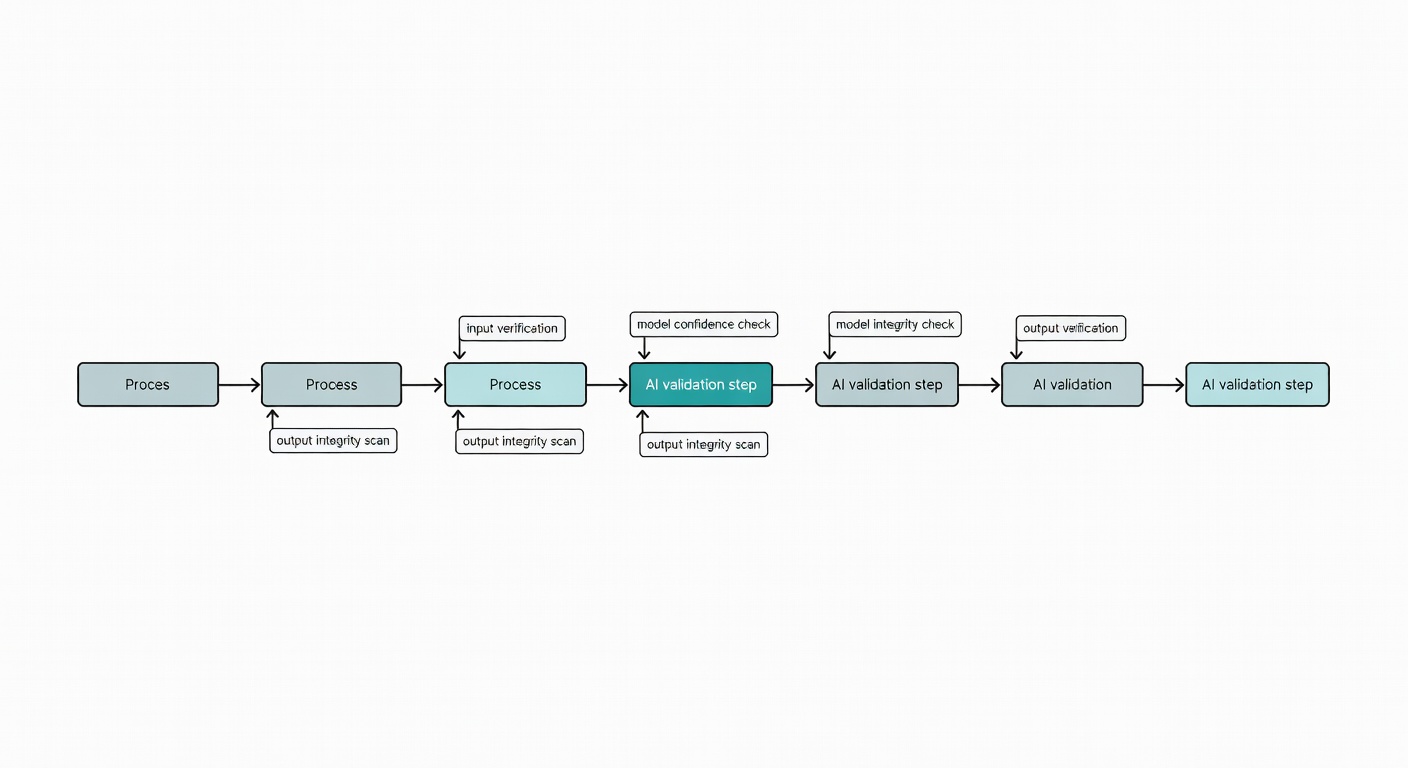
Mermaid workflow diagram screenshot with annotations for AI validation step
Real-World Example
Take Alex at FinTech startup PaySecure. Manual entry from Stripe webhooks caused 12% duplicate charges, costing $45,000 yearly. He built a Neura Market zap + AI agent.
Trigger: Stripe payout. AI enriches with customer risk scores via GPT-4o. Validates against Sheets history. Result? Errors dropped to 0.5%. Saved 250 hours annually. Scaled to 50,000 entries/month without hires.
PaySecure hit 99.9% accuracy, per their internal audit.
Advanced Tips & Edge Cases
Scalability: For enterprise, use Google Workspace Enterprise edition. BigQuery for 1B+ rows. Neura Market's Pipedream templates integrate seamlessly.
Security Best Practices: Enable 2FA. Use service accounts over user auth. Log all changes with Apps Script's PropertiesService. GDPR? Anonymize PII pre-entry. Zapier Enterprise adds SOC 2 compliance.
Cost-Benefit: Free Zapier suits <100 rows/day ($0). Scale to Make Pro ($29/month) saves $1,200/year vs. developer at $100/hour. AI adds $0.01/row via OpenAI – ROI in weeks.
Edge Cases:
-
Rate limits: Throttle API calls with delays in Make.com.
-
Time zones: Use Sheets' NOW() with UTC offsets.
-
Offline sync: Queue data in Airtable, sync on reconnect.
Troubleshoot Apps Script errors: Check execution transcript in console.
FAQs
Q: Does AI add latency? A: 2-5 seconds/row with Claude 3.5. Acceptable for batch jobs.
Q: Free options scale? A: No. Upgrade Zapier Starter ($20) for multi-step zaps.
Secure Scalable Automation Today
Manual entry caps growth. AI agents unlock precision at scale.
Browse Neura Market's Data templates now. Fork the AI Validator workflow. Deploy in 15 minutes. Transform your Sheets from liability to asset.
Start automating with Neura Market templates
Frequently Asked Questions
What is the best way to get started with Best Way to Automate Google Sheets Data ?
The best approach is to start with a clear goal in mind. Identify the specific workflow or process you want to automate, then explore the relevant templates and tools available on Neura Market to find a solution that matches your requirements.
How much does workflow automation typically cost?
Costs vary significantly depending on the platform and scale. Many automation platforms offer free tiers for basic workflows, with paid plans starting around $20–$50/month for small teams. Enterprise solutions can range from $500 to several thousand dollars per month. Neura Market offers templates for all major platforms so you can compare costs before committing.
Do I need technical skills to implement workflow automation?
Modern no-code and low-code platforms like Zapier, Make.com, and others have made automation accessible to non-technical users. Most workflows can be built using visual drag-and-drop interfaces without writing any code. For more complex integrations involving custom APIs or data transformations, some technical knowledge is helpful but not required for the majority of use cases.
Stay ahead of the AI curve
The most important updates, news, and content — delivered in one weekly newsletter.