Fix 'undefined message' error when using interrupt and Command({ resume }) in LangGraph
Original question: When using 'interrupt' followed by 'new Command({ resume: ...})', get an undefined message error from LangChain + LangGraph
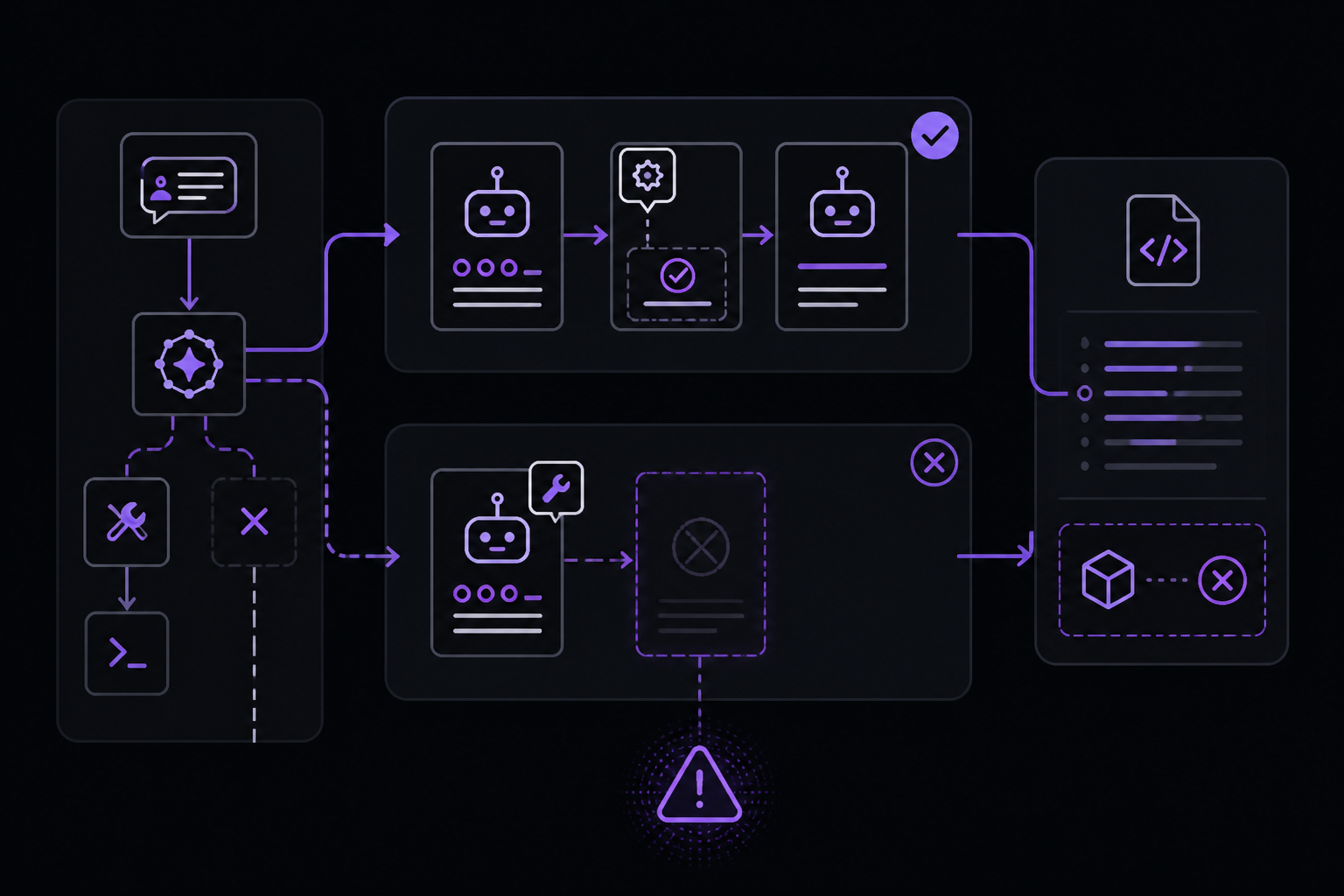
The "Cannot read properties of undefined (reading 'message')" error when using interrupt followed by new Command({ resume: ... }) in LangGraphJS is caused by the graph reaching the END node without inserting a ToolMessage into the messages state. When a human rejects a tool call and the graph routes to END, the next invocation finds an empty or incomplete message history that the LLM cannot process. The fix is to return a Command with an update field containing a ToolMessage for each rejected tool call, so the message history remains valid.
The Full Answer
Root Cause of the Error
The error originates in @langchain/core/dist/language_models/chat_models.js at line 64, where the code tries to read chatGeneration.message from an undefined value. This happens when the LLM receives an unexpected or empty message array as input. In the reported scenario, after a human rejects a tool call and the graph proceeds to END, the subsequent graph.invoke call passes a state where the last message is an AIMessage with tool calls but no corresponding ToolMessage. The LLM expects a ToolMessage to follow an AIMessage with tool calls, and its absence causes the undefined reference.
The Problem in the Original Code
In the original approveNode function, when the user responds with anything other than "y", the function returns new Command({ goto: END }) without updating the messages state. The graph reaches END with an incomplete message pair (AIMessage with tool calls but no ToolMessage). The next time the graph is invoked, the agent node tries to process this incomplete history and crashes.
async function approveNode (state) {
  console.log('===APPROVE NODE===');
  const lastMsg = state.messages.at(-1);
  const toolCall = lastMsg.tool_calls.at(-1);

  const interruptMessage = `Please review the following tool invocation:
${toolCall.name} with inputs ${JSON.stringify(toolCall.args, undefined, 2)}
Do you approve (y/N)`;

  console.log('=INTERRUPT PRE=');
  const interruptResponse = interrupt(interruptMessage);
  console.log('=INTERRUPT POST=');

  const isApproved = (interruptResponse.trim().charAt(0).toLowerCase() === 'y');
  const goto = (isApproved) ? 'tools' : END;
  console.log('=RESULT=\n', { isApproved, goto });
  return new Command({ goto });
}
Notice that when isApproved is false, the Command only specifies goto: END. No update field is provided, so the messages state remains unchanged. The AIMessage with tool calls stays as the last message, but no ToolMessage is added to indicate the tool call was rejected.
The Fix: Add a ToolMessage on Rejection
According to an engineer on the LangChain team (Source 2), the correct approach is to return a Command with an update field that inserts a ToolMessage when the tool call is rejected. This ToolMessage should have a status of "error" and include the tool_call_id so the LLM can correlate it with the original tool call.
async function approveNode (state) {
  console.log('===APPROVE NODE===');
  const lastMsg = state.messages.at(-1);
  const toolCall = lastMsg.tool_calls.at(-1);

  const interruptMessage = `Please review the following tool invocation:
${toolCall.name} with inputs ${JSON.stringify(toolCall.args, undefined, 2)}
Do you approve (y/N)`;

  console.log('=INTERRUPT PRE=');
  const interruptResponse = interrupt(interruptMessage);
  console.log('=INTERRUPT POST=');

  const isApproved = (interruptResponse.trim().charAt(0).toLowerCase() === 'y');
  if (isApproved) {
    return new Command({ goto: 'tools' });
  }

  // rejection case
  return new Command({
    goto: END,
    update: {
      messages: [
        new ToolMessage({
          status: "error",
          content: `The user declined your request to execute the ${toolCall.name} tool, with arguments ${JSON.stringify(toolCall.args)}`,
          tool_call_id: toolCall.id
        })
      ]
    }
  });
}
This ensures that when the graph reaches END, the message history contains a complete pair: the original AIMessage with tool calls followed by a ToolMessage indicating rejection. The next invocation can then proceed normally because the LLM receives a valid message sequence.
Handling Multiple Tool Calls
The original code only handles a single tool call (tool_calls.at(-1)). The LangChain team engineer notes that this implementation does not handle parallel tool calls. If your LLM might request multiple tools at once, you need to handle each one.
Option 1: Reject All Tool Calls if Any Is Rejected
If you want to reject all tool calls when the user rejects any single one, you need to add one rejection ToolMessage per tool call. You should also only call interrupt once for the whole batch of calls to avoid multiple interruptions.
async function approveNode (state) {
  const lastMsg = state.messages.at(-1);
  const toolCalls = lastMsg.tool_calls;

  const interruptMessage = `Please review the following tool invocations:\n` +
    toolCalls.map((tc, i) => `${i+1}. ${tc.name} with inputs ${JSON.stringify(tc.args)}`).join('\n') +
    `\nDo you approve all (y/N)`;

  const interruptResponse = interrupt(interruptMessage);
  const isApproved = (interruptResponse.trim().charAt(0).toLowerCase() === 'y');

  if (isApproved) {
    return new Command({ goto: 'tools' });
  }

  const rejectionMessages = toolCalls.map(tc => new ToolMessage({
    status: "error",
    content: `The user declined your request to execute the ${tc.name} tool, with arguments ${JSON.stringify(tc.args)}`,
    tool_call_id: tc.id
  }));

  return new Command({
    goto: END,
    update: { messages: rejectionMessages }
  });
}
Option 2: Allow Approved Calls, Reject Denied Calls
If you want to allow approved tool calls to proceed while rejecting denied ones, you have two sub-options:
Sub-option A: Process interrupts in a loop and use Send
Process all interrupts/approvals in a loop. For approved calls, use a Send object in the goto field to route a filtered copy of the AIMessage (containing only approved tool calls) to the tools node. For denied calls, add rejection ToolMessages to the update field.
async function approveNode (state) {
  const lastMsg = state.messages.at(-1);
  const toolCalls = lastMsg.tool_calls;
  const approvedCalls = [];
  const rejectionMessages = [];

  for (const tc of toolCalls) {
    const interruptMessage = `Please review the following tool invocation:\n${tc.name} with inputs ${JSON.stringify(tc.args)}\nDo you approve (y/N)`;
    const interruptResponse = interrupt(interruptMessage);
    const isApproved = (interruptResponse.trim().charAt(0).toLowerCase() === 'y');

    if (isApproved) {
      approvedCalls.push(tc);
    } else {
      rejectionMessages.push(new ToolMessage({
        status: "error",
        content: `The user declined your request to execute the ${tc.name} tool, with arguments ${JSON.stringify(tc.args)}`,
        tool_call_id: tc.id
      }));
    }
  }

  if (approvedCalls.length > 0) {
    const filteredAiMsg = new AIMessage({
      content: lastMsg.content,
      tool_calls: approvedCalls,
      id: lastMsg.id
    });
    return new Command({
      goto: [new Send('tools', { messages: [filteredAiMsg] })],
      update: { messages: rejectionMessages }
    });
  }

  return new Command({
    goto: END,
    update: { messages: rejectionMessages }
  });
}
Sub-option B: Interrupt in the tool handler
Use an array of Send in your conditional edge to fan out the tool calls to the tools node (by sending a filtered copy of the AIMessage), and do the interrupt inside the tool handler itself. This avoids reprocessing approved tool calls when the graph is interrupted after a particular tool call is approved.
Here is a wrapper function that requires approval for individual tool handlers:
function requiresApproval(toolHandler) {
  return (...args) => {
    const interruptMessage = `Please review the following tool invocation: ${toolHandler.name}(${args.map(JSON.stringify).join(", ")})`;
    const interruptResponse = interrupt(interruptMessage);
    const isApproved = (interruptResponse.trim().charAt(0).toLowerCase() === 'y');
    if (isApproved) {
      return toolHandler(...args);
    }
    throw new Error(`The user declined your request to execute the ${toolHandler.name} tool, with arguments ${JSON.stringify(args)}`);
  }
}
This wrapper can be applied to any tool to add an approval step before execution. If the user declines, it throws an error which the graph can catch and handle appropriately.
Common Pitfalls
Not Updating Messages on Rejection
The most common mistake is returning new Command({ goto: END }) without an update field. This leaves the message history in an invalid state where an AIMessage with tool calls has no corresponding ToolMessage. The next invocation will fail with the undefined message error.
Forgetting the tool_call_id
When creating a ToolMessage for a rejected call, you must set the tool_call_id to match the id of the original tool call. Without this, the LLM cannot correlate the rejection message with the tool call, which can cause confusion or errors in subsequent steps.
Using .at(-1) for Tool Calls
The original code uses tool_calls.at(-1) to get the last tool call. This only handles a single tool call. If your LLM might request multiple tools in one response, you need to iterate over all tool calls. Otherwise, you will silently ignore all but the last one.
Calling interrupt Multiple Times in a Loop
If you call interrupt multiple times in a loop (e.g., once per tool call), the graph will be interrupted after the first call. Subsequent interrupt calls will not execute until the graph is resumed. This can lead to unexpected behavior where some tool calls are never evaluated. The LangChain team engineer recommends calling interrupt only once for the whole batch of calls.
Not Handling the Resume Value Type
The interrupt function returns the value passed via new Command({ resume: value }). In the original code, the resume value is a string ("yes" or "no"). If you pass a different type (e.g., an object), the .trim().charAt(0).toLowerCase() logic will fail. Always ensure your resume value is a string if you use this pattern.
Graph Structure Issues
Some community members report that the graph structure itself can contribute to this error. If the approveNode is defined with ends: ['tools', END], but the conditional edges from agent route to approve only when tool calls exist, the graph can reach a state where approveNode is called but the state has no tool calls. This can happen if the LLM returns an empty tool_calls array. Always check for the presence of tool calls before accessing them.
Related Questions
How do I properly resume a LangGraph after an interrupt?
To resume a graph after an interrupt, you call graph.invoke with a Command object that has a resume field. The value of resume is whatever you want to pass back to the interrupt call. For example: await graph.invoke(new Command({ resume: 'yes' }), config). The graph will continue from where it was interrupted, and the interrupt function will return the resume value. Make sure your interrupt handler is designed to handle this value correctly.
What is the difference between Command and Send in LangGraph?
Command is used to return from a node to specify the next node to go to and optionally update the state. Send is used to fan out to multiple nodes in parallel, each with a different state. You use Command for simple routing and Send when you need to process multiple items independently. In the context of tool call approval, Send allows you to route each approved tool call to the tools node separately, preventing reprocessing of already-approved calls.
Why does my LangGraph get stuck after an interrupt?
A LangGraph can get stuck after an interrupt if the resume value is not handled correctly, or if the graph reaches a terminal state (like END) without proper message history. Common causes include: not providing a resume value, providing a value of the wrong type, or not updating the messages state when rejecting a tool call. Check that your interrupt handler expects the resume value you are providing and that the graph's message history remains valid after the interrupt is resolved.
Can I use interrupt inside a tool handler instead of a separate approval node?
Yes, you can use interrupt inside a tool handler to require approval before executing the tool. The LangChain team engineer provides a wrapper function requiresApproval that does exactly this. This approach can be simpler because it keeps the approval logic close to the tool execution. However, it means the graph will be interrupted inside the tool node, which may affect how you structure your graph's routing. If you use this approach, you need to handle the case where the user declines the tool call (e.g., by throwing an error or returning a special value).
The #1 Chatgpt Newsletter
The most important chatgpt updates, guides, and fixes — one weekly email.
No spam, unsubscribe anytime. Privacy policy
Sources & References
This page was researched from 2 independent sources, combined and verified for completeness.
- 1.
- 2.Answer by Ben Burns (score 2, accepted)Stack Overflow · primary source
Related Answers
Keep exploring ChatGPT
ChatGPT resources
Latest error solutions
Skip the manual work
Ready-made AI workflows and automation templates — import and run instead of building from scratch.