

Create
FreemiumTransform ideas into apps: AI-driven development, intuitive design, cross-platform compatibility, community support.
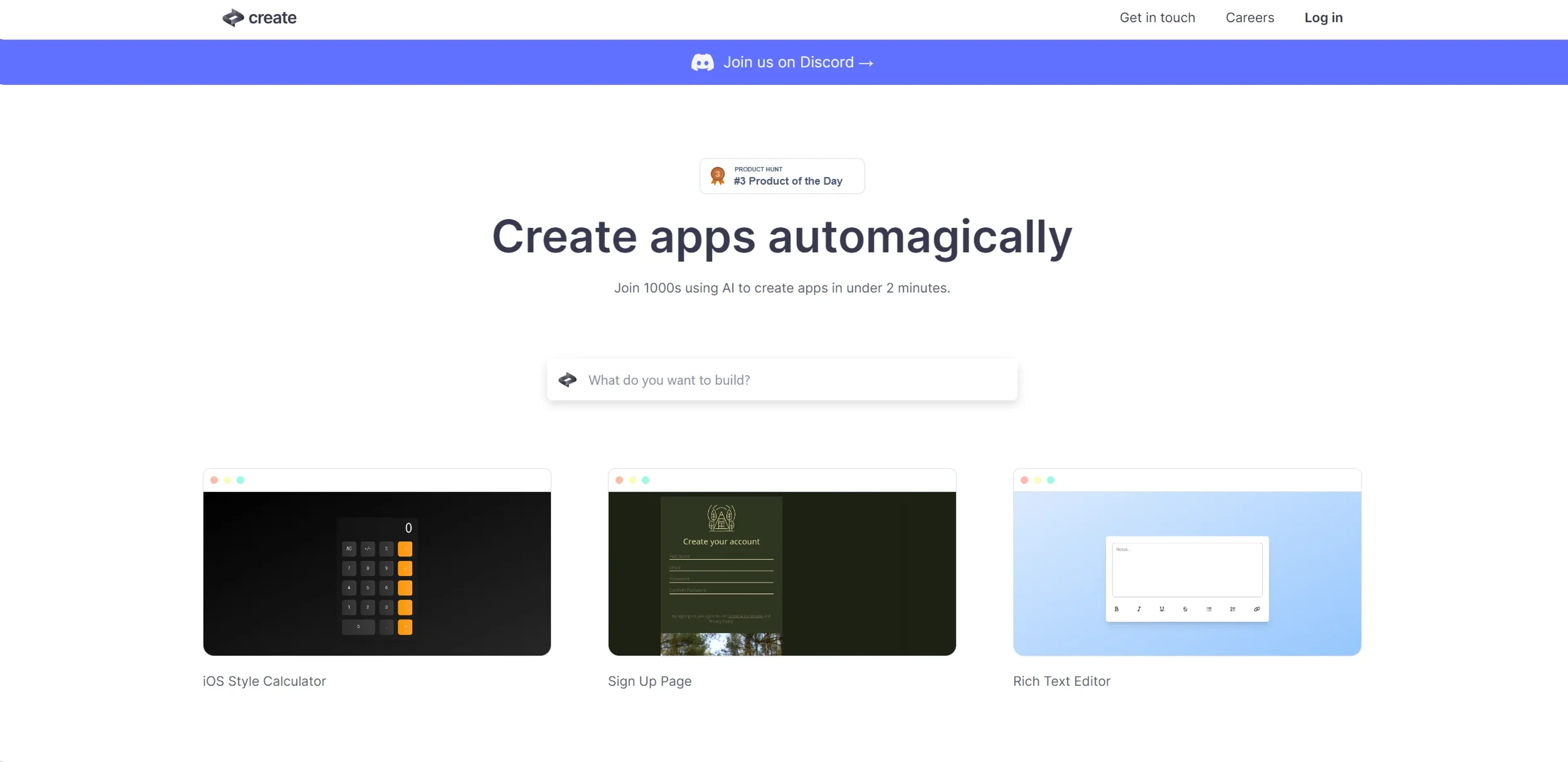
About Create
In the ever-evolving landscape of technology, where artificial intelligence (AI) is making significant strides, Create emerges as a cutting-edge tool that simplifies the app development process. It's a platform that empowers both seasoned developers and novices alike to design and build applications with unprecedented ease. By harnessing the power of AI, Create enables you to generate functional apps using just plain text and images. It's like having a digital magician at your fingertips, turning your ideas into reality with a few keystrokes and clicks.
Key Features
- AI-Powered Code Generation: Create uses AI to translate plain text instructions into functioning code, making app development accessible to a wider audience.
- Intuitive Design Interface: The platform offers a user-friendly interface that caters to professionals and beginners, streamlining the app creation process.
- Diverse Template Selection: With a variety of templates, Create helps jumpstart your project, whether it's a simple to-do list or a complex organizational chart.
- Interactive Tutorials: For those looking to learn, Create provides interactive tutorials that guide users through the app-building journey.
Pros
- Time Efficiency: Dramatically reduces the time required to go from concept to a working app, boosting productivity.
- Cost-Effective: Provides a cost-saving solution for individuals and businesses by minimizing the need for extensive coding resources.
- Flexibility: Offers the flexibility to create a wide range of apps, from games like Rock, Paper, Scissors to business tools like an AI Brand Name Generator.
- Community Support: Access to a vibrant community on Discord, where users can share insights, get help, and collaborate.
Cons
- Learning Curve: While designed to be user-friendly, there's still a learning curve involved in mastering the nuances of AI-assisted development.
- Feature Limitations: Advanced developers might find certain limitations in customization when compared to traditional coding environments.
- Dependency on AI Interpretation: The quality of the output is contingent on the AI's interpretation of user input, which may not always align with the user's intent.
Use Cases
- Entrepreneurs: Utilizing the tool to rapidly prototype and validate business ideas.
- Educators and Students: Employing Create to introduce app development concepts in a more accessible manner.
- Hobbyists: Leveraging the tool to bring personal projects to life without the need for extensive coding knowledge.
- Designers: Using Create to quickly transform visual concepts into interactive applications.
- Uncommon Use Cases: Being adopted by content creators for interactive digital experiences; Used by non-profits to create engagement tools for campaigns.
Pricing
Free Tier: Experience Create with a free version that offers basic functionalities. Subscription Plans: While specific pricing details are not provided, Create likely offers upgraded plans with additional features and capabilities. Disclaimer: Please note that pricing information may not be up to date. For the most accurate and current pricing details, refer to the official Create website.
What Makes It Unique
Create stands out with its AI-driven approach to app development, democratizing the process by allowing users to build apps through simple descriptions. Its capacity to understand plain text and visual input sets it apart from the traditional development tools that require coding expertise.
Ratings
Accuracy and Reliability: 4.5/5 Ease of Use: 4.7/5 Functionality and Features: 4.3/5 Performance and Speed: 4.6/5 Customization and Flexibility: 4.0/5 Data Privacy and Security: 4.5/5 Support and Resources: 4.4/5 Cost-Efficiency: 4.7/5 Integration Capabilities: 4.2/5 Overall Score: 4.5/5
Summary
Transform ideas into apps: AI-driven development, intuitive design, cross-platform compatibility, community support. AI Categories: low-code/no-code, startup tools
Key Features
Pros & Cons
- Time Efficiency: Dramatically reduces the time required to go from concept to a working app, boosting productivity.
- Cost-Effective: Provides a cost-saving solution for individuals and businesses by minimizing the need for extensive coding resources.
- Flexibility: Offers the flexibility to create a wide range of apps, from games like Rock, Paper, Scissors to business tools like an AI Brand Name Generator.
- Community Support: Access to a vibrant community on Discord, where users can share insights, get help, and collaborate.
- Learning Curve: While designed to be user-friendly, there's still a learning curve involved in mastering the nuances of AI-assisted development.
- Feature Limitations: Advanced developers might find certain limitations in customization when compared to traditional coding environments.
- Dependency on AI Interpretation: The quality of the output is contingent on the AI's interpretation of user input, which may not always align with the user's intent.
Best For
Alternatives to Create
Imagica
Create AI Apps in Minutes Without Writing Code Using Imagica AI
Lazy
Simplify Web App Development Using Lazy AI
Blaze.tech
Blaze: A Smarter No-Code Platform
Draftbit
Easily create and customize mobile apps, including push notifications and analytics, without coding.
Magick
Unlock the Future of AI Development with Magick
Forms.app
Transform Your Form Creation Process with forms.app