

trigger.dev
FreeTrigger.dev – build and deploy fully‑managed AI agents and workflows
About trigger.dev
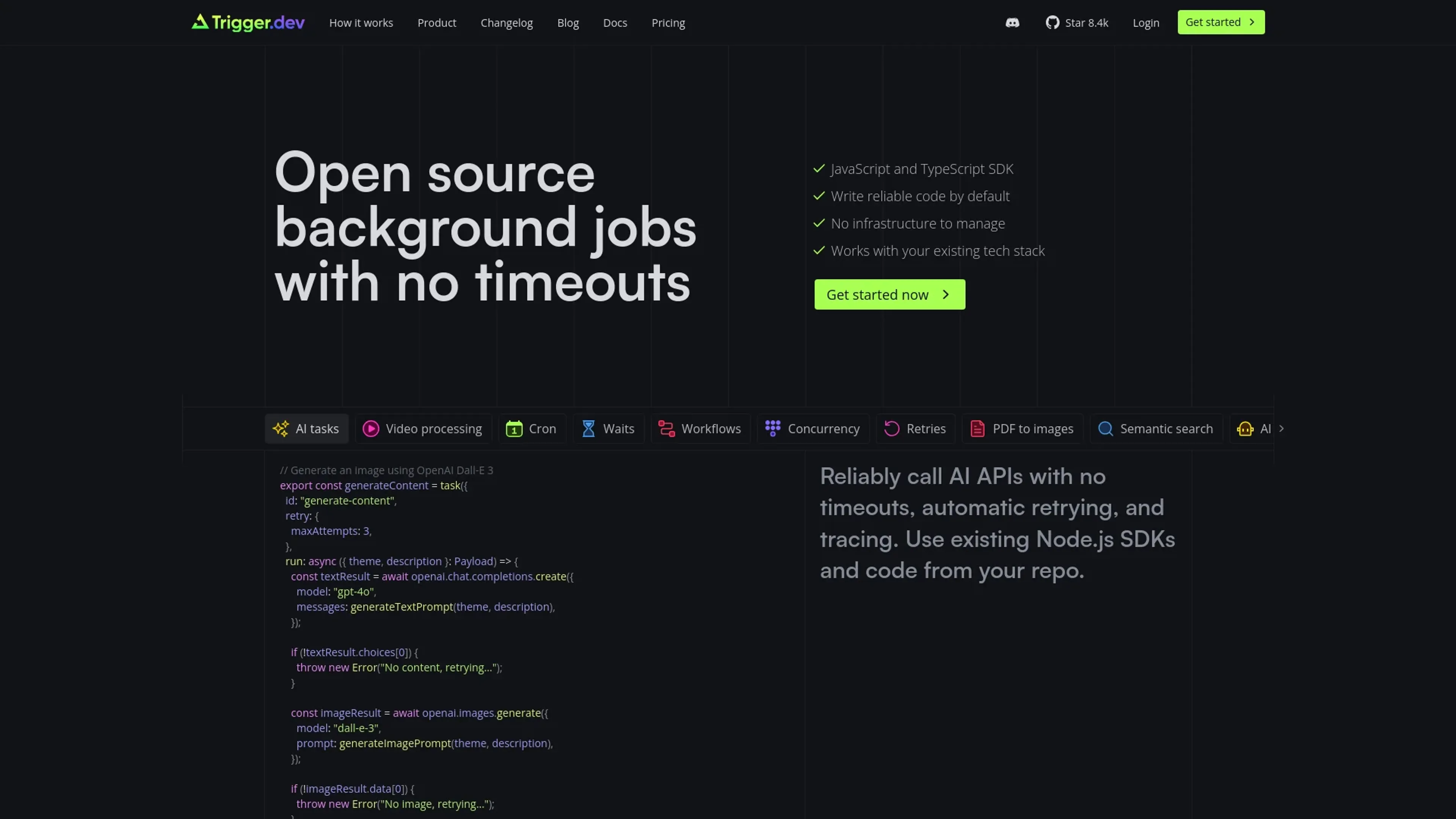
Trigger.dev revolutionizes the way developers manage background jobs and automation workflows. This open-source platform eliminates timeouts and simplifies the creation of reliable, scalable background tasks. Designed for developers and technical teams, Trigger.dev integrates seamlessly with existing tech stacks, offering a robust solution for managing everything from AI tasks to complex workflows without the need for extensive infrastructure management.
Key Features
- Open Source: Trigger.dev is Apache 2.0 licensed, allowing for transparency and community contributions.
- No Timeouts: Ensures that background jobs run reliably without hitting timeouts, crucial for long-running tasks.
- Automatic Retrying: Built-in mechanisms for retrying failed tasks ensure robustness and reliability.
- Integration with Existing Tech Stacks: Works smoothly with popular frameworks and languages like Node.js and TypeScript.
- Concurrency & Queues: Control the number of tasks running concurrently, enhancing efficiency and performance.
- Scheduled Tasks: Durable cron schedules without the risk of timeouts, perfect for periodic tasks.
- Alerts for Failed Runs: Get notifications via Slack, email, or webhooks when tasks fail, enabling quick resolution.
- Advanced Filtering and Bulk Actions: Easily find and manage tasks using advanced filtering options.
Pros
- Time Efficiency: Eliminates the need for extensive setup and management of background jobs.
- Cost-Effective: Only pay for what you use, making it a scalable solution for growing needs.
- Developer-Friendly: Exceptional support and a thriving community enhance the developer experience.
- Reliable: Automatic retrying and no timeouts ensure tasks are completed reliably.
Cons
- Initial Learning Curve: Requires some time to get familiar with advanced features.
- Limited Integrations: While it integrates well with many tools, the range is still expanding.
Use Cases
- E-commerce Businesses: Utilizing the tool for automating inventory management and order processing.
- Digital Marketing Agencies: Employing the tool for automating campaign workflows and data processing.
- Software Developers: Leveraging the tool to manage CI/CD pipelines and background tasks.
- AI and Machine Learning Teams: Using the tool to handle complex AI workflows and data processing.
- Uncommon Use Cases: Utilized by educational institutions for teaching automation concepts; adopted by healthcare providers for automating appointment scheduling and reminders.
Pricing
Free Tier: Experience Trigger.dev with a free trial. Pro Tier: The Pro Tier starts at $ per month. Disclaimer: For the most accurate and current pricing details, refer to the official Trigger.dev website.
What Makes It Unique
Trigger.dev stands out with its ability to handle long-running background jobs without timeouts, a game-changer for developers dealing with complex workflows. Its open-source nature and robust retry mechanisms make it an unparalleled tool in the background job management space.
Ratings
Accuracy and Reliability: 4.8/5 Ease of Use: 4.5/5 Functionality and Features: 4.7/5 Performance and Speed: 4.6/5 Customization and Flexibility: 4.4/5 Data Privacy and Security: 4.5/5 Support and Resources: 4.8/5 Cost-Efficiency: 4.7/5 Integration Capabilities: 4.3/5 Overall Score: 4.6/5
Key Features
Pros & Cons
- Time Efficiency: Eliminates the need for extensive setup and management of background jobs.
- Cost-Effective: Only pay for what you use, making it a scalable solution for growing needs.
- Developer-Friendly: Exceptional support and a thriving community enhance the developer experience.
- Reliable: Automatic retrying and no timeouts ensure tasks are completed reliably.
- Initial Learning Curve: Requires some time to get familiar with advanced features.
- Limited Integrations: While it integrates well with many tools, the range is still expanding.
Best For
Alternatives to trigger.dev

AutoGPT
AutoGPT is the vision of accessible AI for everyone, to use and to build on. Our mission is to provide the tools, so that you can focus on what matters.

aider
aider is AI pair programming in your terminal

axolotl
Go ahead and axolotl questions
Chroma
Open-source embedding database

awesome-claude-code
A curated list of awesome skills, hooks, slash-commands, agent orchestrators, applications, and plugins for Claude Code by Anthropic

agents-course
This repository contains the Hugging Face Agents Course.