

Terrakotta
FreemiumStreamline data analysis and automate workflows efficiently.
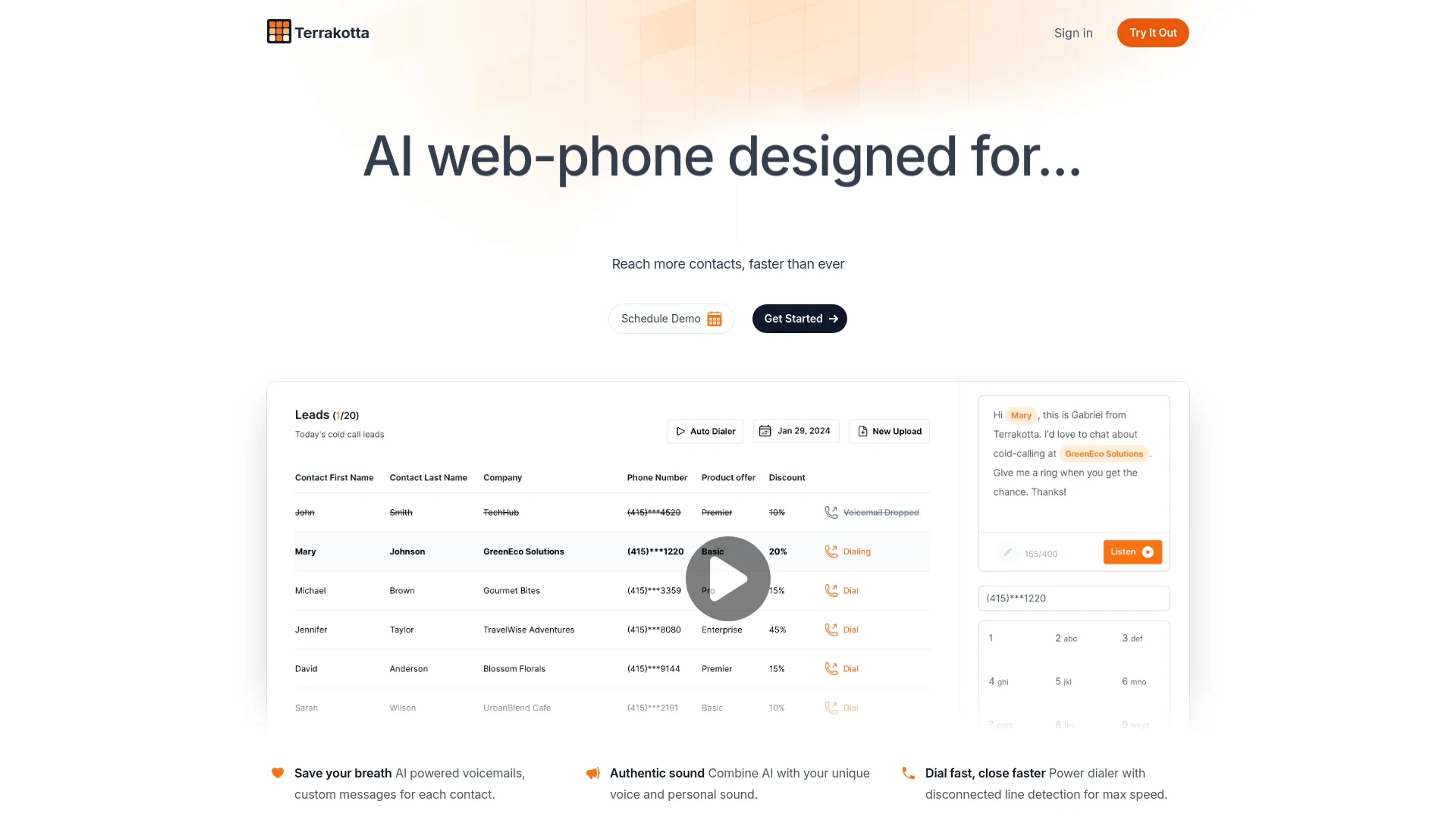
About Terrakotta
Terrakotta is an innovative AI tool designed to streamline complex data analysis and automation processes. At its core, Terrakotta is built to enhance productivity and decision-making in businesses by leveraging advanced artificial intelligence technologies. This tool is particularly beneficial for professionals and organizations looking to optimize their workflows, reduce operational costs, and gain deeper insights into their data.
Key Features
- Advanced Data Processing: Terrakotta uses state-of-the-art algorithms to handle large datasets efficiently.
- Automated Workflows: Simplifies repetitive tasks through automation, saving time and reducing human error.
- Customizable Dashboards: Users can create tailored dashboards to visualize data metrics that matter most to their business.
- Real-time Analytics: Provides up-to-the-minute data analysis to help businesses react swiftly to market changes.
Pros
- Increased Productivity: Automates routine tasks, allowing teams to focus on more strategic activities.
- Cost Reduction: Minimizes the need for extensive manual processes, cutting down on operational expenses.
- Scalable Solutions: Easily scales to meet the growing data needs of any business.
- User-friendly Interface: Designed with a focus on simplicity, making it accessible for users of all technical levels.
Cons
- Initial Setup Complexity: Setting up and customizing the tool to fit specific needs can be time-consuming.
- Advanced Features Learning Curve: Users may require time to fully utilize all the advanced features available.
- Dependency on Internet Connectivity: Real-time analytics features require a stable internet connection to function effectively.
Use Cases
- Data Analysts: Employing the tool to dissect complex datasets and generate actionable insights.
- Marketing Agencies: Using advanced analytics to drive campaign strategies and measure performance.
- IT Departments: Leveraging automation to manage network operations and security monitoring.
- Retail Businesses: Utilizing predictive analytics to adjust inventory levels and optimize supply chain decisions.
- Uncommon Use Cases: Non-profits using data insights for better resource allocation; educational institutions employing analytics for administrative decision-making.
Pricing
Free Trial: Get started with Terrakotta with a 14-day free trial. Standard Plan: Begins at $99 per month with full access to all features. Disclaimer: For the most accurate and current pricing details, refer to the official Terrakotta website.
What Makes It Unique
Terrakotta stands out due to its robust real-time analytics and customizable features that cater to a wide range of industries. Its ability to seamlessly integrate with existing IT infrastructures makes it a versatile choice for businesses looking to enhance their data-driven decision-making processes.
Ratings
Accuracy and Reliability: 4.8/5 Ease of Use: 4.5/5 Functionality and Features: 4.7/5 Performance and Speed: 4.6/5 Customization and Flexibility: 4.5/5 Data Privacy and Security: 4.9/5 Support and Resources: 4.3/5 Cost-Efficiency: 4.4/5 Integration Capabilities: 4.5/5 Overall Score: 4.62/5
Key Features
Pros & Cons
- Increased Productivity: Automates routine tasks, allowing teams to focus on more strategic activities.
- Cost Reduction: Minimizes the need for extensive manual processes, cutting down on operational expenses.
- Scalable Solutions: Easily scales to meet the growing data needs of any business.
- User-friendly Interface: Designed with a focus on simplicity, making it accessible for users of all technical levels.
- Initial Setup Complexity: Setting up and customizing the tool to fit specific needs can be time-consuming.
- Advanced Features Learning Curve: Users may require time to fully utilize all the advanced features available.
- Dependency on Internet Connectivity: Real-time analytics features require a stable internet connection to function effectively.
Best For
Alternatives to Terrakotta
ViralViews
Master AI-Powered Social Media Trends Using ViralViews
Mails.ai
Optimize Your Email Campaigns with Mails.ai
Contlo.AI
AI-Powered Digital Marketing Solutions for Small Businesses
Salesforge
Enhance Email Deliverability Using One of the World's Largest Warm-Up Networks
Ultramail
UltraMail: Effortless, Personalized Marketing Emails
TimeToTok
TimeToTok helps content creators and marketers optimize social media management with AI-powered planning, content scheduling, and performance tracking.