

PixMaker AI
FreemiumAI-driven tool transforms design with seamless image editing.
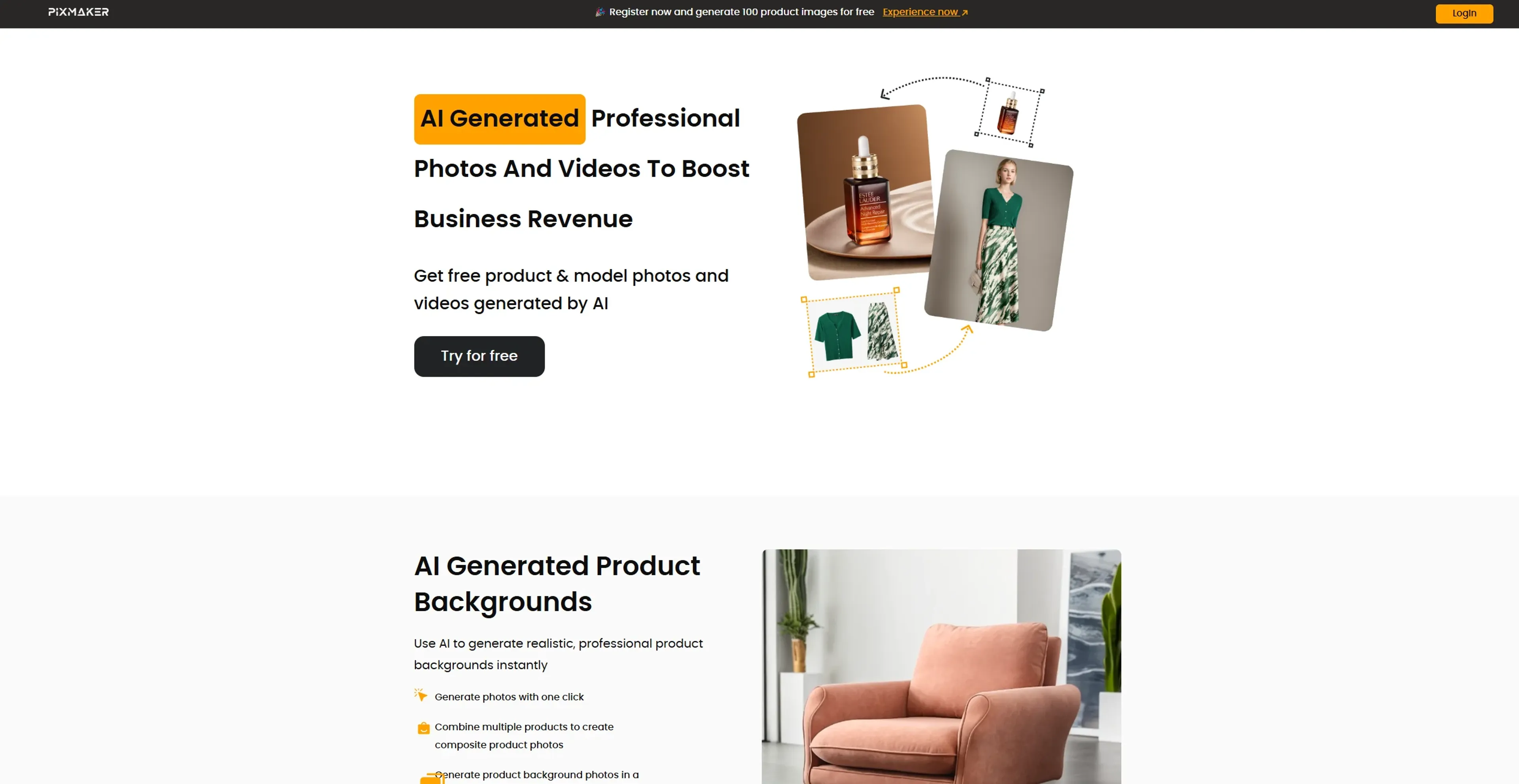
About PixMaker AI
PixMaker AI revolutionizes digital image creation and editing, offering state-of-the-art AI-powered tools for seamless design experiences. Tailored for graphic designers, marketers, and content creators, it simplifies complex design tasks by automating and enhancing the creative process. PixMaker AI is your go-to solution for transforming ideas into visually stunning graphics with minimal effort.
Key Features
- AI-Powered Image Editing: Utilizes cutting-edge algorithms to enhance and manipulate images with precision.
- Template Library: Offers a vast collection of customizable templates for various design needs.
- Real-Time Collaboration: Enables multiple users to work on projects simultaneously, enhancing team productivity.
- Smart Suggestions: Provides intelligent design suggestions based on project context and user preferences.
Pros
- Time Efficiency: Streamlines the design process, significantly reducing task completion time.
- User-Friendly Interface: Intuitive design facilitates easy navigation and use, even for beginners.
- Cost-Effective: Offers affordable plans that deliver high value through automation and advanced features.
- Versatile Applications: Suitable for a wide range of industries and creative projects.
Cons
- Initial Learning Curve: Some users may require time to fully utilize advanced features.
- Limited Offline Functionality: Requires an internet connection for optimal performance.
Use Cases
- E-commerce Businesses: Utilizing the tool for enhancing online product imagery.
- Digital Marketing Agencies: Employing the tool for creating visually appealing campaign content.
- Social Media Managers: Leveraging the tool to create engaging social media posts.
- Graphic Designers: Using the tool for efficient design workflows.
- Uncommon Use Cases: Utilized by educational institutions for teaching marketing courses; Adopted by freelance photographers for streamlining editing processes.
Pricing
Free Tier: Experience PixMaker AI with a 14-day free trial. Pro Tier: The Pro Tier starts at $19.99 per month. Disclaimer: Please note that pricing information may not be up to date. For the most accurate and current pricing details, refer to the official PixMaker AI website.
What Makes It Unique
PixMaker AI stands out with its AI-Powered Image Editing, a game-changer for digital content creation. Its ability to provide smart design suggestions and real-time collaboration sets it apart, offering users an unparalleled creative experience.
Ratings
Accuracy and Reliability: 4.7/5 Ease of Use: 4.5/5 Functionality and Features: 4.8/5 Performance and Speed: 4.6/5 Customization and Flexibility: 4.4/5 Data Privacy and Security: 4.3/5 Support and Resources: 4.2/5 Cost-Efficiency: 4.5/5 Integration Capabilities: 4.0/5 Overall Score: 4.5/5
Key Features
Pros & Cons
- Time Efficiency: Streamlines the design process, significantly reducing task completion time.
- User-Friendly Interface: Intuitive design facilitates easy navigation and use, even for beginners.
- Cost-Effective: Offers affordable plans that deliver high value through automation and advanced features.
- Versatile Applications: Suitable for a wide range of industries and creative projects.
- Initial Learning Curve: Some users may require time to fully utilize advanced features.
- Limited Offline Functionality: Requires an internet connection for optimal performance.
Best For
Alternatives to PixMaker AI
ViralViews
Master AI-Powered Social Media Trends Using ViralViews
Mails.ai
Optimize Your Email Campaigns with Mails.ai
Contlo.AI
AI-Powered Digital Marketing Solutions for Small Businesses
Salesforge
Enhance Email Deliverability Using One of the World's Largest Warm-Up Networks
Ultramail
UltraMail: Effortless, Personalized Marketing Emails
TimeToTok
TimeToTok helps content creators and marketers optimize social media management with AI-powered planning, content scheduling, and performance tracking.