

Insta Headshots
FreemiumTurn selfies into polished professional headshots.
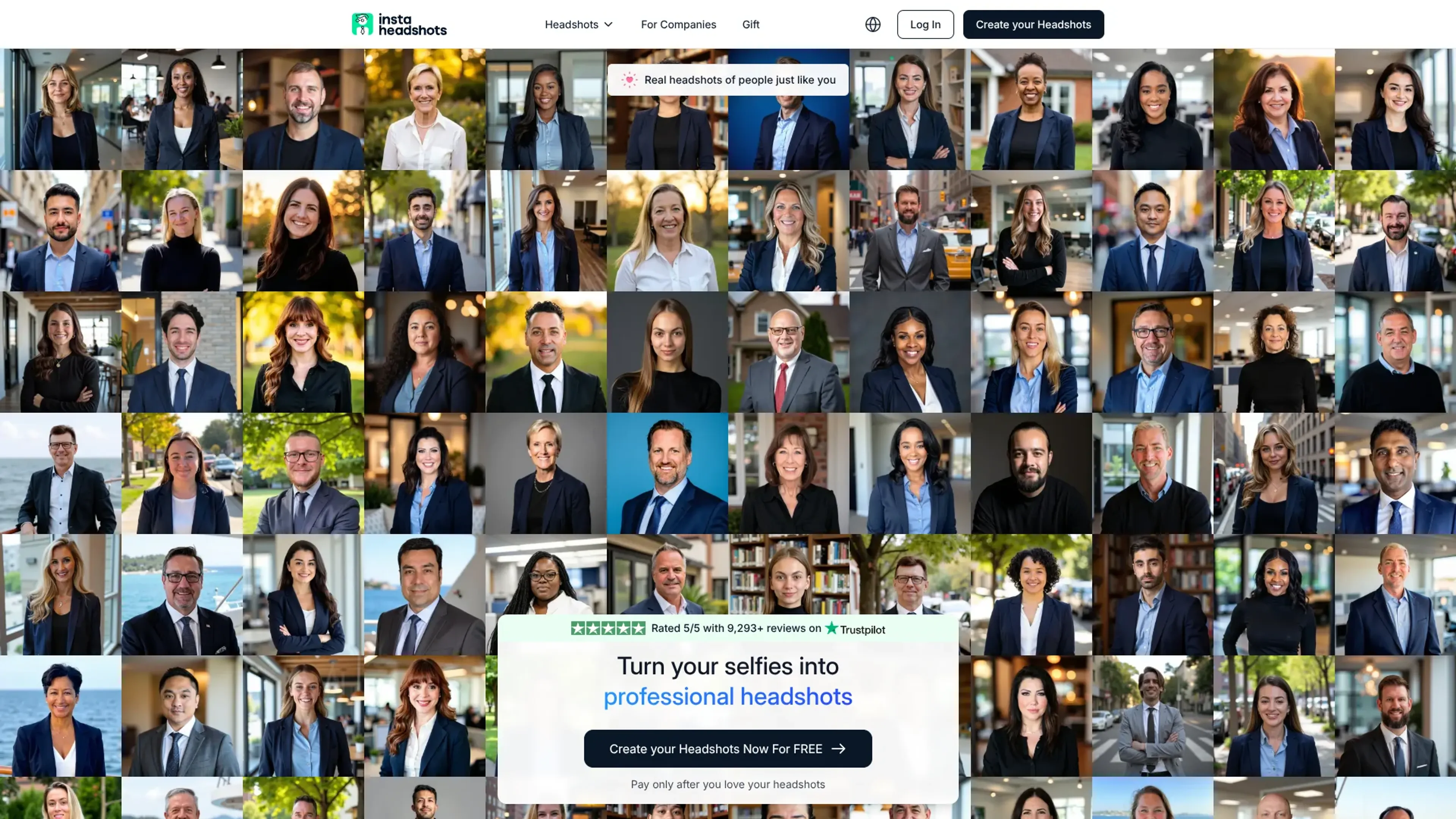
About Insta Headshots
Insta Headshots turns ordinary selfies into professional headshots in minutes using a dedicated AI model trained on each user’s photos. It focuses on fast, studio-quality portraits for LinkedIn, resumes, company directories, and other professional profiles, without the hassle or cost of a traditional photoshoot. Users upload a small set of varied photos, choose preferred styles, then receive dozens of realistic headshots that closely reflect their appearance and personal brand.
Key Features
- Personalized AI training: Builds a unique model for every user, learning facial features, hair, glasses, and expressions from around 10 uploaded selfies.
- High-volume output: Generates around 50 to 100 headshots per session, with multiple poses, backgrounds, and outfits so users can pick several favorites.
- Style presets: Offers business formal, business casual, creative, and industry-specific looks, plus optional edits such as outfit and background tweaks for an extra fee.
- Fast turnaround: Starter packs typically complete in about 60 minutes, while higher tiers promise headshots in roughly 15 minutes.
- Resolution and upscaling: Default 1024 x 1024 pixel images work well for social profiles, with optional paid upscaling for print-ready versions.
- Strong privacy controls: Images are encrypted, used only for that user’s model, never added to broader training, and deleted automatically after 30 days unless the user removes them sooner.
Pros
- Huge variety per shoot: Dozens of usable headshots instead of the usual handful from a studio session.
- Pay-after-preview model: Users can generate headshots first and only pay if they actually like the results.
- Clear professional focus: Presets tailored for LinkedIn, corporate, executive, and role-specific use give a very “ready-to-upload” feel.
- Customer-friendly policies: Satisfaction guarantee, refunds when results miss expectations, and responsive support for tweaks and corrections.
Cons
- Limited fine-grain control: Styles are chosen from presets, so ultra-specific art direction may require manual post-editing.
- Square aspect ratio by default: Great for online profiles, but print use generally needs the paid upscaling step.
- No direct integrations: Output must be downloaded and manually uploaded to LinkedIn or HR tools.
Use Cases
- Job seekers and career switchers: Refreshing LinkedIn and resume photos ahead of applications or interviews.
- Corporate teams and HR departments: Rolling out consistent, on-brand staff headshots without organizing photo days.
- Founders, coaches, and solo professionals: Building cohesive personal-brand imagery across websites, newsletters, and social channels.
- Medical, legal, and real estate professionals: Updating directory and listing photos where trust and clarity really matter.
- Uncommon Use Cases: Used as a quick confidence boost before dating profile revamps; adopted by online course creators who need polished avatars across multiple learning platforms.
Pricing
InstaHeadshots: $59 (starting price); includes 50 headshots, 5 looks, ready in 15 minutes; pay only if you love and keep the headshots. Disclaimer: Please note that pricing information may not be up to date. For the most accurate and current pricing details, refer to the official Insta Headshots website.
What Makes It Unique
Insta Headshots stands out by combining a pay-only-if-you-love-it flow with very high social proof, including thousands of five-star reviews and claims of millions of headshots generated. The focus on training a separate AI model for each user, strict data deletion policies, and a clear “your likeness is your property” stance help it appeal to privacy-conscious professionals who still want cutting-edge AI image quality.
Ratings
Accuracy and Reliability: 4.7/5 Ease of Use: 4.8/5 Functionality and Features: 4.5/5 Performance and Speed: 4.8/5 Customization and Flexibility: 4.3/5 Data Privacy and Security: 4.8/5 Support and Resources: 4.4/5 Cost-Efficiency: 4.6/5 Integration Capabilities: 3.5/5 Overall Score: 4.5/5
Key Features
Pros & Cons
- Huge variety per shoot: Dozens of usable headshots instead of the usual handful from a studio session.
- Pay-after-preview model: Users can generate headshots first and only pay if they actually like the results.
- Clear professional focus: Presets tailored for LinkedIn, corporate, executive, and role-specific use give a very “ready-to-upload” feel.
- Customer-friendly policies: Satisfaction guarantee, refunds when results miss expectations, and responsive support for tweaks and corrections.
- Limited fine-grain control: Styles are chosen from presets, so ultra-specific art direction may require manual post-editing.
- Square aspect ratio by default: Great for online profiles, but print use generally needs the paid upscaling step.
- No direct integrations: Output must be downloaded and manually uploaded to LinkedIn or HR tools.
Best For
Alternatives to Insta Headshots
Lexica
Lexica.art - Transforming Digital Art Generation Using AI
Midjourney
AI image generation via Discord
Dewatermark.AI
Remove watermarks from images instantly with DeWatermark AI. Experience seamless, high-quality editing across all devices—no design skills needed.
Caspa AI
Create Professional Product Photos Effortlessly with Caspa AI
HitPaw Photo AI
Elevate Your Images with HitPaw Photo AI
OpenArt Photo Booth
Seamlessly Generate and Handle AI-Produced Images Using OpenArt Photo Booth