

Ledger IQ
FreemiumStreamline bookkeeping with automated data entry.
About Ledger IQ
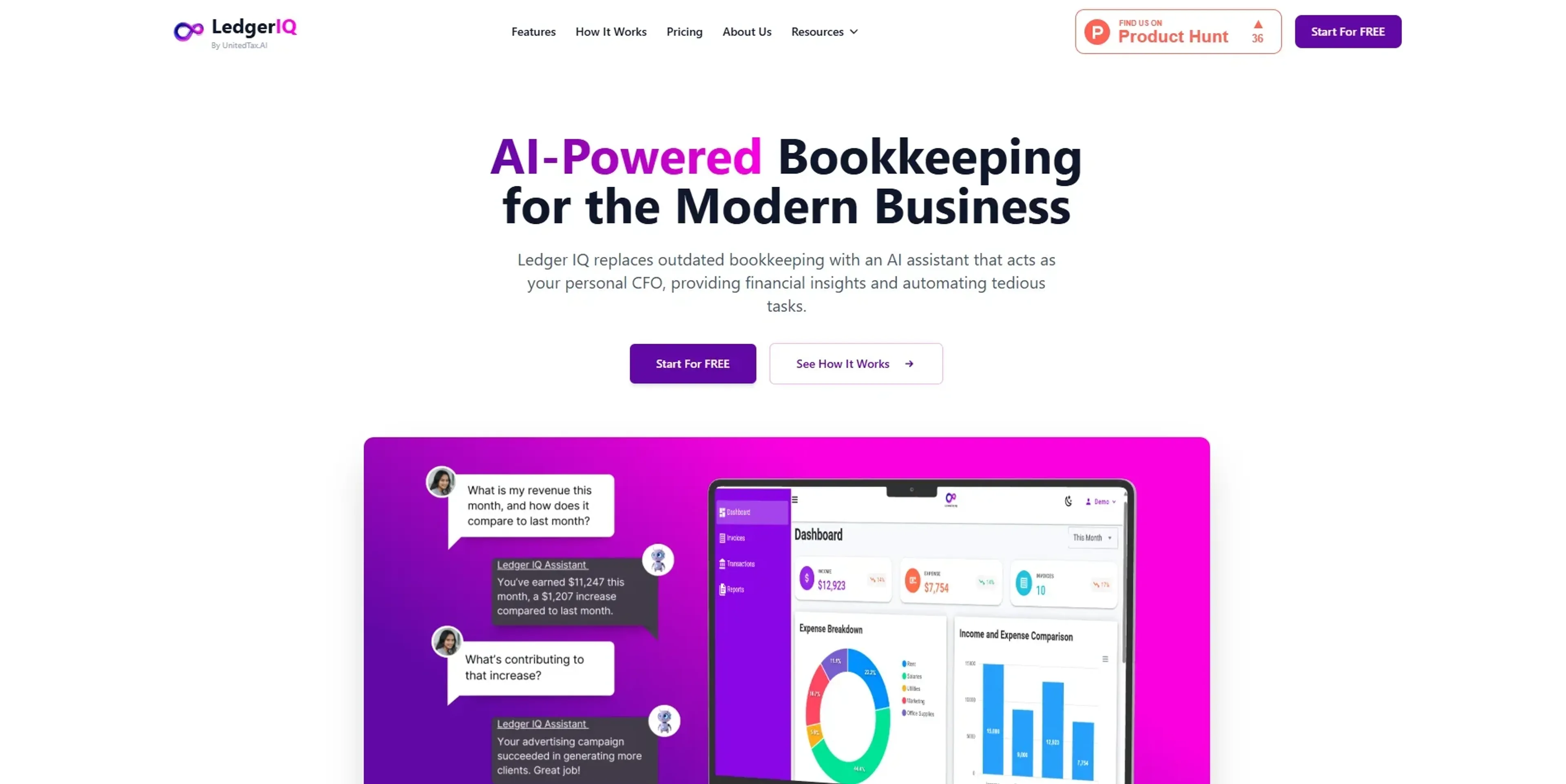
Ledger IQ offers a fresh take on bookkeeping by harnessing the power of artificial intelligence to streamline financial management. This tool caters to businesses looking to simplify their accounting processes, making it easier to maintain accurate records and gain insights into their financial health. Designed with small to medium-sized enterprises in mind, Ledger IQ automates data entry, categorizes expenses, and generates reports, ultimately reducing the time and effort traditionally associated with bookkeeping tasks.
Key Features
- Automated Data Entry: Ledger IQ reduces manual input by automatically importing and categorizing transactions from bank statements, saving users valuable time.
- Real-Time Financial Insights: The tool provides up-to-date financial reports and analytics, helping businesses make informed decisions quickly.
- Expense Tracking: Users can easily track and manage expenses, with AI-driven categorization ensuring accuracy and organization.
- Integration with Accounting Software: Ledger IQ seamlessly integrates with popular accounting platforms, allowing for a unified financial management experience.
Pros
- Time Efficiency: Automates repetitive bookkeeping tasks, freeing up time for business owners to focus on growth.
- Accurate Financial Reporting: Delivers precise financial insights, enhancing decision-making capabilities.
- User-Friendly Interface: The intuitive design ensures that even those with limited accounting knowledge can navigate the tool effectively.
- Cost-Effective Solution: Offers a budget-friendly alternative to traditional bookkeeping services.
Cons
- Initial Setup Required: Users may need some time to integrate and customize the tool according to their specific needs.
- Limited Customization Options: While functional, the tool may not offer extensive customization for highly specialized accounting requirements.
- Dependence on Internet Connectivity: An active internet connection is necessary for optimal performance and data synchronization.
Use Cases
- Small Business Owners: Utilizing the tool to simplify and automate their bookkeeping processes.
- Accountants and Bookkeepers: Employing Ledger IQ to enhance efficiency and accuracy in managing client accounts.
- Freelancers: Leveraging the tool to keep track of their finances without the need for a dedicated accountant.
- Startups: Using Ledger IQ to maintain clear and organized financial records from the outset.
- Uncommon Use Cases: Employed by non-profit organizations to manage donations and financial records; Used by educational institutions to teach students about modern bookkeeping practices.
Pricing
Freelancer: $0 per month. Includes limited AI-powered financial insights, manual transaction tracking, unlimited invoicing, profit and loss reports, and customizable categories. Professional: $15.99 per month. Includes everything in the Freelancer plan plus enhanced AI insights, effortless account syncing, AI-powered financial alerts, and automatic transaction categorization. Disclaimer: Please note that pricing information may not be up to date. For the most accurate and current pricing details, refer to the official Ledger IQ website.
What Makes It Unique
Ledger IQ distinguishes itself with its AI-powered automation that simplifies bookkeeping for businesses of all sizes. Its ability to deliver real-time financial insights and integrate with existing accounting software sets it apart, making it a valuable tool for those seeking efficient and reliable financial management solutions.
Ratings
Accuracy and Reliability: 4.7/5 Ease of Use: 4.5/5 Functionality and Features: 4.6/5 Performance and Speed: 4.4/5 Customization and Flexibility: 4.0/5 Data Privacy and Security: 4.5/5 Support and Resources: 4.3/5 Cost-Efficiency: 4.6/5 Integration Capabilities: 4.5/5 Overall Score: 4.5/5
Key Features
Pros & Cons
- Time Efficiency: Automates repetitive bookkeeping tasks, freeing up time for business owners to focus on growth.
- Accurate Financial Reporting: Delivers precise financial insights, enhancing decision-making capabilities.
- User-Friendly Interface: The intuitive design ensures that even those with limited accounting knowledge can navigate the tool effectively.
- Cost-Effective Solution: Offers a budget-friendly alternative to traditional bookkeeping services.
- Initial Setup Required: Users may need some time to integrate and customize the tool according to their specific needs.
- Limited Customization Options: While functional, the tool may not offer extensive customization for highly specialized accounting requirements.
- Dependence on Internet Connectivity: An active internet connection is necessary for optimal performance and data synchronization.
Best For
Alternatives to Ledger IQ
Fina Money
The modular finance tracker that lets you build insightful reports—just like playing with Legos.
Nume
The AI CFO for Startups
cc:Monet
Transform your bookkeeping with AI and unlock unmatched efficiency!
Pluto
Personal Investment AI and Real-Time Data Analysis with Pluto
Telescope
Empower Investment Discovery with Ripple by Telescope
QuickBooks
Generate tax reports, automate invoicing, monitor financial performance with a powerful mobile app.